Hostinger AI Builder manual mode uses Google Fonts by default to offer a large selection of open-source fonts, fetched through Cloudflare to follow safety recommendations.
We use Cloudflare to fetch Google Fonts to follow all safety recommendations.
Why characters may look inconsistent
Each font is different and not always compatible with the full language set. If your chosen font does not support certain characters in your language, the browser will automatically fall back to default fonts only for missing characters. That’s why there can be character inconsistencies on your website, that may look like this:

Choose a web-safe font
Use web-safe fonts on your website whenever possible. This way, your content will look good at all times: as web-safe fonts are widely available, they tend to support various languages. Web-safe fonts also have faster load times because they are preinstalled on most modern devices.
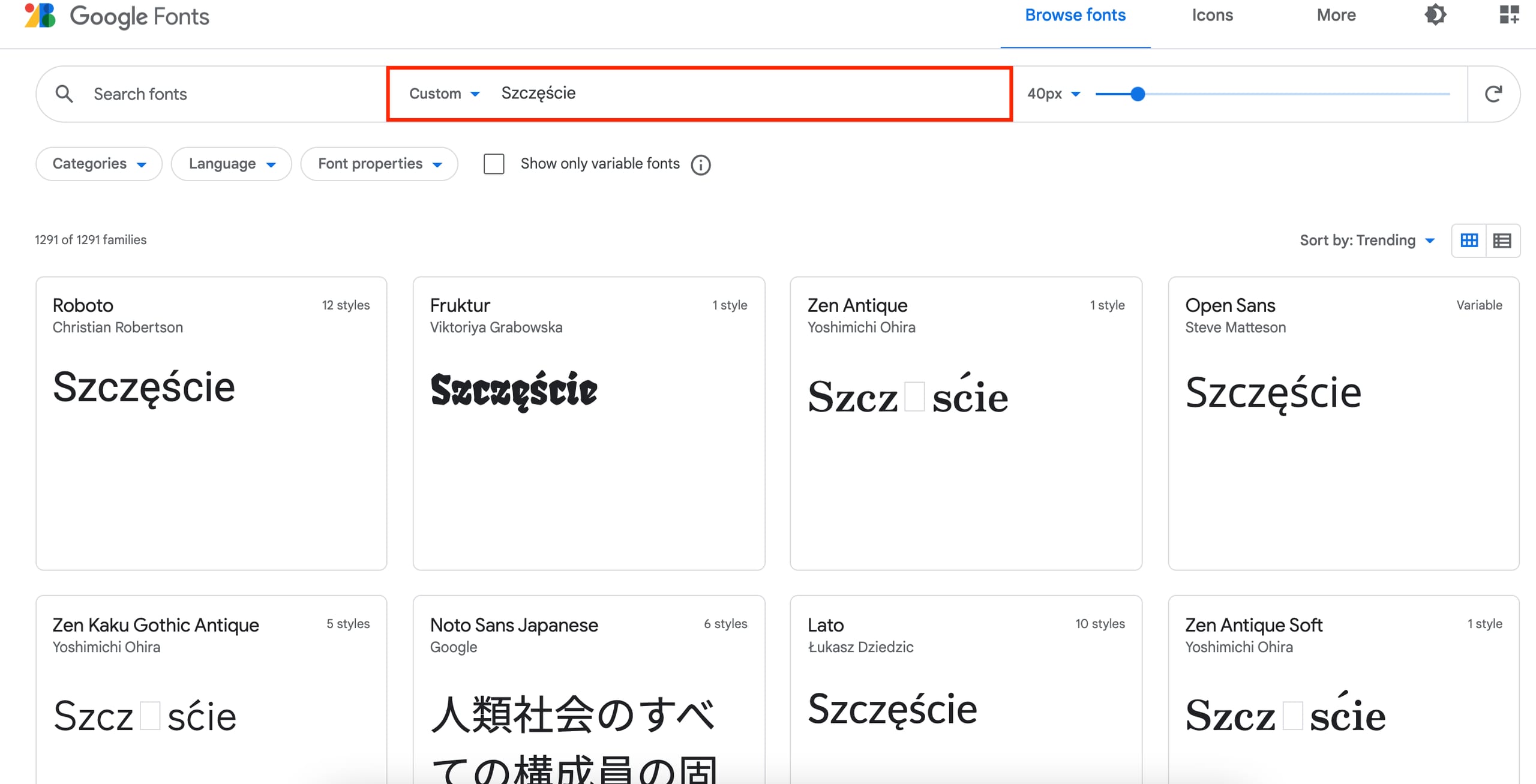
You can use Google Fonts to preview if your desired font will look good in your browser and isn’t missing any symbols or characters that you need in your language:
Choosing a web-safe font helps your content display consistently for every visitor.