Add shapes to your website design in Hostinger AI Builder manual mode to enhance your layout.
Add a shape
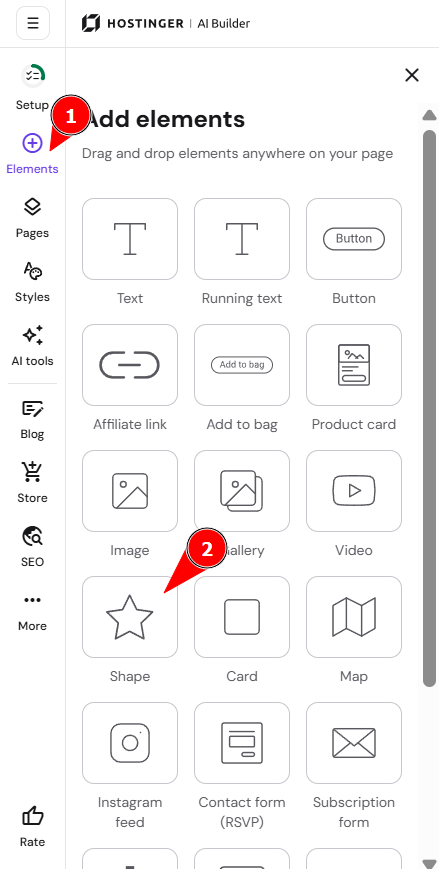
Open the Add elements panel on the left and find the Shape element. Drag and drop it anywhere on your template:
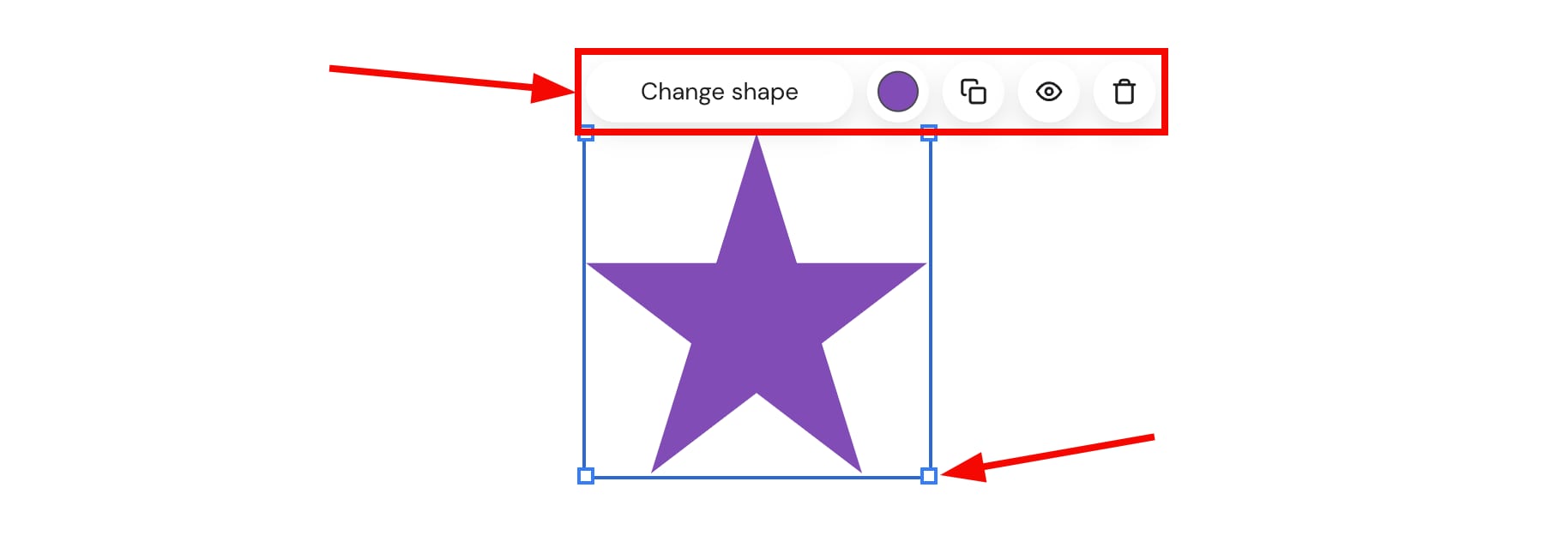
Click on a shape to see more options:
-
Change the shape
-
Change the color
-
Duplicate the shape and use it multiple times
-
Hide the shape on the desktop or mobile version of your website
-
Delete the element
-
Resize the shape
- Rotate the shape directly on the canvas
Your shape is now added and customized to fit your website design.