Delete a page from your Hostinger AI Builder manual mode website from the Pages and navigation panel.
Delete a page
- Expand the Pages and navigation panel on the left and find the page you want to remove from your website.
- Click on the settings wheel next to the page title and select Delete:
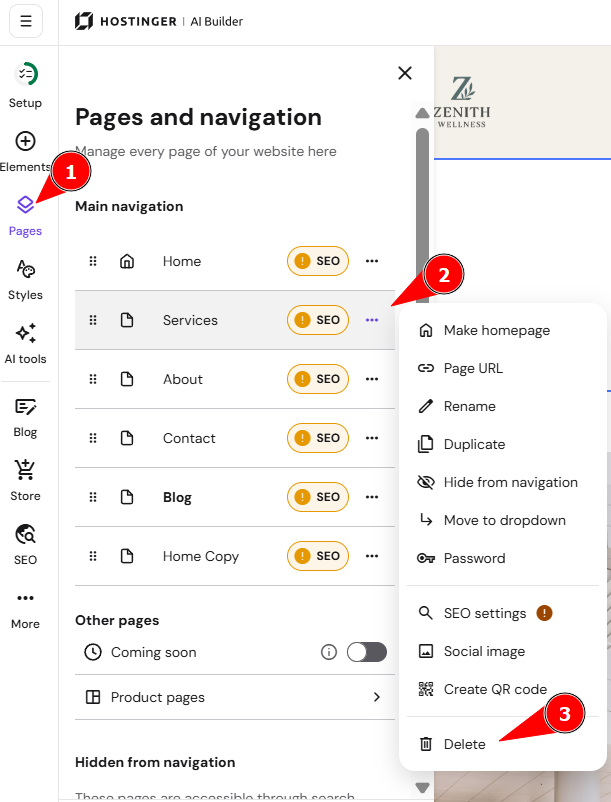
- Confirm the action by clicking on Delete again. Finally, update your website for the changes to reflect online.
Your page is now removed from your website.
NOTES
-
To delete the homepage, first set another page as the homepage
-
To delete a product page, delete the product in the product management area