Boost your hosting plan in Hostinger to get the performance of a higher plan for 24 hours, free once per month, from the Resources Usage section of Hostinger dashboard. Common reasons to boost your hosting plan include:
- A temporary increase in website traffic
- Importing large amounts of data
- Performing a full website update
- Testing a higher hosting plan without committing to an upgrade
In these cases, you can use the boost option. Boosting temporarily increases your plan’s capacity for 24 hours, giving you the performance of a higher plan. This helps you complete tasks faster and reduces the risk of errors caused by resource limits.
How to activate a free boost
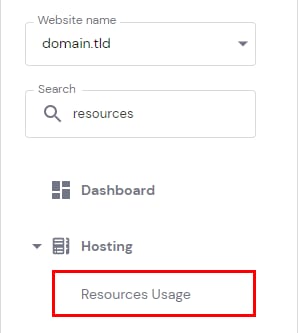
Go to Websites → Manage site and open Resources Usage in the left sidebar.
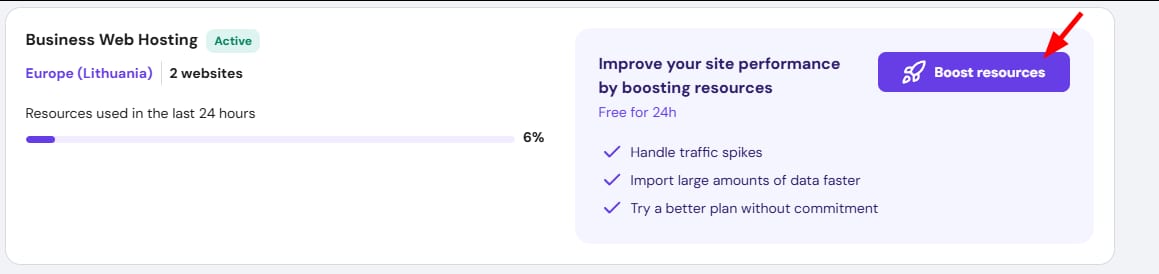
At the top of the section, click Boost resources.
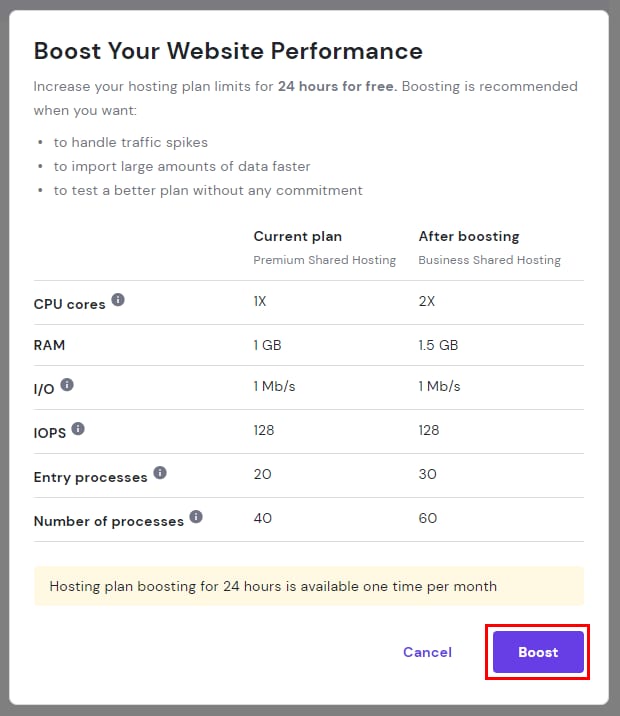
The details of your current hosting plan and the boosted plan will be displayed. Click Boost to activate.
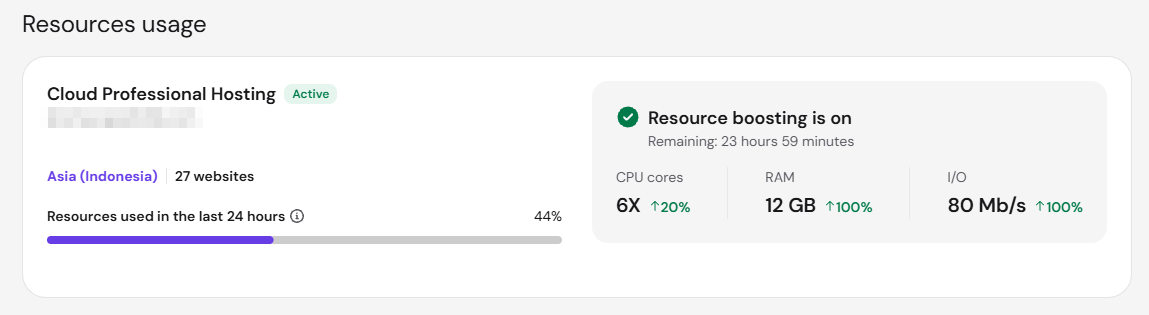
Once active, the Resource boosting is on will appear in the Order usage section.
You can now carry out the required tasks or prepare for increased traffic. If your website consistently needs more resources, consider upgrading your hosting plan, or lower its resource usage by following How to optimize your website to make it load faster at Hostinger.
NOTES
-
Free boosting can be activated once per month. The option will be enabled again after one month has passed since the last boost
-
Free boosting is not available for Cloud Enterprise Plus plans