While playing source games like Counter-Strike: Global Offensive, Team Fortress 2, or Counter-Strike 2, you might want to install plugins to your server to improve the gameplay on your server.
Plugin support requires SourceMod and MetaMod to be installed on your server. You can do so by following this guide:
Step 1 – Download the SourceMod and MetaMod Files
-
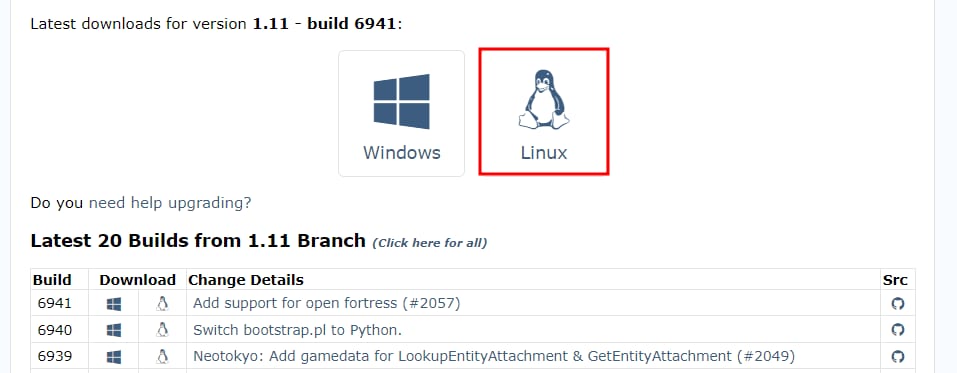
Make sure to download the latest available builds for Linux:

-
Create a separate folder for Sourcemod and Metamod files. Once files are extracted it should look like this:

-
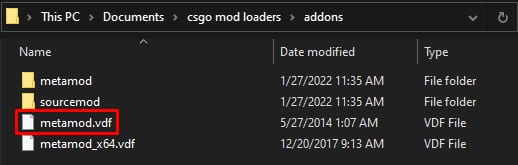
Open the Addons folder and delete the metamod.vdf file:


Step 2 – Prepare a New VDF File
-
Open the VDF Generator tool on your web browser
-
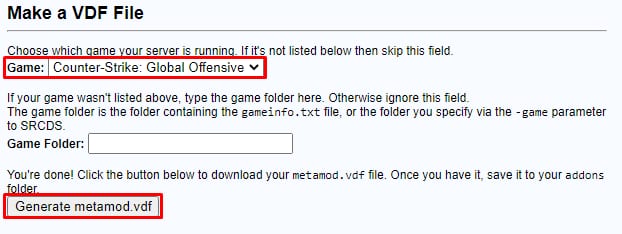
In the dropdown menu, select the game you will want to install it for and click on the Generate metamod.vdf button to download the new file:

-
Save the file into the addons folder in your local device
-
Compress both the addons and cfg folders into one file – make sure to use the .zip format
-
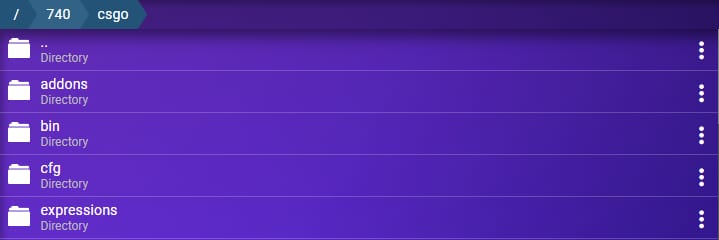
Head to Game Panel file manager and navigate to the path according to the game server you want to install this on. For example:
-
Counter-Strike: Global Offensive – /740/csgo
-
Team Fortress 2 – /232250/tf
-
Counter-Strike: Source – /232330/cstrike
-
-
Upload the zip archive inside the game folder:

That’s all! Now you can install plugins on your Source Game Server.