Clear Cloudflare cache for your Hostinger website to make sure your latest changes are reflected, instead of an outdated cached version.
Before you start
- Enable Cloudflare for your domain, if you haven’t already.
- See how to use Cloudflare in Hostinger for a broader overview of Cloudflare features.
Purge the Cloudflare cache
While cache helps to load your website faster, it might also save outdated information, so your latest changes won’t be reflected on the site.
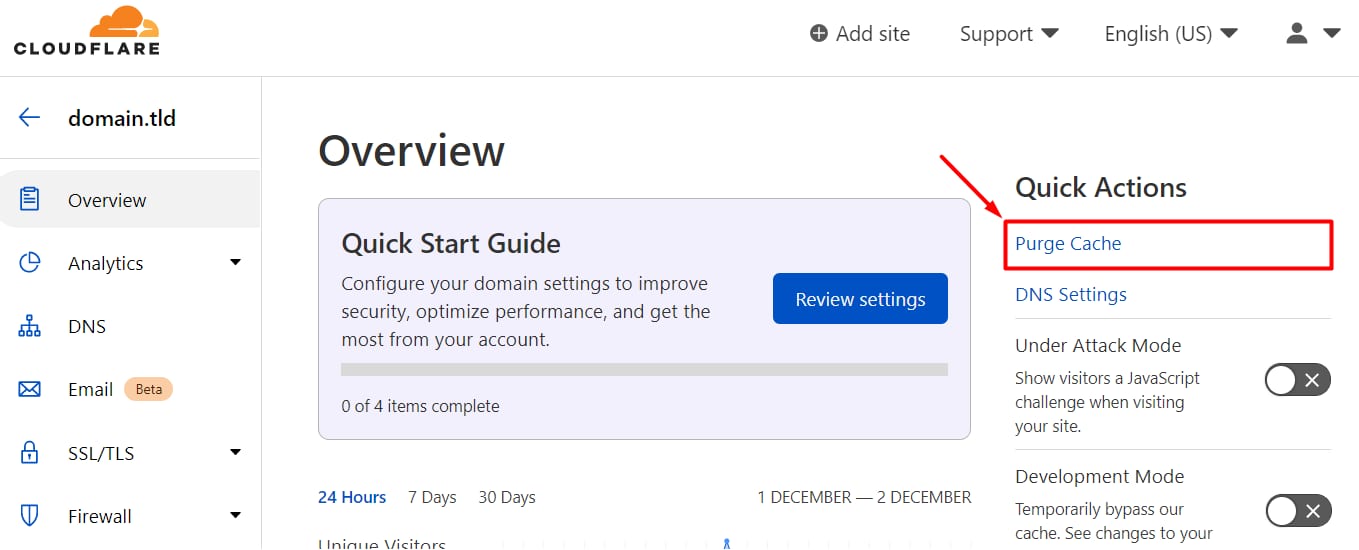
You can purge the cache by logging in to your Cloudflare Dashboard, choosing the domain name in question, and clicking on Purge Cache:
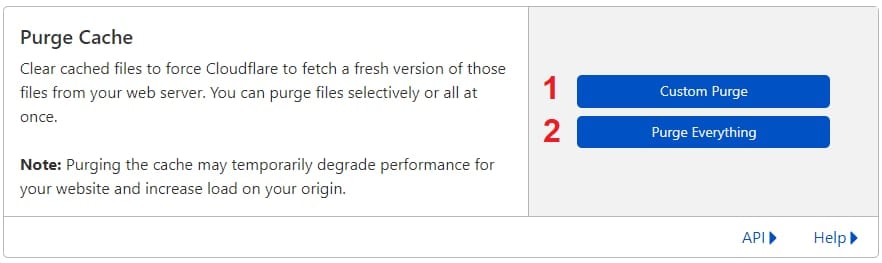
Inside Purge Cache, you will see two buttons:
-
Custom Purge – to specify which pages you want to be purged
-
Purge Everything – this will clear the cache from the whole website
Alternatively, you can enable Development Mode and Cloudflare will bypass all cache in the upcoming 3 hours.