Assign a login page to a domain instead of an IP address in CyberPanel, so you can access it via https://domain.tld:8090 instead of your server’s IP.
Before you start
- Before assigning the IP address to a domain name, make sure that the domain is added to your CyberPanel.
Assign the login page to your domain
As soon as the desired domain is added to the panel, in the Websites, choose the domain name and click on Issue SSL:
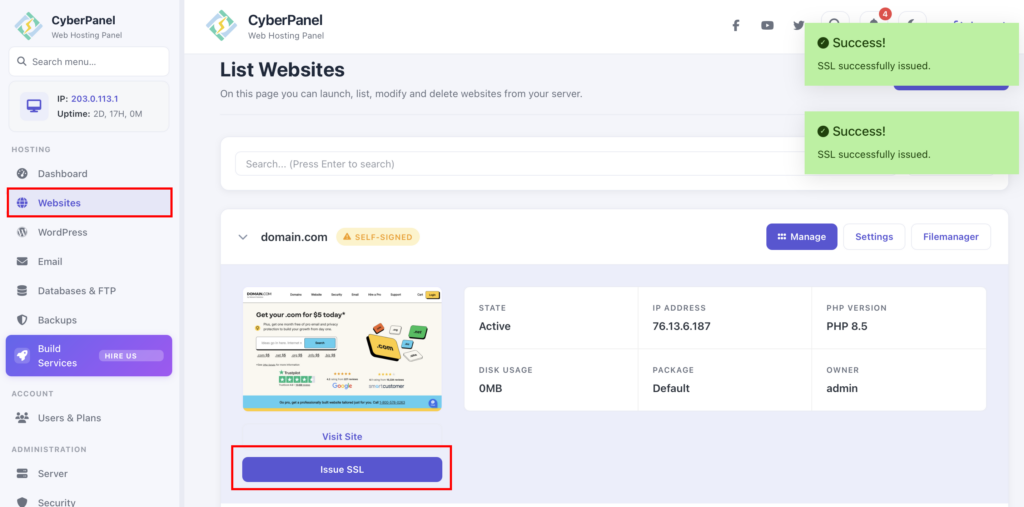
That’s it! The hostname SSL is issued to the website and now you can access CyberPanel at https://domain.tld:8090, replacing domain.tld with your domain name.
If you ever need to reset your login credentials, see how to reset your CyberPanel login credentials at Hostinger.