To configure a server icon and Message of the Day (MOTD) for your Minecraft server in Hostinger Game Panel, upload a 64×64 pixel PNG file named server-icon.png to your server’s main folder, then edit the MOTD in the Server and Startup menu.
Server icon
A server icon is an image in PNG format, which must be within the 64×64 pixel size limit. You will need to name it server-icon.png and upload it to the main folder your server:
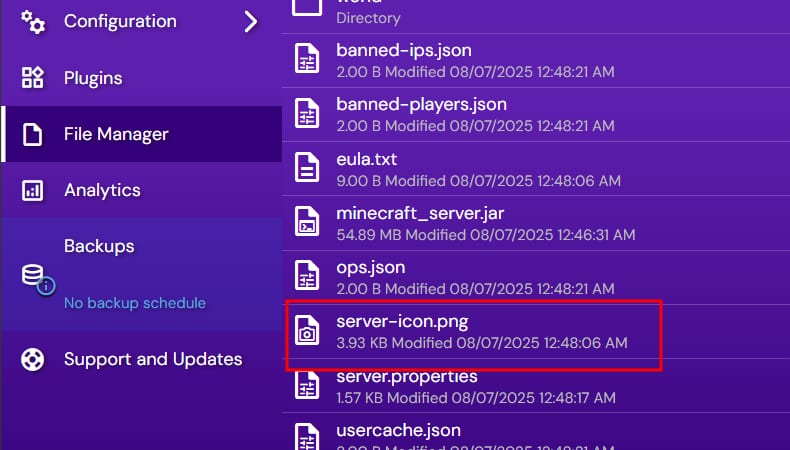
Once that’s done, you will see that your server icon has been updated:

Message of the day
The MOTD can be updated easily through Game panel. Log into Game Panel, select Manage on your instance, and open the Configuration → Minecraft → Server and Startup menu. There, you will see the option to update MOTD:
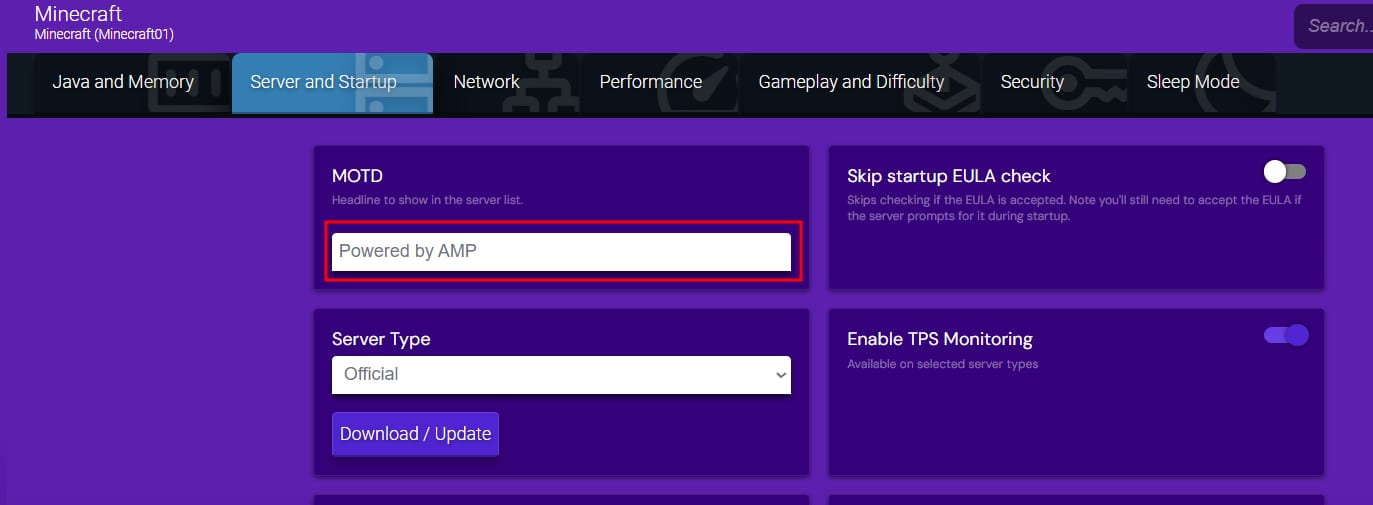
Once you change it, this text will get updated:

Your Minecraft server now shows the new server icon and MOTD in the server list.