To use SSH keys on a Hostinger VPS, generate an SSH key, then add it during onboarding or later from the SSH keys tab in the Settings page of the VPS dashboard. You can delete a key and add a new one at any time.
What are SSH keys?
An SSH key is an access credential in the Secure Shell protocol. Its function is similar to that of usernames and passwords, except that the keys are primarily used for automated processes and for implementing single sign-on by system administrators and power users.
How to set up SSH keys
First, generate an SSH key by referring to this comprehensive tutorial: How to Set Up SSH Keys. You can add it to your VPS during the onboarding process:
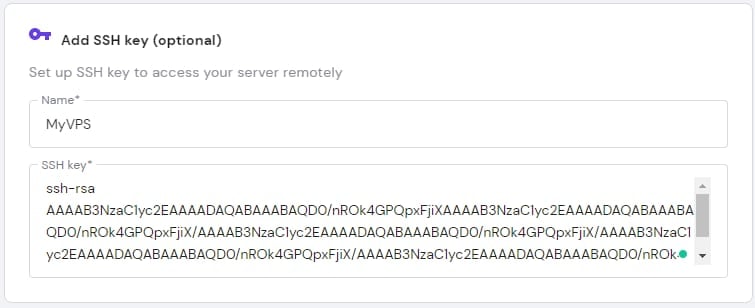
Alternatively, you can add it later from the VPS section of your Hostinger dashboard. Head to the VPS section on your Hostinger dashboard, find your server and click on Manage.
Then, navigate to the Settings page from the sidebar, select the SSH keys tab, and click on Add SSH key:
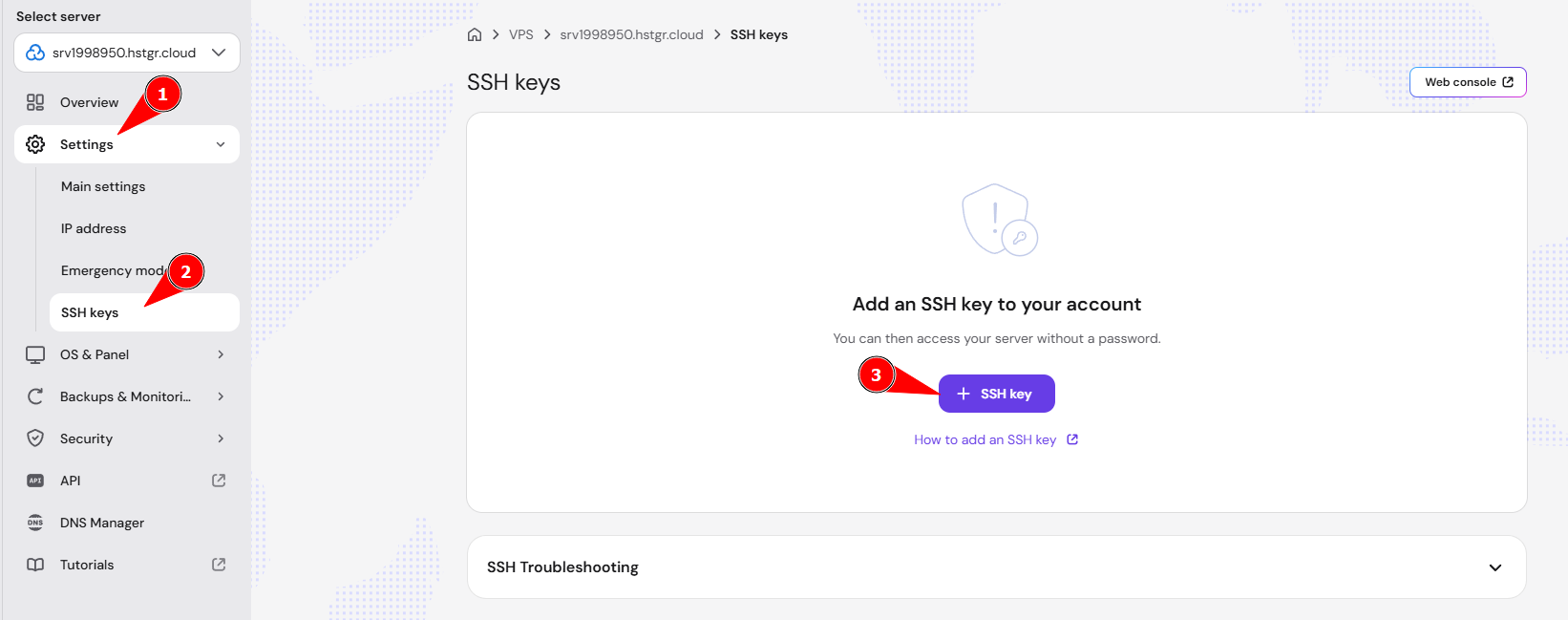
Once it’s added, you can delete it and add a new one whenever needed by clicking on the Delete button next to the added key.
Your SSH key is now added to your VPS, and you can use it to connect over SSH.
Additional resources
-
Feel free to check our collection of VPS Tutorials and Knowledge Base articles.
- See How to connect to your Hostinger VPS via SSH for other details about connecting to your VPS over SSH.