Enable GeoIP at Hostinger by adding the GeoIPEnable On line to your website’s .htaccess file, which lets your website detect each visitor’s country from their IP address. GeoIP is supported on web, WordPress, cloud, and cPanel/WHM hosting plans, and you can use it to block access to specific files by country.
How to activate GeoIP
To enable GeoIP, all you have to do is add the following line to your .htaccess file:
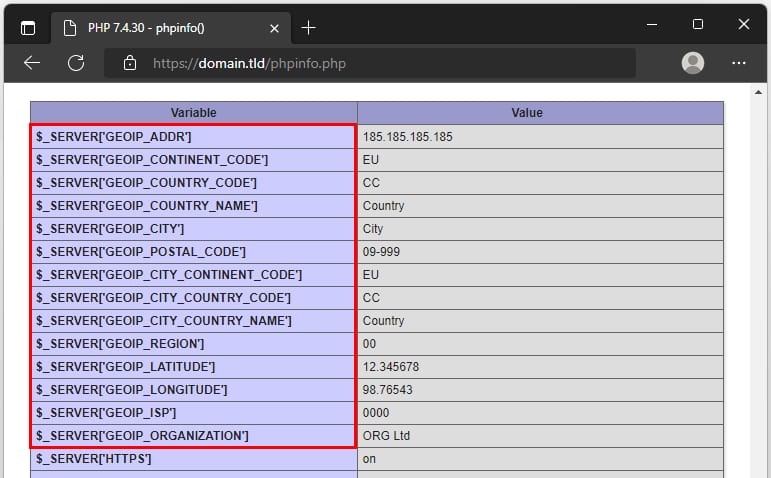
GeoIPEnable OnOnce added, you can verify if it’s working by creating a PHP Info file and checking the PHP Variables section:
NOTE:
-
We update our GeoIP databases weekly, so you won’t need to download them on your own.
How to use it
You can find different uses for GeoIP, so we will cover one example: if you want to block access to your WordPress wp-login.php and xmlrpc.php files from countries other than Great Britain (UK), United States and India, add the following code to your .htaccess file:
RewriteEngine on
RewriteCond %{ENV:GEOIP_COUNTRY_CODE} !^(GB|US|IN)$
RewriteRule (wp-login|xmlrpc).php$ - [F,L]
GeoIP is now active on your website, and your .htaccess rules can allow or block visitors based on their country.