Recreate permalinks on WordPress at Hostinger to fix 404 errors on pages other than your homepage, often caused by website migration, restoration, or a domain name change.
Reset your permalinks
To fix this issue, reset your permalinks by following these steps:
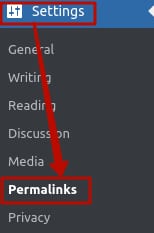
1. Log into your WordPress Admin area, go to the Settings menu, and click on Permalinks:
2. Take note of the type of permalinks that is currently in use for later reference.
3. Next, select any other option that is different from the current one. For example, if you were using Plain, select Numeric. Click on Save changes to apply them:
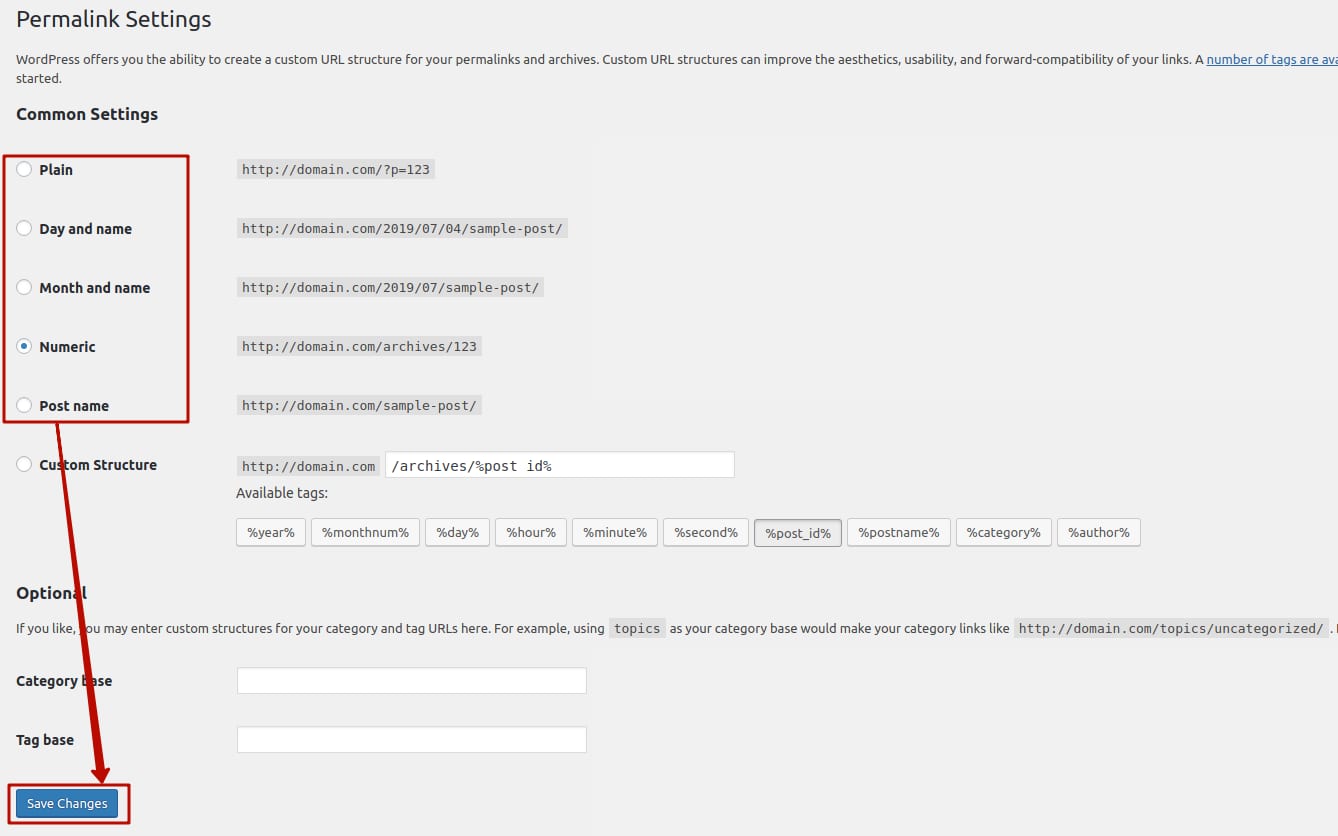
4. Immediately switch the option back to the original type and save the changes again. This will recreate your site’s permalinks.
To verify the result, refresh the website page by pressing Ctrl+F5 or open it using the incognito mode.
Additional resource