Enable disabled PHP functions in Hostinger, such as system, exec, shell_exec, and others that are turned off by default for security reasons.
Before you start
- Check how to check the PHP information of your website in Hostinger to see your current PHP configuration first.
Disabled functions you can enable
Some PHP functions on our Web and Cloud hosting plans are disabled by default in concern of your website security. However, some of them can be enabled manually:
system, exec, shell_exec, passthru, mysql_list_dbs, ini_alter, dl, symlink, link, chgrp, leak, popen, apache_child_terminate, virtual, mb_send_mail
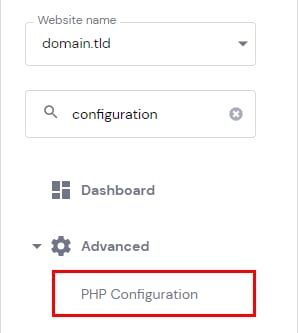
To enable any of these functions, go to Websites → Dashboard, search for PHP Configuration on the sidebar and click on it:
Open the PHP options tab, and scroll to the disableFunctions section:
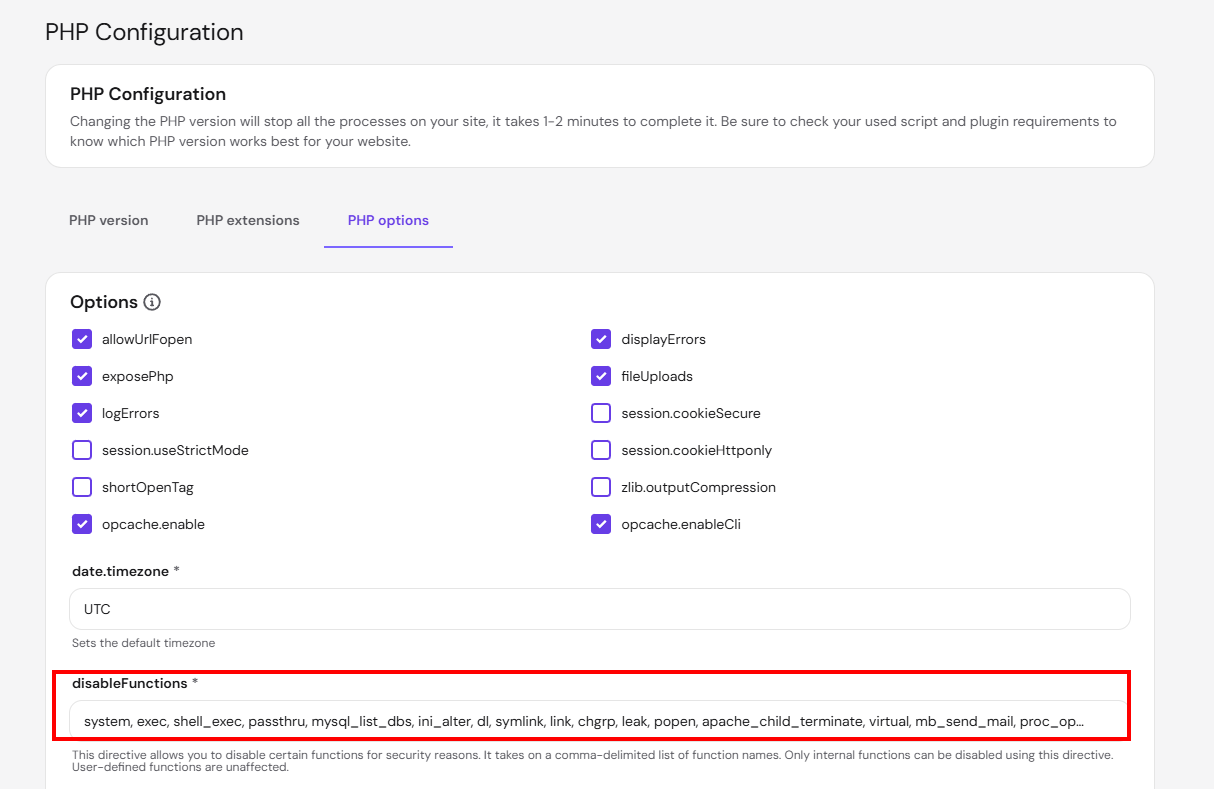
All you need to do is remove the needed function from the list and save changes. Your PHP function will start working after this.
NOTES
- proc_open is disabled by default for all newly created accounts. Existing accounts are not affected. If a plugin or script requires proc_open (including WP-CLI commands run via SSH), remove it from the disableFunctions list using the steps above.
- If you also need to disable output buffering, see how to disable PHP output_buffering at Hostinger.