Change a database password in Hostinger to update MySQL access credentials directly from hPanel.
Change your database password
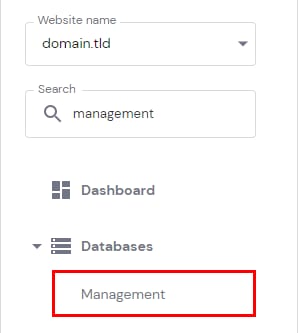
You can change your database’s password by navigating to Websites → Dashboard, search for Databases Management on the left sidebar, and clicking on it:
In front of the database in question, click on the Options button (⋮) and choose Change Password:
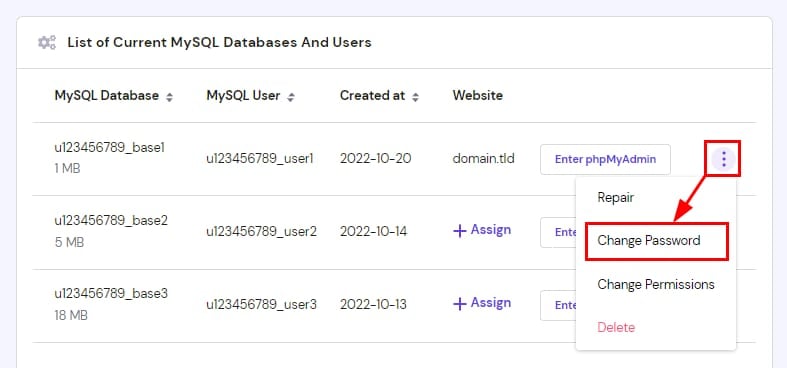
There is also an option to generate a strong password automatically.
NOTES:
-
Changing your database password may disconnect it from your website. To fix it, refer to this article: How to fix “Error establishing a database connection”
-
If your List of Current MySQL Databases And Users section is empty, you need to create a MySQL database first