Change the default domain for n8n on VPS at Hostinger to use your own domain or subdomain instead of the default srvXXXXX.hstgr.cloud address.
Before you start
- Make sure the n8n subdomain of your desired domain is correctly pointed to your VPS IP address using an A record in your DNS settings.
- If you’re new to n8n on VPS, see how to use the n8n VPS template at Hostinger first.
Update your n8n domain configuration
You can update the configuration by following these steps:
-
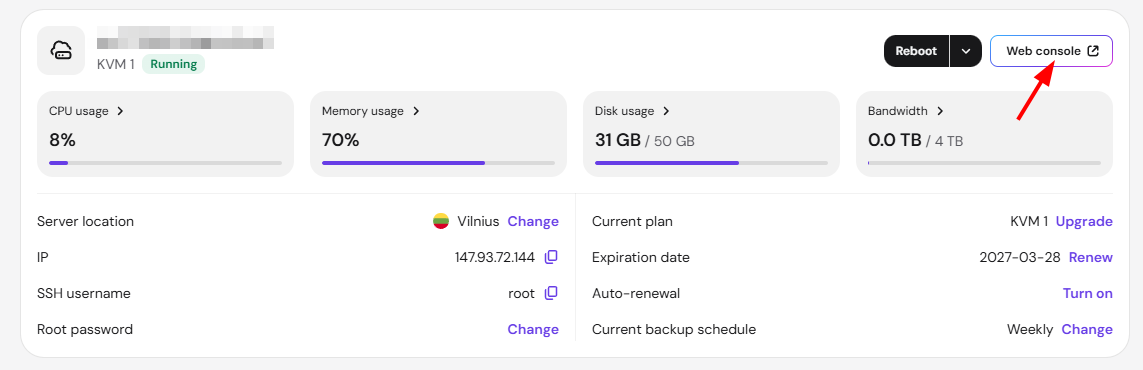
Access your VPS through a web console:
-
Navigate to the container directory (replace [container-name] with your actual container’s name):
cd /docker/[container-name]
-
Edit the environment configuration file by running:
nano .env - Locate the TRAEFIK_HOST value and replace it with your own domain or subdomain that points to your VPS (e.g., sub.domain.com).
- Save the file by pressing Ctrl+X, then Y, and Enter.
- Open the docker-compose.yml file and make two changes:
- Change 1 — Fix the WEBHOOK_URL:
# Before - WEBHOOK_URL=https://${COMPOSE_PROJECT_NAME}.${TRAEFIK_HOST}/ # After - WEBHOOK_URL=https://${TRAEFIK_HOST}/ - Change 2 — Fix the Traefik router rule:
# Before
- traefik.http.routers.${COMPOSE_PROJECT_NAME}.rule=Host(`${COMPOSE_PROJECT_NAME}.${TRAEFIK_HOST}`)

# After
- traefik.http.routers.${COMPOSE_PROJECT_NAME}.rule=Host(`${TRAEFIK_HOST}`)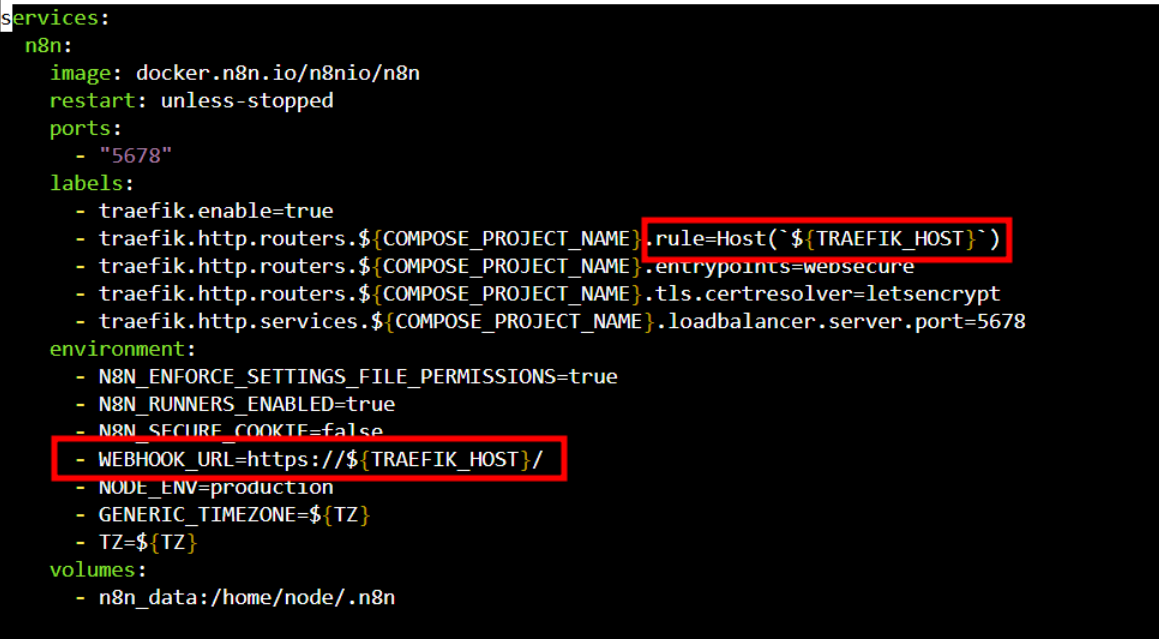
- Change 1 — Fix the WEBHOOK_URL:
-
Restart the n8n service to apply the changes:
docker compose down
docker compose up -d
Once restarted, you should be able to access n8n via your custom domain. Make sure DNS propagation is complete before testing the new address.