Subdomains help organize different sections of your website while keeping clean and easy-to-understand URLs. For example, your online store might be located at shop.domain.tld. Additionally, subdomains can function as completely separate websites on their own. If you wish to create a subdomain on your Agency hosting plan, you only need to follow a few steps to succeed.
Create a subdomain
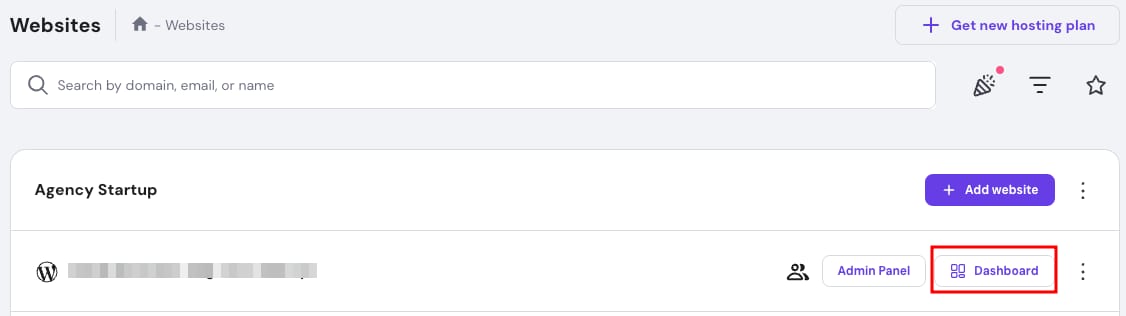
- Go to the Websites section on Hostinger dashboard and click on Dashboard next to the website in question:
- Then, search for Subdomains on the left sidebar and click on it:

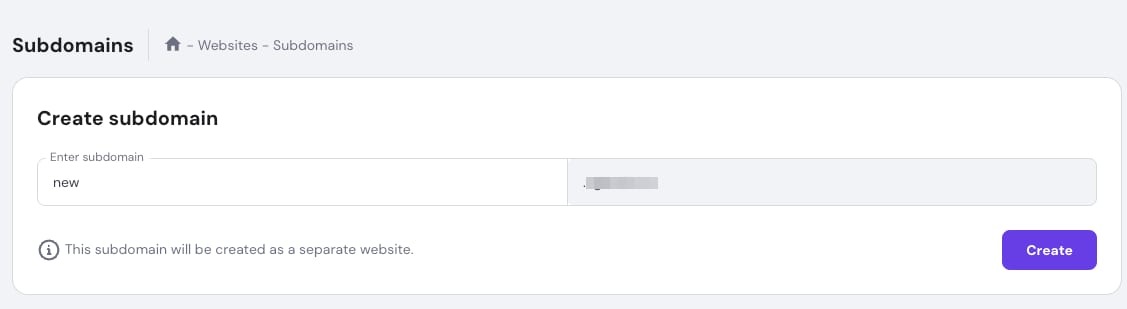
- Under Create subdomain, enter a name for your new subdomain, then click Create.
- Then, choose how you will build your website. We have the options for:
- Create new website
- Copy existing website
- Migrate website
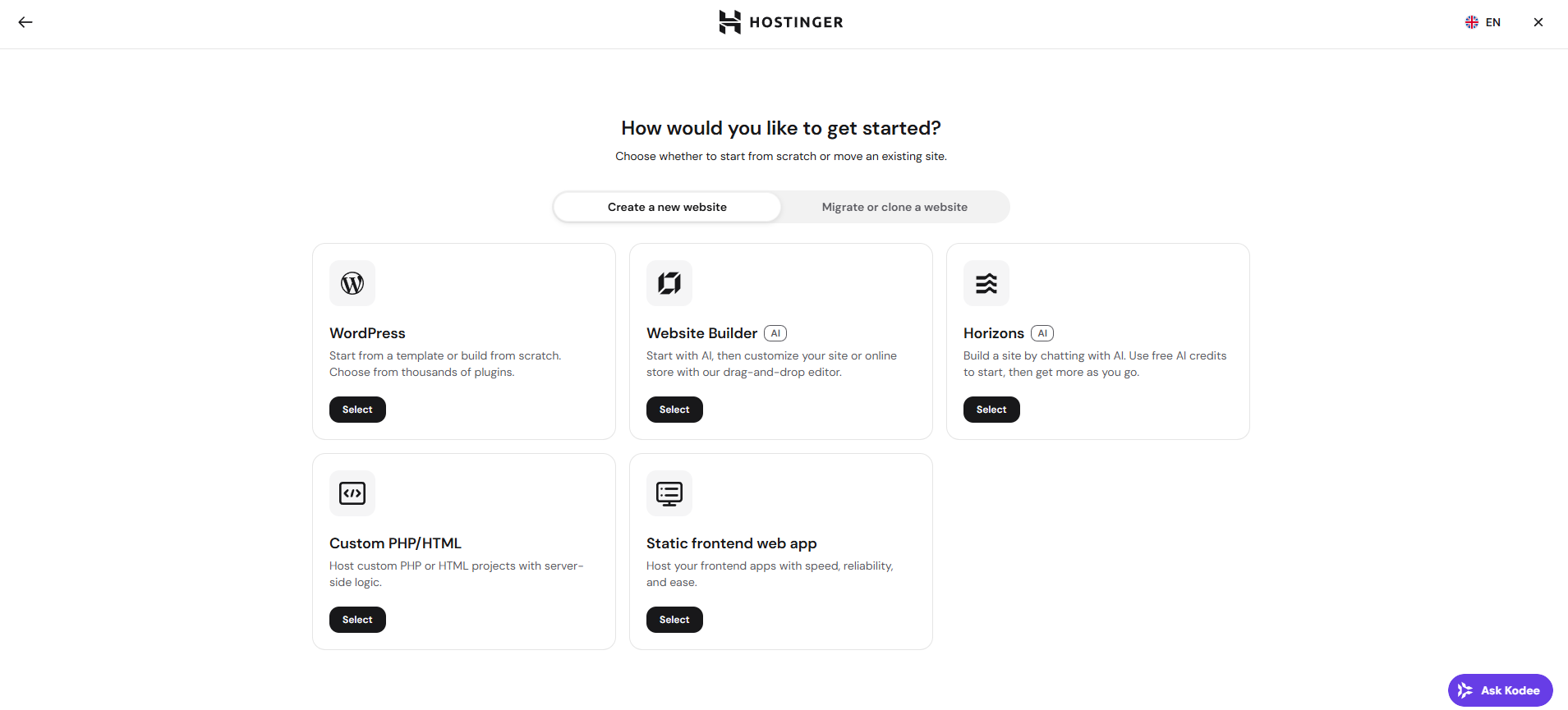
- Complete the steps by following the onboarding process based on your choice.
You can choose to create a subdomain for a domain that is already connected to your Agency hosting plan (you don’t need to edit DNS zone), purchase a new domain or connect a subdomain from another provider (domain ownership will need to be verified afterwards).
Once the steps are completed, you will see your new subdomain’s dashboard where you can manage its settings.
NOTES
- If you want multiple domains to show identical content instead of creating a separate subdomain, see parked domains on Agency hosting.
- If you want visitors redirected from one URL to another instead, see domain redirects on Agency hosting.