Edit the URL of individual product pages in your Hostinger AI Builder manual mode online store from the SEO settings.
Edit a product page URL
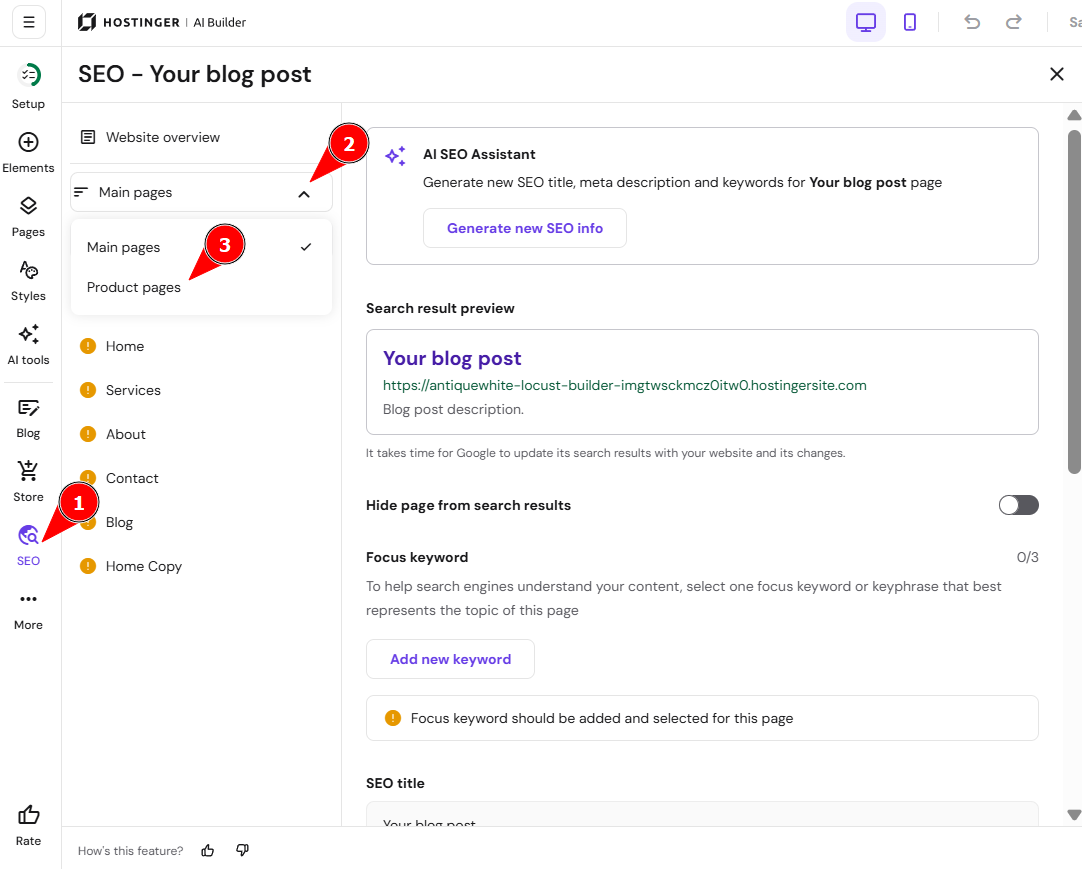
- Open SEO Settings in the left toolbar.
- Select Product Pages from the dropdown.
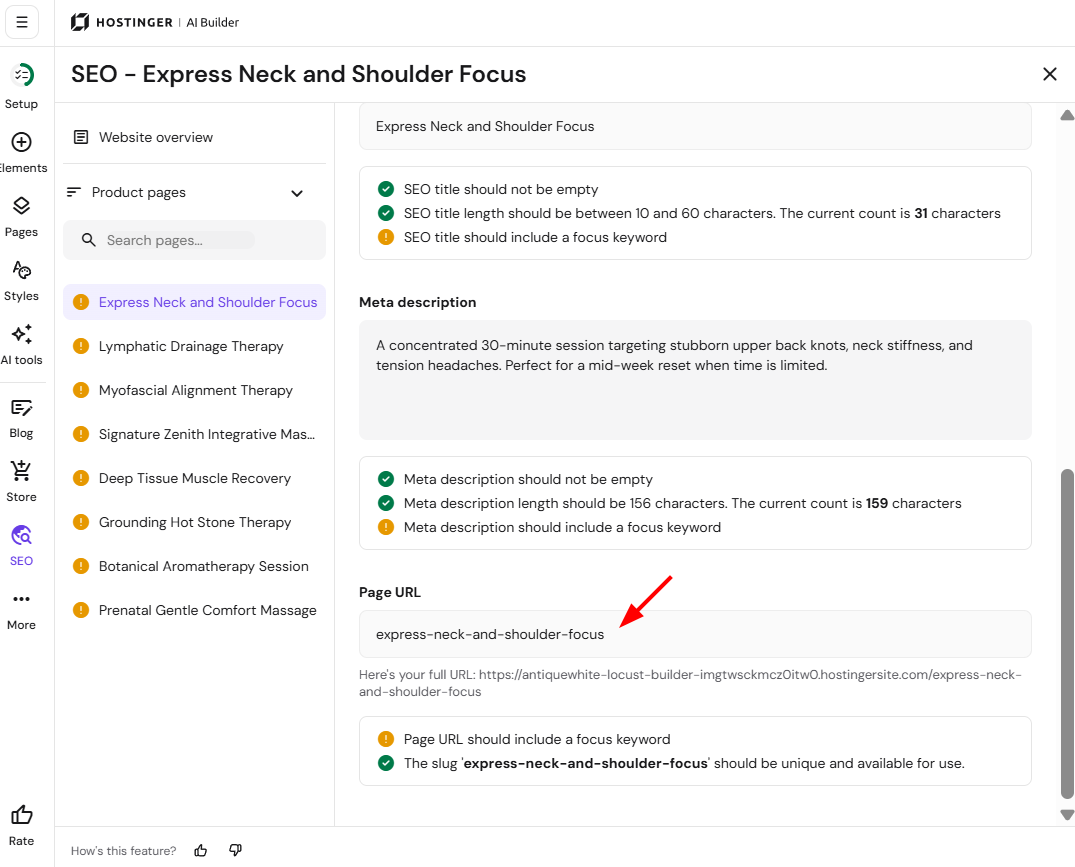
- Select the respective product you want to change the URL for
- Scroll inside the settings until you find the “Page URL” field:
- Once you edit the product URL, update your website to get the changes applied to the live version.
Your product page now uses the new URL.
See How to Add More Pages to create new pages on your website.