Add social media icons to your Hostinger AI Builder manual mode website’s header to let visitors connect, follow, and interact with your social media profiles. Insert a link to your profile, and Hostinger AI Builder automatically generates the matching icon, such as the LinkedIn icon for a LinkedIn profile link.
Add social media icons
To add a social media icon to your website’s header, follow these steps:
- Click on the header section and select Edit header:

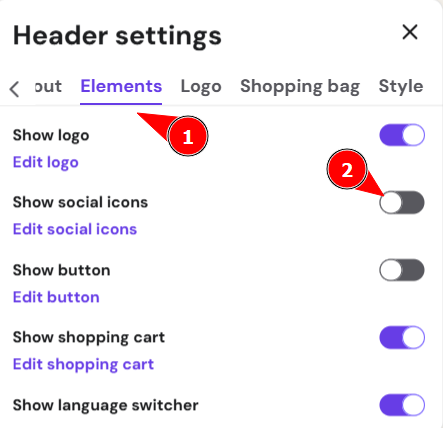
- Open the Elements tab and toggle the Show social icons to enable them:

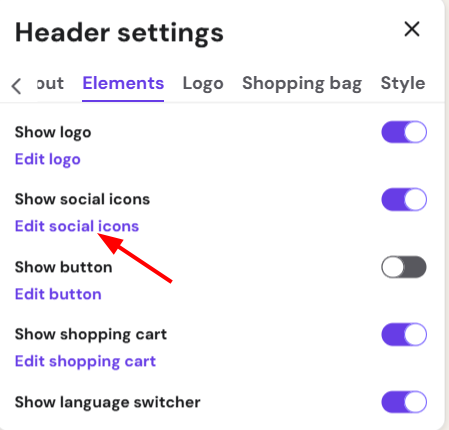
- Click Edit social icons:

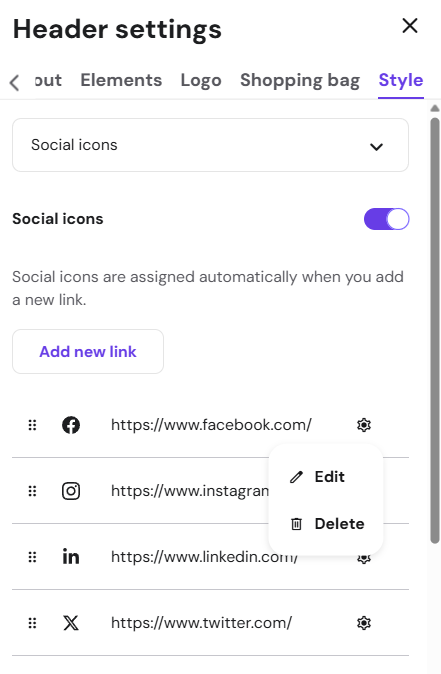
- Now, add the links to your social media platforms. You may also change the icon size and color:


NOTES
-
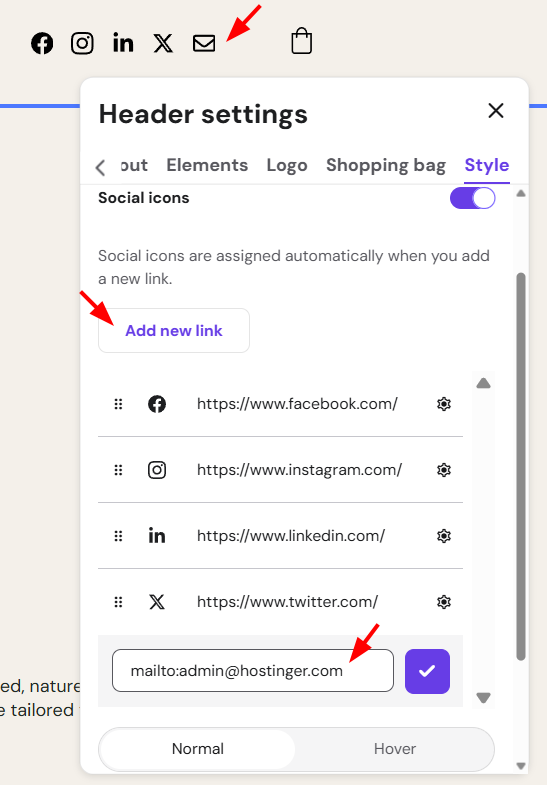
To add an email icon, insert your email address:

-
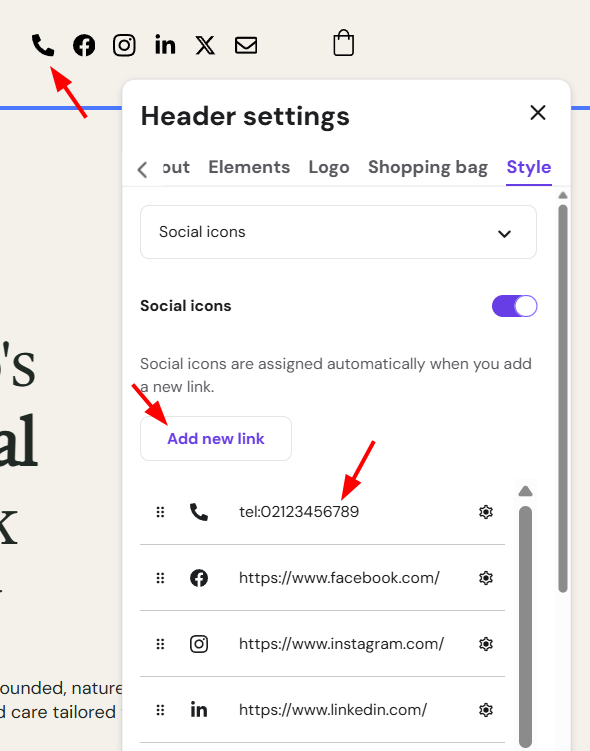
To add a phone icon, insert the desire phone number without any symbols, as below:

-
If the link isn’t recognized, the icon won’t be automatically generated, and you’ll see a standard link symbol
-
Contact support and share the link you were trying to add: we’ll make sure to include the necessary icon into our database as soon as possible
-
There may exist various link formats for the same social media platform, so the more formats you encounter, the better
-