All Hostinger Tutorials
Learn more about web hosting, VPS, domain names, SSL, and more with our newest releases.
How to set up email on iPhone: Adding another email account to the mail app
Adding your email to the iPhone’s Mail app keeps you connected and organized. It’s convenient for managing emails anywhere,...

What Is Bootstrap?
Bootstrap is a free and open-source web development framework. It’s designed to ease the web development process of responsive, mobile-first...
What Is JavaScript: A Beginner’s Guide to the Basics of JS
JavaScript is a lightweight programming language commonly used by web developers to add dynamic interactions to web pages, applications, servers, and...

How to start a book blog: 10 practical steps
A book blog is a home for your reviews, recommendations, and reading opinions. It’s a space built entirely around your personal taste and the...

WordPress for Beginners: Building a Blog With Elementor
Have you ever thought of building your own blog but felt like it would be too complicated? If the answer is yes, this webinar is for...
Top 10 WordPress alternatives compared for 2026
As a website creation tool, WordPress is highly flexible, widely supported, and backed by a massive ecosystem of themes and plugins. But it’s...
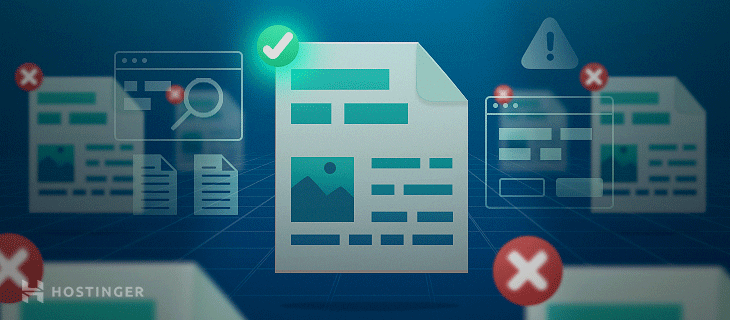
Duplicate Content: How to Avoid It?
Having duplicate content on your website can negatively affect your brand image and SEO ranking. Your readers will likely find it confusing and search...
Host your own email server: how to set up a self-hosted email service
Business owners typically use pre-configured mail servers from third-party providers to host their mailing services. While they are sufficient for...

25 best side hustle ideas to earn extra money
We ranked these side hustles based on profit potential, ease of starting, flexibility, and scalability. By focusing on these main aspects, you can...

How much does a domain name cost in 2026 + Can I get one for free
The average domain name cost is around $10-20/year. That said, domain name prices vary depending on factors such as the chosen registrar, registration...

5 Signs You Need a New Website
If you have a personal or business website that was created years ago, it might be time to consider an upgrade. Especially if you’re noticing...
How to fix DNS Server Not Responding on Windows and macOS
When you want to visit a website, your browser will look up the Domain Name System (DNS) to find its IP address.Sometimes, for one reason or another,...
Do you need hosting for WordPress? types of hosting for WordPress compared
People often get confused and wonder if they need to purchase web hosting for a WordPress site. That’s because there are two different types of...

Mobile ecommerce: What it is, types, and why it matters
Mobile ecommerce is the buying and selling of products or services through smartphones and tablets. Understanding how it works helps you build an...
Before Publishing Your First Post: 7 Things You Should Know
So you started a blog, and now you’re ready to share your content with the world. Great! However, will the world be interested in reading it?In...

50 things to make and sell from home in 2026
Popular things to make and sell span a wide range of categories. Handmade jewelry, like necklaces, earrings, and friendship bracelets, is always in...
How to sell on Pinterest in 7 steps
To sell on Pinterest, create a free business account, connect a website where shoppers can complete checkout, upload your products, and publish Pins...
How to sell jewelry online and build a successful business
Selling jewelry online in India involves choosing a profitable niche, sourcing products locally or through suppliers, setting up payments like UPI and...
How to sell food online: 8 key steps to start selling
The food industry can be quite daunting for beginners, especially if you don’t know much about the food business. There are many factors to...

Is This Website Down? How Can You Check Site Availability Worldwide
There are cases when users are unable to access your website. However, when you try to open the site yourself, you find that it’s running...

11 types of ecommerce with examples
The most common types of ecommerce are Business-to-Consumer (B2C), Business-to-Business (B2B), Consumer-to-Consumer (C2C), Consumer-to-Business (C2B),...

How to start an online clothing store in 11 steps
To start an online clothing store, choose a clear niche, decide how the clothing will be supplied, calculate your costs, prepare the products, build...