Tuesday November 17, 2026
Hostinger P.
Hostinger launches Preview, a free tool for sharing local projects with clients
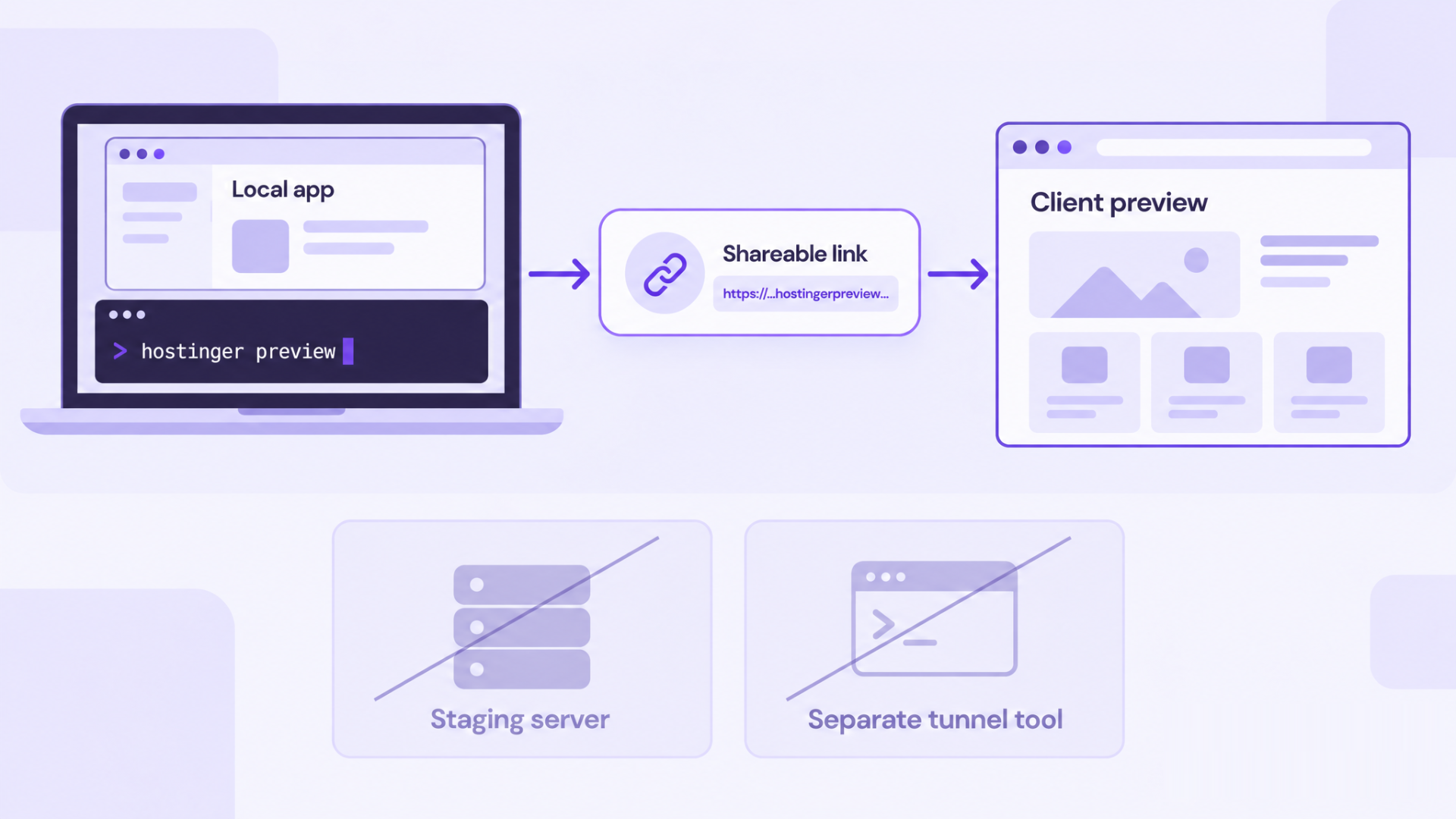
Hostinger launches Preview, a free tool that lets developers share a project running on their local server with a single command. Preview generates a temporary HTTPS link that clients can open in any browser, removing the need to set up a staging server or install and configure a separate tunnel tool.
The launch comes as AI reshapes how software is built. Nearly two in three developers (65.9%) now use AI coding assistants or agents at work, according to Stack Overflow’s 2026 Developer Survey. But while building has changed, showing the result to a client still takes extra setup, because a local server runs only on the developer’s machine.
“Sharing your work should be the easy part. Preview gets a local project online in one command, and when the client says yes, the same tool takes it live,” said Aurimas Lapienė, principal systems engineer at Hostinger.
How it works
Developers install the Hostinger CLI, sign in with their Hostinger account, and then run hostinger preview in their project folder with their dev server running. There are no config files or DNS records to set up.
Preview returns a shareable HTTPS link and shows where it forwards and when it expires:
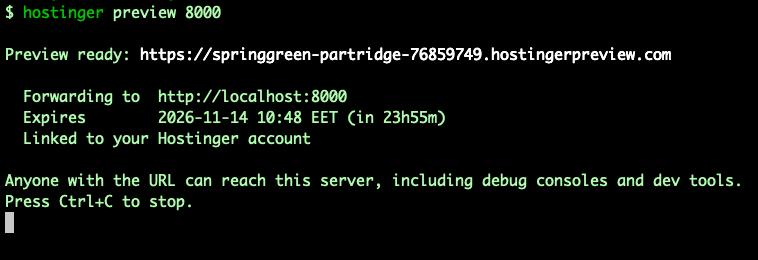
It finds the dev server on the usual ports, or developers can name the port, as in the example above.
Anyone with the link can open it, with no account or sign-up needed. Before the project loads, visitors see a short Hostinger notice explaining that it’s a temporary preview that stays online for up to 24 hours:
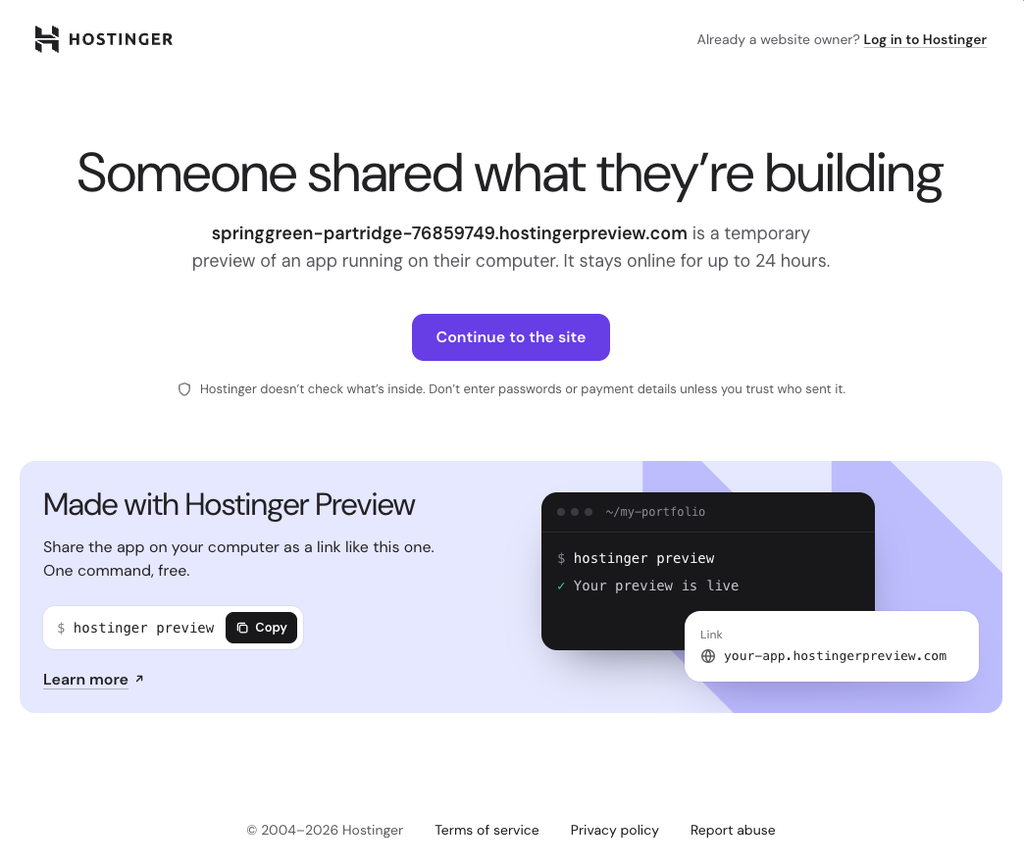
One click on Continue to the site takes them to the project.
Why use Preview instead of a separate tunnel tool
- Demo and launch happen in one place. When the client approves,
hostinger updeploys the same project to Hostinger, live in under a minute. The CLI detects the app type and build settings for the developer to confirm, and every launch includes SSL, a CDN, and a free subdomain or the developer’s own domain. - Links clean up after themselves. Each preview is linked to the developer’s Hostinger account and forwards to their machine, so it stays live only while the command runs. It expires automatically after 24 hours, or earlier if the developer stops it or their computer goes to sleep.
- Coding agents can run it too. Developers can ask Claude Code, Codex, Cursor, or another coding agent to start, stop, or list previews without leaving their editor.
Visit tracking, including live viewers, total visitors, and a request log, is coming soon.
“For freelancers and agencies, the client review is where a project moves forward or stalls. Preview gives them a link they can send in seconds, and a direct path to launch the moment the client says yes,” said Agnė Liutkienė, lead of web hosting marketing at Hostinger.
Availability
Hostinger Preview is free, with no hosting plan required. Keeping a project online permanently with hostinger up needs a paid Hostinger hosting plan.