Monday June 8, 2026
Larassatti D.
Hostinger weekly product updates: Week 23, 2026

Here are the Hostinger product updates shipped June 1-5, 2026, across Hostinger’s AI tools, domains, websites, and email products.
- Hostinger Connector now supports one-click MCP setup.
- WordPress users can set up a professional email during Easy Onboarding.
- Two new domain extensions, .at and .sh, are now available to register on Hostinger.
- Hostinger Mail’s public API is now live for agentic email workflows through MCP.
- Client profiles and backup email addresses can no longer use domains purchased in the same account.
- The hPanel dashboard now includes resource usage and essential website management information for websites built with custom PHP/HTML.
- Customers can correct an unverified domain registration email within 7 days of registration.
- Hostinger Mail now lets users empty their entire Trash folder in one click.
- Message details and the composer in Hostinger Mail consistently use light mode even when dark mode is enabled.
Here’s a closer look at each.
Set up Hostinger Connector with one click
Setting up Hostinger Connector is now easier. The latest marketplace version introduces a 1-Click MCP setup, so you no longer need to manually generate, copy, and paste API tokens.
Just install the extension, click Connect, then Authorize. The MCP is configured automatically, so you can get started without the usual manual setup.
Set up a professional email while building your WordPress site
Hostinger managed hosting for WordPress now lets users set up a professional email address for their domain directly through the Easy Onboarding plugin.
The option appears during the onboarding flow, making it easier to set up email alongside the other essentials for your website without leaving the process.
Learn more about the things you can do with Hostinger WordPress plugins.
The .at and .sh domains are available to register on Hostinger
We’ve officially expanded our registrar coverage with two additional ccTLDs: .at and .sh.
Hostinger Mail’s MCP support brings agentic capabilities into your email
MCP support is now available for Hostinger Mail, allowing AI agents to work with the service through its public API. This update allows AI agents to work with email as part of broader automated tasks.
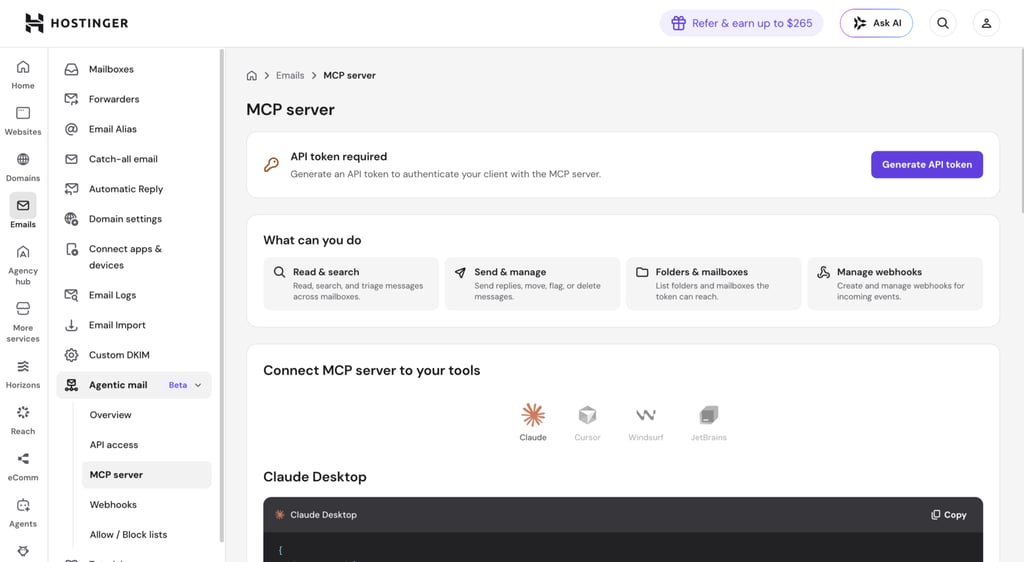
The current setup may require some technical knowledge, but we’re working to make the process more beginner-friendly and expand support for additional AI platforms.
In addition to the API, read the setup guides to bring an agentic email experience to Hostinger Mail.
Hostinger account recovery emails must use a separate domain
Customers can no longer use an email address under a domain purchased in the same Hostinger account as their profile or backup email.
The change only applies to email addresses used for account recovery, not to new domain registrations.
The update helps prevent account access issues if a domain expires and its associated email address stops working. Keeping your recovery email separate gives you a more reliable way to recover your account.
New resource usage view on hPanel for PHP/HTML websites
The hPanel dashboard for PHP/HTML websites now shows resource usage overview, including:
- File and inode totals
- Average CPU usage
- Average memory usage
- Number of websites created
The dashboard also includes an Essentials section with shortcuts to frequently used features, along with status indicators for Malware Protection, CDN, and SSL. The new view is being rolled out gradually.
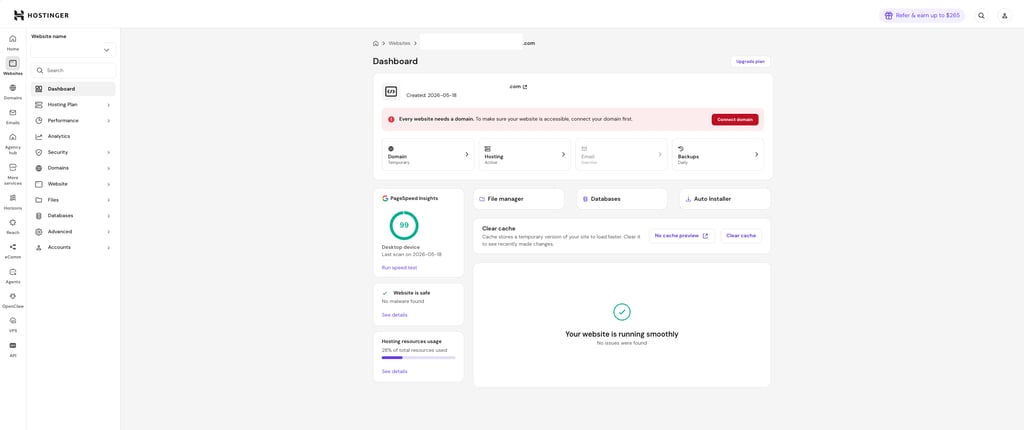
See the complete overview of hPanel in our support article.
Edit an incorrect domain-registration email in hPanel
Hostinger clients can now update an incorrect domain registration email address directly in hPanel without approval from the previous address, provided certain conditions are met.
The email address must not have been verified, the correction must be requested within seven days of registration, and the customer must complete phone verification.
Empty the Trash on Hostinger Mail in one click
Hostinger Mail lets users permanently clear their entire Trash folder with one click. Messages left in the Trash for more than 30 days will automatically be deleted.
Improved dark-mode consistency on the Hostinger Mail interface
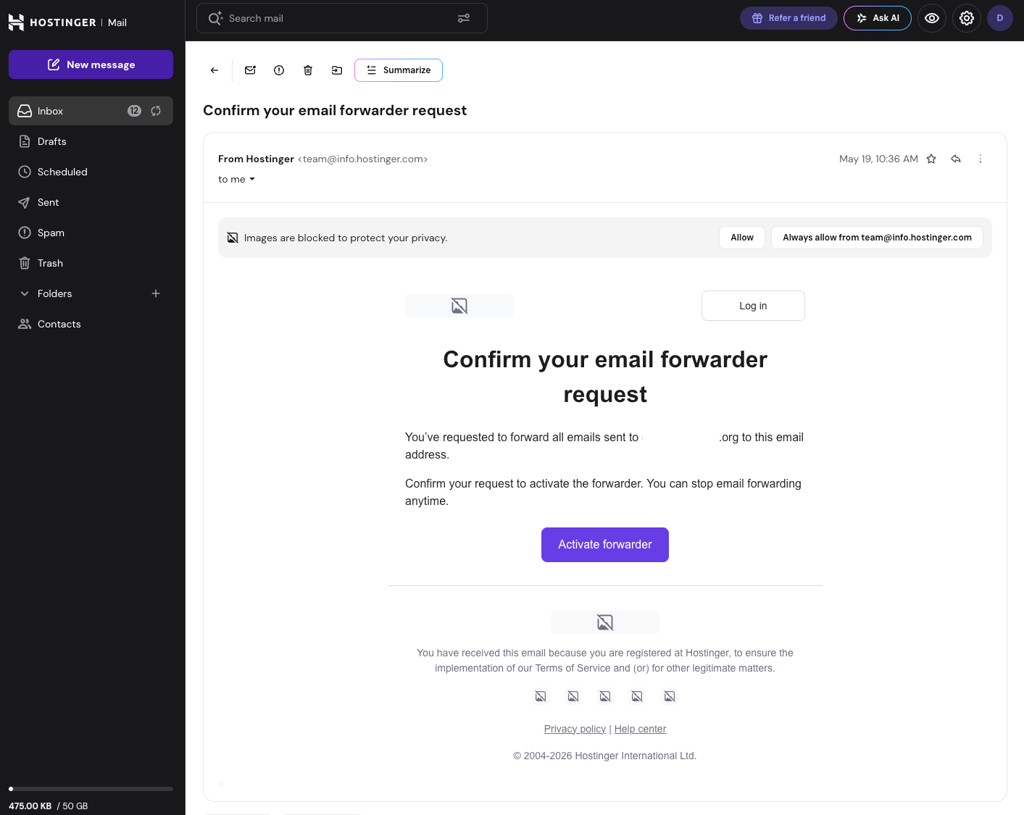
We’ve also updated Hostinger Mail’s dark-mode interface. When dark mode is enabled, the message-details page and composer now consistently use light mode, removing the previous mix of dark and light elements.
That’s all for Week 23
Check our changelog to see the running log of every release, and for the story behind each week’s updates, browse our weekly product updates.

Larassatti Dharma is a content writer with 5+ years of experience in the web hosting industry. She has populated the internet with over 100 YouTube scripts and articles around web hosting, digital marketing, and email marketing. When she's not writing, Laras enjoys solo traveling around the globe or trying new recipes in her kitchen. Follow her on LinkedIn