Monday June 29, 2026
Larassatti D.
Hostinger weekly product updates: Week 26, 2026

June 22 – 26, 2026, we shipped updates that make it easier to manage your email, build with AI, deploy applications, and run your online store:
- Hostinger Mail can now connect to ChatGPT, letting you manage your inbox and build email workflows with AI.
- You can now claim a free professional email address without having an active website.
- Reconnecting your GitHub account for Node.js deployments is now faster and easier.
- Hostinger Connector v1.2.3 brings a redesigned interface and clearer MCP management.
- AI can now analyze application logs for managed Hermes and OpenClaw apps to help troubleshoot issues.
- Hostinger Ecommerce is now integrated with Hostinger Connector, allowing AI agents to manage stores, products, shipping, and payments.
Here’s a detailed look at what’s new.
You can now integrate Hostinger Mail into ChatGPT
Managing email often means jumping between your inbox and the other tools you use to get work done — searching for old messages, digging through folders, and keeping track of what still needs a reply.
To make those tasks easier, we made Hostinger Mail available as a ChatGPT plugin.
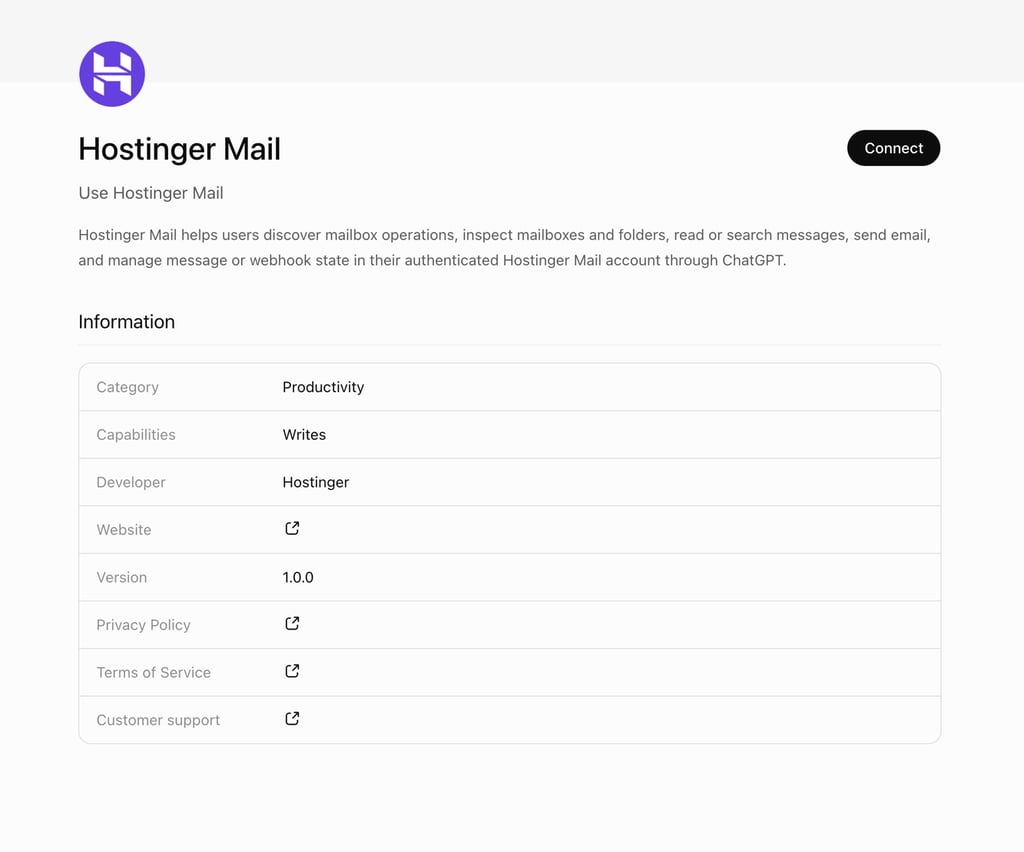
Beyond simply reading and sending emails, connecting your Hostinger mailbox to ChatGPT lets you build workflows around your inbox – like getting a daily summary of new messages, setting reminders to follow up, or drafting replies based on your recent ChatGPT conversations.
A free business email is now easier to claim on Hostinger
You no longer need an active website to claim a free professional email address on Hostinger. An eligible hosting plan and a claimed domain name are all you need.
The existing email limits for your hosting plan remain unchanged.
Hostinger’s GitHub integration gets a smoother login experience
If you use GitHub to deploy your Node.js applications via Hostinger dashboard, reconnecting after being signed out is now easier.
Previously connected users can log back in and resume automatic or manual deployments without going through the full connection process again. GitHub connections can also be managed through your profile details in Hostinger dashboard.
Small change, but it removes one of those interruptions that can bring a development workflow to a halt.
Hostinger Connector gets a redesign
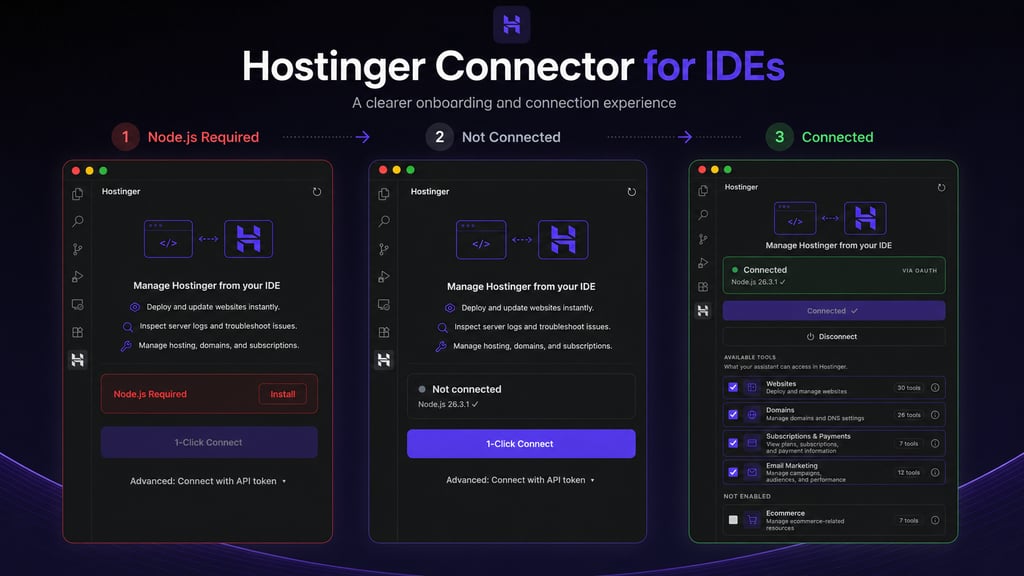
The latest Hostinger Connector v1.2.3 is also focused on making AI-powered workflows easier to understand. The extension now comes with a redesigned interface and a few changes specifically aimed at reducing setup friction for MCPs.
For example, it automatically checks whether Node.js is installed and gives you a one-click installation option if it isn’t.
There’s also a new overview of your available MCPs, showing which ones are enabled or disabled. Tooltips explain what each MCP is useful for, and a tool count makes it easier to see how many tools you’re working with.
New to Hostinger Connector? Learn more about the tool that seamlessly connects your local IDE to your Hostinger account.
AI can now help you understand your VPS application logs
Logs are useful – until you’re staring at hundreds of lines of output trying to figure out which one actually matters.
If you’re using Hostinger’s managed AI automation app services, Log AI analysis is now available for both Hermes and OpenClaw, providing you with an easier way to understand what your applications report.
Instead of manually parsing raw log entries, you can use AI to help interpret the output and troubleshoot potential issues.
This is particularly useful when you know something is wrong but aren’t immediately sure what the logs are trying to tell you.
You can now manage Hostinger Ecommerce with AI agents
Hostinger Ecommerce is now integrated into Hostinger Connector. This means AI can now interact with your store through Ecommerce management APIs and seven live MCP tools that cover:
- Store creation with its primary sales channel
- Store listing on your account
- Store deletion with a soft-delete, keeping its data preserved
- Physical products listing with a priced variant
- Digital products listing with an optional download link
- Shipping management with a flat-rate price, including free shipping
- Manual payments configuration for customers to place orders without an online payment provider
That’s all for week 26
Check our changelog to see the running log of every release, and for the story behind each week’s updates, browse our weekly product updates.

Larassatti Dharma is a content writer with 5+ years of experience in the web hosting industry. She has populated the internet with over 100 YouTube scripts and articles around web hosting, digital marketing, and email marketing. When she's not writing, Laras enjoys solo traveling around the globe or trying new recipes in her kitchen. Follow her on LinkedIn