How to automatically share WordPress post to Facebook and best plugins to use
Dec 22, 2025
/
Klara R.
/
8 min Read

If you manage a website and different social accounts, you know how time-consuming it can be to create content and then post it on multiple platforms. Thankfully, there are a lot of online tools available to simplify your work.
Automatically publishing posts saves you time and effort as you won’t have to manage each social account manually. With the help of WordPress social media tools, it is now possible to consolidate, monitor, and post simultaneously on all social network platforms using one dashboard.
Why Should You Share WordPress Posts to Facebook?
Automatically sharing your WordPress blog post to Facebook helps boost website visibility and attracts more visitors to your site.
Facebook has billions of users worldwide, making it one of the most popular social platforms online. Hence, you can reach a wider audience for free by displaying your site content on Facebook.
Additionally, doing so generates content for your social channels and keeps your user base informed about news, promotions, and other updates.
Automatically Share a WordPress Post to Facebook
To explain how to automatically share a WordPress post to your Facebook page, we will use Jetpack. It is a beginner-friendly plugin that is also integrated into Hostinger’s WordPress plans.

Thus, you can quickly start using it to share your WordPress content to Facebook.
1. Activate Jetpack
There are different methods for installing WordPress plugins, such as using your Hostinger control panel (hPanel), an FTP client, or doing it manually.
The easiest way to activate Jetpack is through your hPanel. Simply follow these steps:
- Log in and go to the Hosting tab.
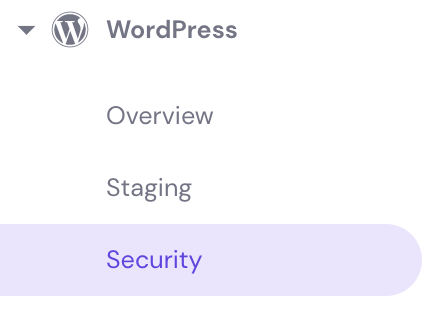
- Go to WordPress, then Security.
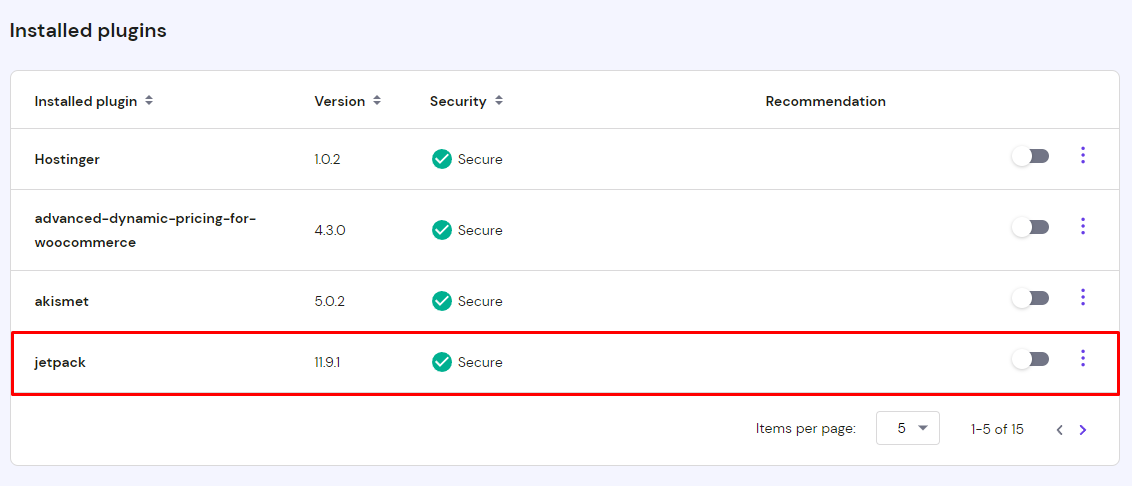
- Look for Jetpack under the Installed plugins section and toggle the button to activate it.
Another way is to activate Jetpack by manually installing the plugin on WordPress:
- Go to the WordPress plugin directory and download the Jetpack plugin.
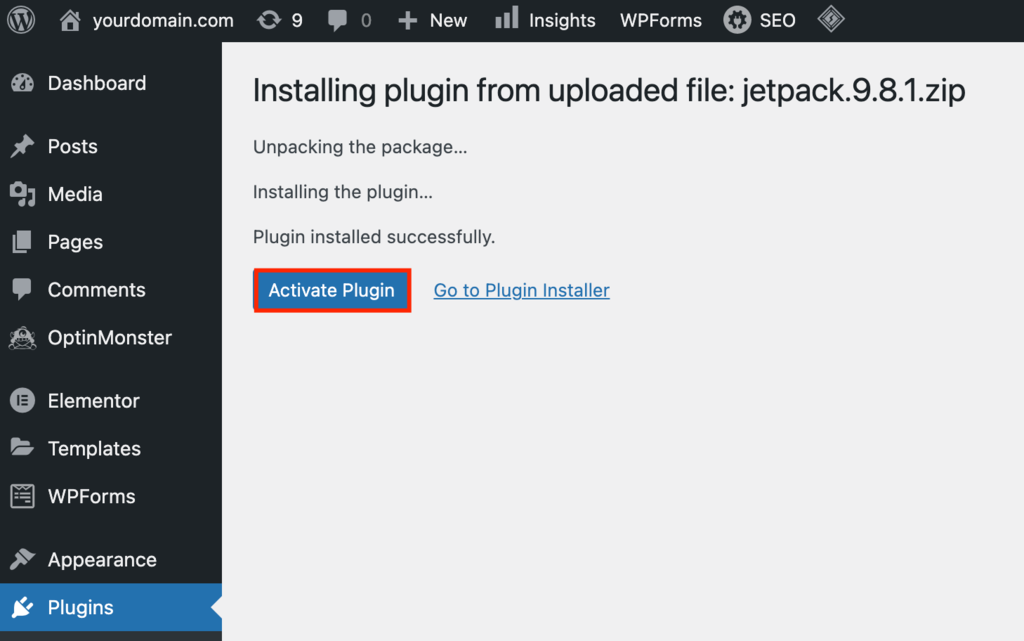
- Head to the Plugins section of your WordPress admin dashboard and upload the file.
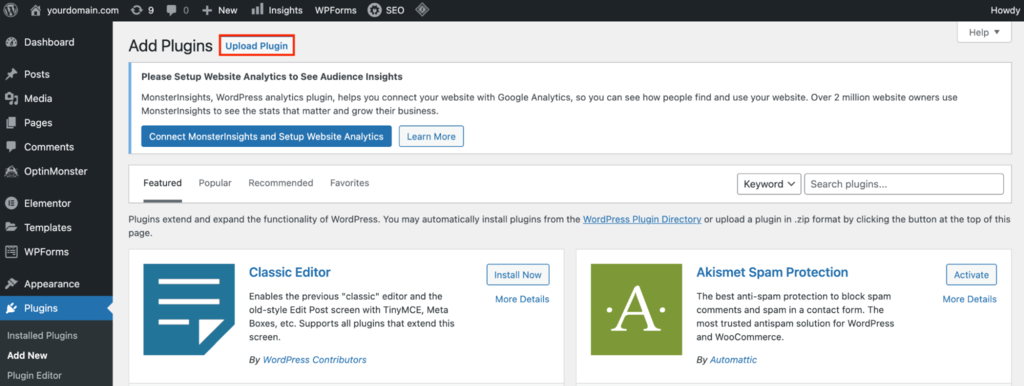
- Activate the plugin.
2. Turn on Automatic Sharing
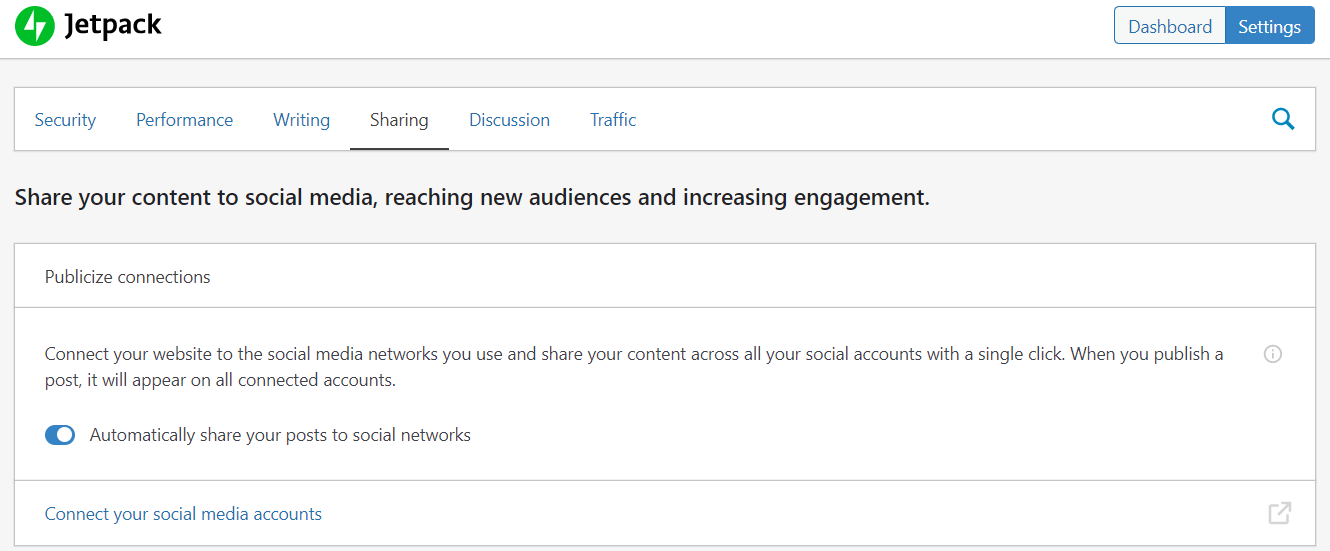
To automatically post to your Facebook page or another social account, it is also necessary to change the settings on Jetpack’s admin panel.
Do this by going to Sharing -> Publicize connections. Toggle the button that says Automatically share your posts to social networks.
It’s also a good idea to edit other items on Jetpack’s settings page, like adding social sharing buttons.
3. Connect to Facebook
To connect your Facebook account, remember that it needs to have administrator access to use this WordPress plugin. For this reason, Facebook pages or accounts using Facebook Business Manager are not allowed to connect to it.
Here is the setup process for connecting to Facebook:
- Look for the Sharing tab on Jetpack’s menu options.
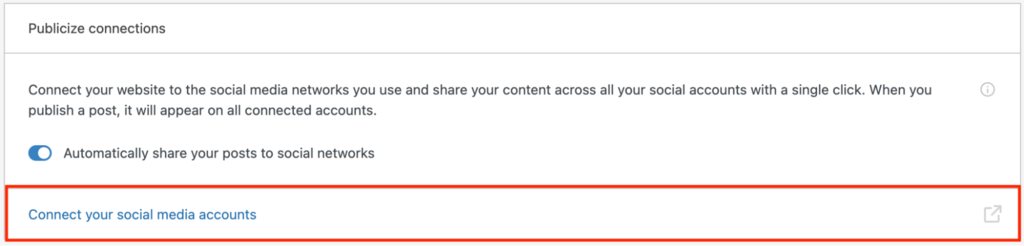
- Under the section that says Publicize connections, click Connect your social media accounts.
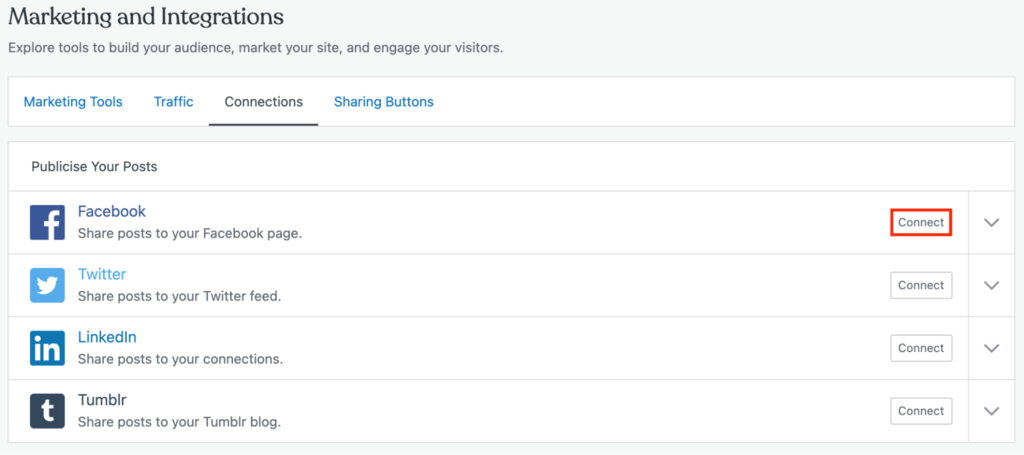
- You will see a list of social channels. Click the connect button next to Facebook.
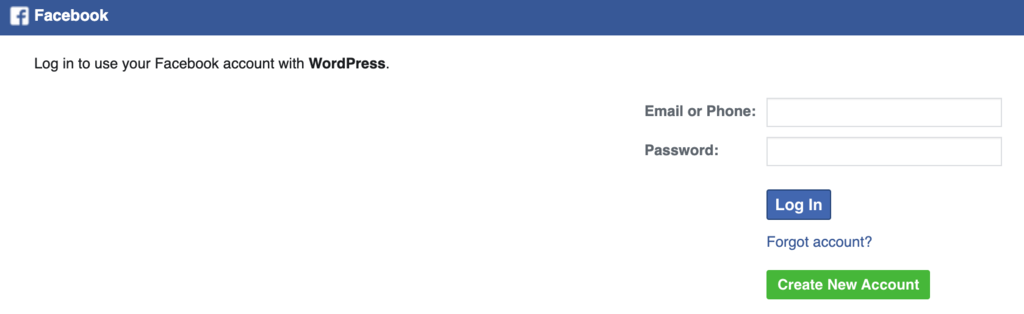
- Insert your Facebook account details. Click the Continue button.
- Choose which Facebook pages you want to connect to.
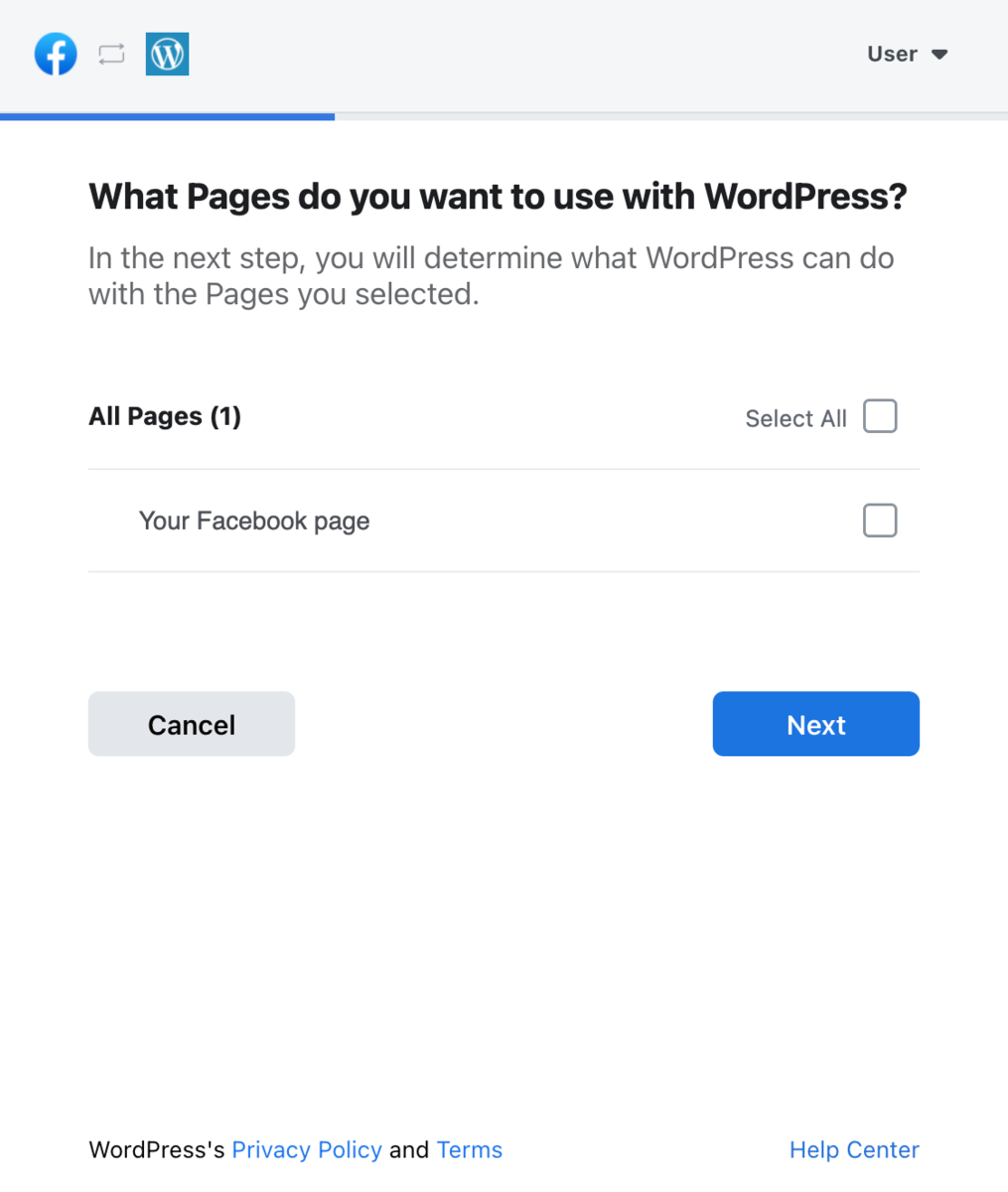
- Set the permissions you want to allow and click Done.
- Go to your Jetpack dashboard, and you should see your Facebook account on the Sharing tab.
7 Best Tools to Automatically Post to Facebook
There are numerous free and paid software to help you automatically share your WordPress posts to Facebook.
While some specialize in connecting your WordPress site to your Facebook page, others also provide methods for connecting to other social marketing services and platforms.
Take a look at our top seven tools to select the best one for you.
1. Jetpack

- Downloads: 5 million+
- Rating: 4/5
- Notable features: comprehensive site security, responsive design
- Best suited for: business owners
- Price: freemium
Jetpack is an all-in-one security and social sharing plugin. Its built-in settings allow users to automatically post different kinds of WordPress content such as blog posts, images, and videos on their Facebook account.
Additionally, users can also share posts from their Facebook page or Instagram to WordPress.
Its features include:
- Comprehensive site security. Protects your website from potential online attacks by scanning for malware, blocking spam and brute force attacks. This WordPress plugin also monitors changes in your code and checks for vulnerabilities in all web pages.
- Responsive design. Jetpack automatically adjusts the layout of your content to make sure that it works seamlessly across devices. This plugin also supports Google AMP to speed your website, which improves SEO and user experience.
- Real-time site backup. Keep a copy of your WordPress site’s theme, posts, and other content in case you want to move it to a new web host or for security purposes.
- Compatible with third-party platforms. Enhance site functionality by adding other software like Mailchimp for email marketing, Google Analytics for tracking data, and Gravity Forms for email subscriptions.
Jetpack is a freemium plugin, offering a premium version for those who want more security features. Plans start at $175/month and come with one-click site restoration, video hosting, and daily security scanning.
It’s an excellent WordPress plugin for business owners who need a platform with built-in security and marketing features.
2. IFTTT

- Notable features: compatible with third-party software, customization options
- Best suited for: business owners
- Price: freemium
IFTTT (If This Then That) lets you connect multiple apps to boost website functionality. In addition to Facebook, link your WordPress website to services like Twitter and Dropbox.
Its features include:
- Compatible with various third-party software. Connect to apps such as Evernote, or repost to your Telegram and Instagram accounts. IFTTT lets you post the same information on different platforms with only one click.
- Full customization options. Adjust its settings to include specific event triggers and actions for each service that you connect to IFTTT. For example, when you publish an image on your Instagram page, let IFTTT automatically post the same content on your Facebook page.
The free version lets you connect up to three apps, while the Pro version, available for $3.40/month, allows unlimited software connections.
Pro users can customize event triggers for all the apps they integrate. Customer support is also available for those who subscribe to the Pro plan.
IFTTT is perfect for business owners who need a tool to integrate their WordPress site with various software.
3. Buffer

- Notable features: social media calendar, data analytics, and custom posts
- Best suited for: small businesses
- Price: freemium
Buffer lets you automatically post to Facebook and other social media platforms by scheduling posts in advance. To connect its service to WordPress, you need to use the WordPress to Buffer plugin, available for free.
Its features include:
- Social media calendar. Plan and automatically publish posts by using Buffer’s social media calendar. Pick the best time and data to post on Facebook, Instagram, and Pinterest.
- Data analytics. Buffer automatically summarizes content information to give you a comprehensive idea of how your post is performing. Keep track of traffic sources, the number of page views, and shares. Use this data to understand the best days and frequency to post.
- Custom posts. Personalize posts according to the social platform. Buffer lets you add links to blog posts, including videos or images.
- Profile management. Save time and effort with Buffer by connecting your WordPress website to different social accounts and managing them all in one platform.
A free plan is available for those who want to use Buffer without committing to a monthly subscription. It lets you link up to three social channels and automatically post up to 10 scheduled posts on each.
Those who want to use Buffer to link more social accounts and share more posts can subscribe to a premium plan, starting at $15/month.
The Pro Plan lets you connect to up to eight accounts or pages, create custom video thumbnails, and access a calendar with all your published and scheduled posts.
4. CoSchedule
- Notable features: project workflow, marketing calendar, and social publishing
- Best suited for: business owners
- Price: $29/month
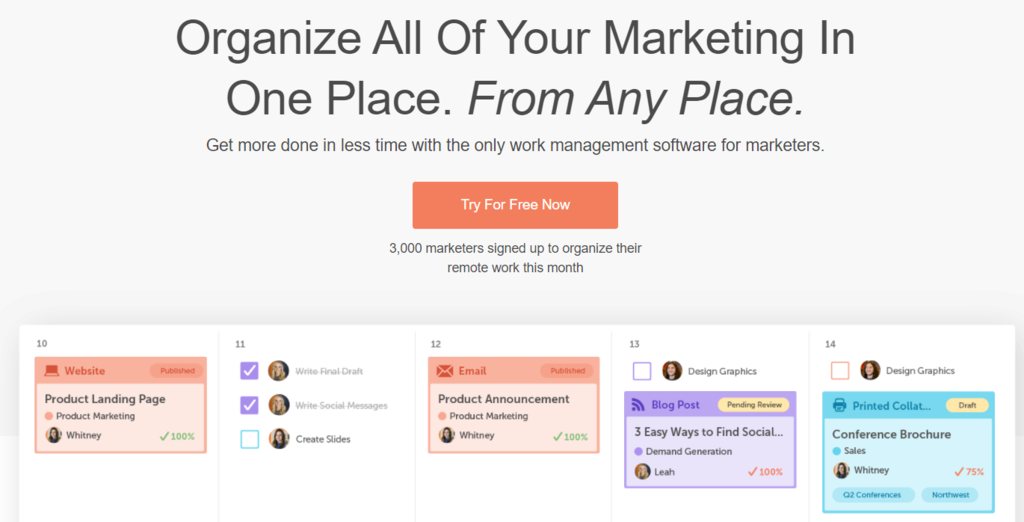
CoSchedule is a marketing platform that lets users organize their tasks, automatically post content to social channels, and keep marketing content in one place. WordPress users can easily connect it to their site by using the CoSchedule plugin.
Its features include:
- Marketing calendar. Have all your marketing campaign calendars in one place to keep track of deadlines and campaign performance.
- Project workflow. Manage different projects and collaborate with other teams using CoSchedule. Monitor task assignments, project schedule, and pending tasks in one platform. Users can also create workflow templates for future projects to ensure consistency.
- Compatible with third-party integrations. Enhance website functionality by integrating services like Mailchimp and Dropbox.
CoSchedule provides several marketing services for simplifying your workflow. Team members can use this platform to communicate with each other, collaborate, and keep track of projects without using multiple software.
The price starts at $29/user/month with the features mentioned above, plus bulk post scheduling and social campaign templates for sharing blog posts to Facebook and other channels.
5. Social Media Auto Publish
- Downloads: 10,000+
- Rating: 4.5/5
- Notable features: customizable settings, multiple filter options, and posting options
- Best suited for: beginners
- Price: free
Social Media Auto Publish is a straightforward WordPress plugin that lets users automatically post their blog content to Facebook and other social channels like Twitter and LinkedIn.
Its features include:
- Multiple filter options. Let the software automatically post content on Facebook from WordPress according to category or post type.
- Customizable settings. Personalize your content by changing the post title, description, permalinks, and blog images.
- Various posting options. This plugin can automatically display different types of posts from WordPress on your Facebook page. Publish a blog post or attach images and links.
Social Media Auto Publish is a beginner-friendly and easy-to-use plugin for anyone who wants to publish their WordPress posts on Facebook and other social platforms.
It is free to use and also provides extensive documentation to help with the plugin’s installation and troubleshooting.
6. Blog2Social: Social Media Auto Post & Scheduler
- Downloads: 70,000+
- Rating: 4.5/5
- Notable features: content curation, automatic post-scheduler
- Best suited for: business owners
- Price: freemium
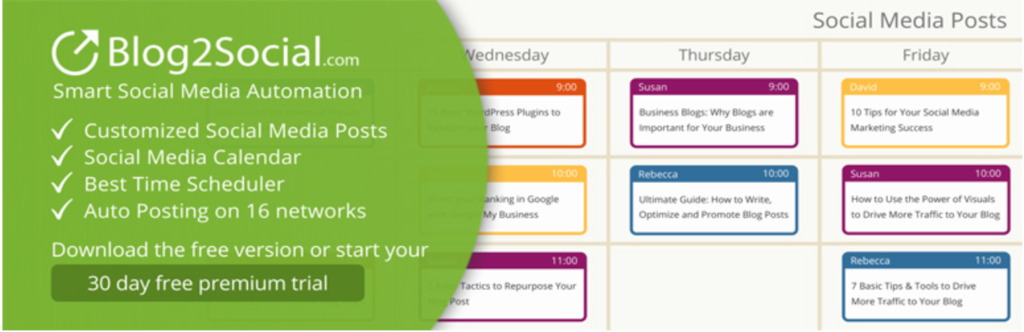
Blog2Social is an all-in-one social plugin for publishing WordPress posts on Facebook and other social platforms. It is a freemium tool designed to save you time and effort by automating social marketing tasks.
Its features include:
- One-click social sharing. Display WordPress posts on social media platforms such as Pinterest and Tumblr with one click instead of manually scheduling each post.
- Customizable posts. Add some creative touches to every post by placing emojis, hashtags, or adding a personal message.
- Content curation. Provide more information to every blog post by adding links and articles from other sources.
- Automatic scheduler. Reach more people by letting the plugin choose the optimal time to automatically post your content according to each social platform.
Blog2Social also offers a lot of customization options. For example, users can share old WordPress posts, personalize the post display images, and change blog snippets.
Premium plans start at $79/year, letting you register up to 15 pages or accounts per social network. You can also publish WordPress posts on your social accounts and cross-post on social pages and groups.
Premium plans also come with content templates that are optimized for different social platforms.
7. WP2Social Auto Publish
- Downloads: 20,000+
- Rating: 5/5
- Notable features: multiple posting options, customizable post elements
- Best suited for: beginners
- Price: free
WP2Social Auto Publish lets you automatically post to your Facebook account from your WordPress website, while also filtering and customizing posts.
Its features include:
- Multiple posting options. Add images, personal messages, or blog posts when reposting website content on your Facebook page.
- Post filtering. Choose which page you want to automatically post to Facebook from WordPress. Set a filter based on specific information or category.
- Customizable post elements. Help search engines discover your content by optimizing the post description, title, and permalinks.
WP2Social Auto Publish has a straightforward user interface that is perfect for beginners. It also provides step-by-step guides and other resources to help you manage this WordPress plugin.
Conclusion
In this article, we discussed how to automatically publish your WordPress posts on Facebook. We also featured a list of the best tools so you can choose the most suitable for your website:
- Jetpack
- IFTTT
- Buffer
- CoSchedule
- Social Media Auto Publish
- Blog2Social: Social Media Auto Post & Scheduler
- WP2Social Auto Publish
All of these WordPress plugins and services are easy to use and have straightforward auto-publish settings. Take advantage of them to boost your website traffic and connect with more people through your Facebook page.
Let us know in the comments section if you have already used any of these WordPress tools to publish posts on Facebook or if you have other recommendations.
Learn More About WordPress
Complete WordPress Tutorial
How to Install and Use WP-CLI to Manage a WordPress Blog
How to Set Up Cloudflare CDN for WordPress Blog
How to Set up a WordPress Intranet
How to Install Google Tag Manager in WordPress
How to Add AdSense to WordPress
What Is WordPress RSS Feed and How to Use It
How to Duplicate Pages in WordPress
All of the tutorial content on this website is subject to Hostinger's rigorous editorial standards and values.

Klara is an eCommerce enthusiast. She has a passion for developing content and building websites. In her spare time, she enjoys traveling to experience different cultures. Klara is always looking to learn new things in the IT field, and she loves sharing her knowledge with others.