Node.js vs. Next.js: Key differences between Node.js and Next.js
Jun 12, 2026
/
Alma F.
/
9 min Read
Node.js and Next.js are often compared because both are used in JavaScript web development, but they play different roles. Node.js is the runtime that lets JavaScript run outside the browser, while Next.js is a React framework for building frontend and full-stack web applications.
Node.js works closer to the application foundation. You can use it to create APIs, backend services, microservices, WebSocket apps, command-line tools, and custom server logic. It gives you more control over how the server works, but also leaves more decisions to you, including routing, project structure, rendering, and performance optimization.
Next.js works at a higher level. Instead of starting with a blank backend or frontend setup, you get file-based routing, rendering options like server-side rendering and static site generation, caching features, and frontend performance tools.
This makes it a strong fit for content sites, SaaS platforms, ecommerce pages, marketing pages, and React applications where SEO, routing, and fast page loads matter.
So the Node.js vs. Next.js choice is not about which one is better. It’s about the role each tool should play.
- Choose Node.js when you need direct control over backend architecture, APIs, services, real-time features, or server-side logic.
- Choose Next.js when you want a structured React framework for building web applications with routing, rendering, and performance features included.
Here’s how they compare at a glance:
Feature | Node.js | Next.js |
Type | Runtime environment | React framework |
Primary use | Backend development, APIs, real-time apps | Full-stack React apps, content sites, SaaS |
Rendering | None built in | SSR, SSG, ISR, client-side |
Performance focus | High concurrency, low latency | Page load speed, SEO, and caching |
Learning curve | Moderate – requires backend knowledge | Moderate to steep – requires React knowledge |
Ecosystem | Massive (npm, 2+ million packages) | Large, within React and Vercel ecosystem |
Structure | Unopinionated – you choose everything | Opinionated – conventions built in |
What does Node.js do that Next.js doesn’t?
Node.js operates at the runtime level, so it gives you lower-level control than Next.js. It is better suited for custom backend architecture, standalone services, real-time servers, and use cases beyond web applications.
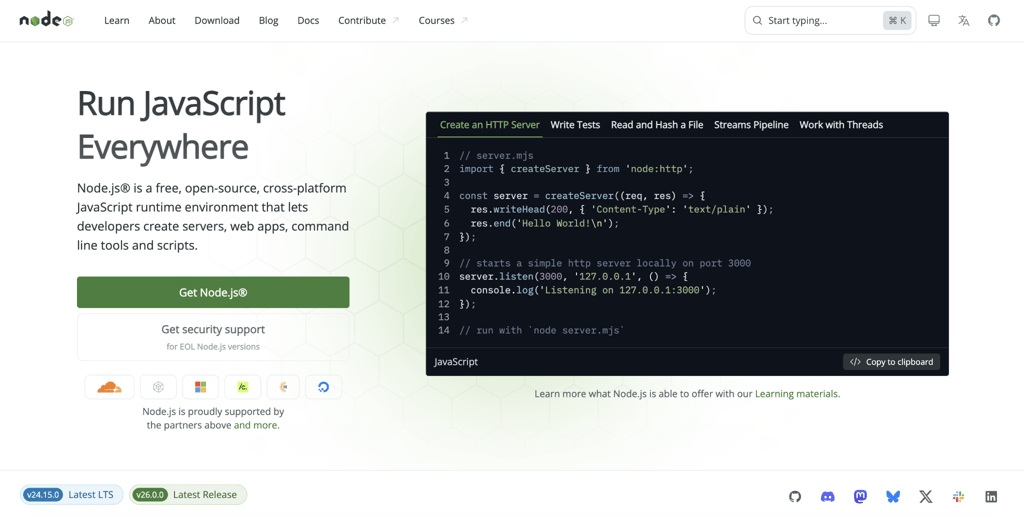
- Custom backend architecture. With Node.js, you choose your own frameworks, libraries, routing setup, and project structure. No application framework enforces how requests, services, or files should be organized.
- Framework-agnostic development. Node.js can work with any frontend, including Angular, React, Vue, Svelte, or a fully custom interface. You can also use it without a frontend at all, such as for APIs, workers, scripts, or backend services. Next.js, by contrast, is built around React.
- Better fit for standalone backend services. Node.js can power backend services that run independently from any frontend application. That includes APIs, microservices, background workers, authentication services, and mobile app backends. This makes it a better fit when the backend needs its own release cycle, scaling setup, or team ownership.
- Real-time server capabilities. Node.js is a strong fit for WebSocket connections, live data feeds, chat apps, streaming features, and other real-time workloads. Its event-driven, non-blocking I/O model helps it handle many simultaneous connections efficiently, as long as the application avoids blocking work.
- Wider runtime use cases. Node.js goes beyond web applications. Developers use it to build command-line tools, automation scripts, mobile app backends, IoT applications, background jobs, and development tools. Tools like Webpack, Babel, and ESLint also run on Node.js.
What are the limits of Node.js?
Node.js gives you a runtime for server-side JavaScript, but it does not provide the higher-level web application features that frameworks include.
If you want routing conventions, frontend rendering, static generation, or a complete full-stack setup, you need to add those pieces yourself or use a framework like Next.js.
- No built-in frontend rendering. Node.js does not include server-side rendering, static site generation, or page-based routing by default. You can build these features with additional tools, but they are not part of Node.js itself.
- Manual frontend setup. Node.js does not include a browser-side application layer. To build a frontend, you need to choose a UI library or framework, configure bundling, set up client-side routing, and connect it to your backend.
- Few built-in project conventions. Node.js does not tell you how to organize routes, services, middleware, frontend files, or shared code. That freedom is useful for custom backends, but larger teams need their own standards to keep projects consistent.
- More setup for full-stack applications. Building a full-stack app directly with Node.js usually means configuring the server, frontend, build tools, routing, rendering, and deployment flow separately. Frameworks like Next.js combine many of these pieces into one application structure.
What does Next.js do that Node.js doesn’t?
Next.js adds a web application framework layer that Node.js does not provide by itself. It gives React projects built-in routing, rendering options, frontend optimization, and full-stack features that you would otherwise need to build or configure with separate tools.
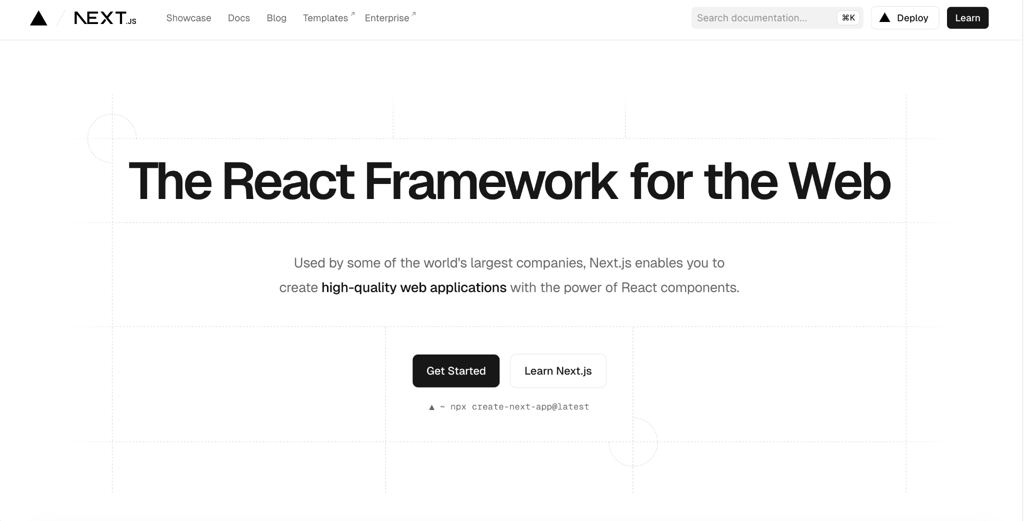
- Built-in rendering options. Next.js supports server-side rendering, static site generation, and other rendering patterns out of the box. This lets you serve pre-rendered HTML instead of relying only on client-side JavaScript to display content in the browser.
- Better support for SEO-focused pages. Because Next.js can serve rendered HTML, it’s a strong fit for content sites, ecommerce pages, landing pages, and marketing pages where search visibility matters. You still need proper metadata, internal linking, content quality, and performance optimization, but Next.js gives you a better starting point than a client-rendered app alone.
- File-based routing. Next.js turns files and folders inside the
app/directory into routes. This removes the need to configure a router from scratch and gives projects a consistent structure. - Full-stack features inside the same project. Next.js lets you add server-side code through features like Route Handlers and Server Actions. These can handle tasks such as form submissions, data fetching, authentication flows, and database queries without creating a separate backend application for simpler use cases.
- Frontend developer experience. Next.js includes fast refresh, image optimization, font optimization, script handling, and integrated build tooling. These features reduce the amount of setup needed to build and optimize a React application.
What are the limits of Next.js?
Next.js is a React framework with its own routing, rendering, and project conventions. Those conventions speed up web app development, but they can become limiting when you need a backend that is fully separate, highly customized, or not tied to React.
- Less control over backend architecture. Next.js can handle server-side logic, but it is not the same as building a dedicated Node.js backend. Complex middleware chains, custom request handling, long-running processes, background workers, or highly specialized API architecture may be easier to manage in a standalone Node.js service.
- React dependency. Next.js is built around React. You cannot use it as a Vue, Svelte, or Angular framework. If your team prefers another frontend framework, or the project does not need React, Next.js is not the right fit.
- Not ideal for backend-only services. If you only need an API, worker, microservice, or real-time server, Next.js adds frontend and rendering features you may not use. A lighter Node.js setup with Express, Fastify, or another backend framework is usually a cleaner choice.
- Framework conventions. Next.js gives you a defined way to handle routing, rendering, layouts, and server-side code. That structure is helpful for many web apps, but it can feel restrictive if your project needs an architecture that does not fit the App Router model or Next.js deployment assumptions.
Which is better for backend development: Node.js or Next.js?
Node.js is the better choice for backend-heavy projects. It gives you direct control over server architecture, routing, middleware, database connections, authentication, background jobs, and real-time features.
Next.js also supports backend logic through Route Handlers and Server Actions, but these are designed to support full-stack React applications. They work well for tasks like form submissions, data fetching, and simple API endpoints, but complex backend systems are usually easier to manage in a dedicated Node.js service.
If your project needs both a strong backend and a React frontend, use them together: Node.js for APIs and server-side logic, and Next.js for routing, rendering, and the user-facing application.
Which is better for frontend rendering: Node.js or Next.js?
Next.js is the better choice for frontend rendering. Node.js is a runtime, not a rendering framework, so it doesn’t provide components, routing, page rendering, or frontend state management on its own.
You can build a rendering setup with Node.js by combining it with React, a bundler, and custom server-side rendering logic. But in most cases, you would be rebuilding features that Next.js already provides.
Next.js supports server-side rendering, static site generation, and incremental static regeneration. This lets you serve pre-rendered HTML for pages that need better load speed, SEO support, or frequently updated content.
Pre-rendered pages also improve the user experience because visitors can see the page content before all JavaScript finishes loading. This is especially useful for content sites, ecommerce pages, marketing pages, and apps where first-page load speed matters.
Which is better for full-stack development: Node.js or Next.js?
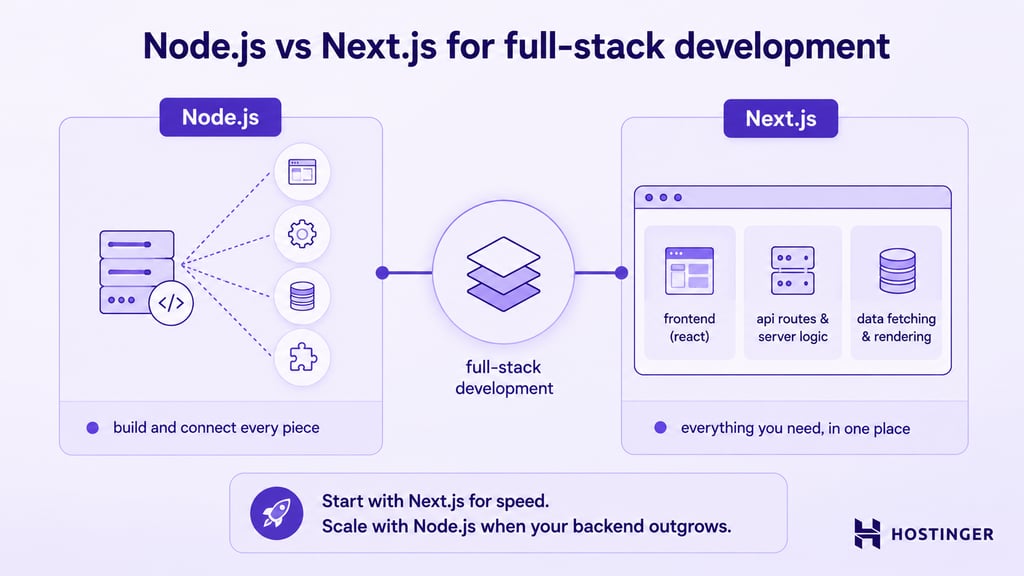
Next.js usually gives you the faster path to a working full-stack application. It includes frontend routing, rendering options, API endpoints, server-side logic, and build tooling within a single framework.
With Node.js alone, you need to assemble more of the stack yourself. That usually means choosing a backend framework like Express or Fastify, selecting a frontend library, configuring build tools, setting up development workflows, and connecting the frontend to the backend API.
Next.js reduces much of that setup. React components, server-side logic, Route Handlers, and deployment workflows can live in one project. With the App Router, you can also place data-fetching logic close to the components that use it, making it easier to build and maintain smaller full-stack apps.
That simplicity has limits. If your backend needs long-running processes, background jobs, WebSocket servers, worker threads, or a microservices architecture, a separate Node.js backend may be a cleaner choice.
For many teams, the best approach is to start with Next.js when the app is frontend-led, then split out a dedicated Node.js backend later if the server-side requirements become more complex.
Which is better for performance: Node.js or Next.js?
Node.js and Next.js optimize for different types of performance. Node.js is better suited for backend performance, while Next.js is better suited for page load and rendering performance.
Node.js uses an event-driven, non-blocking I/O model, which makes it efficient for backend tasks like database queries, file operations, API calls, and network requests. A well-built Node.js server can handle many simultaneous connections, as long as the application avoids blocking the event loop.
Node.js is less suited for CPU-heavy work. Tasks like image processing, data analysis, and complex calculations can block the event loop if they run on the main thread. For those workloads, you’ll usually use worker threads, background jobs, or separate services.
Next.js focuses on page and application performance. It supports pre-rendering, code splitting, image optimization, and caching features that help pages load faster and reduce the amount of JavaScript users need to download.
Next.js can also run server-side logic closer to users through edge or serverless deployments, depending on the hosting setup. You can achieve similar global performance patterns with Node.js, but you usually need to configure the infrastructure yourself.
So the better choice depends on what you need to optimize. Use Node.js when backend throughput, real-time connections, or server control matter most. Use Next.js when initial page load, rendering, SEO, and frontend performance are the priority.
Which has a better learning curve: Node.js or Next.js?
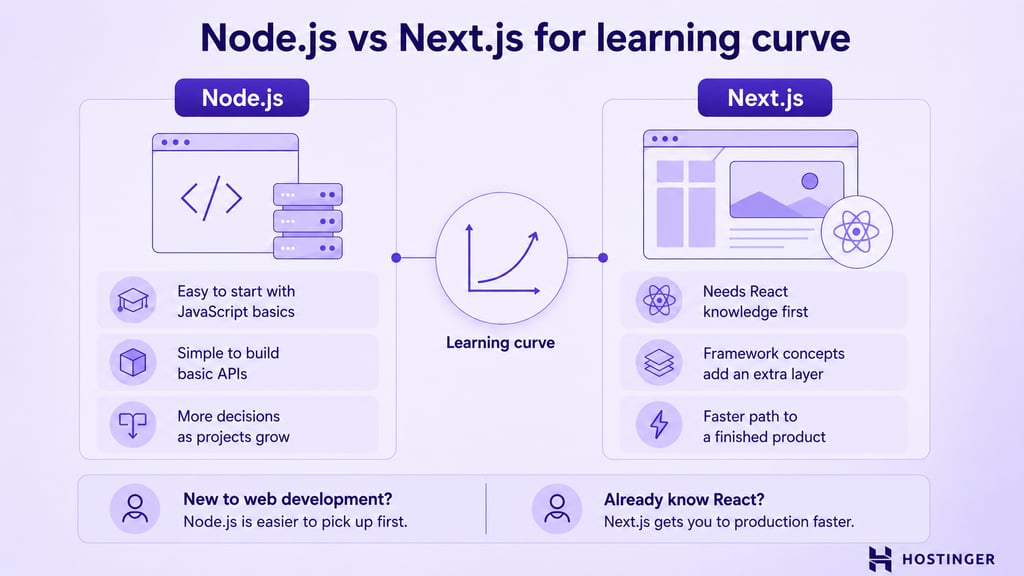
Node.js has a more approachable starting point, but Next.js can get you to a finished web application faster if you already know React.
To start with Node.js, you need JavaScript and basic server concepts like HTTP requests, routing, and middleware. If you’ve written JavaScript for the browser, moving to Node.js is manageable, especially with a lightweight framework like Express.
The challenge with Node.js grows as the project grows. You need to decide how to structure the application, handle authentication, connect databases, manage deployment, and choose the right libraries. Since Node.js does not enforce one project structure, larger applications require more planning.
Next.js has a steeper learning curve because it assumes familiarity with React. If you already understand React components, hooks, and state management, the routing and project structure are easier to pick up. If you’re new to React, you’re learning both React and Next.js at the same time.
Next.js also adds its own concepts, including Server Components, Client Components, server-side rendering, static site generation, incremental static regeneration, and the App Router. These are useful, but they add more to learn upfront.
For developers starting with basic JavaScript, Node.js is usually easier to learn first. For developers who already know React, Next.js is often the faster path to building a production-ready web application.
Which has a better ecosystem: Node.js or Next.js?
Node.js has the larger and more mature ecosystem. Its package registry, npm, includes more than two million packages, covering database drivers, authentication, payments, email, testing, image processing, and many other backend and development needs.
Once you understand npm basics, you can install and manage packages with a few commands. This makes it easy to add libraries, update dependencies, and reuse existing tools instead of building everything from scratch.
Next.js also uses the npm ecosystem, but its own ecosystem is narrower. It is centered around React, Vercel, frontend tooling, rendering, deployment, and full-stack web app patterns.
The bigger difference is flexibility. With Node.js, you can choose from backend frameworks like Express, Fastify, Koa, Hapi, or NestJS. You can also work with GraphQL tools, database clients, job queues, testing libraries, and middleware built for different backend needs.
Next.js has strong support from the React and Vercel ecosystems. You get React component libraries, state management tools, UI frameworks, deployment tools, analytics, and hosting features designed for Next.js applications.
Community support is strong for both. Node.js has been around longer, so it has more tutorials, documentation, packages, and answers for backend problems. Next.js has a smaller but active ecosystem focused on modern React application development.
Node.js also has a predictable release model with Long Term Support versions for production. Next.js updates more frequently, so teams need to keep up with framework changes around routing, rendering, caching, and deployment behavior.
Which should you choose: Node.js vs. Next.js?
Node.js and Next.js are not direct competitors. Node.js gives you the runtime for server-side JavaScript, while Next.js gives you a framework for building React applications. The right choice depends on whether your project needs more backend control, frontend structure, or both.
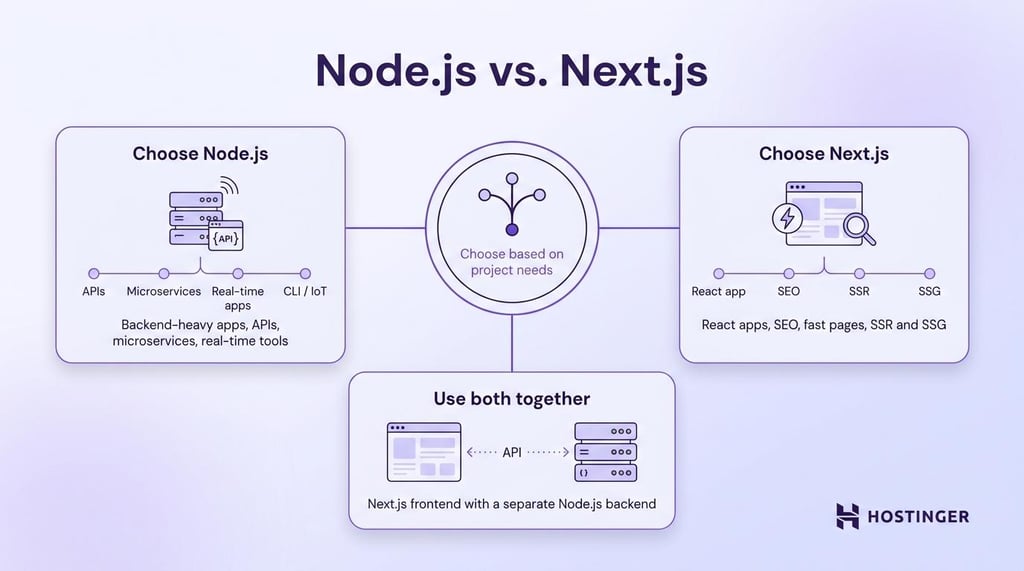
Choose Node.js if your project is backend-heavy. APIs, microservices, real-time applications, CLI tools, background jobs, and IoT services all benefit from the server-side control Node.js provides. You are not tied to any frontend framework, and you decide how the backend is structured, deployed, and scaled.
Choose Next.js if you’re building a React-based web application. Content sites, SaaS platforms, ecommerce stores, and marketing pages benefit from built-in routing, rendering options, and frontend performance features. If your team already knows React, Next.js also reduces the setup needed to move from idea to working application.
Use both together if you need a complex backend and a React frontend. Next.js can handle the user-facing application, while a separate Node.js service handles APIs, real-time features, background jobs, or heavy backend logic.
Plan your architecture and deployment early. As your application grows, those choices determine how easily you can handle more traffic and ship new features. Both Node.js and Next.js deploy well to modern cloud platforms.
For teams that don’t want to manage the runtime manually, managed hosting can handle builds, deployment, and server setup. Hostinger’s web app hosting supports both Node.js and Next.js applications, giving you a simpler way to deploy either stack.
All of the tutorial content on this website is subject to Hostinger's rigorous editorial standards and values.

Alma is an AI Content Editor with 9+ years of experience helping ideas take shape across SEO, marketing, and content. She loves working with words, structure, and strategy to make content both useful and enjoyable to read. Off the clock, she can be found gaming, drawing, or diving into her latest D&D adventure.