How to write a marketing email
Jul 03, 2026
/
By Alma F.
/
10 min Read
To write a marketing email, define your audience, choose one goal, pick the right email type, write the subject line and body copy, add one CTA, then format for mobile, test, and send. Measure the results afterward and use what you learn to improve the next one.
A marketing email is a message you send to contacts, subscribers, or customers to promote an offer, share something useful, or drive a specific action.
Whether it’s a welcome email, a sale, or a newsletter, the process behind it is the same: know who you’re writing to, give them one clear reason to act, and make it easy to follow through.
1. Define the audience
Decide who the email is for before writing anything else. Are you targeting new subscribers, repeat customers, or people who browsed but didn’t buy? This choice sets the direction for the rest of the email.
Sending the same email to your whole list may seem efficient, but it often makes the message less relevant. A “welcome, new customer” discount won’t land well with someone who has already ordered three times. If you’re new to email marketing, the key point is that targeted messages outperform broad ones because they feel relevant.
To create more targeted campaigns, look at data from signup forms, purchase history, website activity, surveys, your CRM, and past campaign results. Then, segment your list by customer type, interest, buying stage, or behavior.
For better understanding, we’re going to use an illustration of selling handmade candles throughout this article. Say your purchase history shows a group of customers who bought once but haven’t returned in 90 days. That gives you a clear target audience segment: people who may need a reason to come back.
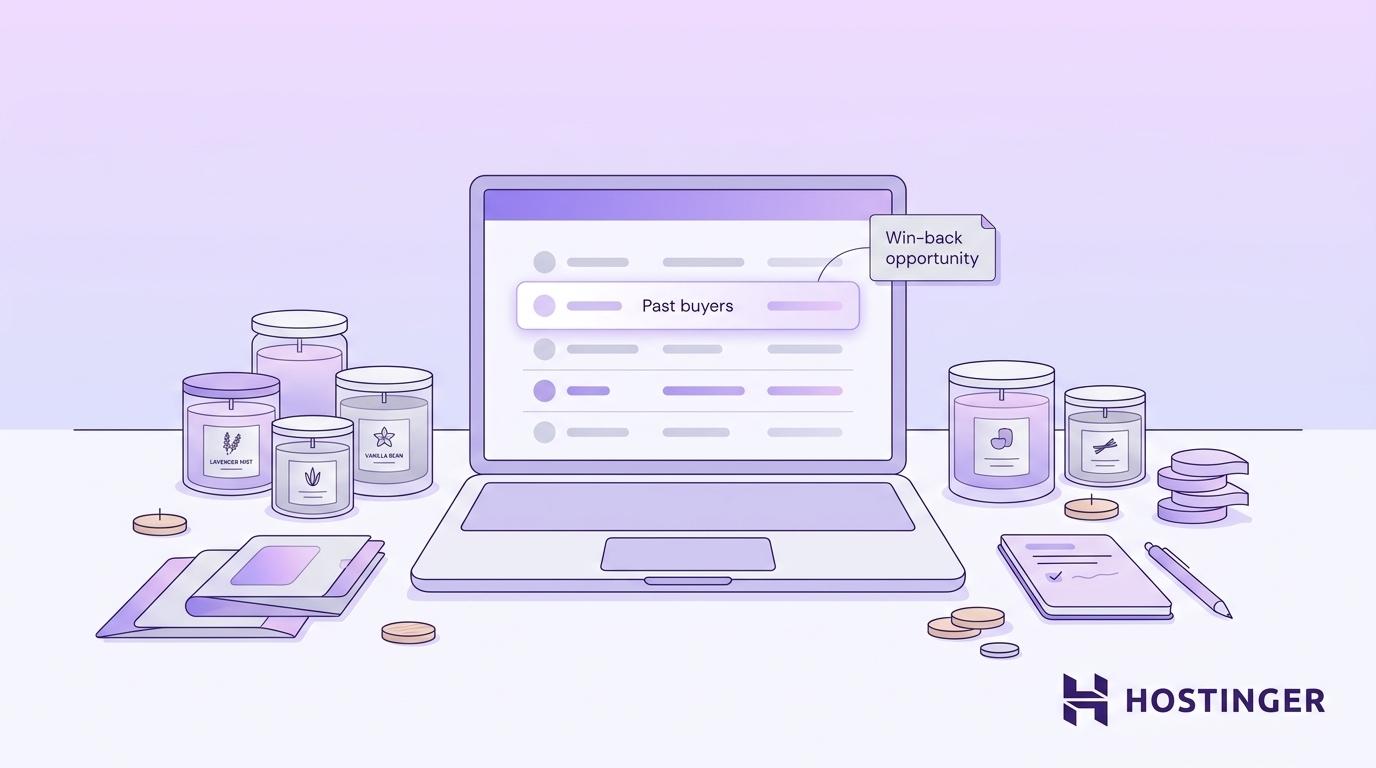
Writing for that group is much easier than writing for your entire list. You know what they did, what they might need next, and which offer is likely to feel relevant. That’s what email personalization really means: not just adding a first name, but sending the right message to the right people.
2. Choose one campaign goal
Pick one action you want the reader to take, then build the entire email around it. Your email goal shapes the offer, copy, CTA, landing page, and how you measure success.
Common goals include selling a product, promoting a discount, announcing a launch, driving webinar signups, sharing a newsletter update, warming up leads, or winning back inactive customers. Each goal needs a different message.
Stick to one goal per email. When you ask readers to read a blog post, follow you on social media, and book a demo all at once, they have to choose between three actions. Most won’t choose any.
If your goal is demo bookings, the subject line should hint at the demo, the body should explain why it’s worth their time, and the CTA should be clear, like “Book a demo.”
For our candle store example, the goal is to drive repeat purchases. The offer is a 20% returning-customer discount, and every part of the email points to one action: getting that customer to buy again.
3. Match the email type to the goal
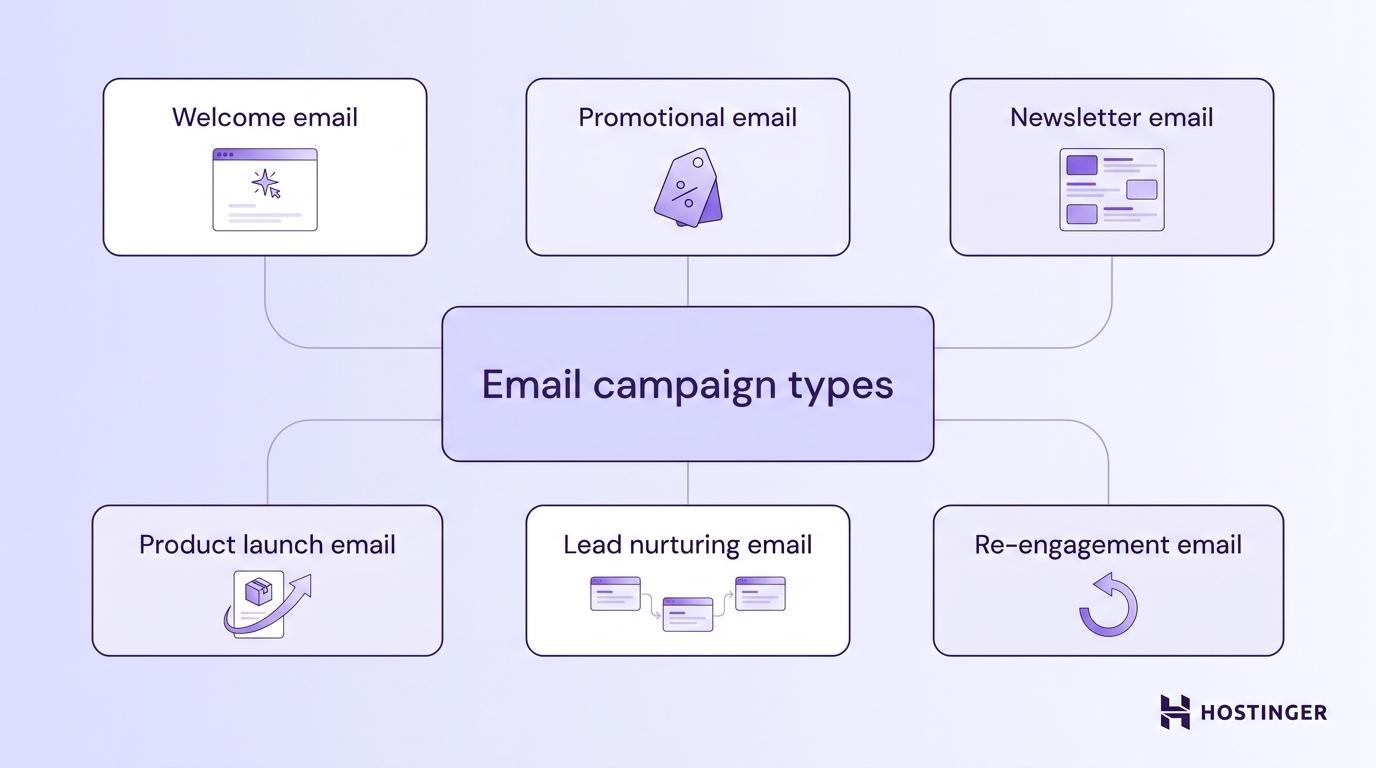
Each marketing email type has its own structure, tone, and success metric. Here’s when to use each type:
- Welcome email. Introduce your brand, confirm the subscriber’s interest, and guide the first action. A good welcome email is often the highest-opened message you’ll ever send.
- Promotional email. Highlight an offer, discount, product, or limited-time deal. Best when the goal is a direct sale or signup.
- Newsletter email. Share useful updates, resources, or stories. You can create an email newsletter to stay visible between promotions without always asking for a sale.
- Product launch email. Announce a new product, feature, or service. Works best when you build anticipation leading up to the launch date.
- Lead nurturing email. Teach potential buyers something useful and move them closer to a purchase. Good for longer sales cycles where trust builds over several messages.
- Re-engagement email. Reach out to inactive subscribers and ask them to come back, update preferences, or confirm they still want to hear from you.
The candle store’s goal is to drive repeat purchases, so a promotional email is the right fit. But it’s not a standard promo blast. It targets a specific group (past buyers who haven’t returned), giving it a win-back angle. That means it needs a direct offer, a personal touch, and a deadline to create urgency.
4. Write the subject line and preheader
The email subject line and preheader decide whether someone opens your email. They’re the first things readers see in the inbox, so they need to make the email’s value clear.
Start with the subject line. Keep it short, specific, and focused on what the reader gets. “Get 25% off hosting today” works because it clearly states the benefit. “Exciting news inside!” is too vague.
Avoid all caps, too many exclamation marks, fake urgency, and phrases that don’t say anything useful. Following subject line best practices means giving readers a real reason to open, not tricking them into clicking.
Then write the preheader. This is the short preview text that appears next to or below the subject line. Use it to add useful context, not repeat the subject line. If the subject says “Your free SEO checklist is ready,” the preheader could be “12 steps to fix your site this weekend.”
Here are a few subject line examples paired with preheaders:
Subject line | Preheader |
25% off all plans ends tonight | Use code SAVE25 at checkout |
Your store setup checklist | Five steps to launch by Friday |
We noticed you left something behind | Your cart is waiting, and shipping is still free |
The candle store email could use “We saved your favorites, plus 20% off” as the subject line and “Your returning-customer discount expires Sunday” as the preheader. The subject line gives the benefit, while the preheader adds a deadline and makes the offer feel more specific.
5. Write the email body copy
Good email body copy connects the reader’s need to your offer and moves them toward one action. Keep it short, natural, and focused on the campaign goal – if you’re wondering exactly how long a marketing email should be, aim for enough copy to make the case without losing the reader’s attention.
Start with the reader, not your brand. A weak opening says, “We’re excited to announce our latest feature update.” A stronger one says, “You asked for faster load times. Here’s what changed.” The first version talks about the company. The second starts with something the reader already wanted, so they keep reading to find out what’s different.
Most marketing emails need these elements:
- Opening line. Names the reader’s problem, goal, or opportunity.
- Main benefit. Explains what the offer does for them.
- Supporting detail. Adds proof, specifics, numbers, or product details.
- Scannable layout. Uses short paragraphs, spacing, and clear formatting.
- Brand voice. Sounds like your business, not a template.
- P.S. Adds a reminder or deadline when it supports the CTA.
Good email copywriting is about saying less. If a sentence doesn’t build interest or move the reader toward the CTA, cut it.
Here’s how it would look in the candle store email:
It’s been a while since your last order, and we’ve added some new scents we think you’ll like.
As a past customer, you get 20% off your next order with code WELCOMEBACK. We’ve also restocked the soy lavender candle that sold out last time.
Your code expires Sunday.
Each paragraph has a job. The opening acknowledges the customer, the middle explains the offer and adds a specific product detail, and the close gives a clear deadline.
6. Add one clear CTA
Tell the reader exactly what action you want them to take. One email should lead to one main action, so your CTA needs to match the campaign goal you picked earlier.
Avoid vague CTA button text like “Click here” or “Learn more.” It doesn’t tell readers what happens next. Use specific action words instead:
Goal | CTA examples |
Sell a product | Shop the sale, Buy now, Add to cart |
Get signups | Start your free trial, Create your account, Join free |
Drive downloads | Download the guide, Get the checklist, Grab your copy |
Book meetings | Book a demo, Schedule a call, Reserve your spot |
Share content | Read the full article, Watch the video, Listen now |
Win back customers | Come back for 20% off, See what’s new |
Place the CTA where it feels natural. In short promotional emails, it often works best right after the offer. In longer emails, place it after the supporting copy, once the reader has enough context.
For the candle store email, the CTA we could use is “Shop new scents.” We can place it right after the discount and deadline, so the reader knows exactly what to do next. Here’s the full email assembled:
Subject: We saved your favorites, plus 20% off
Preheader: Your returning-customer discount expires Sunday
It’s been a while since your last order, and we’ve added some new scents we think you’ll like.
As a past customer, you get 20% off your next order with code WELCOMEBACK. We’ve also restocked the soy lavender candle that sold out last time.
Your code expires Sunday.
[Shop new scents]
Every part supports the same goal: getting the customer to buy again. The subject line names the benefit, the preheader adds a deadline, the body gives a reason to return, and the CTA tells them what to do next.
7. Format the email for mobile and readability
Following email design best practices ensures email readability across every screen. Use a single-column, mobile-friendly email layout, short paragraphs, clear spacing, readable body text, strong contrast, and buttons that are easy to tap.
Avoid image-only emails. Images may not load, so the main message should still work without them. Add alt text to images, and keep branding consistent without letting design elements distract from the CTA.
8. Test and send the email
Email testing means reviewing the email from the reader’s point of view before it goes out. It catches broken links, layout issues, missing personalization, and small mistakes that are easy to miss while editing.
Use this email checklist before every send:
- Subject line. Length, clarity, spelling, and match with the email content.
- Preheader. Supports the subject line and does not show placeholder text.
- Links. Every link, button, and tracking URL goes to the right page.
- Personalization. Merge tags, like {first_name}, show real data or a clean fallback.
- Mobile layout. Spacing, image sizes, font readability, and button tap targets.
- Email proofreading. Grammar, typos, formatting, and missing details.
- Footer. Sender details and unsubscribe link are visible and working.
Send a test email to yourself and at least one other person before launch. Fresh eyes catch issues you’ve stopped noticing. When scheduling, consider your audience’s time zone and habits, since picking the best time to send marketing emails can affect open and click rates.
9. Check email compliance before sending
Before sending, make sure your email is allowed to reach this audience and includes the required sender information. At minimum, check that you have a valid email consent, an accurate sender name, a truthful subject line, your business details, and a working unsubscribe link.
Rules for email compliance vary by location. Depending on where your subscribers live, laws like CAN-SPAM, GDPR, and CASL may apply. They set requirements for consent, opt-outs, sender identity, and the time frame for honoring unsubscribe requests.
Each law is different, but they share the same idea: only email people who agreed to hear from you, and make it easy for them to opt out. This is called permission-based marketing.
10. Measure and improve performance
Review the results after each send and use what you learn to improve the next email. Focus on the email marketing metrics that match your campaign goal, like clicks, conversions, sales, signups, unsubscribes, bounces, and spam complaints.
Open rate can still be useful, but it’s less reliable than it used to be. Privacy features like Apple Mail Privacy Protection can inflate opens, so clicks and conversions usually give a clearer view of how the email performed.
Use your email metrics to spot what needs work:
What happened | What it likely means | What to try next |
Low opens | The subject line, sender name, or send time didn’t work | Test a clearer subject line or a different send time |
High opens, low clicks | The offer, copy, or CTA wasn’t strong enough | Make the value and next step clearer |
High clicks, low conversions | The landing page didn’t match the email | Align the page with the email’s promise |
High unsubscribes | The audience, message, or send frequency was off | Improve segmentation or reduce frequency |
High bounces | The list includes invalid or outdated addresses | Clean your list before the next send |
Spam complaints | The email felt unexpected or irrelevant | Review consent, targeting, and send frequency |
Change one major element at a time when testing. If you update the subject line, CTA, and offer all at once, you won’t know which change improved the result.
Can AI help you write marketing emails?
Yes. AI can turn a campaign goal into subject lines, preheaders, body copy, CTA options, and full draft emails in minutes. It’s best used as a starting point, not a finished email.
Use AI to brainstorm angles, shorten copy, rewrite for different audience segments, or create several versions of the same campaign. AI email writing tools are especially helpful when you’re starting from a blank page or need to test different approaches fast.
You still need to review the final email before sending. Check the audience, offer, tone, facts, links, compliance, and brand fit. AI speeds up the first draft, but your judgment makes the email accurate, relevant, and ready to send.
Some AI email marketing platforms also serve as full email copywriting tools, handling templates, contact management, sending, and tracking – like Hostinger Reach.
Is Hostinger Reach good for writing and sending marketing emails?
Hostinger Reach is an email creation tool built for beginners, small businesses, website owners, creators, and non-Hostinger customers who want to create, send, and track marketing emails from one place.
Because Hostinger Reach is AI-powered, you don’t have to write or design the email from scratch. Describe what the email should say, and it generates a draft with layout and design. From there, you can:
- Edit the copy, colors, logo, and content.
- Run the AI-powered Template Checker for spam-risk content, grammar, and readability.
- Add contacts from your website, a CSV file, or forms.
- Schedule the email or send it right away.
- Track opens, clicks, and delivery data in the dashboard.
AI helps you get the email started faster, but you still decide whether the message fits your audience, sounds like your brand, and is ready to send.
Common marketing email mistakes
Most marketing email mistakes happen when the audience, goal, message, or CTA is unclear. Before sending, check for these issues:
Mistake | Why it hurts | What to do instead |
Vague subject line | Readers don’t see a reason to open | State the benefit or purpose clearly |
Generic message | The email feels irrelevant | Segment the list and tailor the angle |
Too much body copy | Readers lose the point before the CTA | Keep the message focused and scannable |
Multiple CTAs | Readers face competing choices | Use one primary action |
Poor mobile formatting | Text is hard to read, or buttons are hard to tap | Use a simple, single-column layout |
Weak offer | There’s no strong reason to click | Tie the offer to a clear benefit |
Broken links | You lose sales and trust | Test every link before sending |
Missing unsubscribe link | It creates compliance and trust problems | Include a clear unsubscribe option in the footer |
Scan this list before every campaign, especially important launches, promotions, or customer emails. A quick check can catch problems before they reach your audience.
How to turn one marketing email into a reusable campaign system
Turn each marketing email into a reusable system by recording the subject line, audience segment, offer, CTA, layout, and results after every campaign. Over time, you’ll spot patterns, like which subject lines get more opens or which CTA styles get more clicks.
Use those patterns to build templates for future newsletters, promotions, launches, and re-engagement campaigns. The offer, CTA, and audience should still change each time, but the structure doesn’t need to start from scratch.
For repeat campaigns like welcome sequences or win-back flows, email marketing automation keeps proven emails running without rebuilding them manually.
If you use Hostinger Reach, reusable templates, saved brand settings, and campaign analytics make it easier to build on what already worked. Outside of any tool, keep your own library of tested subject line patterns, CTA examples, and email structures. Even five or six proven templates save time every month as your email marketing strategy develops.
All of the tutorial content on this website is subject to Hostinger's rigorous editorial standards and values.

Alma is an AI Content Editor with 9+ years of experience helping ideas take shape across SEO, marketing, and content. She loves working with words, structure, and strategy to make content both useful and enjoyable to read. Off the clock, she can be found gaming, drawing, or diving into her latest D&D adventure.