8 best OpenClaw hosting providers in 2026
Aug 14, 2026
/
By Ariffud M.
/
15 min Read

OpenClaw is a self-hosted, open-source AI personal assistant that needs always-on hosting to run reliably. You can run it through managed OpenClaw hosting, where installation and infrastructure setup are handled for you, or on a self-managed VPS, where you control Docker, root access, environment variables, and scaling.
The best option depends on your technical comfort, control needs, setup time, and maintenance responsibility. Managed hosting is better for a faster launch with less server work, while a self-managed VPS is better for developers who want full infrastructure control.
For the self-hosted VPS path, OpenClaw requires root access, persistent resources, and always-on availability. To host OpenClaw on a VPS, you’ll need at least 4 GB of RAM. 8 GB is recommended if you plan to use browser automation. NVMe or SSD storage helps speed up container restarts and workspace operations.
OpenClaw also needs a Linux-compatible environment, typically Ubuntu 22.04 or 24.04, along with stable uptime and a consistent network connection.
These requirements rule out shared hosting for self-managed OpenClaw setups. Shared environments restrict background process control, limit system-level access, and don’t support the persistent Docker containers OpenClaw relies on.
After evaluating providers based on setup method, managed vs self-managed support, OpenClaw-specific deployment, AI provider setup, security and recovery features, cost, server resources, and scaling options, here are eight OpenClaw hosting providers worth considering:
- Hostinger. The only provider offering both a full VPS path and OpenClaw as an AI automation app, so beginners and developers can use the same platform.
- xCloud. Fully managed hosting that handles server setup, updates, and security automatically, so users never have to touch a terminal.
- Hetzner. Cost-optimized CX instances with an official OpenClaw deployment guide and upgrade paths to dedicated AMD EPYC vCPUs.
- DigitalOcean. Three deployment paths (1-Click Marketplace, App Platform, and bare Droplet) with the strongest default security hardening of any provider on this list.
- Contabo. Delivers over 12× more RAM per dollar than premium providers, starting at 8 GB for $3.96/month on an annual plan.
- Kamatera. Over 1,000 custom server configurations across 20+ global data centers, with component-level control over CPU, RAM, storage, and networking.
- OVHcloud. Generous baseline specs starting at 6 vCores and 12 GB RAM, with unlimited traffic, daily backups, and anti-DDoS protection included on every plan.
- LumaDock. The lowest entry price in this comparison at $1.99/month, with automatic OpenClaw installation and eight data center locations across Europe and the US.
Managed vs self-hosted OpenClaw hosting: which should you choose?
Choose managed OpenClaw hosting if you want to launch OpenClaw without setting up Docker, SSH, API keys, or the server environment yourself. Choose a self-hosted OpenClaw VPS if you want full root access, custom configuration, and more control over how OpenClaw runs.
Managed OpenClaw hosting works best for beginners, non-technical users, and anyone who wants less setup and maintenance. A self-hosted OpenClaw VPS works best for developers and technical users who want to manage the server manually, customize workflows, or control scaling.
Local setup is useful for testing OpenClaw before choosing a hosting provider, but it is not reliable for 24/7 use.
1. Hostinger
- Best for: Users who want either OpenClaw as an AI automation app or OpenClaw on a self-managed VPS
- Setup: OpenClaw as an AI automation app or OpenClaw on VPS
- Docker/SSH required: No for the AI automation app option; yes for deeper VPS customization
- AI provider setup: The AI automation apps plan includes built-in AI access; VPS users can configure their own AI providers
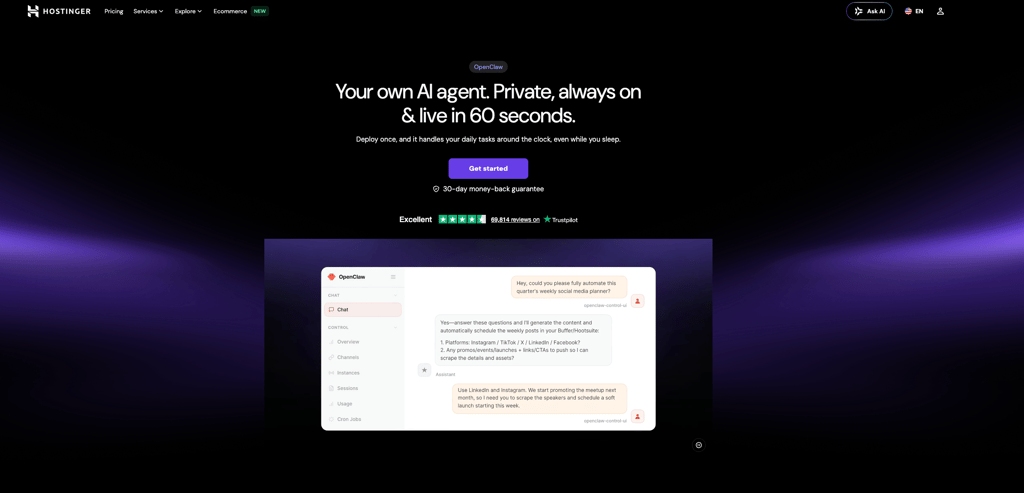
Hostinger offers OpenClaw as an AI automation app and OpenClaw on VPS. This provides beginners with a low-maintenance way to launch OpenClaw and developers with a self-managed VPS path for greater infrastructure control.
OpenClaw as an AI automation app is built for users who want to run an AI assistant without handling server setup, infrastructure management, or configuration. It includes automatic setup, zero maintenance, built-in Telegram and WhatsApp pairing, built-in access to AI, built-in web search, pre-configured agentic email, built-in security, and OpenClaw CLI access. This path works best for beginners, non-technical users, and teams that want to focus on automation rather than server administration.
OpenClaw on VPS is built for users who want full control over the server environment. It runs OpenClaw on a Hostinger VPS with allocated resources, full root and terminal access, Docker Manager, quick access to container logs, one-click updates, NVMe SSD storage, AMD EPYC processors, public API access, and data centers worldwide. This path works best for developers and technical users who want to manage Docker, environment variables, messaging channels, AI model configuration, and scaling manually.
The main difference is responsibility. The AI automation app option removes most infrastructure work. OpenClaw on VPS gives you more control, but you are responsible for server configuration, maintenance, troubleshooting, and custom setup decisions.
Here are the key advantages of running OpenClaw as an AI automation app:
- 1-click setup with no command-line work. The system handles the setup process automatically, so users can launch OpenClaw without configuring the server manually.
- Zero maintenance. Hostinger handles security, updates, and backups, so the AI assistant stays online without manual infrastructure work.
- Built-in access to AI. Users can start using OpenClaw without creating separate AI provider accounts or configuring external API keys before the first run.
- Built-in Telegram and WhatsApp pairing. Users can connect OpenClaw to messaging channels faster without setting up every integration manually.
- Pre-configured agentic email. OpenClaw gets its own mailbox, helping users keep AI agent communication separate from their personal email.
- Built-in security. OpenClaw runs with default security controls, reducing the amount of manual hardening needed before launch.
Hostinger pricing:
The AI automation apps plan starts at $5.99/month on the current promotional term and renews at $11.99/month for 2 years. The plan includes automatic setup, zero maintenance, built-in Telegram and WhatsApp pairing, built-in access to AI, built-in web search, pre-configured agentic email, built-in security, and OpenClaw CLI access.
OpenClaw on VPS starts with KVM 1 at $6.49/month on the current promotional term. This plan includes 1 vCPU core, 4 GB RAM, 50 GB NVMe storage, and 4 TB bandwidth. For a stronger OpenClaw VPS setup, KVM 2 includes 2 vCPU cores, 8 GB RAM, 100 GB NVMe storage, and 8 TB bandwidth at $8.99/month on the current promotional term.
Higher VPS tiers, such as KVM 4 and KVM 8, work better for users running multiple concurrent agents, browser automation, heavier workflows, or more resource-intensive OpenClaw setups.
Choose OpenClaw as an AI automation app if you want the simplest setup with minimal technical work. Choose OpenClaw on VPS if you want full control over the server, Docker configuration, environment variables, and scaling options. If you’re still deciding, Hostinger’s guide on how to get started with OpenClaw compares both paths side by side. Choose another provider only if you need a specific data center, pricing model, infrastructure stack, or deployment workflow that Hostinger does not cover.
2. xCloud
- Best for: Managed OpenClaw setup
- Setup: Managed hosting with automatic OpenClaw installation
- Docker/SSH required: No
- AI provider setup: Users provide their own LLM API keys
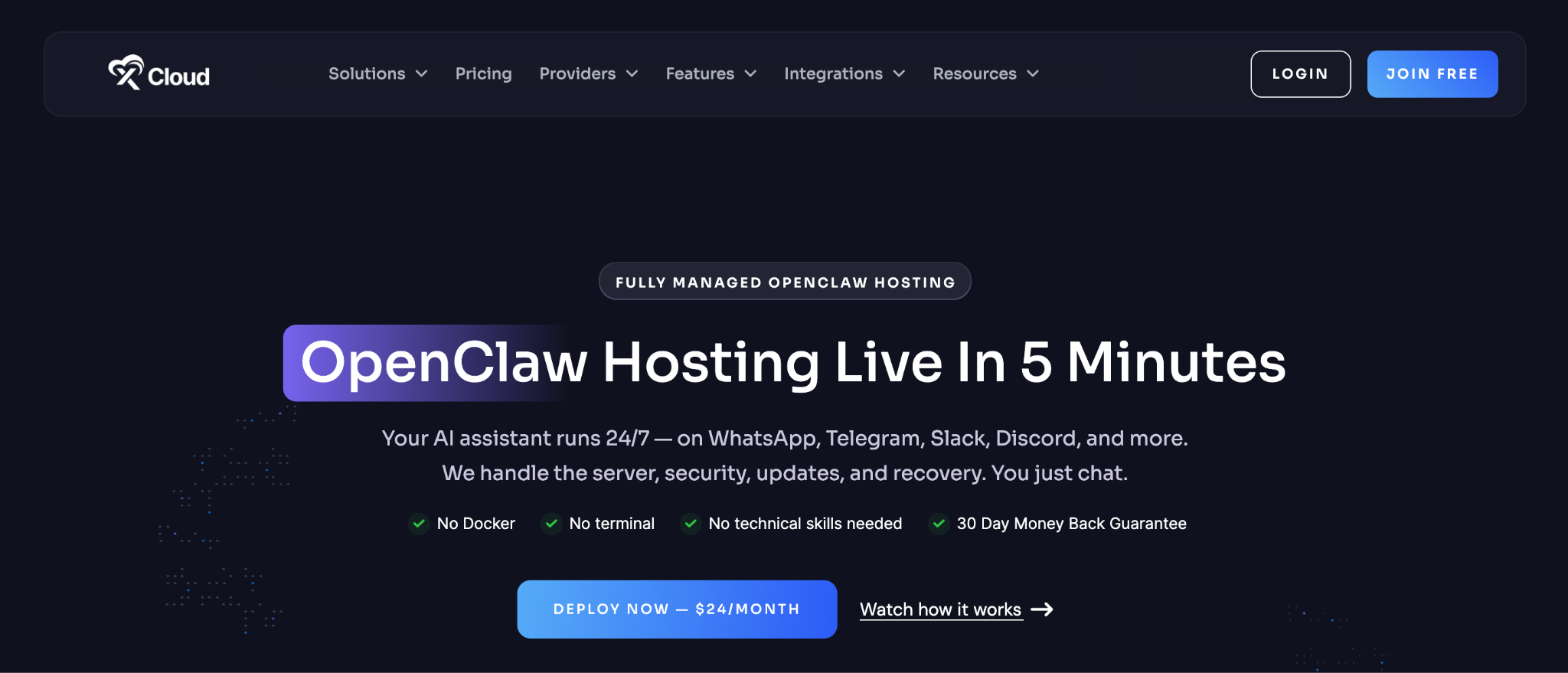
xCloud offers a managed OpenClaw hosting option for users who want a working AI assistant without having to handle Docker, SSH, or terminal commands. It handles server setup, OpenClaw installation, security patches, and updates automatically.
Users get a running OpenClaw instance with preconfigured Telegram and WhatsApp integrations in under five minutes. This makes xCloud useful for beginners and non-technical users who want managed OpenClaw hosting without server administration work.
This convenience comes with trade-offs. Users can’t install other applications on the same managed server, and they still need to provide their own LLM API keys. AI provider support is restricted to Anthropic Claude, OpenAI, OpenRouter, Moonshot AI Kimi, and Gemini, with Grok and Mistral still listed as coming soon.
The monthly cost is also higher than most self-managed VPS options because xCloud includes a managed infrastructure layer on top of the base server resources.
xCloud pricing:
xCloud’s managed OpenClaw plan starts at $24/month with no contracts, and early adopters can lock in this rate permanently.
Users must provide their own LLM API keys, which usually adds $20–$60/month in API costs depending on the model and usage. The total cost is roughly $35/month higher than a comparable self-hosted VPS with similar specifications.
3. Hetzner
- Best for: Low-cost self-hosting
- Setup: Self-managed VPS with an official OpenClaw deployment guide
- Docker/SSH required: Yes
- AI provider setup: Users configure their own LLM API keys
Hetzner is a European VPS and dedicated server provider known for delivering strong performance at a fraction of the cost of premium cloud platforms.
Its cloud server lineup includes four instance families. The most relevant for OpenClaw is the CX series, which offers cost-optimized shared instances on Intel or AMD processors. This makes it a good starting point for self-hosted OpenClaw deployments.
For heavier workloads, such as browser automation or local large language model (LLM) inference through Ollama, users can upgrade to the CPX series. These plans run on shared AMD EPYC processors, which offer stronger single-core performance.
The CCX series offers another step up with dedicated AMD EPYC vCPUs and guaranteed resources. All plans include 20 TB of traffic in European regions, plus built-in DDoS protection and firewall management at no extra cost.
The official OpenClaw documentation also includes a dedicated Hetzner deployment guide, which makes Hetzner a practical option for manual VPS installations. However, Hetzner does not provide managed OpenClaw hosting, so users need to connect through SSH, install Docker, configure OpenClaw, and add their own AI provider credentials.
Hetzner pricing:
Hetzner’s CX plans start at $4.09/month for a 2 vCPU, 4 GB shared instance (CX23) and $6.59/month for the recommended 4 vCPU, 8 GB configuration (CX33). Both plans include 20 TB of traffic and hourly billing.
Users who need dedicated CPU resources can move to the CCX series, which starts at $14.09/month for 8 GB RAM. Another option is the CPX series, starting at $7.59/month for 4 GB RAM with AMD EPYC single-core performance.
At roughly $1.02/GB of RAM on the CX23 and $0.82/GB on the CX33, Hetzner costs about six times less per GB than DigitalOcean’s recommended tier, which sits at roughly $6.00/GB.
4. DigitalOcean
- Best for: Developers
- Setup: Developer-focused VPS with Marketplace, App Platform, and manual Droplet deployment paths
- Docker/SSH required: Not for the Marketplace image; yes for full manual Droplet setup
- AI provider setup: Users configure their own LLM API keys
DigitalOcean is a cloud VPS platform designed for developers who want multiple ways to deploy and manage OpenClaw.
It offers three deployment paths: a security-hardened Marketplace image on a Droplet, the App Platform for managed deployments with autoscaling and zero-downtime updates, and standard Droplet configuration for full manual control.
The Marketplace image is the simplest option. It applies production-grade security by default, including authenticated gateway tokens, non-root execution, Docker container sandboxing, firewall-level rate limiting, fail2ban, and private DM pairing that prevents unauthorized users from interacting with the agent.
All three deployment paths support DigitalOcean’s REST API, doctl CLI, and Terraform provider. Developers can create Droplets, resize RAM and vCPU resources, create snapshots, and manage infrastructure programmatically without relying only on the web dashboard.
Users can also scale vertically through the API or dashboard. This makes it easy to upgrade from the $12/month entry Droplet to higher tiers as workloads grow. Per-second billing also keeps short-lived test instances inexpensive.
This API-first architecture makes DigitalOcean a strong fit for developers who manage deployments through code, need quick vertical scaling, or want to snapshot and replicate their OpenClaw setup across multiple Droplets.
DigitalOcean pricing:
DigitalOcean uses per-second billing, so users pay only for the time their Droplet runs. Monthly prices act as a cap to prevent overspending.
The OpenClaw Marketplace image runs on Droplets starting at $12/month with 2 GB RAM, 1 vCPU, and 50 GB SSD storage, which works for basic tasks.
For multi-channel operation, the recommended configuration is a $24/month Droplet with 4 GB RAM, 2 vCPU, about 85 GB storage, and 4.3 TB bandwidth.
New accounts receive $200 in free credit valid for 60 days, which is enough to test multiple Droplet configurations before committing.
5. Contabo
- Best for: Low-cost high-RAM self-hosting
- Setup: Self-managed VPS or VDS with an OpenClaw add-on
- Docker/SSH required: Not for the initial add-on deployment, but yes for server maintenance and custom configuration
- AI provider setup: Users configure their own LLM API keys
Contabo is a budget VPS provider from Germany that offers OpenClaw as an add-on for its VPS and virtual dedicated server (VDS) plans. This makes the initial deployment easier than a fully manual VPS setup, but Contabo is still a self-managed hosting option because users remain responsible for server maintenance, updates, troubleshooting, and AI provider configuration.
The company is known for delivering some of the highest raw resources per dollar in the VPS market. Its RAM allocations are often 3 to 12 times higher than those offered by many competitors at similar price points.
Most budget providers cap entry-level plans at 2–4 GB RAM, but Contabo’s OpenClaw-ready tiers start at 8 GB RAM with 4 vCPU cores. Users who only need basic chat automation across a few messaging channels will find the entry-level plan more than sufficient.
For heavier workloads such as browser automation, multiple concurrent agents, or running local large language models (LLMs) with Ollama, higher tiers provide additional memory at no extra cost. For example, models like Llama 3 with 7 billion parameters typically require 16 GB RAM or more.
Contabo pricing:
Contabo’s Cloud VPS 10 starts at $3.96/month when billed annually and includes 4 vCPU, 8 GB RAM, and 75 GB NVMe storage.
The Cloud VPS 20 plan costs $6.36/month and increases the specs to 6 vCPU, 12 GB RAM, and 100 GB NVMe storage. Both plans include unlimited traffic.
At roughly $0.50/GB of RAM, Contabo delivers over 12 times more memory per dollar than DigitalOcean’s recommended tier, which sits around $6.00/GB.
Users who need dedicated physical CPU cores can upgrade to VDS plans starting at $37.12/month, powered by AMD EPYC processors.
6. Kamatera
- Best for: Custom infrastructure
- Setup: Self-managed VPS with fully customizable server resources
- Docker/SSH required: Yes
- AI provider setup: Users configure their own LLM API keys
Kamatera is a cloud infrastructure provider that offers fully customizable VPS configurations for self-hosted OpenClaw. It works best for developers and enterprise teams that need precise control over CPU, RAM, storage, networking, and data center location.
With more than 1,000 possible server configurations and 20+ global data centers across North America, Europe, Asia, and the Middle East, Kamatera gives users more infrastructure flexibility than fixed-plan VPS providers.
Instead of choosing from preset plans, users build their server configuration from individual components. They can independently adjust vCPU count, RAM allocation, storage size, and networking. This approach works well for OpenClaw deployments where resource needs grow over time.
A personal OpenClaw assistant might start with 2 vCPU and 4 GB RAM, then scale to 8+ vCPU and 16+ GB RAM as agent complexity increases. Users can scale resources through the cloud console without downtime.
The trade-off is a more complex setup. Kamatera doesn’t offer managed OpenClaw hosting or automatic OpenClaw installation, so deployment requires manual SSH access, Docker configuration, OpenClaw setup, and AI provider credential management.
Kamatera pricing:
Kamatera uses a fully customizable pricing calculator instead of fixed plans.
Development and testing environments start at about $6/month for 1 vCPU, 2 GB RAM, and 20 GB NVMe storage. A more production-ready setup with 4 vCPU, 8 GB RAM, and 100 GB NVMe costs around $44/month.
Both hourly and monthly billing are available, with no minimum contracts. New users also get a 30-day free trial worth up to $100.
The largest configurations scale up to 104 vCPUs, 512 GB RAM, and 4 TB NVMe SSD, which can support large enterprise deployments or complex multi-agent architectures.
7. OVHcloud
- Best for: High-resource VPS hosting
- Setup: Self-managed VPS with predefined OpenClaw-ready tiers
- Docker/SSH required: Yes
- AI provider setup: Users configure their own LLM API keys
OVHcloud is a major European cloud provider that positions its VPS lineup for self-hosted OpenClaw deployments. It works best for users who want higher baseline resources, built-in infrastructure protection, and manual control over the server environment.
All plans include anti-DDoS protection, unlimited traffic, and daily backups at no extra cost. This makes OVHcloud a strong option for users who want enterprise-grade infrastructure features without paying separately for backups or traffic.
Resource allocations are generous compared to many competitors. The lowest OpenClaw-ready tier, VPS-2, starts with 6 vCores and 12 GB RAM, which already exceeds OpenClaw’s minimum requirements. Higher tiers scale up to 24 vCores, 96 GB RAM, 400 GB NVMe storage, and 3 Gbps bandwidth.
OVHcloud also supports integration with OVHcloud AI Endpoints through Traefik, which enables automatic HTTPS configuration.
The main limitation is the lack of managed OpenClaw hosting or automatic OpenClaw deployment. Users need to set up the VPS, connect through SSH, install Docker, configure OpenClaw, and add their own AI provider credentials manually. Alternatively, they can use a setup script or run the container directly to start the Docker manager.
OVHcloud pricing:
OVHcloud’s OpenClaw-ready VPS tiers start at $9.99/month for 6 vCores, 12 GB RAM, 100 GB NVMe storage, and 1 Gbps bandwidth. Higher tiers scale up to $73.10/month.
At roughly $0.83/GB of RAM on the entry tier, OVHcloud offers one of the strongest resource-to-price ratios in this list for users who need higher baseline specs.
8. LumaDock
- Best for: Low-cost automatic VPS setup
- Setup: Self-managed VPS with automatic OpenClaw installation
- Docker/SSH required: Not for the initial installation, but yes for maintenance and custom configuration
- AI provider setup: Users configure their own LLM API keys
LumaDock is a developer-focused VPS platform operated by London-based LifeinCloud LTD. It offers an automatically installed OpenClaw instance at the lowest starting price among the providers on this list.
OpenClaw is installed during VPS configuration, so users can go from checkout to a running instance without completing the full manual setup process. However, LumaDock is still a self-managed VPS option because users get full root access and remain responsible for server maintenance, resource sizing, updates, and AI provider configuration.
LumaDock runs AMD EPYC processors with NVMe SSD storage across eight data center locations, including London, Frankfurt, Amsterdam, New York, and Bucharest.
All plans include full root access, IPv4 and IPv6 addresses, firewall controls, and DDoS protection by default. Backup and snapshot tools let users save their OpenClaw configuration before updates and roll back quickly if something breaks.
The platform also offers 24/7 support from in-house engineers, which is uncommon at this price level.
LumaDock pricing:
LumaDock’s entry plan costs $1.99/month on a yearly term. However, 1 GB RAM is well below OpenClaw’s recommended minimum, which may cause out-of-memory errors during installation or under load.
The Starter 4 GB plan at $5.99/month with 4 vCPU, 4 GB RAM, and 50 GB NVMe storage is a more practical starting point for running OpenClaw without resource issues.
For newer hardware, high-end plans run on EPYC Genoa Gen4 processors with DDR5 memory, starting at $7.99/month for 4 GB RAM.
Ryzen VDS plans, starting at $8.99/month, offer dedicated CPU cores up to 4.5 GHz, which helps users who need guaranteed single-thread performance.
How to choose the best OpenClaw hosting provider
To choose the best OpenClaw hosting provider, compare how each platform handles setup, server control, resources, security, AI model costs, and scaling. The right option depends on whether you want a managed OpenClaw setup or a self-managed VPS that gives you full infrastructure control.
1. Decide between managed and self-managed hosting
The first decision is whether you want managed OpenClaw hosting or a self-managed OpenClaw VPS. Managed options like Hostinger’s AI automation apps plan and xCloud handle server configuration, installation, updates, and basic infrastructure security for you. This setup works well if you want a functional AI assistant without needing to learn Docker or SSH.
Self-managed VPS providers like Hetzner, Contabo, Kamatera, and OVHcloud give you more control over the server environment. This path works better if you want root access, custom Docker configuration, advanced integrations, or full control over updates and server maintenance.
| Factor | Managed OpenClaw hosting | Self-managed OpenClaw VPS |
|---|---|---|
| Setup | Automated or 1-click | Manual Docker, SSH, and environment setup |
| Technical knowledge | Low | Medium to high |
| Server control | Limited server-level control | Full root access |
| AI provider setup | May include built-in credits or guided setup | User configures API keys manually |
| Messaging setup | Often preconfigured or guided | User configures Telegram or WhatsApp manually |
| Security responsibility | Provider handles more infrastructure security | User handles server hardening, updates, firewall, and backups |
| Maintenance | Lower | Ongoing updates, logs, monitoring, and troubleshooting |
| Best for | Beginners, fast launch, always-on personal assistant | Developers, custom workflows, advanced infrastructure control |
| Trade-off | Less customization | More setup and maintenance |
Self-managed VPS hosting can still be secure and cost-efficient when handled by a technical user. Managed hosting is mainly better when setup time, troubleshooting, updates, and maintenance work matter more than server-level customization.
2. Check OpenClaw setup support
OpenClaw setup support affects how quickly you can launch and maintain your AI assistant. Look for 1-click deployment, preinstalled templates, an official setup guide, Docker support, gateway token instructions, and messaging channel setup guidance.
For managed OpenClaw hosting, the most important features are automatic installation, no manual Docker or SSH setup, built-in AI credits or guided AI provider setup, WhatsApp and Telegram integrations, isolated environments, gateway or security controls, backups, stable OpenClaw version handling, clear logs, and dashboard status visibility.
These features matter because they reduce setup friction and make OpenClaw easier to operate after launch. For example, 1-click deployment helps beginners avoid terminal setup, built-in AI credits reduce API key configuration before the first run, and messaging integrations let users connect WhatsApp or Telegram faster. Hostinger’s OpenClaw AI automation app setup fits this managed path because it includes automatic installation, AI credits, visual agent management, messaging integrations, and a dedicated secure inbox.
For self-managed OpenClaw VPS hosting, setup support should include clear documentation for Linux, Docker, environment variables, AI credentials, gateway tokens, and manual messaging integrations. The manual path gives you more control, but it also makes you responsible for configuration, updates, and troubleshooting.
3. Compare RAM and CPU resources
OpenClaw needs at least 4 GB of RAM for basic personal automation across one or two messaging channels. Choose 8 GB or more if you plan to run browser automation, connect several messaging platforms, or execute heavier agent workflows. Browser automation uses more memory because it launches dedicated browser instances.
Choose 16 GB of RAM or more if you want to run large local language models with Ollama alongside OpenClaw. CPU allocation matters less than RAM for most OpenClaw workloads because AI processing usually runs on external LLM provider servers, such as Claude, GPT, or Gemini.
NVMe storage is preferable to standard SSD storage because it speeds up Docker image downloads, container restarts, and workspace operations.
4. Review security and recovery features
Security and recovery features matter because OpenClaw connects to AI providers, messaging channels, files, and external tools. Look for isolated environments, firewall controls, private access options, backups, snapshots, update handling, logs, and dashboard status visibility.
Managed OpenClaw hosting typically shifts more of the infrastructure security work to the provider. Self-managed VPS hosting gives you more control, but you are responsible for server hardening, firewall rules, updates, backups, and monitoring. For more detailed protection steps, read our guide to OpenClaw security.
5. Factor in AI model and token costs
The hosting plan is not the full cost of running OpenClaw. Most setups also need LLM API tokens, and usage costs increase as you add more automations, prompts, tools, and messaging channels.
Built-in AI credits or guided AI provider setup can simplify the first launch, especially for beginners. Self-managed VPS users usually need to configure API keys manually and monitor token usage themselves.
6. Check scaling and upgrade paths
OpenClaw workloads often grow over time as users add messaging channels, connect more tools, and build custom skills. Choose a provider that makes it easy to upgrade RAM, CPU, storage, and bandwidth without rebuilding the whole environment.
Server location also affects performance. The distance between your VPS, LLM API endpoint, and messaging platform servers can influence response latency and message delivery speed. Choose a data center close to your main users or the services your OpenClaw assistant connects to most often.
How much does OpenClaw hosting cost in 2026?
The cost of running OpenClaw typically ranges from $4 and $50+/month, depending on the provider, server resources, setup type, and whether you choose managed or self-managed hosting.
Self-managed VPS hosting is usually cheaper on the invoice because you pay only for the server resources you use. Budget VPS providers like Contabo, Hetzner, and LumaDock can run basic OpenClaw setups for under $10/month, while higher-resource VPS plans for browser automation, multiple channels, or local LLMs cost more.
Managed OpenClaw hosting usually costs more per month, but it can be cheaper in practice for beginners if it saves time on setup, troubleshooting, updates, backups, and basic security tasks. The cheapest VPS is not always the best option if OpenClaw crashes, runs out of memory, or requires too much manual maintenance.
LLM API tokens can add another monthly cost. Some managed options include AI credits or guided AI provider setup, while self-managed users usually configure API keys and monitor token usage themselves. For a full cost breakdown, read our guide to OpenClaw hosting costs.
How to set up OpenClaw on your VPS
This section is for users who want to run OpenClaw on a self-managed VPS. Users running OpenClaw as a Hostinger AI automation app can skip manual Docker, SSH, repository cloning, and server configuration.
Setting up OpenClaw on a VPS involves preparing a Linux server, installing Docker, cloning the OpenClaw repository, running the automated setup script, and connecting a messaging channel.
The full process usually takes 15–30 minutes if you’re comfortable using the Linux command line.
After selecting a VPS with the recommended specifications, connect to the server via SSH and verify that Docker and Docker Compose are installed and available.
The OpenClaw repository includes a docker-setup.sh script that builds the Docker image locally and launches an interactive onboarding wizard.
The wizard asks for your AI provider credentials, such as Anthropic or OpenAI, generates a gateway token, and starts the service using Docker Compose.
Once the setup script finishes, verify that the container is running. Then open the Control UI using the generated gateway token and connect messaging platforms like Telegram.
Correct configuration at this stage helps prevent authentication errors or container crashes later.
Follow the setup walkthrough carefully, especially when handling the gateway token and connecting messaging channels. Missing a step can leave the agent unresponsive or inaccessible.

All of the tutorial content on this website is subject to Hostinger's rigorous editorial standards and values.

Ariffud is a Technical Content Writer with an educational background in Informatics. He has extensive expertise in Linux and VPS, authoring over 200 articles on server management and web development. Follow him on LinkedIn.