Website builder vs. web hosting comes down to what each service does: a website builder helps you create and publish a site without coding, while web hosting stores your website’s files on a server and keeps your site accessible online.
Every website needs hosting, but you don’t need a website builder. Most builders include hosting, while standalone web hosting lets you create a site with WordPress, another content management system (CMS), or custom code.
A website builder suits portfolios, blogs, and small business websites that need built-in features and less technical setup. Standalone hosting offers more design flexibility through WordPress or custom code, with server control depending on your plan. Compare the total costs, maintenance requirements, and options for growing or moving your website before choosing.
What is a website builder?
A website builder is a tool that lets you create and publish websites without writing code. Most offer customizable templates and a drag-and-drop editor, and AI tools for adding content and arranging pages.
Website builders are a practical choice for beginners, freelancers, and small business owners who want to create and manage their own websites without technical experience.
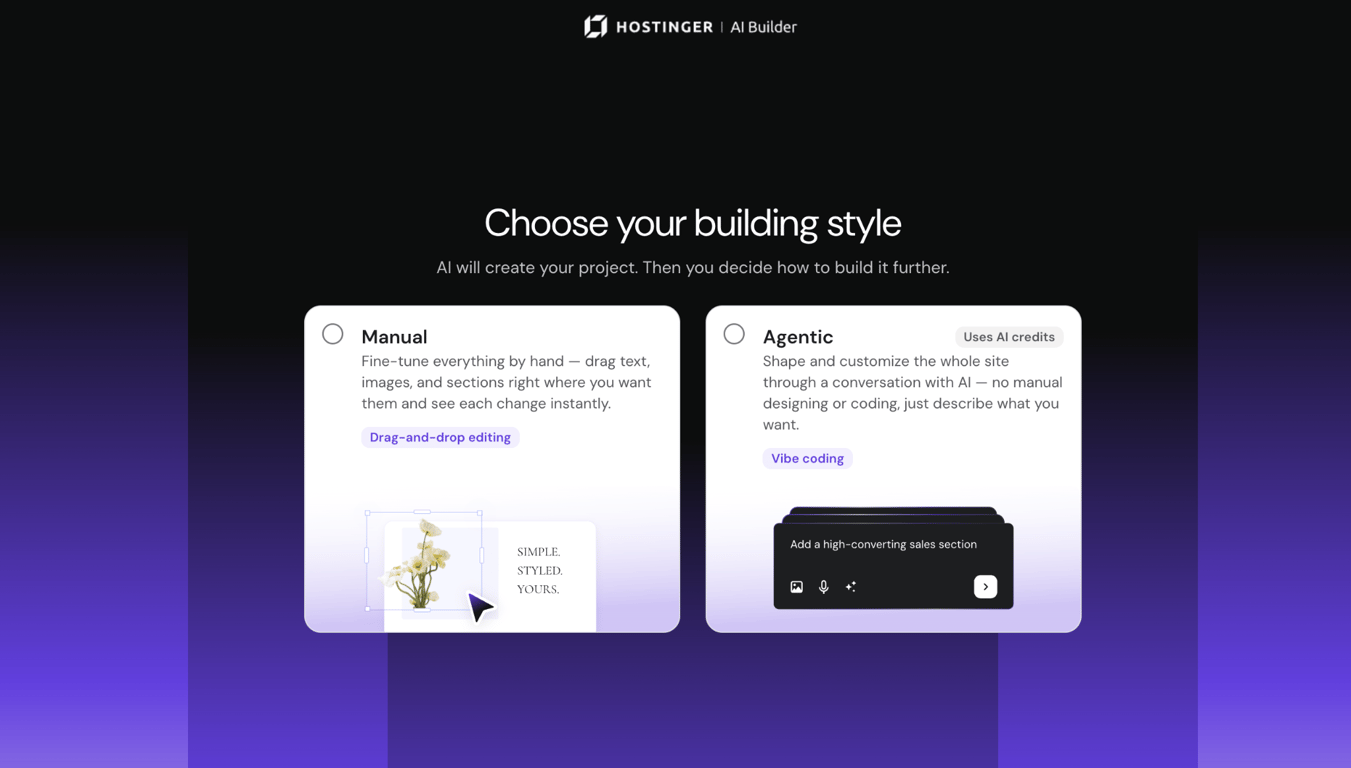
Not all website builders work the same way, though. Some let you edit pages visually, while others use AI chat to create and change your site. Hostinger AI Builder offers both:
- Manual mode. Choose a template or generate a design with AI, then customize it using a drag-and-drop editor. This mode was previously called Hostinger Website Builder.
- Agentic mode. Describe what you want in an AI chat, and the AI builds or updates your site. Formerly known as Hostinger Horizons, it also supports custom web apps and lets you edit the generated code.
What is web hosting?
A web hosting service stores your website’s files on a server and makes your site accessible online. When someone visits, the server sends their browser the files and data needed to display the page.
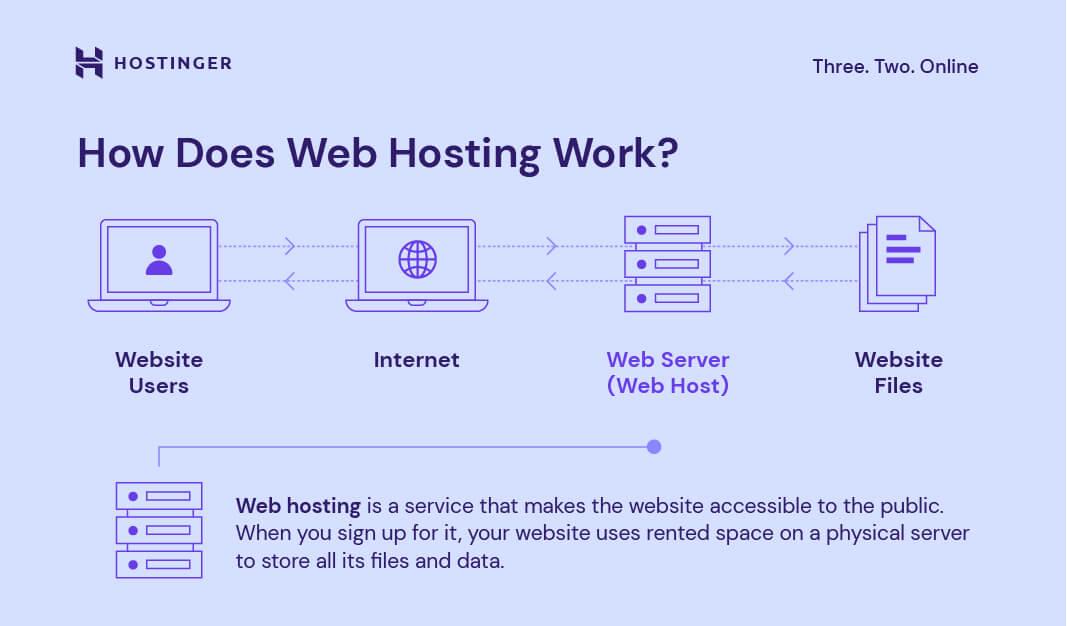
Instead of maintaining your own server, you rent server resources from a hosting provider. Hosting provides the infrastructure, but it doesn’t create your website. You’ll still need a CMS, such as WordPress, or your own code to build and manage it.
Hosting plans differ in their available resources, server control, and maintenance support. The main types of web hosting include:
- Shared web hosting. Multiple websites share server resources, making it a practical starting point for blogs, portfolios, and small business websites.
- Cloud hosting. Provides more allocated resources for demanding websites, including busy online stores and growing business sites.
- VPS hosting. Gives you dedicated virtual resources and root access (full administrator control), allowing you to install custom software and change server settings.
- Managed hosting for WordPress. Available with shared or cloud hosting, it includes services such as automatic WordPress updates, backups, and security features, reducing the maintenance you need to handle yourself.
👉 Not sure which hosting option suits your website? Take the hosting quiz below to narrow down your choices.
Website builder vs. web hosting: The main differences
Website builders simplify website creation by combining editing tools, hosting, and platform maintenance in one service. Standalone web hosting gives you more choice over how your website is built and managed, including the software you use and, depending on your plan, the level of server control. These differences also affect costs, customization, and how easily you can move or expand your website.
Comparison | Website builder | Web hosting |
Domain name and email | Domain names and professional email are available, depending on the provider and plan | Domain names and email are available through the hosting provider or separate services |
Setup and technical skills | Create a site with templates, visual editing, or AI; no coding needed for basic sites | Install a CMS or upload your own site; technical skills depend on the method |
Features | Built-in tools and supported integrations | CMS plugins or custom code |
Design | Templates and visual editing | CMS themes, page builders, or custom code |
Security and maintenance | Provider maintains the builder platform | Provider maintains hosting infrastructure; website maintenance depends on the plan |
Cost | Builder tools and hosting usually bundled; extras may cost more | Hosting plus any paid software, plugins, or development |
Server control | Limited access to server settings | Depends on hosting type; VPS offers root access |
Portability | Depends on the builder’s export options | CMS and custom-built sites are usually easier to transfer |
Scalability | Depends on the platform’s available features and plans | Upgrade hosting resources or change your website software |
Best for | Beginners and small business owners who want a portfolio, blog, or business website with minimal technical setup | WordPress users, developers building custom-coded projects, and businesses needing specific software or greater server control |
Website builder vs. web hosting: Features
Website builders include ready-to-use features such as contact forms and blogging tools, while with web hosting, you add functionality through the software you install, such as WordPress plugins, or through custom code.
For example, Hostinger AI Builder supports integrations with Google Analytics and Hotjar. With WordPress, you can install plugins for booking systems, membership areas, and online stores. The available features depend on the builder or website software you choose.
Both options can also include a domain name, professional email, Secure Sockets Layer (SSL) certificates, and customer support, depending on the provider and plan.
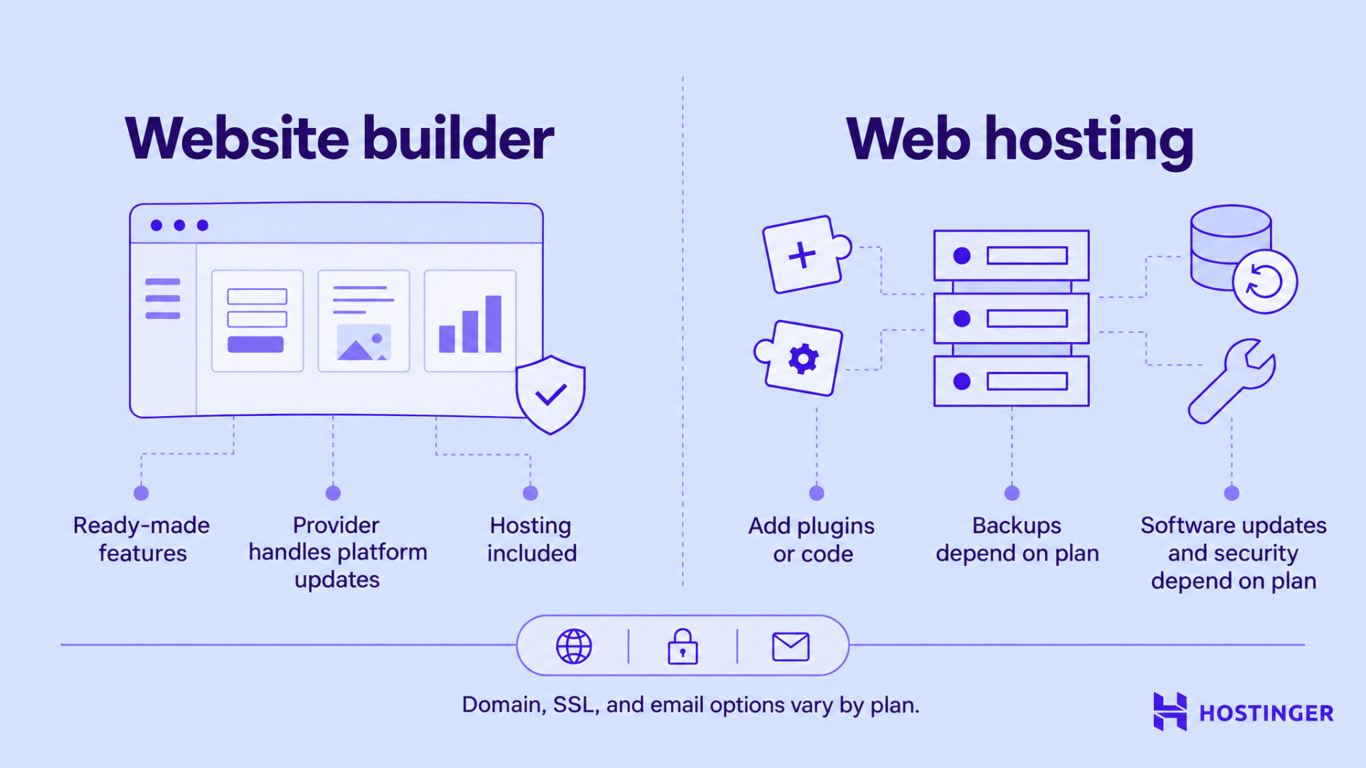
The two options also differ in who handles website updates, backups, and security:
- Website builder. The provider handles platform updates, server maintenance, and infrastructure security. You’re still responsible for your website content, account security, and connected third-party services.
- Web hosting. The provider maintains the hosting infrastructure, but responsibility for website software updates, backups, and security depends on your plan. Managed WordPress hosting handles more of these tasks than self-managed hosting.
For example, an outdated WordPress plugin can expose your website to security vulnerabilities. Check which updates, backups, and security tools your plan includes, especially if you’re comparing shared and managed WordPress hosting.
Website builder vs. web hosting: Cost
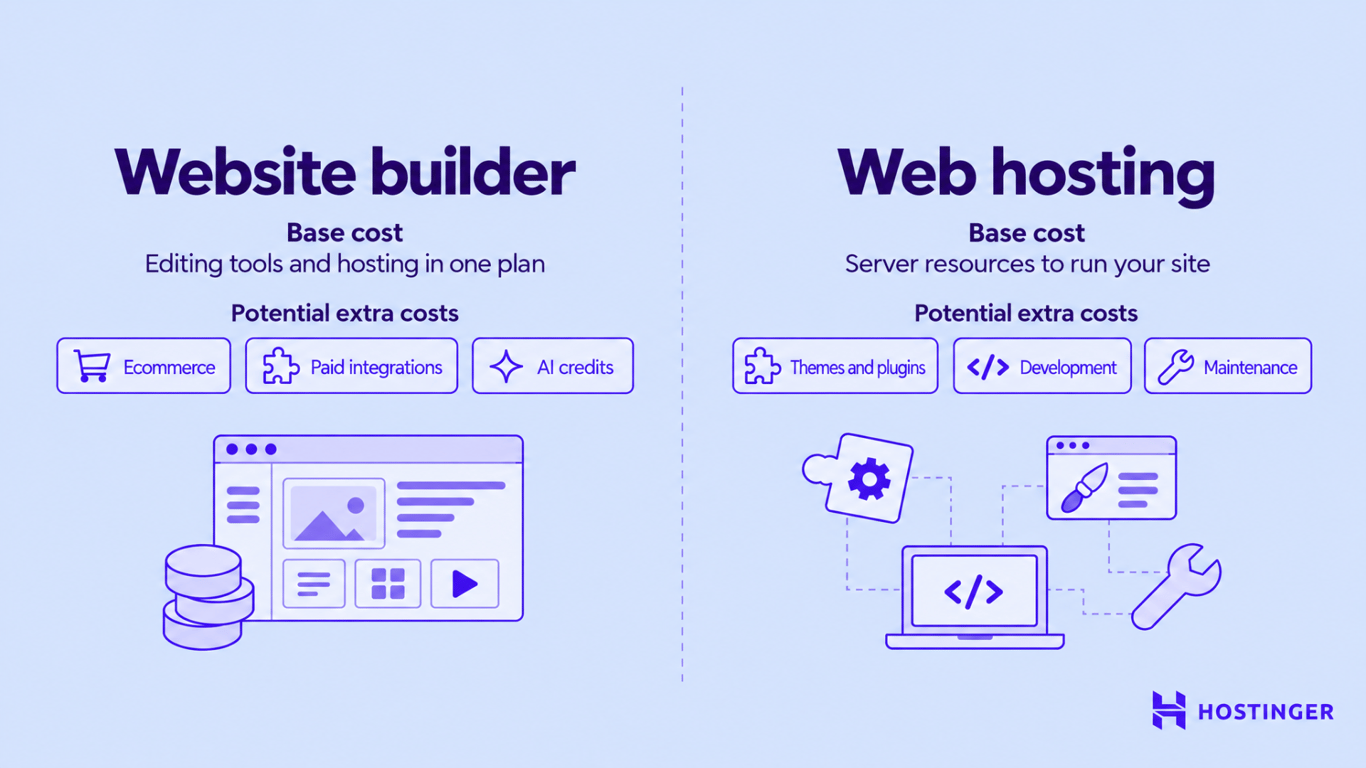
Website builder subscriptions typically cover editing tools and hosting, making the starting cost easier to calculate. With standalone hosting, you need to consider web hosting costs alongside any paid CMS themes, plugins, or development work.
Here’s what can increase your costs:
- Website builder. Some providers charge extra for ecommerce tools, third-party integrations, or advanced AI features.
- Web hosting. Costs depend on how you build your website, but premium themes, plugins, and professional development cost extra. Custom-coded websites also involve development and maintenance costs.
For instance, Hostinger’s Premium web hosting plan includes WordPress and AI Builder’s Manual mode at no extra cost, starting at CA$ 2.99/month on a 48-month term, billed upfront.
With a new Premium hosting plan purchased for 12 months or longer, you also get a free domain name (from eligible extensions) and two email mailboxes per website for the first year. Your total cost still depends on the features your website needs.
An online store, for example, needs tools to manage products and process orders. Hostinger Ecommerce provides these features but requires a separate subscription unless your plan or offer includes them. Using Agentic mode can also increase costs if you need additional AI credits.
Compare the upfront payment, renewal price, and costs of any extra features your website needs.
Website builder vs. web hosting: Design and customizability
Website builders simplify website design with templates and visual editors, while web hosting supports more development approaches through WordPress, other CMS platforms, or custom code.
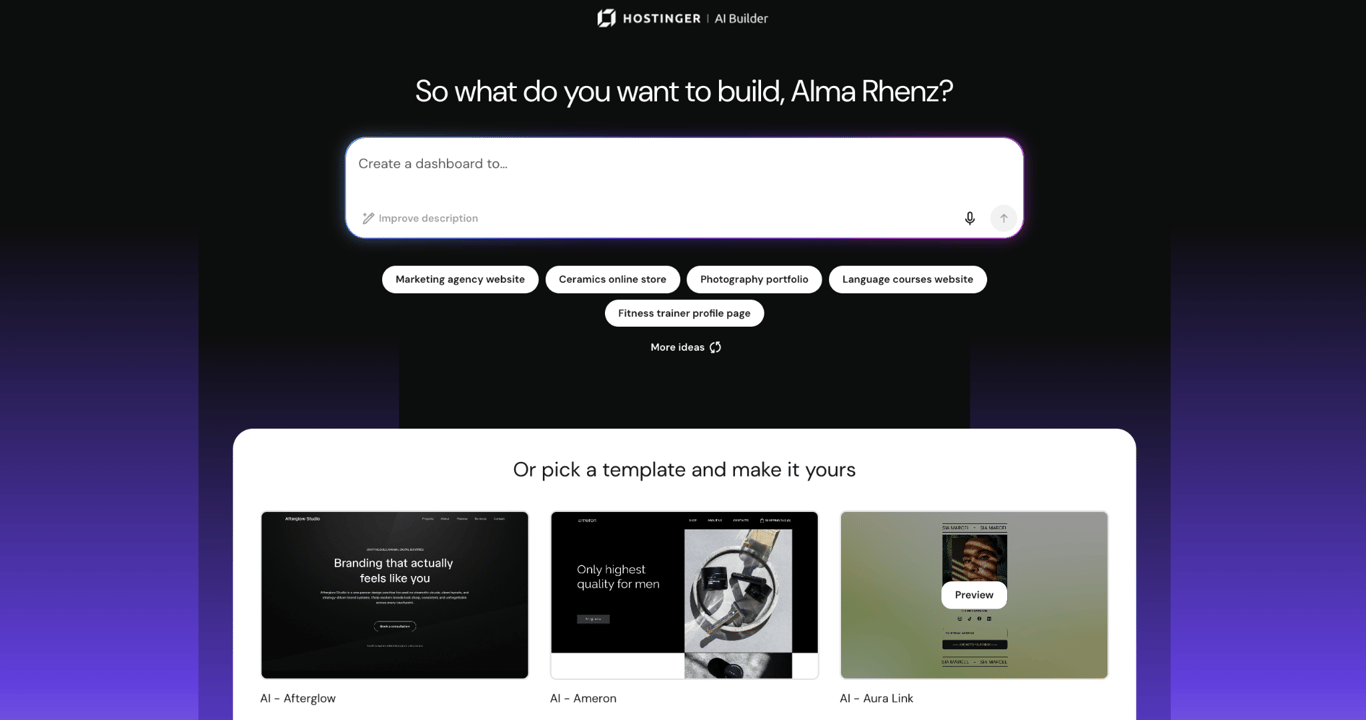
For example, Hostinger AI Builder lets you start by describing the website you want to create or choosing a ready-made template. In Manual mode, you can then customize the design using a drag-and-drop editor. Agentic mode takes a different approach, letting you request changes through AI chat or edit the generated code.
With web hosting, your design options depend on the software you choose. WordPress offers thousands of free themes in its official directory, plus page builders, giving you more ways to customize layouts than many website builders. That’s one difference to consider when comparing WordPress with a website builder.
You can also build a custom-coded website instead of using a builder to control exactly how individual elements look and behave. That flexibility comes from the software or code you use, not web hosting itself.
Website builder vs. web hosting: Control and scalability
Website builders manage the hosting environment for you, with server access and upgrades limited to the platform’s options. Web hosting gives you more control over website files and more choices for server settings and resources.
For example, with web hosting, you can minify CSS files to remove unnecessary characters, then upload the smaller versions through a file manager to help pages load faster.
As your website attracts more visitors or requires additional storage, you can upgrade to cloud hosting or VPS hosting to access more resources.
Another consideration is website portability, or how easily you can move your site to another provider. You can migrate a WordPress website or move a custom-coded site to compatible hosting using its files and, where applicable, its database. Website builders have different export options, so not everything necessarily transfers.
Hostinger AI Builder, for example, offers different export methods:
Mode | What you can export | What doesn’t transfer |
Manual | Regular pages, text, images, and supported files to WordPress | Layout, styling, online store, forms and submissions, integrations, and SEO settings |
Agentic | React/Vite project source code | Integrated backend data, such as user records and form submissions. Edited code also can’t be imported back into AI Builder |
A bakery using Hostinger AI Builder’s Manual mode, for instance, can export its page content and images to WordPress, including to a WordPress site on an eligible Hostinger plan. But the owner will still need to recreate the design, configure the online store, and reconnect contact forms.
Deleting a Hostinger AI Builder Manual-mode website permanently removes its content. Complete the export and test your new WordPress website before deleting the original.
How to choose between a website builder and web hosting
Choose a website builder if you’re new to creating websites and want an all-in-one solution without coding or server setup. Web hosting is a better fit when you want to use WordPress, build with custom code, or need more control over your server.
Here’s when each option makes sense:
- Website builder. A good starting point for personal blogs, portfolios, and small business websites. You can publish your work, share information about your services, and update your pages yourself. It’s also suitable for small online stores when the builder supports the payment and product management tools you need.
- Web hosting. Better for self-hosted WordPress websites, custom-coded projects, and applications requiring specific server configurations. Managed WordPress hosting handles much of the technical maintenance, while VPS hosting suits projects that need custom server software or root access.
Not sure how to choose a website builder? Try making an update you’ll actually need to do, such as replacing photos in a gallery, changing your opening hours, or adding a product. Pay attention to how many steps it takes. You’ll repeat that process every time you update your site.
When you choose a web hosting plan, check that it supports your software, provides enough resources, and includes the maintenance services you need. There’s no reason to pay for VPS-level control when a managed WordPress plan already meets your requirements.

I tried both: Is a website builder or web hosting easier for beginners?
I found Hostinger AI Builder easier to get started with than WordPress on Hostinger web hosting, especially for visual editing. WordPress wasn’t difficult, but finding the right settings took more exploring.
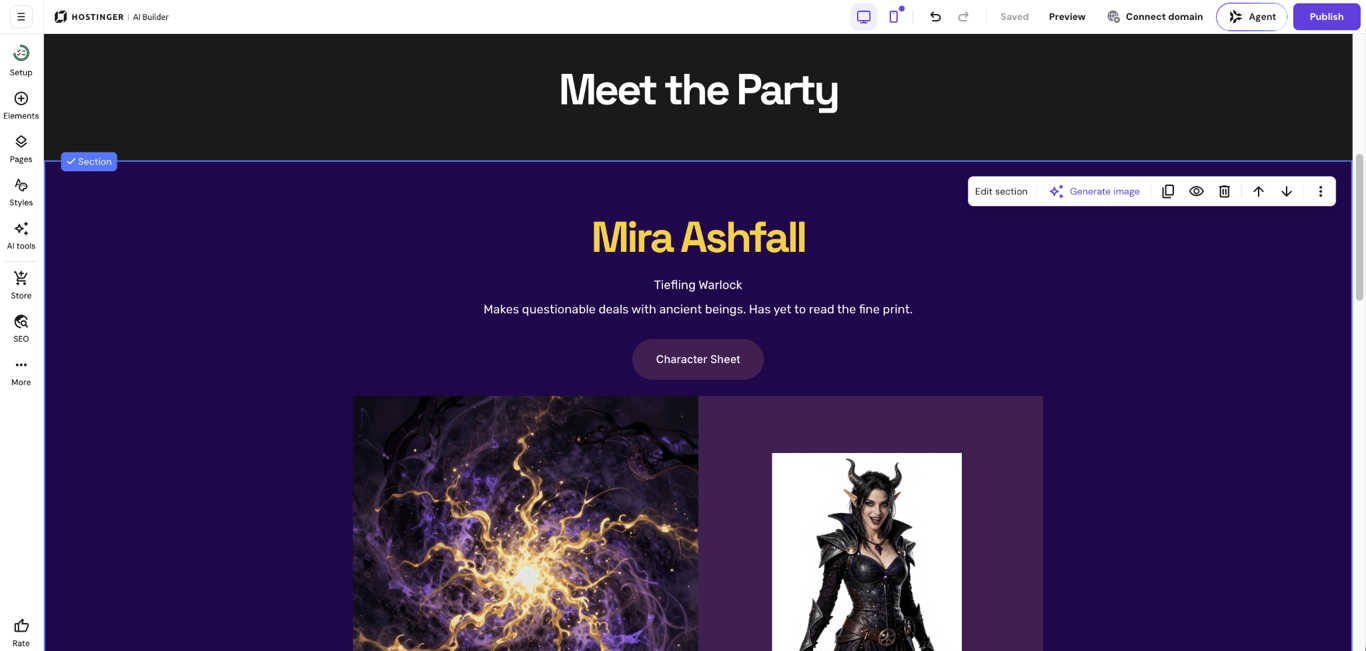
I’m planning a Dungeons & Dragons campaign journal for our upcoming sessions, so I made a rough draft called The Quest Log. I tested everyday editing tasks like adding sample character profiles, changing colors, and using fantasy artwork.
To keep things fair, I started with ready-made templates in both and used AI Builder’s Manual mode to make the changes myself.
My favorite part of AI Builder was the ready-made section layouts. I could pick one, replace the content, change colors, and even generate fantasy artwork using the built-in AI Image Generator without leaving the editor.
My template also had a contact form, which I easily customized into a “Suggest a quest” form by changing its text and fields.
WordPress was straightforward once I got the hang of it. I installed the Starter Templates plugin to import a ready-made design, then customized it in the block editor.
The template setup also offered a contact form through the SureForms plugin. Plugins give you plenty of ways to add features, but finding the right ones and learning where everything sits takes extra work.
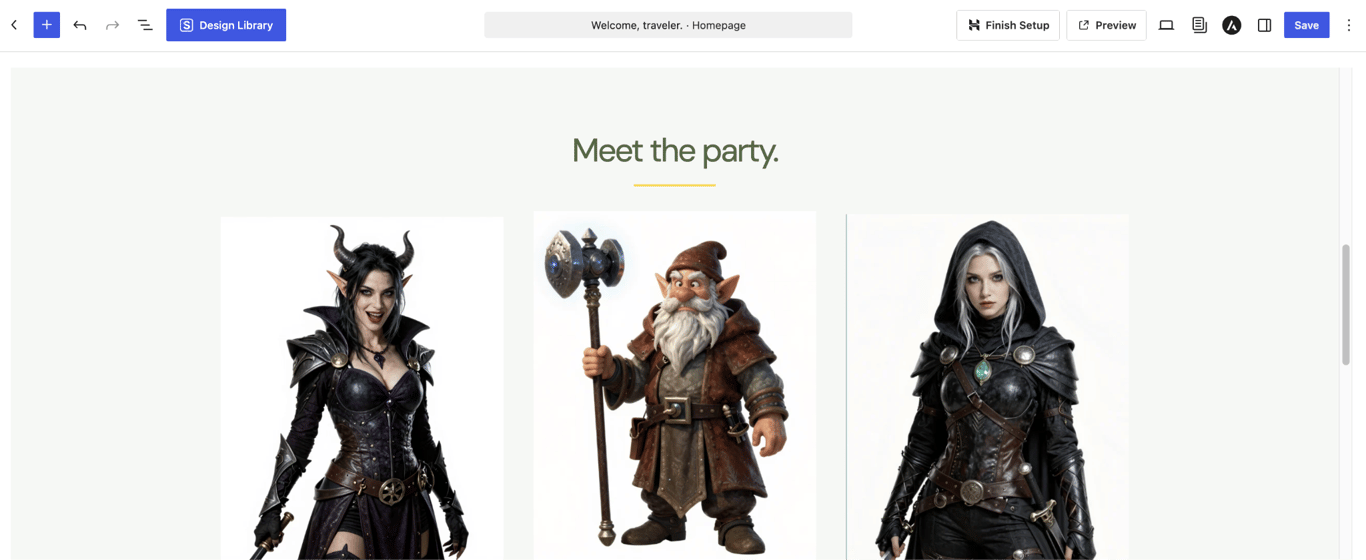
Personally, I’d recommend AI Builder if you’re a visual person who likes seeing a design come together as you work, and its built-in AI tools save extra setup. WordPress is worth considering if you want more flexibility and control to customize your website through themes and plugins.
Curious what actually building a site with Hostinger AI Builder looks like? Here’s a full walkthrough, from picking a plan to publishing:


How to create your website with a website builder or web hosting
To create your website with a builder, choose a template or generate a design with AI, then customize your pages in its editor. With web hosting, install WordPress or upload your own code and build your site from there. Learning how to make a website doesn’t mean you have to build everything at once.
Start with the essentials: a homepage that explains what you offer, a page with more information about your business or project, and a way for visitors to contact you. Register or connect your domain name, then follow a few web design best practices before publishing: preview your site on mobile, test the navigation, and make sure your contact forms work.
Once visitors can find the information they need and use your website without trouble, you’re ready to launch. You can always improve the design, add pages, and introduce new features as your website grows. The important part is getting a useful first version online.
This article is a localized version of Website builder vs. web hosting: The difference in features, design, and scalability, originally published in English.

Alma is a Content Writer at Hostinger with a background in communications and 9+ years of experience in SEO, content, and marketing. She writes about email marketing, ecommerce, AI tools, domains, and web hosting. Off the clock, she's either farming virtual crops, losing track of time in RPGs and her sanity in MOBAs, or rolling horribly in D&D. Follow her on LinkedIn.