What is WordPress and how does it work?
WordPress is an open-source content management system (CMS) created by Matt Mullenweg and Mike Little in 2003. Since its release over two decades ago, it has evolved from a simple blogging platform into the world’s most popular tool for website creation, powering over 40% of all websites on the internet.
WordPress uses a database to store your website content and PHP code to assemble that content into a visible webpage for visitors. Then, you can build and manage your site through a simple dashboard. There’s a wide range of themes and plugins available in the WordPress repository to help you easily arrange your site’s appearance and features.
This architecture makes WordPress adaptable for various use cases. While it remains the top choice for blogs, it’s also widely used for corporate websites, ecommerce, online resumes, and membership communities.
Real-world examples of websites built with WordPress include NASA, Disney General Entertainment Press, and nutribullet.
How does WordPress work?
WordPress uses a PHP-based core and a MySQL database to store content and settings. When someone visits your site, the software pulls data from the database and delivers the final page to the visitor.
You can change your site’s appearance, add new website features, and create pages and posts through a single user-friendly dashboard. This simplicity is also what makes a lot of websites use WordPress.
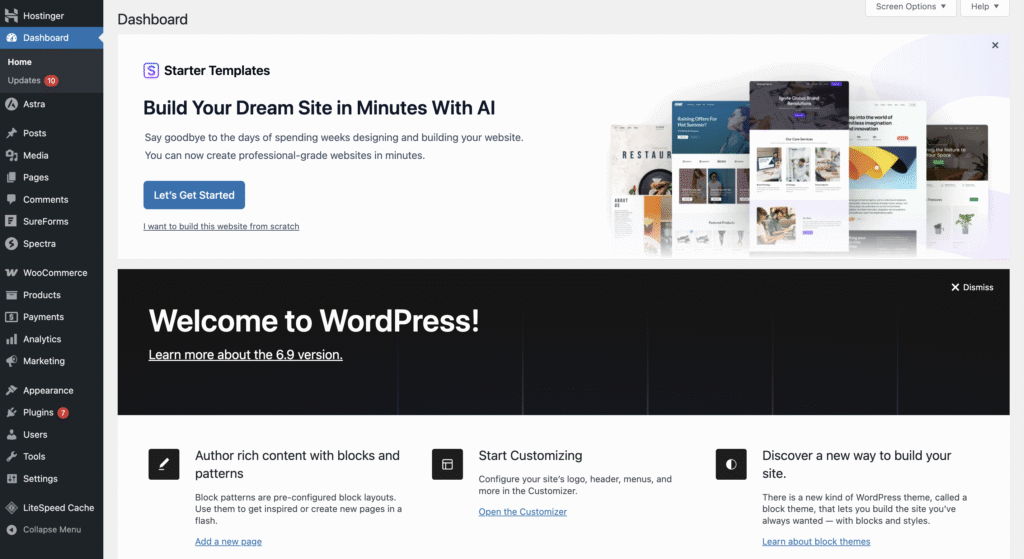
Here’s a breakdown of the main components in WordPress web development:
- Core files. The engine of WordPress, written in PHP, handles tasks such as user login, content management, and basic features.
- Database. Stores all your content, user data, plugin settings, and configuration. WordPress uses MySQL or MariaDB as its database.
- Themes. A WordPress theme is a collection of files that controls the visual design and layout of your website. It dictates your colors, fonts, and page structures.
- Plugins. A WordPress plugin is a piece of software you install to extend the functionality of your site. This could include anything from contact forms and SEO tools to security features and payment gateways.
What is WordPress used for?
While it’s famous for building blogs and company websites, technically, you can create any type of website with WordPress. With the right combination of plugins, you can adapt WordPress to fit any website purpose.
Here are several common website types you can build with WordPress:
- Personal blogs. Initially started as a blogging platform, WordPress has powerful built-in features for writing blog posts, categorizing content, and reviewing comments. Thanks to its user-friendly interface, even beginners can easily create a WordPress blog.
- Portfolios. Any professional can showcase their work beautifully with a portfolio theme and a gallery WordPress plugin.
- Business websites. WordPress has all the main business features like contact forms, bookings, and client testimonials, which are useful for both enterprise and small business websites.
- Online stores. With plugins such as WooCommerce, you can transform WordPress into a full-fledged ecommerce site, featuring product catalogs, shopping carts, and secure payment gateways.
- Membership sites. WordPress’s user management tools, along with specialized plugins, allow for subscription models, paywalls, and member directories.
- News platforms. WordPress provides easy-to-use publishing and editing tools, along with flexible user roles, making it an ideal platform for delivering news.
- Nonprofit websites. WordPress supports donation systems, event calendars, and volunteer management, making it an ideal platform for charity organizations.
- Forums. Plugins for forums enable topic discussions, user profiles, and community engagement, helping you build an interactive online space.
- Online learning. Learning management system (LMS) plugins enable the creation of courses, tracking of student progress, and integration of payment systems for educational websites.
- Hospitality websites. For managing hotels or vacation rentals, WordPress offers plugins to simplify reservations, room management, pricing, and guest communication.
- Event websites. Plugins enable event listings, ticket sales, sponsor promotion, and interactive venue maps, with social media integration to increase visibility.
- Job boards. HR professionals can create job boards with plugins that manage job postings, applications, and candidate profiles.
What websites use WordPress?
Plenty of companies and organizations use WordPress to power their websites, including major global brands. This demonstrates the platform’s ability to handle high traffic volumes and maintain enterprise-level security while adapting to distinct business needs.
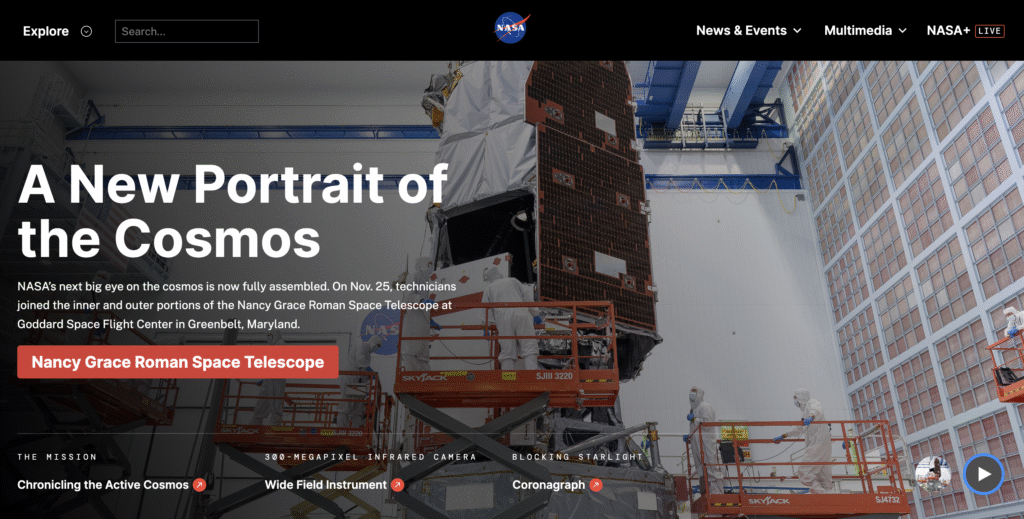
NASA, for example, uses WordPress for its flagship website, serving as a massive government news portal. The site manages an enormous library of mission data, images, and live updates. This implementation proves that WordPress is robust enough to meet the strict security and accessibility standards required by federal agencies.
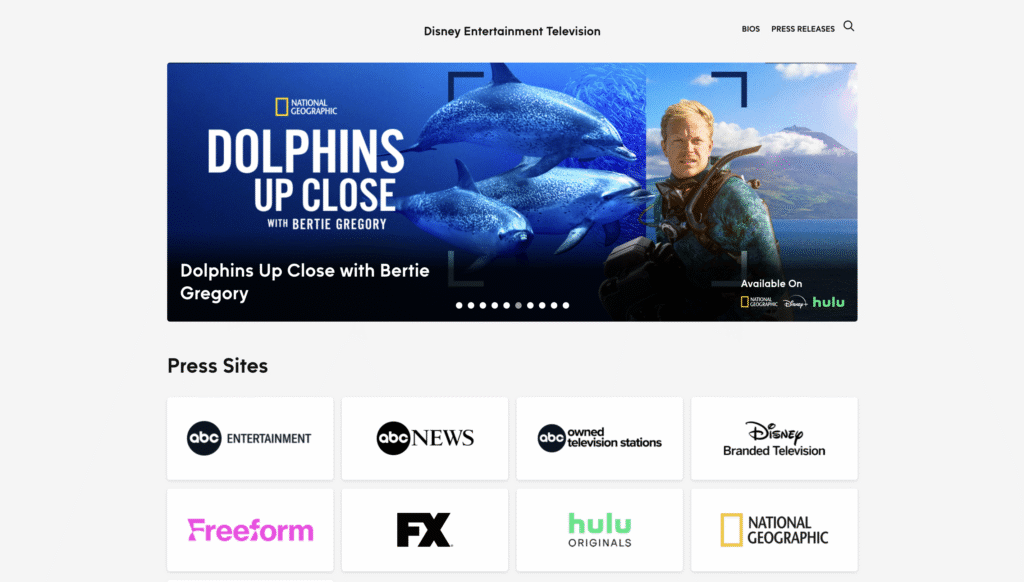
Disney General Entertainment Press uses the CMS as a specialized corporate media hub. Instead of a standard consumer-facing site, this portal provides journalists and industry professionals with access to press releases, programming schedules, and digital assets.
nutribullet showcases that WordPress can be used to create a complex ecommerce website. The brand uses the platform to blend high-quality visual storytelling with full shopping cart functionality.
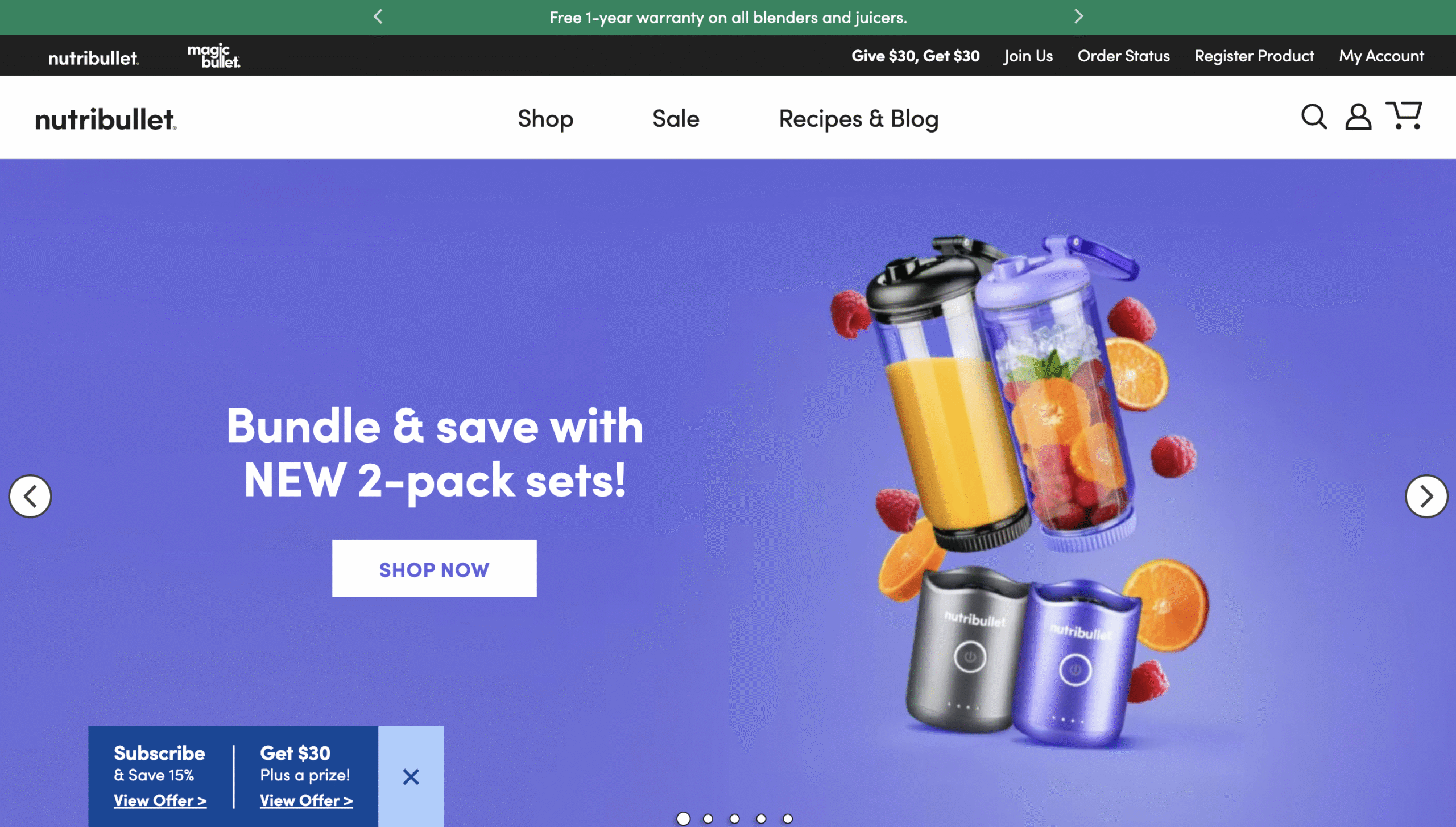
Aside from these three, check out our list of WordPress website examples to give more inspiration for your site.
What are the differences between WordPress.org and WordPress.com?
The fundamental difference between WordPress.org and WordPress.com lies in how you host your website. WordPress.org is an open source software you can download and host on a provider of your choice, while WordPress.com is a managed service that already includes hosting from Automattic (the company behind WordPress).
WordPress.org is the self-hosted version, meaning you can download the software for free and install it on any hosting provider of your choice. You have complete ownership of your site, full freedom to install any custom themes or plugins, and total control over your data. This is the version people usually refer to when they say “WordPress.”
WordPress.com, on the other hand, provides a ready-to-use software out of the box, as Automattic takes care of the hosting. You can also use it for free, but with feature limitations. Unless you pay for version upgrades, you can’t install custom plugins, you only have limited design options, and you can’t monetize your site freely.
For a detailed breakdown of the pros and cons, read our guide on the differences between WordPress.org and WordPress.com.
Why should I use WordPress?
With WordPress, you’ll have access to thousands of free and premium themes to design a site as you like. If you need specific functionality, the official repository hosts over 59,000 plugins. These extensions let you build exactly what you envision, whether it is a simple portfolio or a complex booking system, without needing custom code.
Additionally, WordPress is highly scalable. You can launch a small personal blog today and gradually expand it into a large enterprise site or a high-volume ecommerce store. The platform can handle thousands of products and millions of visitors, so you won’t have to go through the headache of migrating to a new system as your business grows.
Ultimately, WordPress is an open-source software, giving you full ownership of your website files and data. You are free to move your site to any hosting provider you choose, ensuring you always have total control over your digital presence.
How to create a WordPress website?
WordPress streamlines website creation with themes, plugins, and a user-friendly dashboard. So, the process to launch a WordPress site typically involves just three main phases:
- Secure hosting and a domain. This provides your website’s address and the storage space for your files.
- Install WordPress. Most hosting providers (including Hostinger) provide an automatic “one-click installer” in their control panel, which sets up the database and software in minutes.
- Customize. Once installed, you simply need to log in to your dashboard to choose a theme and start writing your content.
If you have already picked your domain name and hosting plan, you are effectively halfway there.
Ready to take the next step? Follow our walkthrough on how to create a wordpress website from scratch.
All of the tutorial content on this website is subject to Hostinger's rigorous editorial standards and values.

Larassatti Dharma is a content writer with 4+ years of experience in the web hosting industry. Laras has populated the internet with over 100 YouTube scripts and articles around web hosting, digital marketing, and email marketing. When she's not writing, Laras enjoys solo traveling around the globe or trying new recipes in her kitchen. Follow her on LinkedIn
Comments
December 23 2019
Looking great work dear, I really appreciated to you on this quality work. Nice post!! these tips may help me for future.
October 29 2023
Hello, this is an awesome site! Thanks for providing all this useful details.
October 31 2023
Hello there! I'm glad you find it useful ?
December 05 2023
You've held my attention!
December 12 2023
Delighted to hear that. Let us know if there are any specific topics you'd like to explore further ?
January 04 2024
For the first time I tried to venture into this field, totally new to me. Reading this article gave me the confidence that I needed. Thanks to your lucid and simple-to-understand explanations, I will continue exploring. Regards. Dr. Gurbakhsh Singh
January 08 2024
That's fantastic! If you have any questions or need further assistance, please don't hesitate to reach out ?
February 15 2024
Amazing
February 20 2024
Thank you for your kind words!