How to start vibe coding in 6 steps
May 08, 2026
/
Alma F.
/
11 min Read
Vibe coding lets you build software by describing what you want to an AI tool instead of writing code yourself. To start, pick a tool like Hostinger Horizons, define a small project, and describe it in plain language. The AI then generates the first version of your idea. You improve it by telling the AI what to change in follow-up prompts.
Most beginners stall because they over-prepare. They spend weeks comparing tools and read every tutorial before touching anything. You don’t need to do that. You need one tool, one small idea, and about 20 minutes to start vibe coding.
1. Choose what to build first
Start with one small project you can describe in a sentence or two. Vibe coding means you can build almost anything by describing it to an AI, but different projects need different tools. A web app needs a different setup than a simple automation, so matching your idea to the right tool saves you from having to start over.
If you already have something in mind, like a habit tracker or a portfolio site, you’re set. If not, these common project types can help you find a starting point:
- Web apps like habit trackers, dashboards, or booking tools. AI builders like Hostinger Horizons, Lovable, or Bolt are great tools for this because they create both the visible parts of your app (what users see and click) and the behind-the-scenes logic (where data gets stored and processed) in a single step.
- Websites like portfolios, landing pages, or small business sites. Hostinger Horizons and Replit are strong options because they include hosting and let you publish your site directly.
- Automations like sending emails on a schedule, pulling data from one app into another, or running routine tasks without having to click through them manually. ChatGPT or Claude are good options for these because you’re writing short scripts, not building visual interfaces.
- UI prototypes like mockups or interactive demos, you can click through and share for feedback. Tools like v0 or Bolt turn descriptions into visual components quickly.
If you’re unsure, go with a web app or a simple website. You’ll see results you can click through and share right away, which keeps you moving forward.
Don’t overthink this. It’s not a permanent choice, and there’s no wrong direction to start with. Many people begin with a landing page and move to full apps within weeks.
2. Define a clear outcome
Describe what “done” looks like before you write your first prompt. The more you say about what a user sees, clicks, and types, the closer the first version gets to what you pictured. You don’t need to describe how the app should be built. Just describe what the finished product looks and feels like.
Most people start too vague. “Build me a fitness app” sounds like a clear idea, but it gives the AI almost nothing to build from. When you add specifics about who uses the app, what they do, and what they see on screen, the output gets much closer to your ideal outcome on the first try.
See the difference between a vague idea and a clear one:
Vague outcome | Clear outcome |
“Make me a fitness app” | “Make me a workout tracker where I log exercises, sets, and reps. It shows my weekly totals on a simple bar chart.” |
“Build a website for my business” | “Build a one-page site for my dog grooming service with a booking form, price list, and photo gallery.” |
“I want a budgeting tool” | “I want a monthly expense tracker where I enter spending by category and see a pie chart of where my money goes.” |
Notice the pattern in the right column? Each one covers three things: what the tool is, what the user does, and what the user sees. “A tool that does X, shows Y, and lets me do Z” is a formula you can reuse for any project.
You don’t need to think about databases, programming languages, or server setup. The AI handles those decisions. Describe the end result as if you’re explaining it to a person who’s about to build it for you.
3. Skip theory and generate something immediately
Generate a working version of your project in your first sitting, not after five more tutorials or another week of research.
You don’t need to understand programming languages, folder structures, or how apps get published online. Your only job is to describe what you want, let the AI generate the code, and tell it what to change.
Even a rough prompt produces a starting point you can build from. But cleaner prompts get you closer to what you pictured on the first try, and knowing how to write clear AI prompts helps you do so.
You can build and publish your first project in just four steps.
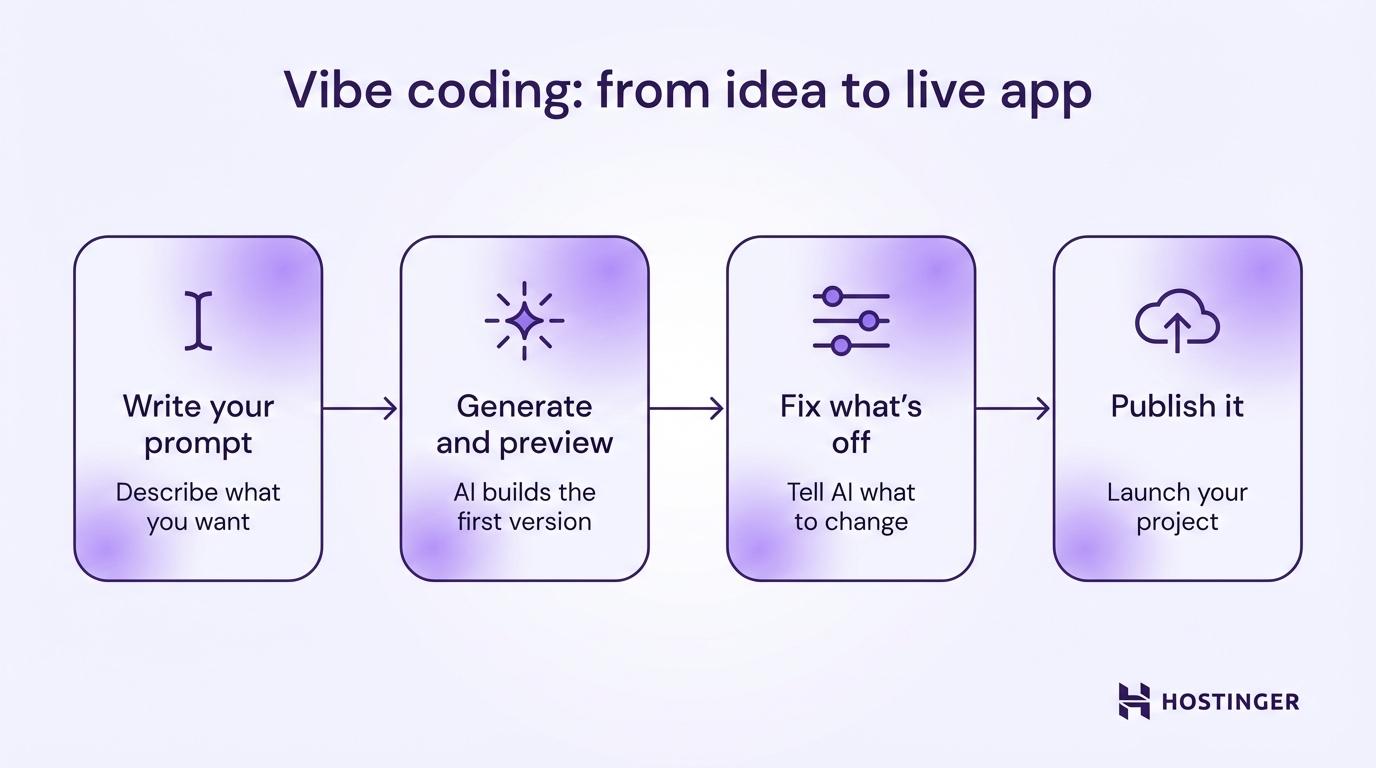
- Write your prompt. Open your AI coding tool and describe your project in plain language. Focus on what the user sees and does. Example: “Build a recipe organizer where I can add recipes with ingredients and instructions, and search them by name.”
- Generate and preview. Hit the button and wait. Most tools produce a first version within a few minutes, depending on complexity. Click around the preview and see what came out.
- Fix what’s off. Something will need adjusting. Tell the AI what to change using normal sentences: “The search bar isn’t filtering results” or “Make the background dark and the text white.”
- Publish it. Once the app does what you need, put it online. Most AI coding tools let you publish with one click and provide a URL to a real webpage that anyone with the link can visit. No domain setup or extra configuration needed.
If you’re wondering whether you need separate tools for each of those steps, you don’t. Most AI coding tools let you prompt, generate, fix, and publish in one place.
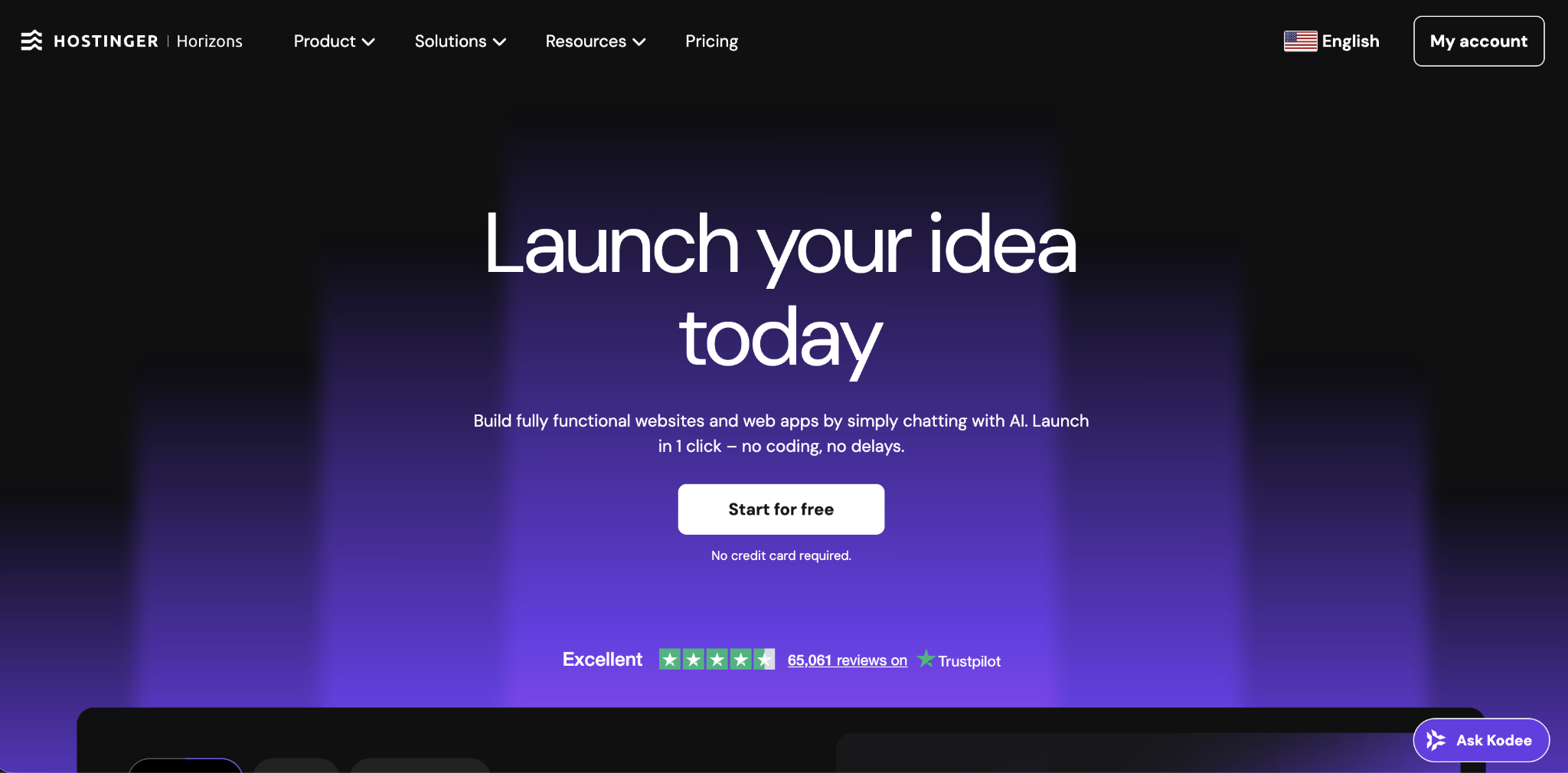
Hostinger Horizons does all of that – you describe your app, the AI builds it, and you publish without touching any code. It supports prompts in over 80 languages, fixes common errors on its own, and includes hosting, so there’s nothing extra to set up.
As you build more, prompt engineering tips like being specific about layout, naming user actions, and describing edge cases will tighten your results with each project.
Start with one screen
Don't try to build a 10-page app on your first prompt. Describe one screen, get it right, then add the next. AI tools handle complexity better when you build up gradually.
4. Use iteration instead of planning
Make small, focused improvements one prompt at a time, rather than planning everything up front. Each prompt is a chance to test one change, see the result, and decide whether to keep or undo it.
Traditional projects begin with weeks of preparation: listing every feature, sketching every screen, choosing every tool. Vibe coding skips that. You start with a rough version and shape it through conversation. Each round, you refine your prompts a little more while the AI handles the structure.
Here’s what three rounds of improvement look like:
Prompt 1: “Build a simple to-do list app with a dark theme.” → AI generates a working to-do app.
Prompt 2: “Add categories so I can sort tasks by Work, Personal, and Errands.” → AI adds category filters.
Prompt 3: “Show a count of completed tasks at the top of the page.” → AI adds a progress counter.
Each prompt adds one thing. You test it, confirm it does what you expected, and move on. If something breaks, you say: “That last change broke the category filter. Undo it and try a different approach.”
Why this beats upfront planning:
- You catch problems when they’re small and easy to fix.
- You see progress after every prompt, which keeps your energy up.
- You avoid spending hours designing a feature that the AI builds in minutes.
When something goes wrong, describe the issue in words instead of editing the code yourself. Let follow-up prompts do the fixing for you.
5. Let AI explain as you go
Ask the AI to explain what it just built, and you’ll start recognizing patterns in how code is structured. The best time to ask is right after you generate something, because you’re looking at real output you just created. That context makes the explanation stick.
Instead of studying programming concepts for weeks before you use them, you learn only what’s relevant to the project sitting in front of you.
Three types of questions can help speed up your understanding:
- “Explain what this code does in plain language.” The AI breaks down each section without jargon. You’ll start seeing how buttons connect to actions and how data gets saved and displayed.
- “Why did you use this approach instead of something else?” This builds your judgment over time. You’ll learn when one method fits better than another, and your future prompts get sharper because of it.
- “What would break if I removed this part?” This shows you which pieces hold the app together and which are optional. You’ll understand the skeleton of your projects.
You don’t need to memorize what the AI explains. But after a few projects, those explanations start feeling familiar. Login screens, data forms, and dashboards all follow similar patterns. That recognition helps you write better prompts, because you already know what to ask for even before you generate anything.
If something still feels confusing, ask the AI to use an everyday comparison. “Explain this like I’m organizing a filing cabinet” is a surprisingly good way to understand how apps store and retrieve information.
6. Capture wins and reuse patterns
Save every prompt that produced a good result. Over time, you’ll build a personal prompt library that makes each new project faster, because instead of describing everything from scratch, you pull from what has already produced good results.
After a few projects, you’ll notice that certain prompts give you strong output repeatedly. That might be the specific way you described a navigation menu, a prompt that generated a clean signup form, or a particular phrase that got the AI to match the color scheme you wanted.
You can use this simple system to keep track of good prompts:
- Keep a prompt file. A plain text doc or a note app where you save prompts with a short label. Something like: “Dashboard layout prompt – clean two-column grid with sidebar” is enough.
- Save the better version. When you improve a prompt, replace the old one. Your collection stays lean and useful.
- Group by project type. After a few builds, you’ll have clusters for landing pages, dashboards, forms, and data tools. Starting a new project becomes a matter of pulling from your best past prompts.
The reason this collection gets so useful is that coding patterns repeat across projects more than you’d expect. A contact form for a dog grooming site uses the same structure as a booking form for a tutoring service. Once you have one solid version, the next takes a fraction of the time.
Why starting vibe coding is better than learning programming
Vibe coding gets you to a working project faster because you can start building things in your first session, rather than spending weeks on learning fundamentals before creating anything useful.
Traditional programming starts with theory, like variables, loops, data types, and syntax rules. You study these in isolation before you can start making anything. Vibe coding reverses that. You build first, put something out there, and pick up concepts as they become relevant.
This doesn’t mean programming knowledge has no value. It just means the sequence changed.
When you compare vibe coding vs traditional coding, the difference is similar to what happened with web design. You used to need HTML and CSS skills to make a basic page. Then tools like Squarespace and Wix removed that requirement.
AI-driven software development is doing the same for software – it removes the step of translating ideas into a programming language. That used to take years to learn. Now it takes a clear prompt.
That lower barrier also changes your relationship with mistakes. You’re not trying to write “correct” code. You’re describing what you want, testing whether it does the job, and adjusting. There’s no grade and no wrong answer. Just versions that get better over time.
What is the best way to learn vibe coding?
The best way to learn vibe coding is to build something with an AI tool today and solve problems as they come up. Doing teaches faster than reading.
If you want more structure, these options can help you pick up vibe coding faster:
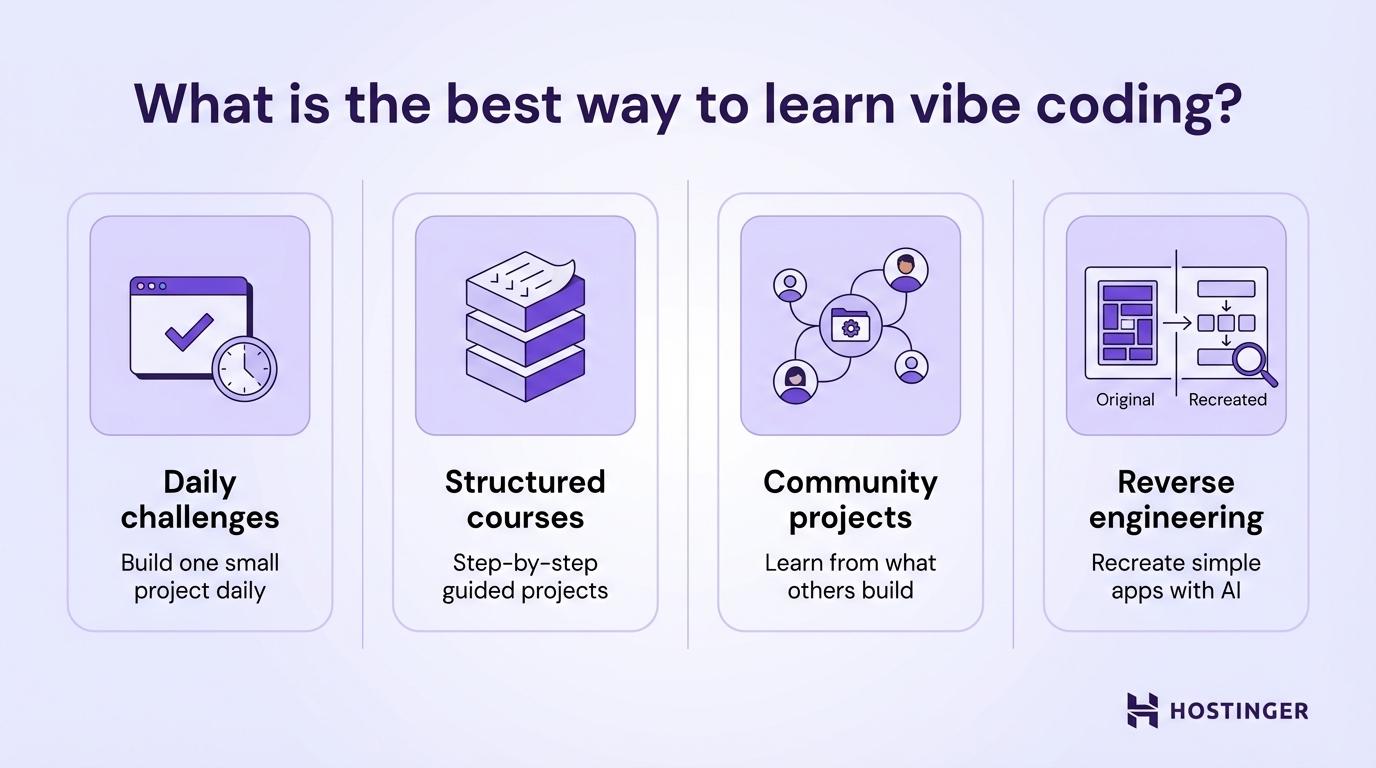
- Daily challenges. Pick something small enough to finish in 30 minutes, like a tip calculator, a color palette generator, or a countdown timer. The goal isn’t a polished product – it’s getting more comfortable writing prompts and reading the AI’s responses.
- Structured courses. Several platforms now offer dedicated courses for vibe coding that walk you through real projects step by step. These are helpful if you prefer a guided path over figuring everything out on your own.
- Community projects. Join a Discord or forum where people share what they’re building. Seeing how others prompt and iterate teaches you patterns faster than building alone.
- Reverse engineering. Find a simple app you like, then try to recreate it with vibe coding. Describe what you see, let AI build it, and compare your version to the original.
Every one of these has you creating something instead of studying. Time spent inside the tool counts more than time spent reading about it.
Common issues when starting coding with AI
Most of the struggles when you’re starting in vibe coding aren’t actually technical. They come from a few habits that waste time without you realizing it:
- Overthinking tools and setup. You don’t need the “best” tool. You need one. Spending a week comparing Cursor vs. Bolt vs. Lovable is a week you could have spent building. Pick one, start a project, and switch later if you hit a real limit.
- Endless prompt tweaking. Rewriting the same prompt 20 times without ever generating anything is one of the most common traps for new vibe coders. If your prompt is clear enough to produce a first version, run it. You’ll improve the output through follow-up prompts, not by perfecting one before hitting generate.
- Jumping between ideas. Starting a habit tracker, then switching to a budget app, then pivoting to a landing page. Each restart costs you progress. Stick with one project until you can show it to someone, even if it’s rough.
- Ignoring outputs. Some beginners generate code, glance at the preview, and immediately write a new prompt. Instead, click every button, fill in every form, and try to break it. The things that fail during testing tell you exactly what your next prompt should fix.
Warning! Don't paste sensitive data like passwords, API keys, or customer information into AI coding tools. Your prompts may be processed on external servers. Use placeholder data while building, and add real credentials only after you've deployed in a secure setup.
Best practices for starting vibe coding fast
Going from “I want to try this” to a finished project doesn’t take as long as you’d think when it comes to vibe coding. What helps most is knowing when to start, how small to keep things, how fast to move between prompts, and how to use AI without leaning on it too hard.
- Start before you feel ready. You don’t need to finish a course or read a full guide before opening an AI tool. Open one now, describe something small, and see what comes out. That first messy build can teach you more than an hour of preparation.
- Keep projects small. Your first project should take one sitting to finish. A single-page tool that does one thing well teaches you more than a half-built app with 10 features. Try a unit converter, a simple quiz, or a personal bookmark manager.
- Keep the gap between prompts short. Write a prompt → generate → test → adjust → repeat. The less time between writing a prompt and seeing the result, the faster you improve. Tools like Hostinger Horizons show a live preview as you build, so you see changes right away.
- Use AI as a collaborator, not a crutch. Ask it to generate, explain, and fix things. But make the decisions yourself: what to build, who it’s for, and what the next feature should be. You’re the product thinker. The AI is just the builder.
- Set a time limit. Give yourself 60-90 minutes for your first build. Constraints force decisions. Without a cutoff, you’ll spiral into details that don’t matter yet. Publish the rough version first, then come back with fresh eyes.
- Copy what others build. When someone shares a vibe-coded project you like, ask them for the prompt. Or try to recreate it yourself. Imitation is one of the fastest ways to build your prompting instincts as a beginner.
How to turn your first vibe coding attempts into real projects
Your rough prototypes become real projects when you add structure, real users, and a clear purpose.
Most first attempts are messy. The layout might be uneven, some buttons might not respond, and the colors might clash. That’s fine. A prototype with rough edges still proves the idea. Now you clean it up.
You can build an MVP (a minimum viable product, meaning the simplest version of your idea) in a weekend using this approach. Start with the smallest version, publish it, and improve based on what users tell you.
You can go from rough experiment to a project you’re ready to share in four steps:
- Fix the core function first. Ignore how it looks. Make sure the main feature runs without errors every time. If it’s a task manager, adding, completing, and deleting tasks should all behave as expected.
- Add one feature per session. Don’t try to add user accounts, notifications, and a settings page in one sitting. Pick the one feature that makes the biggest difference and prompt for that.
- Test it with a real person. Share the link with a friend or colleague. Watch how they use it. Where they get confused tells you what to fix next.
- Deploy early and update often. A live project with rough edges teaches you more than a version you keep tweaking alone on your computer. Put it on a real URL and treat each update as practice.
Once you’ve gone through this cycle a few times, you’ll have something most beginners don’t: finished projects. Your early builds become your portfolio. Three or four completed tools, even simple ones, demonstrate more than any certificate. Save them, describe what each one does, and you’ve got proof you can build with AI coding tools.
Software prototyping – building a rough version of your idea and improving it in rounds – is the same process at every level. Whether it’s your first calculator or your tenth product, you describe, generate, test, and improve. Your judgment sharpens every time you publish.
All of the tutorial content on this website is subject to Hostinger's rigorous editorial standards and values.

Alma is an AI Content Editor with 9+ years of experience helping ideas take shape across SEO, marketing, and content. She loves working with words, structure, and strategy to make content both useful and enjoyable to read. Off the clock, she can be found gaming, drawing, or diving into her latest D&D adventure.
