How to drive traffic to your website
Feb 27, 2026
/
By Simon L.
/
17 min Read

To drive traffic to your website, focus on SEO and quality content for steady organic growth and use social media and email to engage your audience directly. Build authority through backlinks and guest posts, and layer in paid ads when you need faster results.
As you grow, add YouTube, podcasts, influencer partnerships, and community engagement.
Here are the main tactics you can use to generate traffic to your website:
- SEO and on-page optimization for consistent organic visibility.
- Content marketing to attract and retain readers through blog posts, video, and audio.
- Organic social media to build community and drive referral traffic.
- Paid marketing for targeted, fast-acting traffic.
- Other strategies include AI search optimization and online communities.
1. Optimize your website for search engines
Understanding what SEO is and how search engines rank pages is the first step. Strip away the jargon, and it’s just helping Google understand what your pages are about so it can show them to the right people.
There are two sides to SEO: on-site SEO is everything you control on your own site. Off-site SEO is everything else, but mainly getting other sites to link to you.
Start with keyword research to find the terms your target audience searches for, then create content around those terms.
Tools like Google Keyword Planner, Google Search Console, and Semrush help you find relevant terms, review monthly search volume, and evaluate competition.
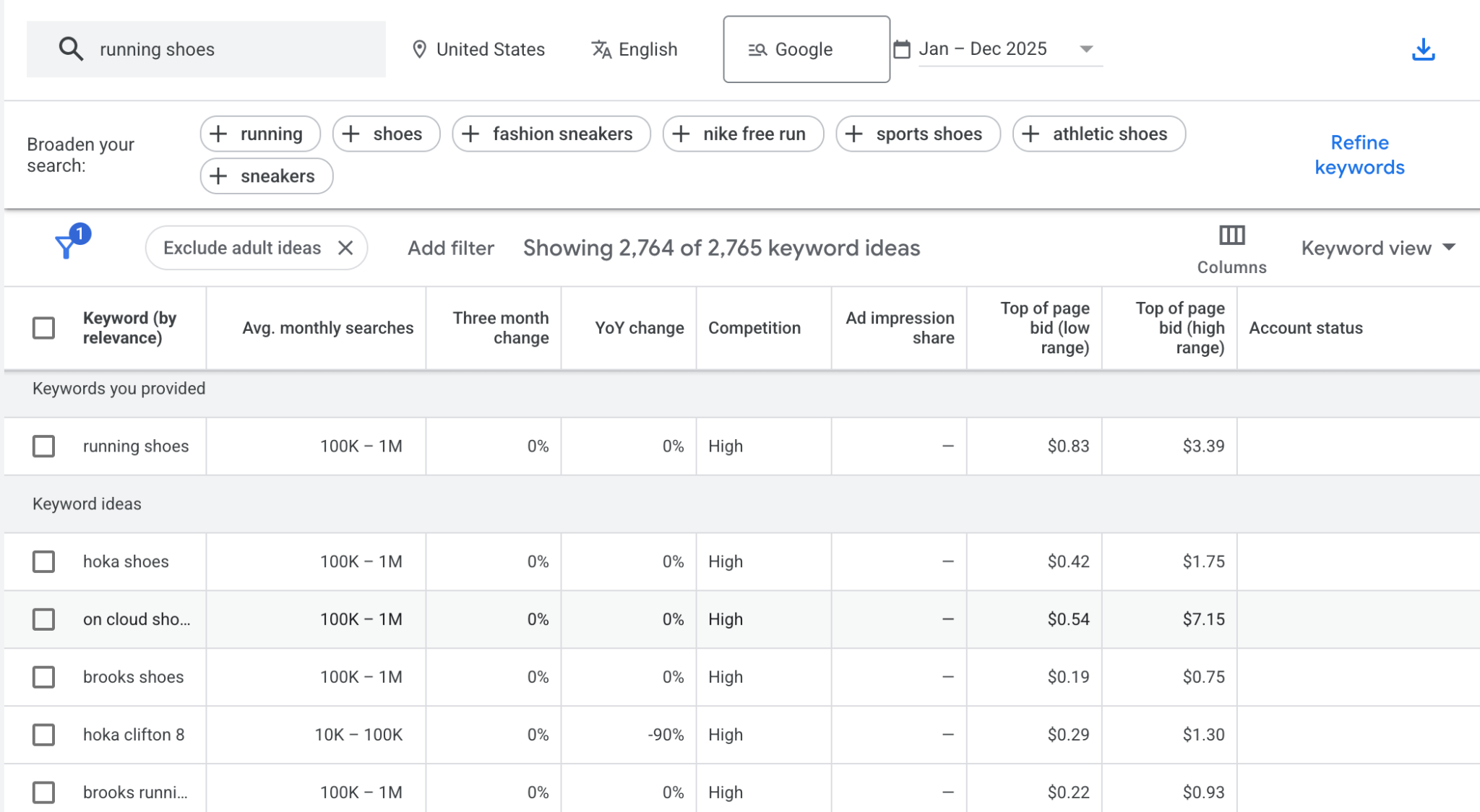
As much as possible, use long-tail keywords, which are usually three-or-more-word phrases. They have less competition, and the people searching for them are usually ready to take action.
Here’s what matters most with on-page SEO:
- Title tags. Write clear, descriptive titles that include your primary keyword. Keep them under 60 characters so they display fully in search results.
- Meta descriptions. Summarize the page content in under 160 characters. Including the target keyword helps both search engines and users understand what the page covers.
- Header tags. Use H1 through H4 tags to structure your content. This improves readability and helps search engines understand page hierarchy.
- Image alt text. Describe each image using a short, accurate phrase that includes relevant keywords. Alt text helps search engines index images and improves accessibility for screen readers.
The ultimate goal is to write SEO friendly content that answers what people are actually looking for, better than what’s already ranking. Even moving from position 5 to position 3 can double your traffic.
Off-page SEO is mostly about getting other reputable sites to link to you. Earning backlinks, growing brand mentions, guest blogging, social media marketing, and digital PR all support off-page signals.
Local SEO is also worth prioritizing if you serve a specific area. Claiming your Google Business Profile, collecting reviews, and using location-based keywords help your site appear in local search results and on Google Maps.
Once it’s ready, submit your site to search engines through Google Search Console and Bing Webmaster Tools to speed up indexing.
Pro tip
Once you've got the on-page basics down, site-wide factors like your URL structure, navigation setup, and page load architecture matter too. Our guide on SEO friendly website design covers how to build these foundations right from the start.
2. Make your website mobile-friendly
To make your website mobile-friendly, use a responsive design so layouts, font sizes, images, and navigation adjust automatically to any screen size.
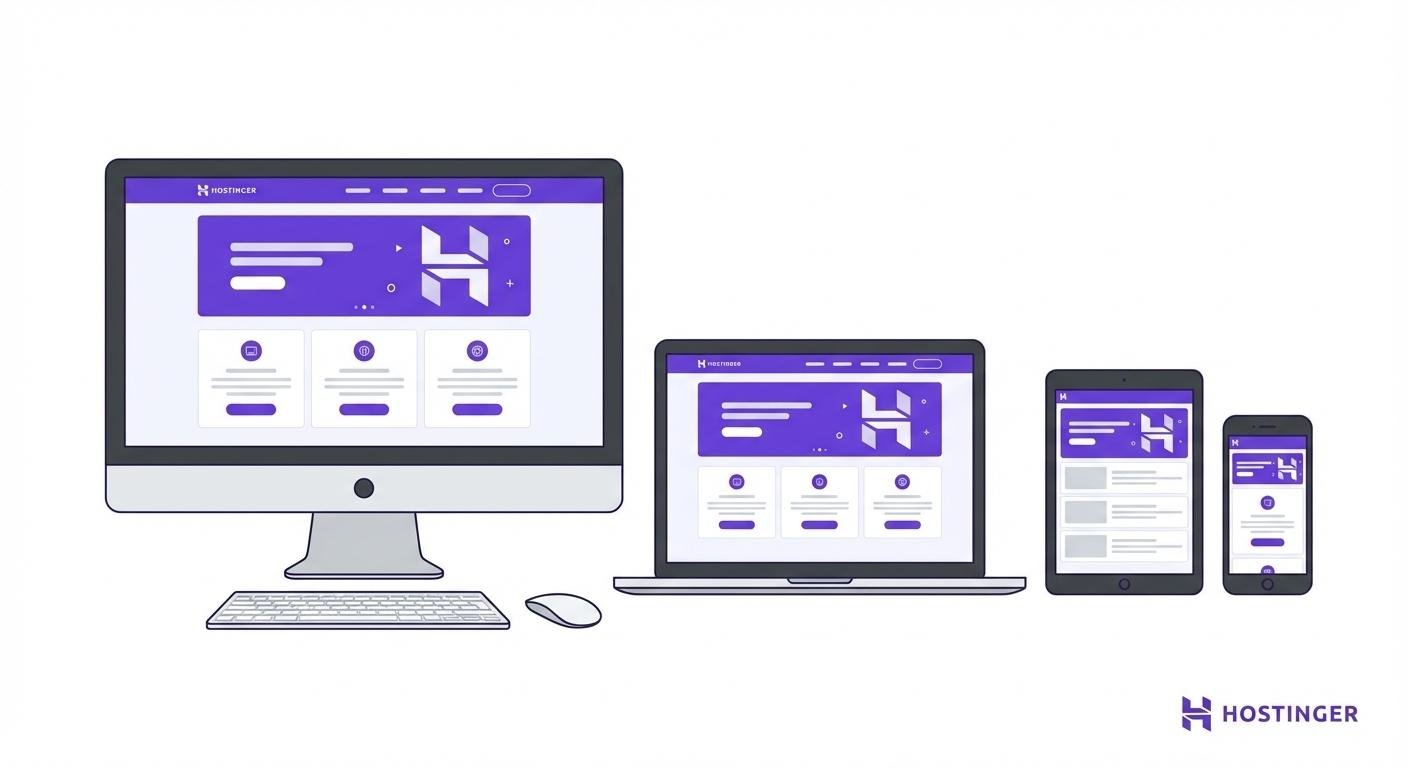
If your site looks broken on phones, you’re losing more than half your potential visitors before they read a single word.
This isn’t optional anymore. Google uses mobile-first indexing, which means it judges your site based on the mobile version. A site that doesn’t work on phones won’t rank well, period.
Test your site with Google PageSpeed Insights or Lighthouse. They’ll show you exactly what’s broken, like the text is too small, buttons are too close together, or content is spilling off the screen.
If you’re building something new, pick a platform with responsive designs from the start. WordPress has thousands of mobile-friendly themes, while Hostinger’s AI website builder handles it automatically.

Already have a site? Focus on three things: switch to a responsive theme, compress your images so they load faster on mobile connections, and simplify your navigation for thumb-based browsing.
3. Audit and update old content
Here’s something most people don’t do: go back and fix your old posts. It may seem tedious compared to writing something new, but it can take you a long way.
Google recrawls updated pages and reassesses their rankings, and a post that’s already got some authority can jump significantly with the right updates.
Run regular SEO website audits to identify pages losing rankings. Use Google Search Console to find anything that’s dropped in impressions or clicks over the past six to twelve months.
When you’re updating, focus on:
- Fixing what’s wrong. Replace outdated stats, broken links, and discontinued products.
- Adding depth. Fill in gaps, update examples, and make sure the content under each heading actually answers the intent.
- Refreshing visuals. Swap out old screenshots, add new images or tables.
- Strengthening internal links. Link to newer content you’ve published since the original post went live.
Don’t just change the date and call it updated. Google knows. Make real improvements that actually benefit readers.
Start with pages already ranking on page one or two of search results. That’s where you’ll see the fastest wins.
Pro tip
Improving rankings involves more than just updating content. Factors like your website authority, technical SEO, and user engagement signals all play a role. Our guide on how to rank high among search results breaks down the key factors and how you can influence them.
4. Build external links to increase domain authority
External links are votes of confidence in Google’s eyes, and pages with quality backlinks from reputable sites usually rank higher.
Here’s how to earn them:
- Contribute expert insights. Platforms like Help a B2B Writer and Qwoted connect you with journalists who need sources. Give them a good quote and get a link from a high-authority publication.
- Create link-worthy content. Original research, surveys, data visualizations. The kind of stuff other writers naturally want to reference.
- Reach out to brands you mention. If you feature a product or company, let them know. Many will link back to your review or mention.
- Monitor your backlinks. Use Google Search Console or Ahrefs to see which pages attract the most links, identify lost backlinks, and spot new link-building opportunities.
Whatever you do, don’t buy links or join sketchy blog networks. Google will penalize you for that, and the penalty is worse than having no links at all.
5. Add internal links to improve navigation
Internal links connect pages within your site. They help Google discover and understand your content, and they keep visitors on your site rather than causing them to bounce.
Google uses these links to determine which pages matter most, and pages with more internal links pointing to them signal higher importance.
Here’s how to do it right:
- Use natural anchor text. “Click here” tells nobody anything. “Learn how to compress images” tells everyone – readers and search engines alike – exactly what they’re getting when they click.
- Link to relevant content only. Every internal link should help the reader explore a related topic. Random links confuse both people and search engines.
- Prioritize your cornerstone content. Send more links to your most important pages. These are your pillar articles, product pages, and comprehensive guides.
- Expand your content library. Publishing more high-quality content creates more natural linking opportunities over time.
- Don’t overdo it. Too many links in one article hurts readability and dilutes link value. Aim for a natural amount that helps the reader first.
6. Improve site speed
Page speed isn’t just about user experience, although that matters a lot. It’s also a ranking factor.
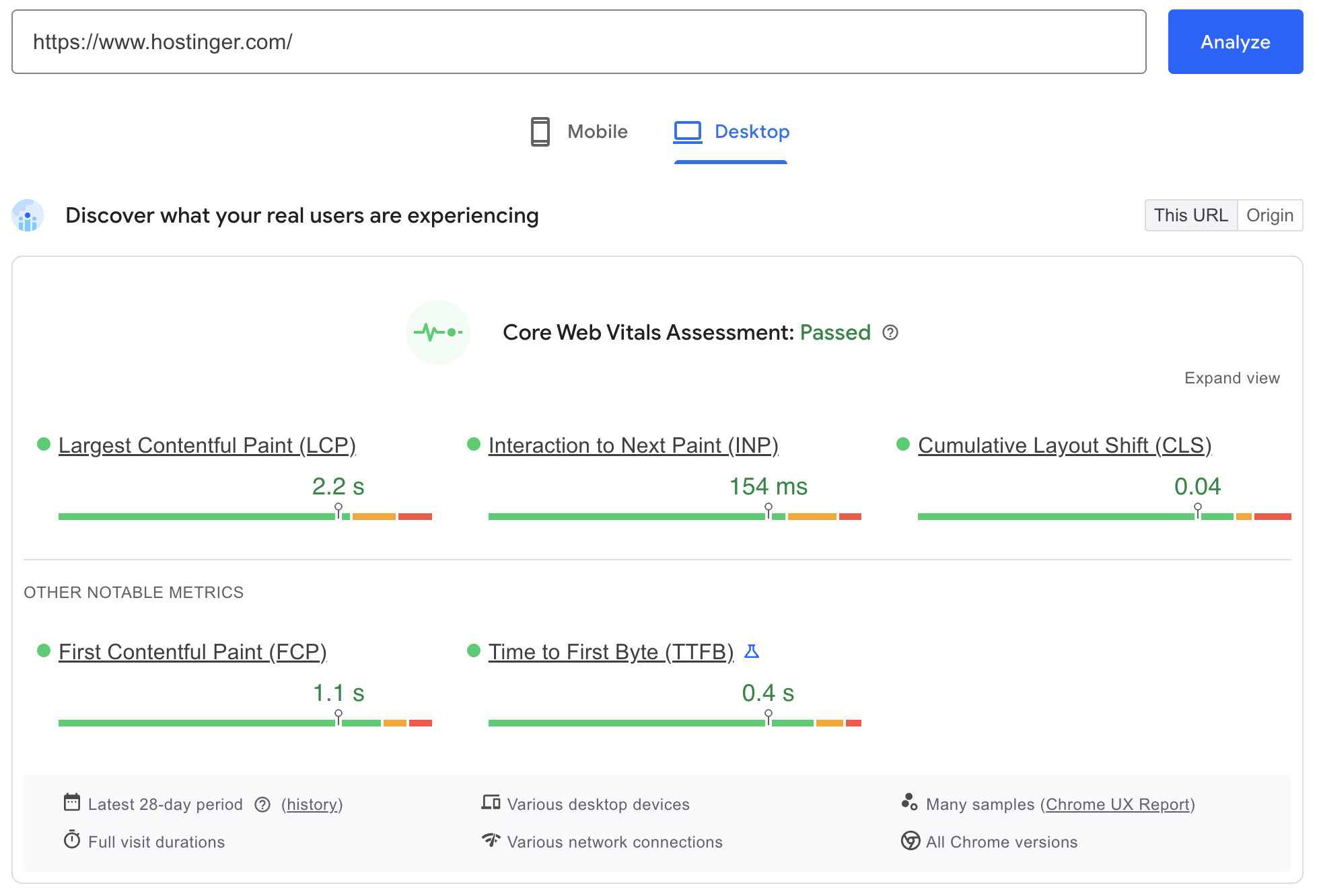
Google cares about how fast your site loads and measures performance through Core Web Vitals.
Here’s the brutal reality: if your page takes 3 seconds to load instead of 1, your bounce rate jumps by 32%, according to Google Research. At five seconds? 90%. People just won’t wait.
Test your site with Google PageSpeed Insights. It’ll score you and tell you exactly what to fix.
Then work through these:
- Compress images. Large files slow everything down. Use formats like WebP and apply proper image optimization techniques before uploading, such as reducing image dimensions and compressing file quality.
- Minify your code. Strip out unnecessary spaces, comments, and unused code from your CSS, JavaScript, and HTML. WordPress plugins like Autoptimize do this for you.
- Enable browser caching. Store static elements on visitors’ devices to speed up repeat visits. Try W3 Total Cache or LiteSpeed Cache.
- Use a content delivery network (CDN). A CDN serves your site’s files from servers closest to the visitor, reducing lag no matter where your audience is located.
- Cut third-party scripts. Every analytics tool, social widget, and chat plugin adds load time. Remove anything that’s not pulling its weight.
- Minimize redirects. Each redirect is another server request. Clean them up to avoid unnecessary forwarding.
Your hosting matters too. Shared hosting can slow you down during traffic spikes.
If speed is critical, consider upgrading to VPS hosting, which provides dedicated resources and greater control.

7. Publish guest posts on authority sites
Guest posting is straightforward: write an article for a reputable site in your niche, include a link back to your site, and reach new people.
When done right, it drives referral and organic traffic, earns you backlinks, and establishes credibility with a wider audience.
Here’s how to make it work:
- Target sites your audience already reads. Research publications, blogs, and industry platforms your ideal visitors follow. A guest post on a niche blog with an engaged audience beats one on a generic high-traffic site every time.
- Pitch unique angles. Review the host site’s existing content and suggest angles they haven’t covered. A fresh perspective or original insight increases your chances of getting published.
- Write genuinely useful content. Treat guest posts with the same quality standards as your own content. Thin or overly promotional articles hurt your reputation and rarely get accepted.
- Include natural backlinks. Most sites allow one or two links to your content within the article or author bio. Link to a relevant, high-value page instead of your homepage.
- Build long-term relationships. Guest posting works best as an ongoing collaboration. Stay active in industry communities, attend events, and engage with editors’ content to build real connections.
8. Write high-quality website and blog content
Every blog post you publish is another door Google can send people through.
Blog posts, guides, tutorials, and resource pages all create entry points for organic visitors searching for information in your niche.
Here’s how to write a blog that actually brings in visitors:
- Start with keyword research. Build each post around a primary keyword and related terms. Use Google Keyword Planner, Semrush, or Ahrefs to find what people are searching for.
- Answer search intent immediately. The first paragraph under each heading should deliver what the title promises. Readers scanning for answers won’t wait long if they don’t find them.
- Be specific. Replace vague advice like “optimize your settings” with concrete steps, such as “in Settings → General, set your timezone to match your target audience’s location.” Specific details build trust.
- Support claims with data. Reference studies, statistics, or official documentation to strengthen your points.
- Structure for scanning. Most people scan before committing to read. Use subheadings, short paragraphs, images, tables, and screenshots.
- Publish consistently. Your content library compounds over time. More posts create more internal linking opportunities and improve your site’s overall ranking potential.
9. Create a YouTube channel
YouTube has over 2 billion monthly users and is the second-largest search engine after Google. You need to tap into that.
Video works especially well for tutorials, product demos, commentary, and behind-the-scenes content.
Show people something in your video, then point them to your website for the full breakdown, downloadable resources, or product pages.
Here’s how to drive traffic from YouTube:
- Use videos as teasers. Cover the highlights in video, then direct viewers to a detailed blog post for the complete guide. Like this Hostinger Academy video that shares seven tips, while the full article (the one you’re reading now) covers 20:


- Optimize for search. Include relevant keywords in your title, description, and tags. Platforms like Ahrefs’ YouTube Keyword Tool help you uncover popular search terms.
- Write detailed descriptions. Add a content summary, timestamps, links to your website and profiles, and relevant hashtags. Both YouTube and Google index this text.
- Add clear calls to action. Tell viewers to visit your website at the beginning and end of each video. Use YouTube end screens and cards to link to your site or related videos.
- Engage with comments. Reply, pin helpful responses, and encourage discussion. Active engagement signals quality to YouTube’s algorithm and helps boost visibility.
10. Produce podcasts to educate visitors
Podcasts let you have deeper conversations than almost any other format, and audio often keeps people engaged longer than text or video.
Regular episodes create a habit that brings listeners back, while embedding them on your site increases time on page and turns each episode’s show notes into an indexable page that can rank in search.
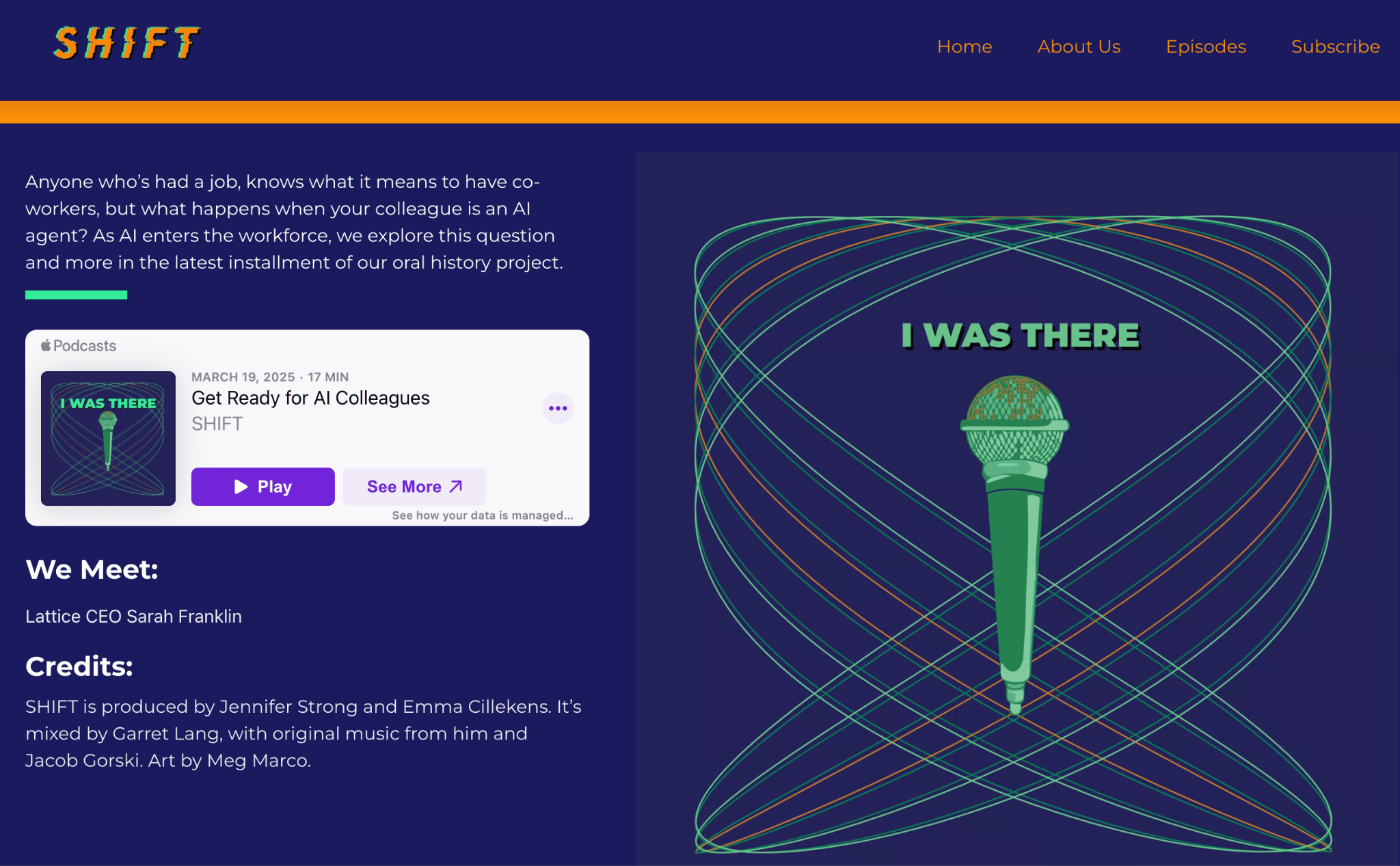
Transcripts can also be repurposed into blog posts, turning a single recording into multiple SEO assets.
Platforms like Spotify, Apple Podcasts, Amazon Music, and Google Podcasts extend your reach beyond your existing audience. Always include links to your website in episode descriptions so new listeners can find you.
Effective formats include interviews with industry experts (who often share episodes with their audiences), Q&A sessions answering common questions, and educational series tied to your niche.
Each creates natural opportunities to reference your website.
To get started: grab a reliable USB microphone, use free recording software like Audacity, and pick a hosting platform like Buzzsprout or Anchor to distribute your episodes.
11. Start email marketing
Unlike social media, where algorithms decide who sees your posts, email marketing gives you a direct line to people who’ve already shown interest in your content.
Building an effective email marketing strategy starts with growing your list. Add sign-up forms on high-traffic pages, offer a lead magnet (free template, checklist, ebook), and clearly explain what subscribers will get.
Once you have a list, follow these best practices:
- Make it mobile-friendly. According to our email marketing statistics and trends, responsive email design increases unique mobile clicks by 15%, so test layouts across screen sizes. Use single-column designs, large tap-friendly buttons, and readable fonts of at least 14px.
- Personalize when possible. Including someone’s name in the subject line or body often boosts open rates. Segment your list by behavior or interests to send more relevant messages.
- Write compelling subject lines. Keep them under 50 characters so they don’t get cut off on mobile. Be specific and avoid clickbait as accurate subject lines build trust over time.
- Include clear CTAs. Every email should guide readers toward one specific action. Make CTA buttons visually distinct and easy to tap on mobile.
- Don’t over-send. Bombarding subscribers with daily emails leads to unsubscribes and spam complaints. Start weekly or bi-weekly, then adjust based on engagement.
- Track what matters. Monitor open rates (aim for 20-25% or higher), click-through rates (2-5% is healthy), and keep unsubscribes below 0.5%. Use this data to refine your messaging.
12. Host webinars
Webinars build authority fast by letting you share your expertise with a live audience in real time.
They capture email addresses during registration (which helps with email marketing) and give you a platform to present, answer questions, and interact directly with attendees.
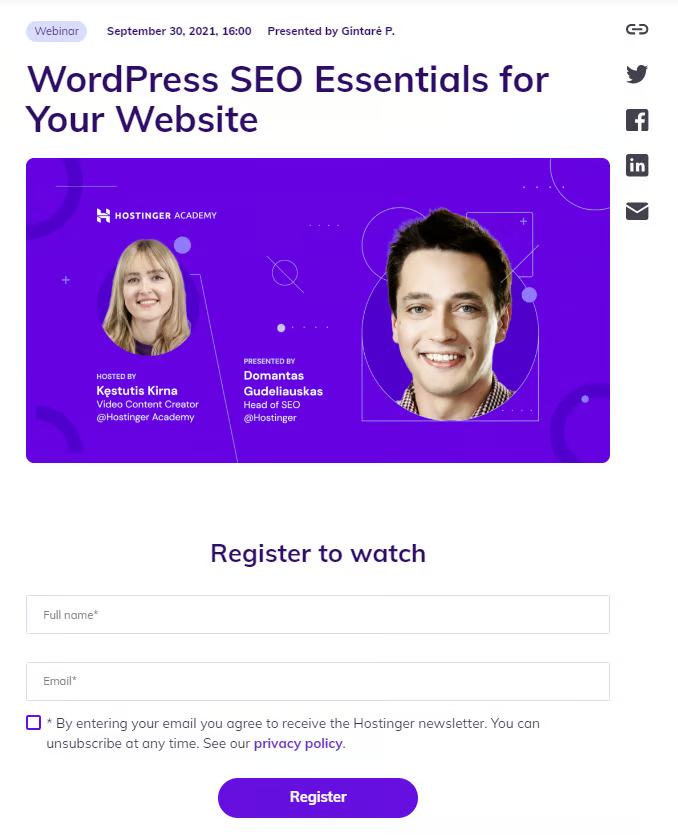
After the event, the recording becomes an evergreen asset you can embed on your site, reference in blog posts, or repurpose into shorter content.
Keep these factors in mind:
- Choose a problem-focused topic. “How to cut your bounce rate in half” attracts more sign-ups than vague titles. People register for webinars that solve specific pain points.
- Pick the right format. Presentations work for educational content, panels bring diverse perspectives, live Q&As create engagement, and interviews with experts add credibility.
- Invite credible speakers. Industry experts add instant credibility and often promote the event to their own audiences, extending your reach.
- Promote across channels. Send dedicated emails, share countdown posts on social, and add banners on your site. Schedule automated reminders to reduce no-shows, which typically run 40-50%.
- Follow up after the event. Send the recording to all registrants, summarize key takeaways in a blog post, and use the attendee list for targeted follow-up emails.
13. Post on social media to attract new visitors
Social media puts your content in front of people who won’t find you through search. Platforms like Facebook, Instagram, X, LinkedIn, and TikTok give you free access to massive audiences.

But here’s the thing: you can’t just publish content on your site and hope people share it. You need to be proactive.
Repurpose each blog post into formats that fit different platforms. Turn a guide into an infographic for Instagram, a discussion thread for X, a professional takeaway for LinkedIn, a short video for TikTok.
To drive traffic on social media:
- Add visuals to every post. Posts with images or videos get higher click-through rates than text alone. Even a simple graphic with a pulled quote performs better.
- Use relevant hashtags. Research which hashtags are active in your niche and mix 2-3 broad ones with 2-3 specific ones. Avoid overloading posts with 20+ hashtags, though.
- Choose platforms strategically. Facebook works for community building, Instagram and TikTok favor visual content, and LinkedIn targets B2B audiences. Use Google Analytics to track which platforms drive traffic and focus your energy there.
- Engage with your audience. Reply to comments, ask questions, and join relevant conversations. Algorithms reward engagement by showing your content to more people.
- Include clear links. Add your URL to bios, story links, and captions. Use link-in-bio tools if a platform limits clickable links, but always include a clear call to action.
Pro tip
Your social media handle is your username across platforms. It’s the @name people use to find and tag you. Keeping it consistent makes it easier for your audience to recognize and connect with you everywhere.
14. Partner with influencers
Influencer partnerships let you tap into established audiences and promote your brand, content, or products. This usually involves a fixed fee or product exchange for exposure.
It works because of trust transfer. Followers trust the influencer’s recommendations, so a mention often carries more weight than your own advertising.
To build effective partnerships:
- Match platform and audience. Choose influencers based on where your target audience spends time. Instagram works for visual products, YouTube excels for tutorials, and TikTok reaches younger audiences.
- Prioritize engagement over follower count. An influencer with 10,000 engaged followers drives more traffic than one with 100,000 inactive ones. Check comments for real conversations, not just generic emojis.
- Choose niche-relevant creators. Influencers who create content in your industry deliver authentic recommendations. A tech influencer promoting web hosting feels natural, but a fashion influencer doing the same feels forced.
- Allow creative freedom. Share guidelines and key points, but let influencers communicate in their own voice. Overly scripted promotions feel forced and perform poorly.
- Track results. Use UTM-tagged links (custom URL parameters that track where clicks come from) or unique promo codes to measure traffic and conversions from each partnership. This helps you identify which collaborations to continue.
15. Use Reddit and niche forums for targeted traffic
Reddit, Quora, and industry-specific forums attract people actively looking for answers, recommendations, and solutions.
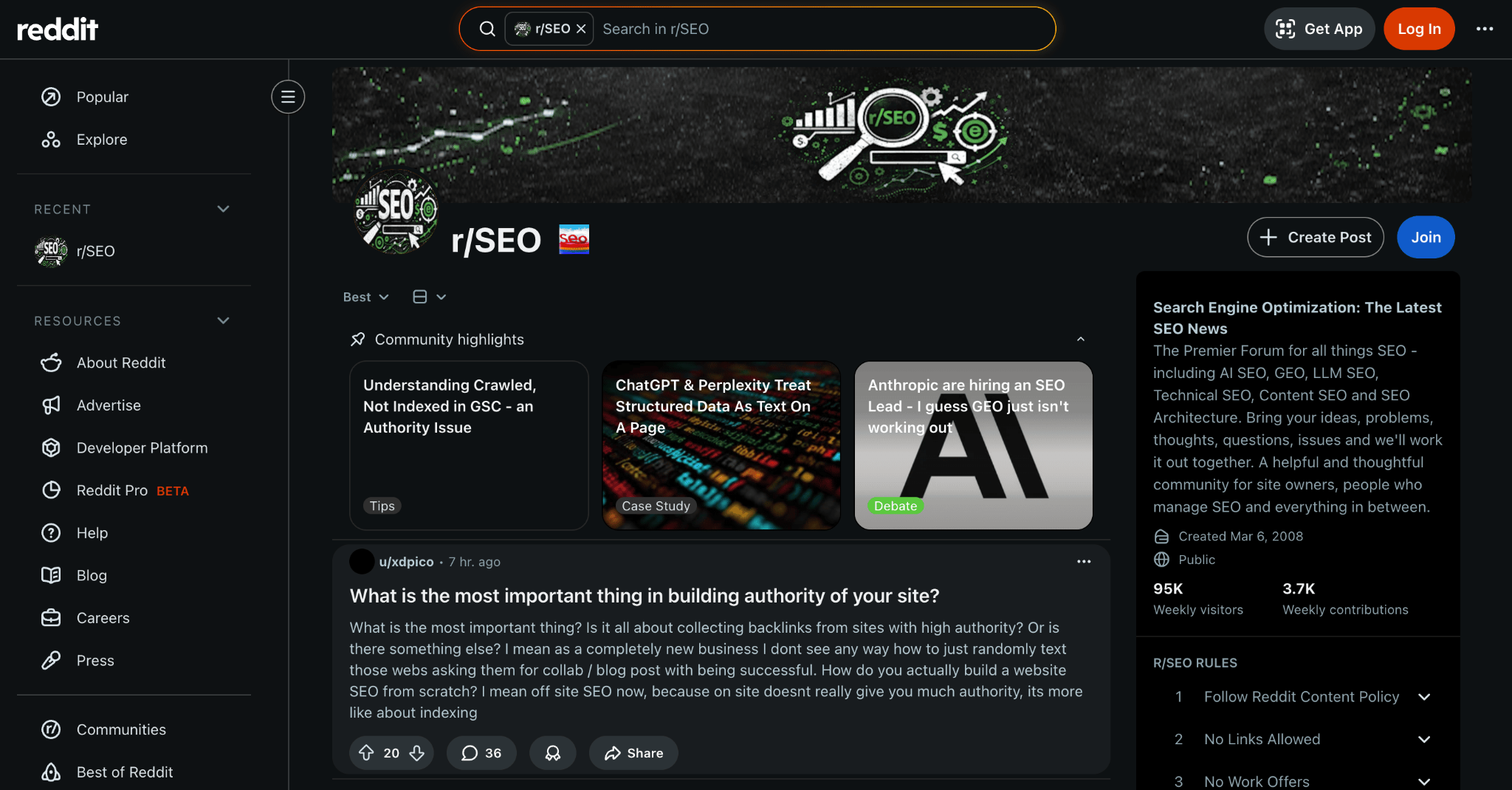
The most important rule: add value first, promote second. Dropping links without contributing gets you downvoted, reported, or banned.
Build credibility by answering questions, sharing insights, and being genuinely helpful before linking to your own stuff.
Here’s how to do it right:
- Join niche-relevant communities. Participate in subreddits aligned with your niche. A targeted community with 50,000 active members interested in your niche beats a generic one with millions of passive lurkers.
- Answer questions in depth. Write a complete, standalone answer in the thread first, then add your article as supplementary reading. The reply should be valuable even if no one clicks the link.
- Experiment with formats. AMAs position you as an expert, solution-focused posts invite clicks, and detailed how-to comments demonstrate expertise.
- Use Quora strategically. Answer questions with thorough responses and only add links when they genuinely enhance your answer. Quora answers can rank in Google, giving your content extra visibility.
- Track referral traffic. Reddit traffic may show as Referral or Direct in Google Analytics. Use UTM parameters to accurately track performance and identify which communities drive valuable traffic.
Pro tip
Reddit can do more than just drive direct traffic – active participation and strategic linking can improve your site's overall search visibility. Our Reddit SEO guide explains how Reddit signals influence rankings and how to use the platform strategically.
16. Run giveaways or contests on social media
Giveaways boost visibility fast by encouraging people to share posts, tag friends, and follow your accounts. Each action expands your reach to new audiences and can send visitors to your website.
This works best as a short-term traffic boost, but it also creates long-term value through new followers, email subscribers, and stronger brand awareness.
To run an effective giveaway:
- Tie entries to your website. Require participants to visit a landing page or join your email list. This drives actual website traffic rather than just social follows.
- Choose a relevant prize. Prizes related to your niche attract qualified visitors. Your own product or industry-specific tools bring better results than generic gift cards, which attract prize-hunters who disappear after the contest.
- Use proven formats. Comment-to-win generates engagement, tag-a-friend extends reach, follow-and-share builds your audience, and user-generated content creates material you can repurpose.
- Use giveaway tools. Platforms like Gleam automate entry management, verify completed actions, and select winners transparently while preventing fraud.
- Promote across channels. Share on all social platforms, send dedicated emails, and add banners on your site. The more touchpoints, the more entries and traffic you’ll generate.
Always set clear rules, specify an end date, and announce the winner publicly. Trust matters more than any short-term traffic spike.
17. Run social media ads
Social media ads generate fast, targeted traffic by placing your content in front of specific audiences on Facebook, Instagram, LinkedIn, and TikTok.
Unlike organic posts that rely on algorithms, paid ads guarantee visibility to your chosen audience.
Facebook and Instagram use the same ad system, letting you target by demographics, interests, behaviors, and custom audiences. LinkedIn lets you target by job title, industry, and company size. TikTok reaches a younger, highly active audience through short-form video.
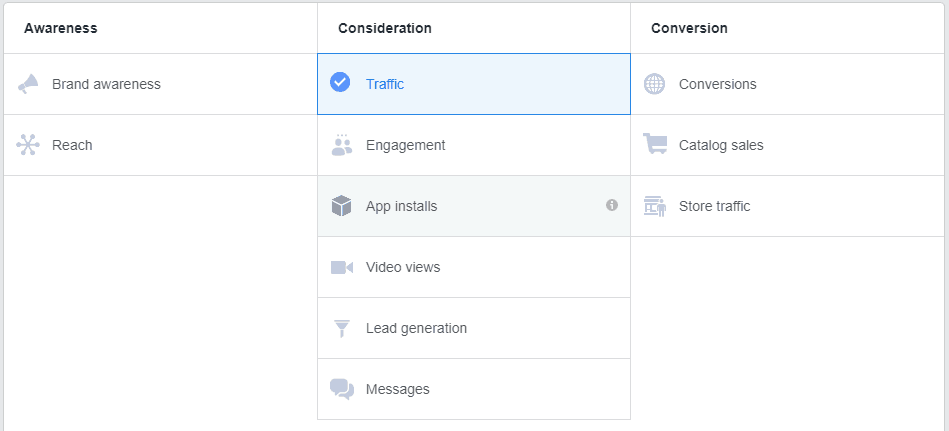
Effective formats include link ads that send users to landing pages, video ads that build interest before driving clicks, and carousel ads that highlight multiple products or content pieces.
Follow these practices:
- Send traffic to high-converting pages. Direct clicks to specific landing pages, lead magnets, or product pages instead of your homepage. Pages with clear, singular calls to action convert significantly better.
- Install tracking pixels. Tools like Facebook Pixel track clicks, conversions, and return on ad spend in Google Analytics. Without tracking, you won’t know which ads work or why, and you can easily blow through your budget without a return.
- Use UTM parameters. Tag every ad link so you can separate paid social traffic from other sources and see exactly which campaigns drive results.
- Test continuously. A/B test headlines, images, ad copy, and audience segments. Small tweaks often lead to 20-30% improvements in click-through rates.
- Set and monitor budgets. Facebook costs average $0.50 to $2.00 per click, but competitive niches can exceed $5. Start small, identify what works, then scale spending on top performers.
18. Run search engine ads
Search engine ads place your website at the top of search results for specific keywords. Platforms like Google Ads and Microsoft Ads let you bid on keywords so your ads appear when people search for them.
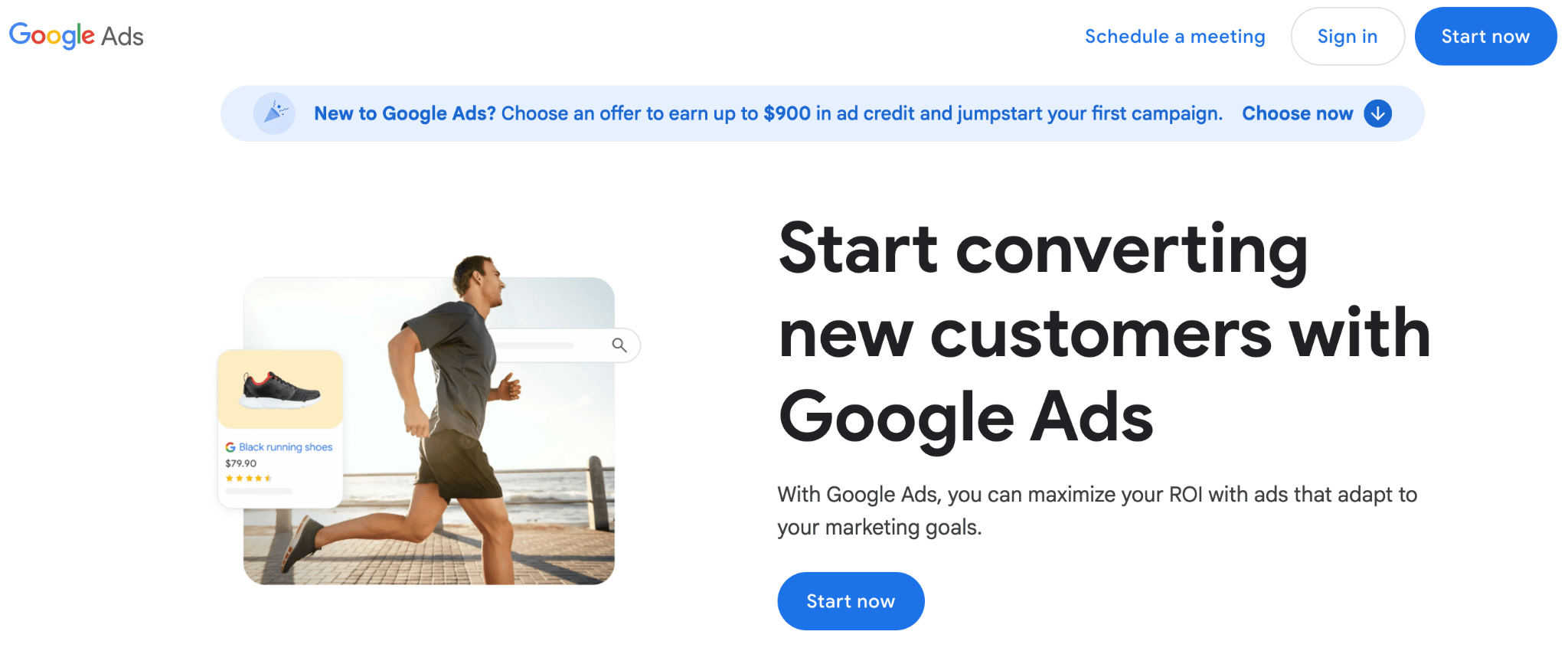
The biggest advantage? Intent. People clicking search ads are actively looking for solutions. They’re ready to purchase, sign up, or download. This makes search ads one of the highest-converting paid traffic sources.
Google Ads offers several ad types: search ads appear above organic results, shopping ads show product listings with images and prices, display ads place banners across Google’s partner network, and video ads run on YouTube.
Here are the best practices to keep in mind:
- Align landing pages with ad copy. Your landing page must deliver what your ad promises. Mismatched messaging increases bounce rates and wastes budget. Google also factors relevance into the Quality Score, which affects placement and cost.
- Use keyword match types carefully. Broad match reaches widely but can trigger irrelevant searches. Phrase and exact match give more control. Start with phrase or exact match, then expand once you have performance data.
- Use ad extensions. Sitelinks, callouts, structured snippets, and call extensions make ads more prominent and useful without increasing cost.
- Set a realistic budget. Prices vary wildly. Competitive niches like insurance can exceed $50 per click, while niche topics might cost under $1. Use Google Keyword Planner to estimate costs before launching.
- Track conversions with UTM tags. Connect Google Ads to Google Analytics and add UTM parameters to landing pages to see which keywords and campaigns drive the most valuable traffic.
19. Use large language models (LLMs) to generate passive website traffic
AI platforms like ChatGPT, Perplexity, Claude, and Gemini can send you referral traffic when they cite your content in AI-generated responses.
People get answers, see your site as a source, and click through, all without touching a traditional search engine.
These large language models are a growing channel. Perplexity includes clickable source links in responses. Google’s AI Overviews surface website content directly in search results.
Understanding what AI SEO is marks the first step toward capturing this traffic.
To increase your chances of being cited:
- Structure content for clear answers. Use question-based headings followed by direct answers in the first paragraph. LLMs prioritize content that answers queries clearly without burying the answer.
- Use structured data. Schema markup (code that labels different parts of your content for search engines and AI) helps systems parse your content’s structure. Types like FAQ, HowTo, and Article make it easier for LLMs to understand and cite you.
- Target long-tail and informational queries. AI tools excel at answering detailed, specific questions. Content that thoroughly addresses niche problems has higher citation potential than broad, surface-level content.
- Build authority with backlinks. LLMs prefer content from widely referenced sources. The same link-building strategies that improve SEO also increase your chances of being cited by AI.
- Focus on clarity. Write in clear, factual language. Define technical terms, avoid unnecessary jargon, and structure information logically. LLMs surface content that’s precise and easy to interpret.
Pro tip
Beyond the basics, focus on specific structured data types, advanced content formatting, and building authoritative source signals. Our guide on how to optimize for AI search walks through the practical steps to make your content more discoverable by LLMs.
20. Join online communities
Online communities like LinkedIn groups, Facebook groups, Reddit, Quora, Discord servers, Slack communities, and niche forums connect you with people already interested in your niche.
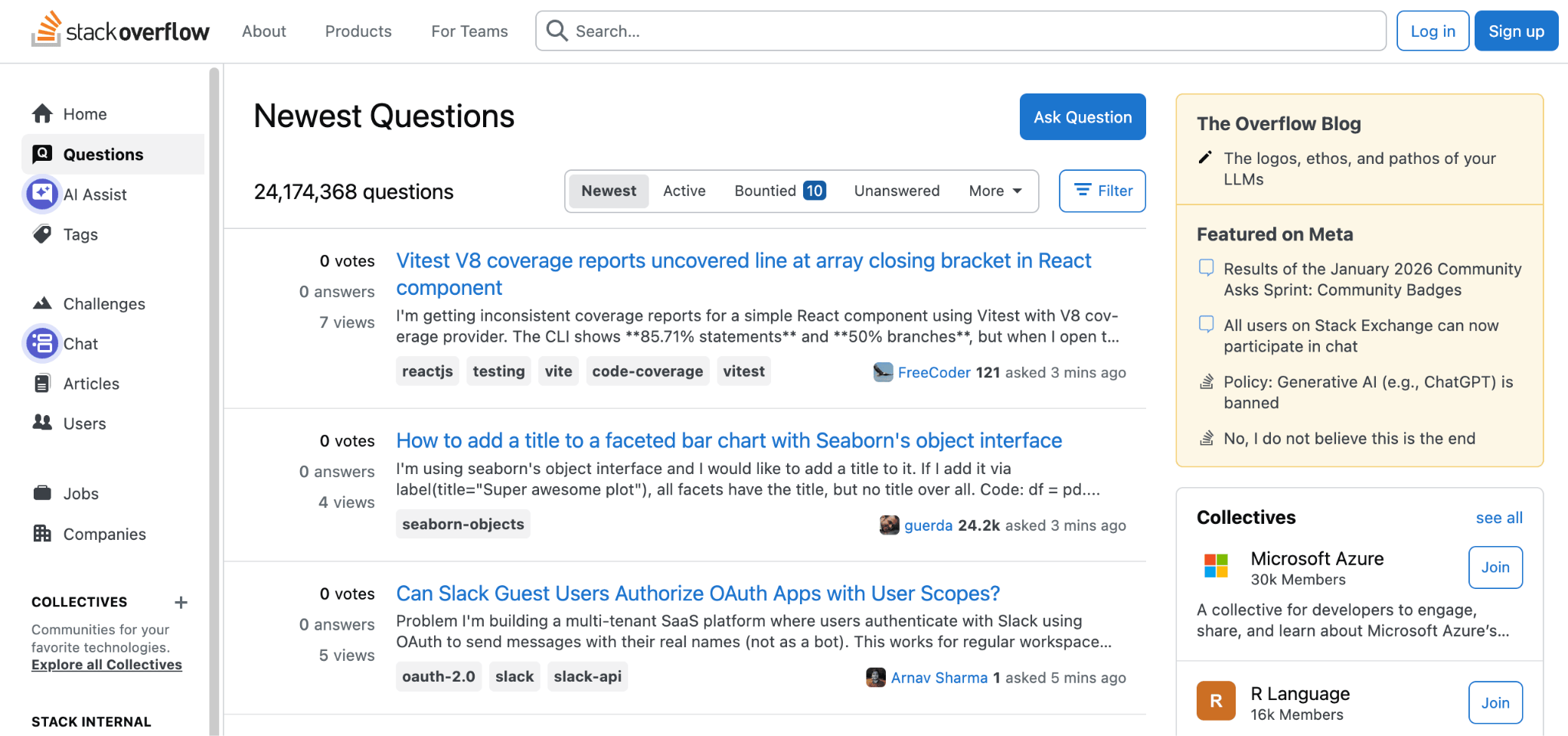
Members ask questions, share resources, and discuss real problems. They’re way more likely to visit your site and engage with your content than visitors from broad, untargeted sources.
Your approach here matters more than the platform. Promoting your website right after joining feels spammy and kills credibility. Focus on relationship-building first:
- Answer questions and help members. Show up consistently to provide thoughtful answers in your area of expertise. This builds trust and positions you as a reliable resource.
- Share content when it’s relevant. If a discussion directly addresses a topic you’ve covered, sharing that link feels helpful rather than promotional. Your content must genuinely add value to the specific conversation.
- Add original insights. Share personal experiences, specific examples, or data that advance the conversation. Original thinking makes people want to hear more from you and naturally leads them to your site.
- Be patient. Community-driven traffic grows slowly but compounds over time as you build recognition. Members who’ve seen you provide value consistently become repeat visitors and advocates.
How to turn traffic data into sustainable growth
Driving traffic to your website increases visibility, but understanding traffic sources improves performance. Website traffic sources reveal which channels attract qualified visitors, which campaigns generate conversions, and which pages cause users to drop off.
Tools such as Google Analytics 4 (GA4) track user behavior, conversion paths, and engagement metrics. Google Search Console shows which search queries drive organic traffic and how your pages perform in search results. UTM parameters identify the exact campaigns, platforms, and content pieces responsible for each visit. Together, these tools transform raw traffic numbers into measurable growth signals.
Review your traffic data at least once per month. Identify:
- Channels that generate the highest-converting visitors
- Pages with strong engagement and low bounce rates
- Drop-off points in your conversion funnel
- Campaigns that produce measurable return on investment (ROI)
Websites grow predictably when traffic acquisition and traffic analysis work together. Generating visitors without measuring performance limits scalability. Measuring performance without acting on insights limits results.
Focus on two or three high-impact traffic strategies first. Optimize them, measure their outcomes, and refine them based on real data. Once they perform consistently, expand into additional channels. Consistent optimization of proven traffic sources produces stronger long-term growth than spreading effort across too many tactics at once.
Traffic becomes a sustainable growth engine only when it is tested, measured, and improved continuously.
All of the tutorial content on this website is subject to Hostinger's rigorous editorial standards and values.

Simon is a dynamic Content Writer who loves helping people transform their creative ideas into thriving businesses. With extensive marketing experience, he constantly strives to connect the right message with the right audience. In his spare time, Simon enjoys long runs, nurturing his chilli plants, and hiking through forests. Follow him on LinkedIn.