Before you begin, you should have:
- An active Hostinger hosting plan.
- An active Hostinger email.
- An OpenClaw workspace.
Set up your email in hPanel. You can follow this guide: Hostinger Email: Creating an Email Account
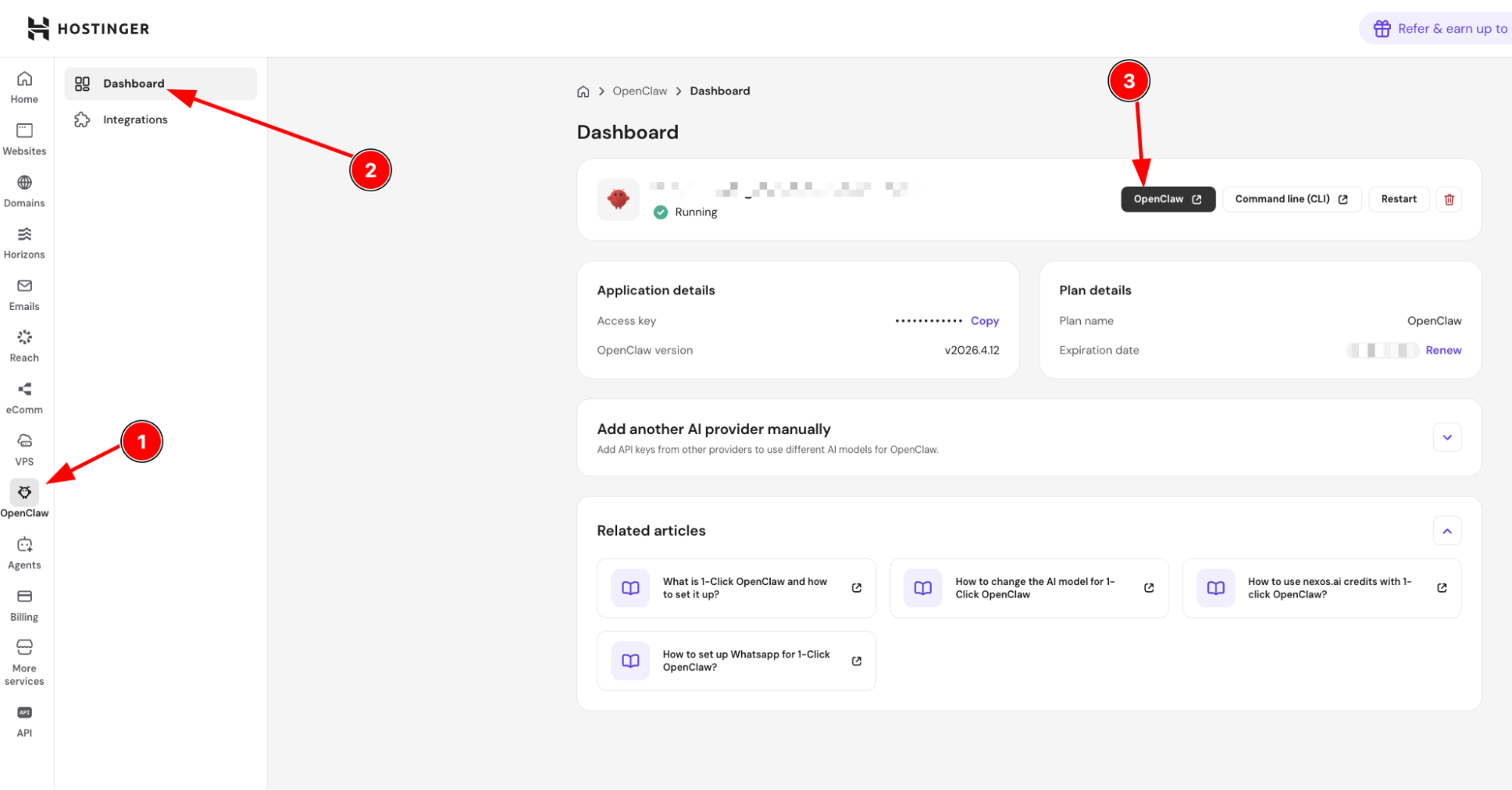
Once you have an active Hostinger email, all you have to do is write this phrase for OpenClaw:
Connect my OpenClaw with Hostinger mail
Once it is done, OpenClaw will ask you to provide some details to set it up for you:
- Email address (your Hostinger mailbox address).
- IMAP username (usually the full email address if you haven’t set it up differently).
- IMAP password (or an app password if 2FA is enabled).
- IMAP server + port + security (imap.hostinger.com: 993: SSL/TLS).
- SMTP server + port + security (smtp.hostinger.com: 465: SSL/TLS).
- From name (display name on outgoing emails).
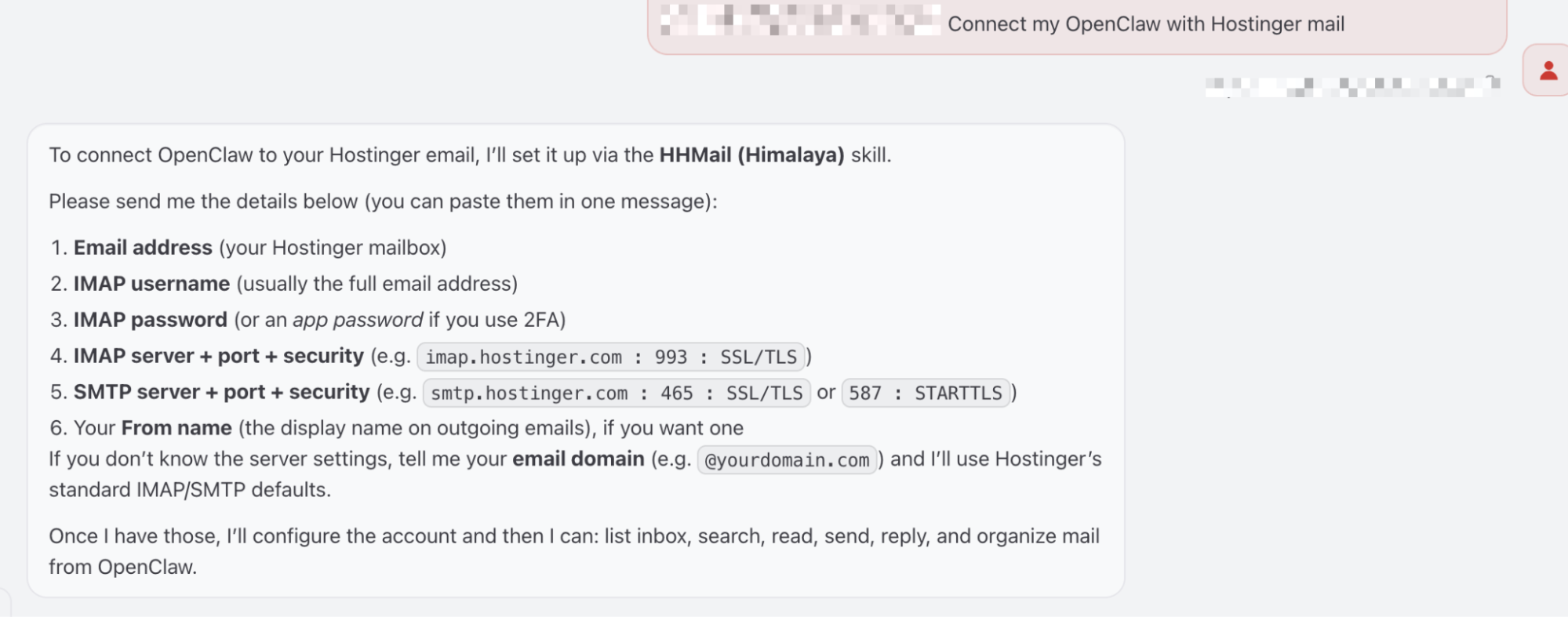
Once you provide all the details, wait till you receive a confirmation from your bot:
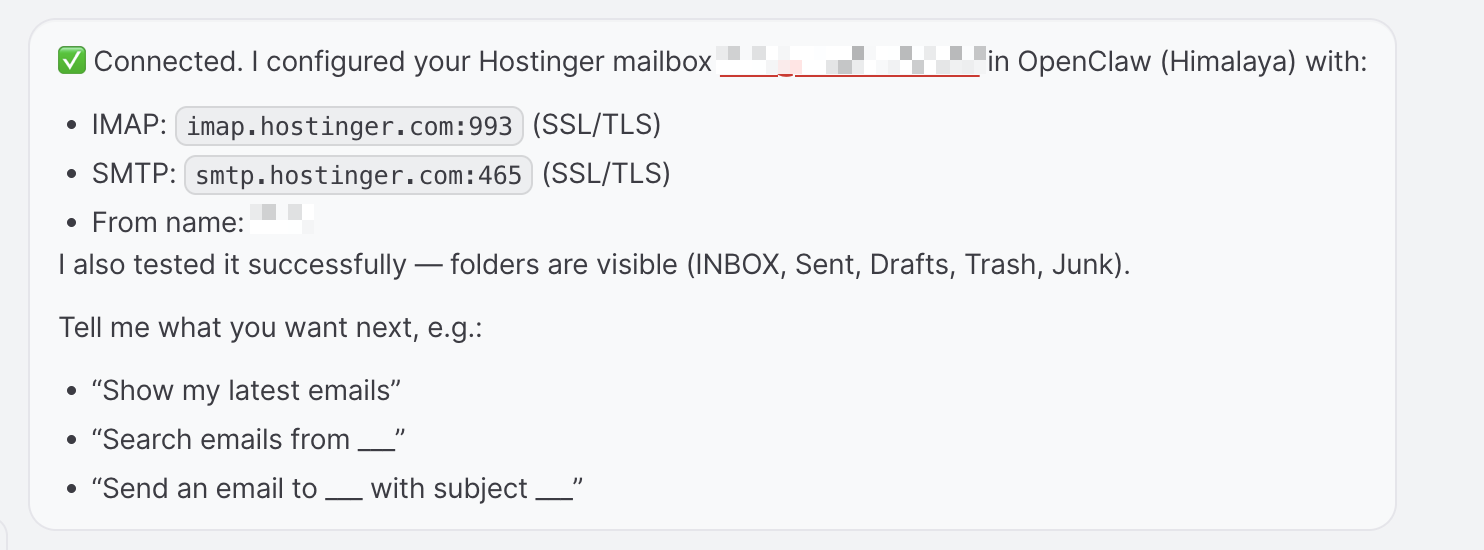
You’re all set! You can use it to retrieve search or send emails directly from your agent now!