9 best WordPress security plugins and what features you should look for
Dec 02, 2025
/
By Jenni M.
/
13 min Read
Given that 43.4% of public websites are built using WordPress and its code is openly available for free, it has become a prime target for hackers and spammers. In fact, a WordPress site is attacked every 22 minutes.
Fortunately, lots of WordPress security plugins are available to provide safeguarding and surveillance. To help you find the best one, we sorted through the many options and identified the top eight choices.
We factored in plugin statistics, ratings, price, features, and longtime dependability. Then, we paired the results with our expert advice on which options are best suited for your specific needs.

Top 9 WordPress plugins to secure your website
Here are the eight best WordPress security plugins and their essential features to protect your site effectively.
1. Wordfence

Plugin stats:
- Rating: 4.9/5 stars
- Price: Free (Premium version starting at $119/year)
Wordfence is a popular WordPress security plugin renowned for its comprehensive protection features and user-friendly interface. It offers robust security measures, like live traffic monitoring and regular scans, that are designed to protect your website from a range of threats.
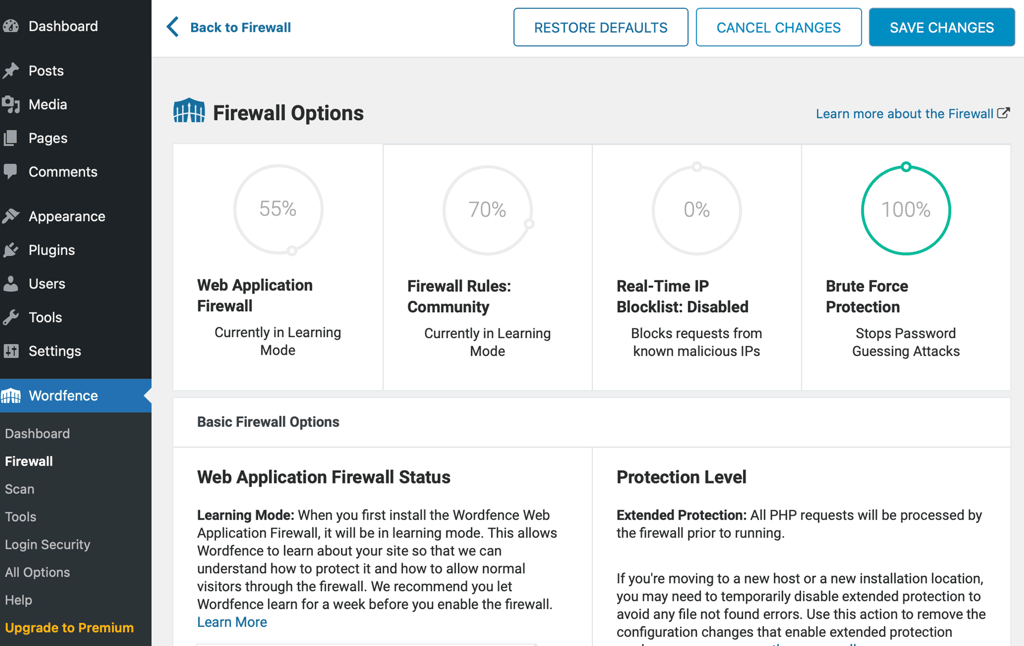
The powerful free version of the plugin includes essential features, such as a malware scanner and firewall protection. It also includes advanced options, such as fixing unauthorized file changes.
The premium version enhances these capabilities with additional tools like real-time IP blacklisting and country blocking, making it a versatile choice for different security needs.
Security features:
- Web Application Firewall (WAF) – Blocks malicious traffic and prevents attacks by filtering out harmful requests.
- Malware scans – Regularly scans your site for malware, backdoors, and malicious code.
- Login security – Prevents unauthorized access by enforcing strong passwords and two-factor authentication and limiting failed logins.
- Live traffic monitoring – Provides real-time visibility into traffic and hacking attempts, allowing you to take immediate action.
- Advanced manual blocking – Enables blocking of specific IP addresses, IP ranges, or even entire countries to mitigate targeted attacks.
- Real-time threat defense feed – Updates firewall rules and malware signatures in real-time, providing the latest protection against new threats.
- Repair files – Allows you to repair files that have been modified, based on original WordPress repository versions.
Who is Wordfence recommended for:
Wordfence is particularly beneficial for users concerned about specific vulnerabilities, such as brute-force intrusions, malware infections, and real-time threats. It is suitable for website owners of all proficiency levels, from beginners to advanced users, empowering them to manage their site’s security effectively without needing advanced technical knowledge.
Its file repair and real-time defense feed make it an excellent choice for eCommerce sites, high-traffic blogs, and any WordPress site that demands robust security measures.
2. Patchstack
Plugin stats:
- Rating: 5/5 stars
- Price: Free (Premium version starting at $5/month/site)
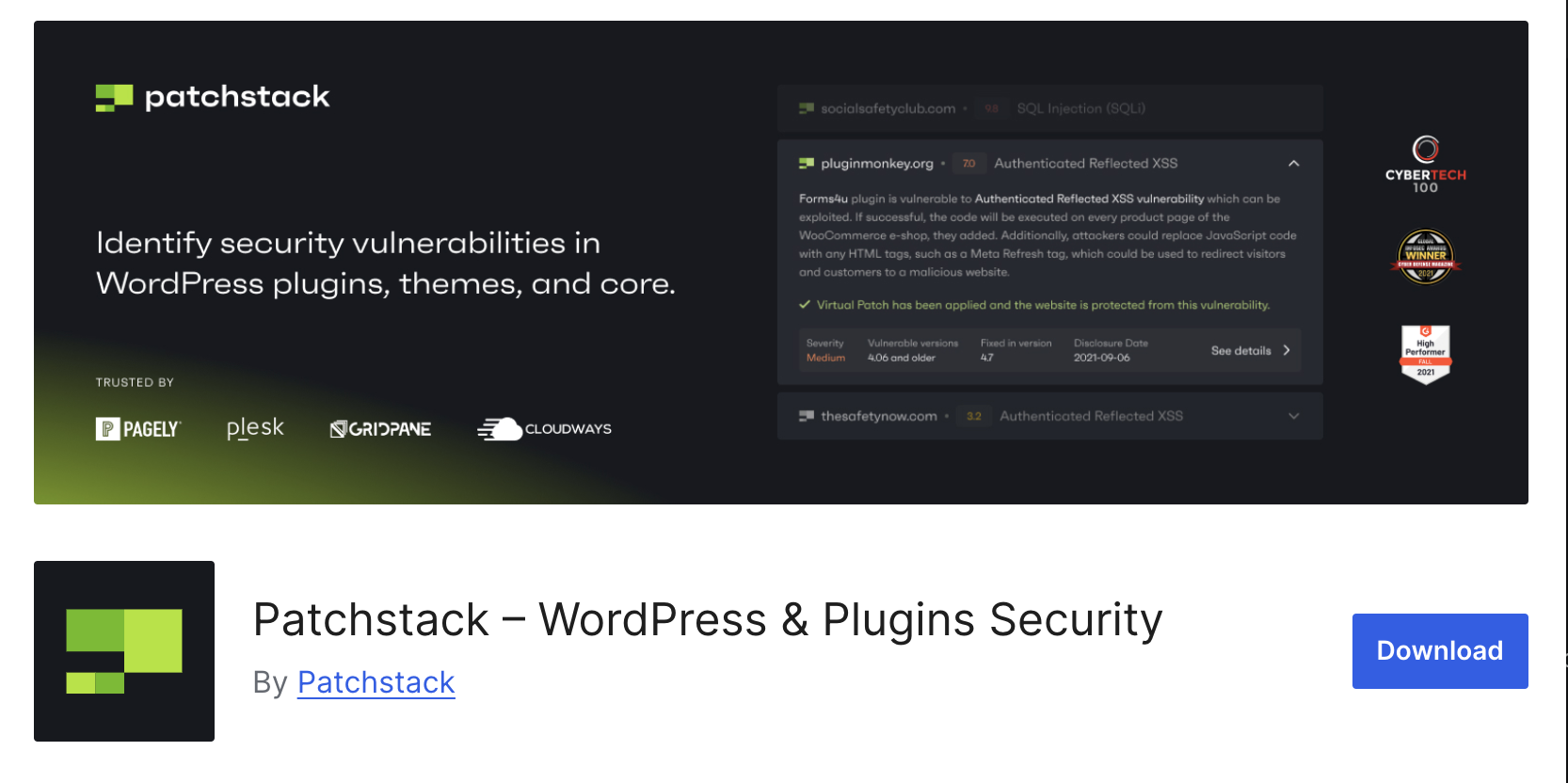
Patchstack is a WordPress security plugin designed to protect site owners from WordPress core, plugin, and theme vulnerabilities. It offers activity logging, vulnerability detection, virtual patching, firewall rules, hardening settings, security reports, and more. It addresses the core security issue at hand without impacting performance.
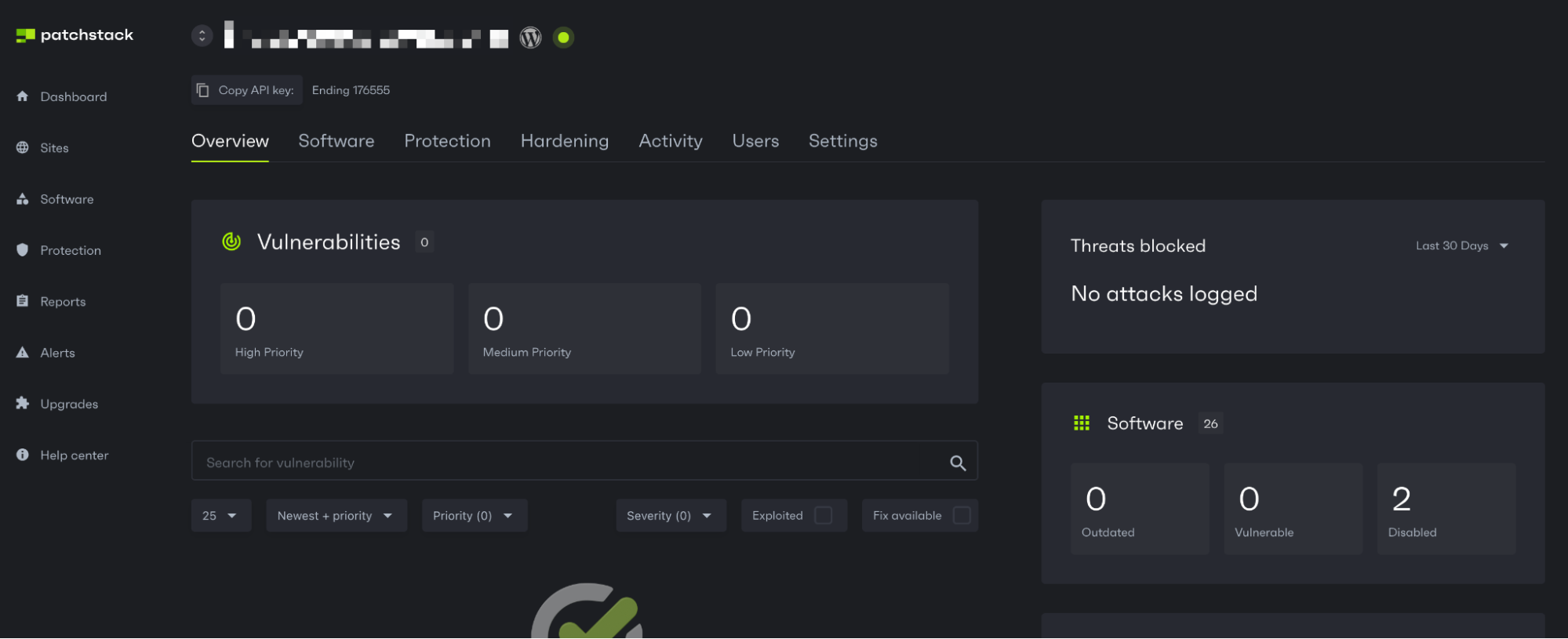
The free version of Patchstack gets you vulnerability detection and the ability to connect up to 10 websites. The premium version takes these features to the next level, including real-time protection (vPatching). It’s available as a per-site purchase of $5/month or on the Developer & Business plan.
As soon as you connect your site to Patchstack, you’ll start receiving notifications about vulnerabilities 48 hours before they’re publicly disclosed. So, when there’s a high-severity vulnerability, Patchtack will apply a vPatch (virtual patch) to prevent attacks that could exploit it.
You don’t need to rush to update plugins or change anything on your site to apply these patches. They’re designed to give you more time between updates so you can stick to your preferred maintenance schedule.
Suggested reading
Hostinger partners with Patchstack to enhance WordPress security on our hosting environment.
Security features:
- Vulnerability detection – Alerts you about real-time security issues in your WordPress site. You also get a 48-hour early warning for new vulnerabilities found by the Patchstack Alliance security research community.
- Automatic vulnerability protection – Protects your website from hackers by applying vulnerability-specific virtual patching rules that prevent exploits without affecting website code or performance.
- Centralized dashboard – Automate website care plans with remote software management, auto-updates, and updated Snapshot and Developer reports.
- Advanced access control – Easily restrict access to your site based on specific conditions, including country, IP address, and more.
- Security reports – Generates customized security reports that you can share with your customers to showcase your security efforts and increase your trustworthiness.
- WordPress protection and hardening – Secure your sites with a built-in protection module which includes a collection of firewall rules managed by Patchstack, as well as additional hardening settings, including login protection, disabling user enumeration, and more.
Who is Patchstack recommended for:
Patchstack is ideal for WordPress businesses, development teams, agencies, and all site owners who prioritize proactive security through vulnerability management.
Its virtual patching and early warning system are perfect for websites needing quick vulnerability patches while respecting scheduled maintenance windows.
3. Defender Security
Plugin stats:
- Rating: 4.5/5 stars
- Price: Free plugin (Pro version starting at $36/year)
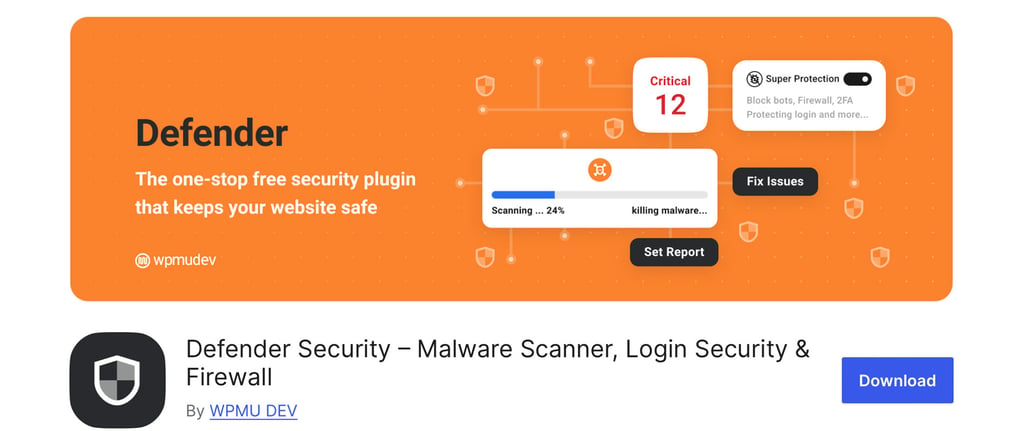
Defender Security is a versatile WordPress plugin designed to offer solid protection with a stress-free user experience.
The plugin has a setup wizard to help you configure essential security settings. The dashboard is user-friendly and provides a clear overview of your WordPress site’s security status with actionable recommendations.
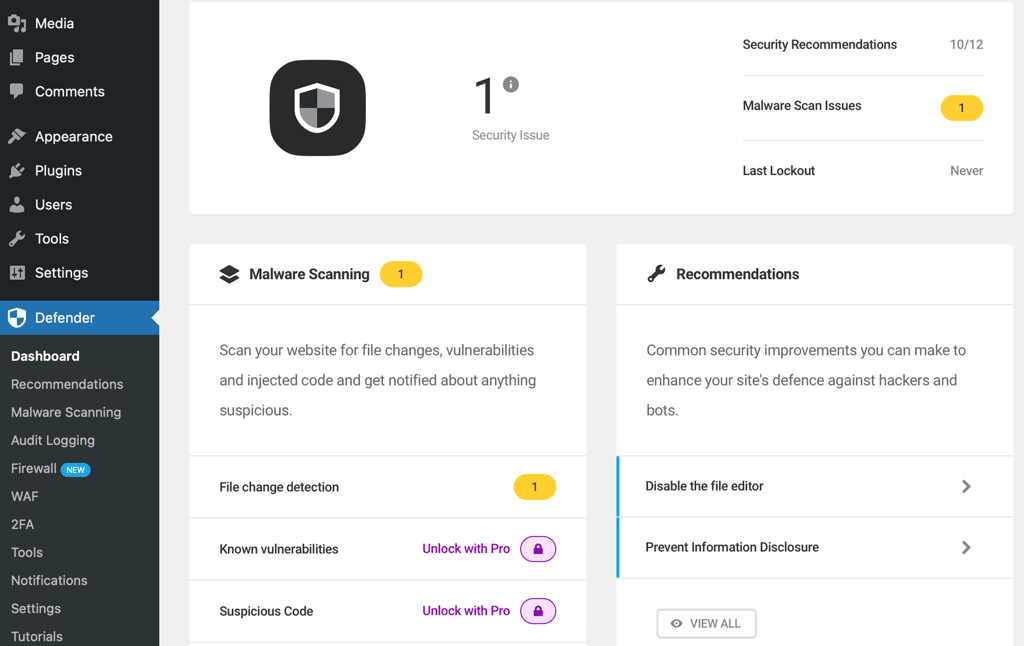
Defender Security stands out from its competitors with its ease of use and well-designed user interface (UI).
Unlike many security plugins, Defender offers both malware scanner and firewall protection in its free version. The Pro version enhances these capabilities with advanced features, such as scheduled scans and audit logs.
Security features:
- Malware scan – Regularly scans your site for malware and vulnerabilities.
- Firewall protection – Blocks malicious IPs and suspicious activity.
- Login protection – Brute force protection, two-factor authentication, and login masking.
- Security recommendations – Provides actionable tips to improve website security.
- Audit logs – Tracks user actions for better oversight.
Who is Defender Security recommended for:
Defender Security is ideal for small to medium-sized business websites, blogs, and personal sites.
Its user-friendly interface makes it perfect for beginners and intermediate WordPress users. The plugin is particularly beneficial for those seeking a balance of advanced features without overwhelming complexity.
Defender Security is well-suited for users looking to protect their sites from common threats, such as brute force attacks, malware infections, and unauthorized logins.
Its effective features and ease of use make it an excellent choice for anyone looking to enhance their WordPress site’s security.
4. Solid Security
Plugin stats:
- Rating: 4.7/5 stars
- Price: Free (Pro version starting at $99/year)
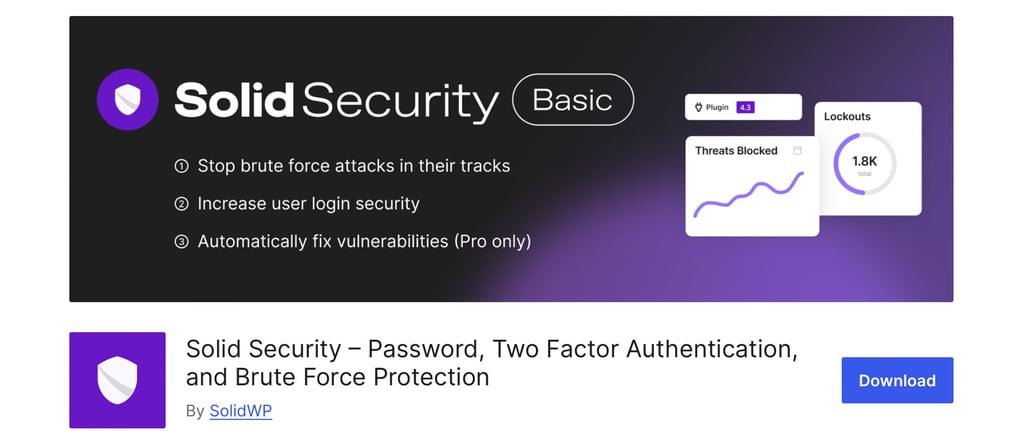
Solid Security (formerly known as Better WP Security) is a WordPress security plugin designed to offer robust protection and some features not available with other plugins, such as database backups.
The plugin offers an intuitive dashboard, which clearly and organizedly displays critical information like vulnerabilities, bans overview, and threats blocked.
The user-friendly interface and setup wizard ensure easy navigation and quick access to essential features, making WordPress site management straightforward for users of all levels.
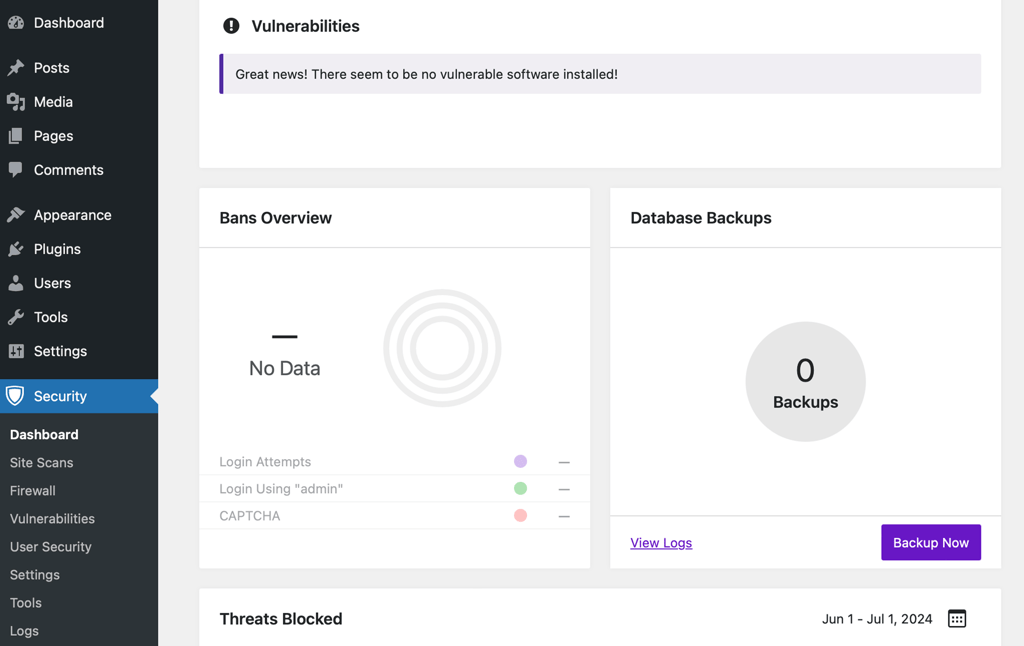
Solid Security differentiates itself from competitors by offering a wide range of features in both its free and premium versions.
Security features:
- Brute force protection – Limits error logins and blocks IP addresses with too many failed logins, reducing the risk of brute force invasions.
- File change detection – Monitors your site’s files for unauthorized changes, ensuring any suspicious activity is quickly identified and addressed.
- Database backups – Regularly backs up your database, providing a safety net in case of data loss or a security breach.
- Two-factor authentication (2FA) – Adds an extra layer of security by requiring a second form of verification during login.
- Security scanning – Regularly scans your site for vulnerabilities and provides recommendations for fixing any issues found.
- 404 detection – Detects and blocks IP addresses that generate multiple 404 errors, often indicative of malicious scanning for vulnerabilities.
- Away mode – Temporarily disables backend access during specified periods to prevent unauthorized access.
Who is Solid Security recommended for:
Solid Security is great for all types of websites, from personal blogs to small businesses and medium-sized eCommerce sites. When it comes to ease of use, most users will find it straightforward.
The plugin is especially beneficial for those looking to protect against common vulnerabilities, such as brute force attacks, file changes, and unauthorized access. Its feature to suspend admin access during chosen times and 2FA make Solid Security a solution worth considering for businesses.
5. All-In-One Security
Plugin stats:
- Rating: 4.5/5 stars
- Price: Free
All-In-One WP Security & Firewall is a free WordPress security plugin offering a vast range of features. The setup wizard will guide you through basic security tools in one click, so you don’t have to worry if you’re pressed for time.
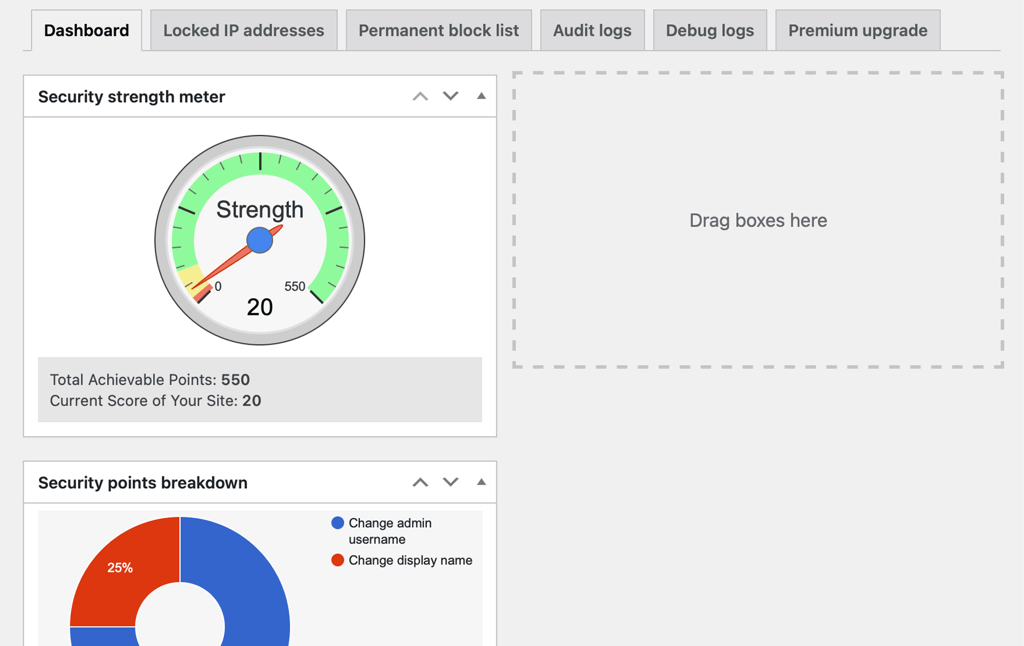
Its dashboard provides a quick overview of the most critical details, and its user-friendly interface with clear instructions sets it apart from competitors.
Security features:
- Security hardening – Strengthens user account security by enforcing strong passwords, monitoring account activity, and other basic security features to reduce or eliminate plugin vulnerabilities.
- Login lockdown – Prevents brute force intrusions by limiting failed logins and blocking suspicious IP addresses.
- Database security – Adds extra protection to your database by changing the default WordPress database prefix.
- File system security – Monitors and protects critical files and folders, ensuring no unauthorized changes are made.
- Blacklist functionality – Blocks known malicious IP addresses and ranges to reduce the risk of attacks.
- Firewall protection – Implements advanced rules to filter out malicious traffic and protect your site from common threats.
- Security Scanner – Regularly scans your site for vulnerabilities and provides detailed reports with recommendations.
Who is All-In-One Security recommended for:
This plugin is great for personal blogs and small business sites. It caters to users of all proficiency levels, offering straightforward setup and great protection features. This plugin is especially worth considering for beginners who don’t want to sort through too many settings.
6. Sucuri
Plugin stats:
- Rating: 5.0/5 stars
- Price: Free (Premium plans starting at $199.99/year)
Sucuri Security is another great WordPress security plugin renowned for its advanced security features.
Its setup with essential protection is instant, and you can make additional tweaks as needed. The dashboard is intuitive, offering clear insights into your site’s security status and actionable recommendations.
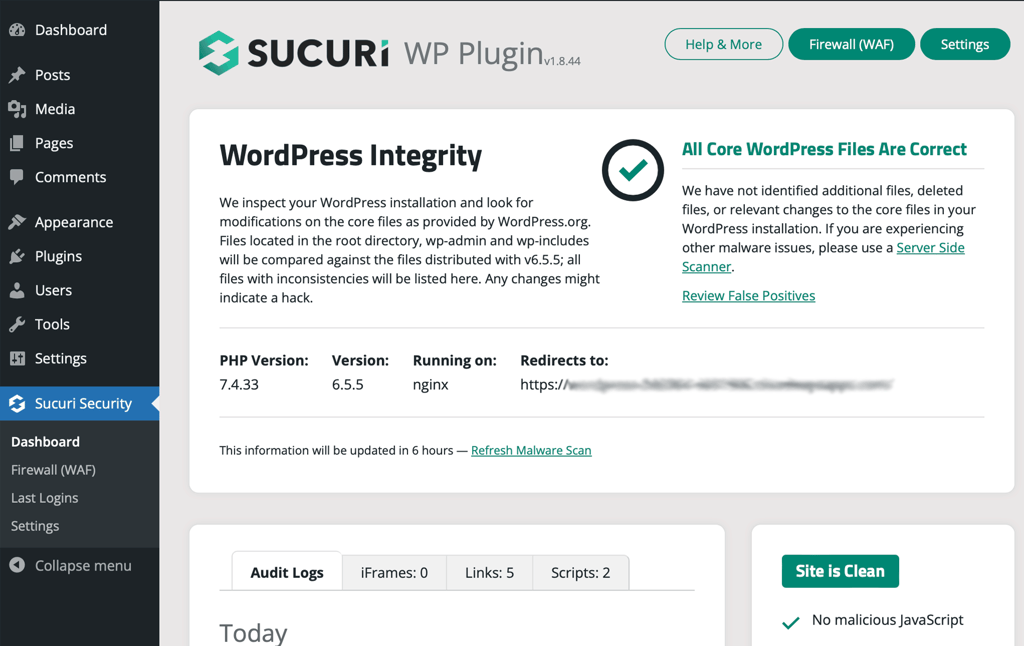
What sets Sucuri apart from competitors is its cloud-based protection, which provides server-side security enhancements and performance optimization.
This approach ensures that threats are mitigated before they can impact your WordPress site, offering a significant advantage over plugins that rely solely on local resources.
Security features:
- Malware detection – Conducts regular, thorough scans to detect malware and vulnerabilities, providing detailed reports and cleanup options.
- File integrity monitoring – Tracks changes to core files, alerting you to any unauthorized modifications and helping you maintain site integrity.
- Security activity auditing – Logs all security-related activities, offering valuable insights into potential threats and user actions on your site.
- Blacklist monitoring – Keeps an eye on various blocklist engines to ensure your site maintains a good reputation and isn’t flagged as harmful.
- Post-hack security actions – Provides tools and guidelines to clean and restore your site after a security breach, ensuring rapid recovery.
- DDoS protection – Mitigates Distributed Denial of Service attacks, protecting your site from overwhelming traffic and potential downtime.
- Firewall (Premium) – Blocks malicious traffic and enhances security with advanced firewall settings, preventing threats from reaching your server.
Who is Sucuri recommended for:
Sucuri Security is ideal for all types of websites, including personal blogs, business sites, and large eCommerce platforms.
It’s particularly beneficial for users who require advanced security measures and are concerned about malware, DDoS attacks, and maintaining site integrity.
Sucuri caters to both beginners and advanced users, providing an easy setup and comprehensive protection features for all proficiency levels.
7. Shield Security

Plugin Stats:
- Rating: 4.8/5 stars
- Price: Free (Pro version starting at $129/year for one site)
Shield Security, formerly known as WP Simple Firewall, is another solid WordPress security plugin offering extensive protection features.
Like the other security plugins on the list, this plugin’s setup wizard is also accessible for users of all skill levels, allowing you to set it up in three minutes.
Shield Security provides a detailed visual overview of your WordPress site’s security, including blocked logins, bot detection, blocked IP addresses, and overall state.
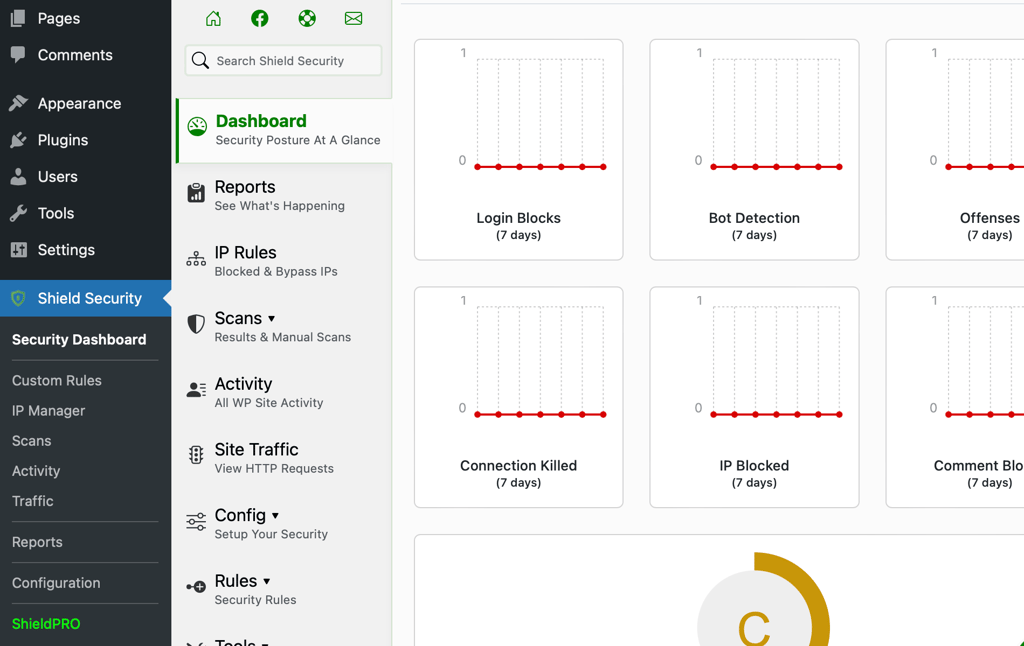
Shield Security sets itself apart from competitors with its seamless integration and user-friendly interface. It provides reliable protection without the need for advanced technical knowledge.
This plugin’s approach to security is both thorough and efficient. The free version offers a wide range of features that are often only available in premium plugins.
Security features:
- Firewall protection – Provides advanced options to block malicious traffic and protect your site from common threats.
- Login page protection – Includes two-factor authentication, CAPTCHA, and brute force protection to prevent unauthorized access.
- File scanning – Regularly scans your site’s files for malware and security vulnerabilities, ensuring your website remains clean.
- Activity logging – Tracks and logs all user actions, giving you insights into potential security issues and user behavior.
- Automated IP blocking – Automatically blocks suspicious IP addresses to mitigate potential attacks.
- Comment SPAM protection – Protects your site from spam comments, ensuring a cleaner and more professional appearance.
Who is Shield Security recommended for:
Shield Security is ideal for all types of WordPress websites, including personal blogs, business sites, and online stores. It’s particularly well-suited for users who want spam protection and comprehensive website security without the complicated user interface.
Beginners will appreciate its easy setup and intuitive controls, while advanced users will benefit from its extensive feature set and customization options.
8. Security Ninja
Plugin stats:
- Rating: 4.6/5 stars
- Price: Free, and premium version starting at $39/year
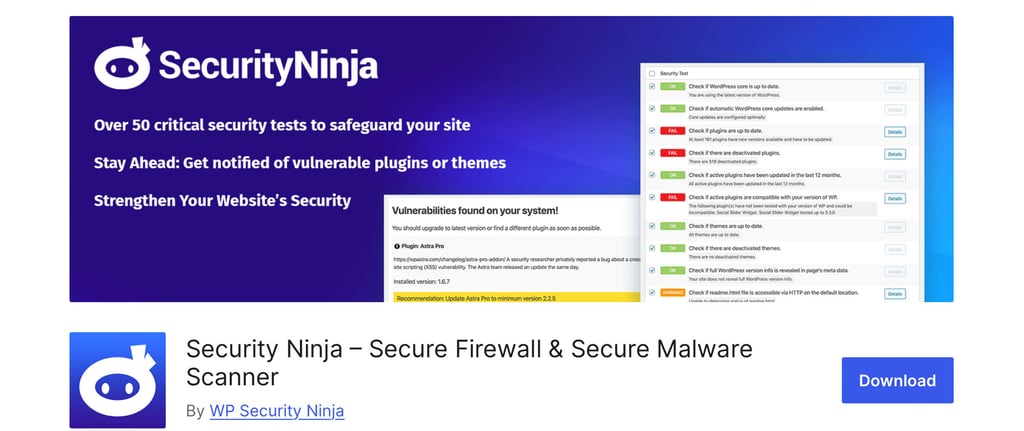
It’s a WordPress security plugin that focuses on proactive protection and noteworthy security testing. The setup process is straightforward, and the WordPress dashboard provides a clear overview of your WordPress site’s security status.
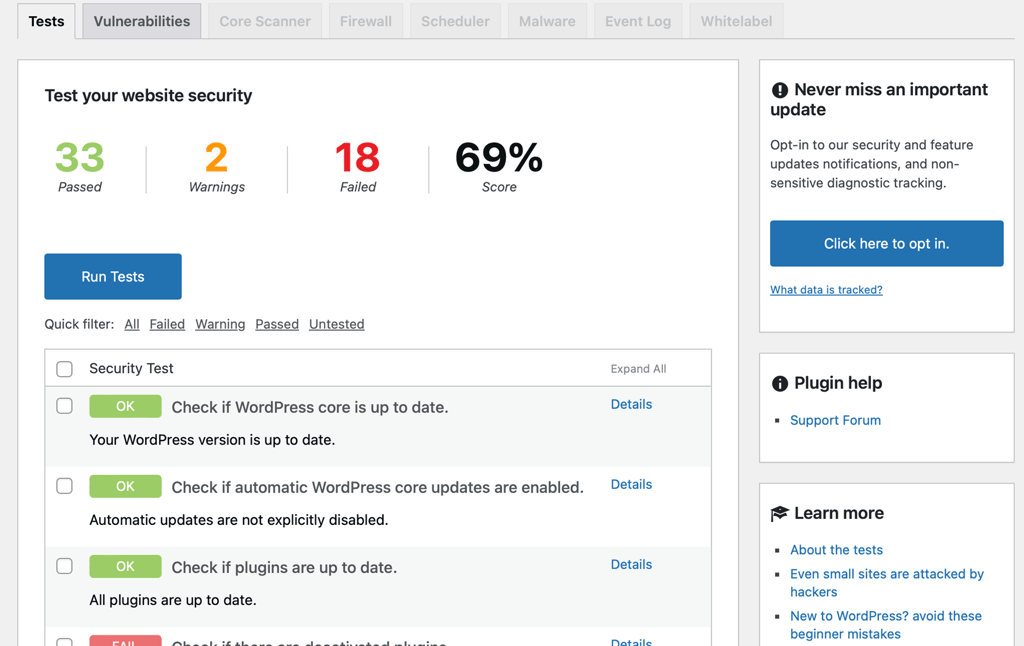
Unlike some other plugins on this list, this plugin emphasizes more preventative measures outlined below that are often premium upgrades. They allow users to identify and fix vulnerabilities before they become problematic.
Security features:
- Security testing – Conducts over 50 security tests to identify vulnerabilities and provide actionable insights for improvement.
- Malware detection – Regularly scans your site for malware and suspicious code, ensuring your site remains clean.
- Brute force protection – Limits login attempts and blocks suspicious IP addresses to prevent unauthorized access.
- Core file integrity – Monitors changes to core WordPress files, alerting you to any unauthorized modifications.
- Scheduled scans – Allows you to schedule regular security scans to ensure continuous protection.
- Automatic fixes – Provides automatic solutions for common security issues, streamlining site security.
- Detailed reports – Generates detailed security reports that help you understand and address potential threats.
Who is Security Ninja recommended for:
Security Ninja is ideal for WordPress users who want a proactive approach to website security. It’s particularly beneficial for small to medium-sized businesses, blogs, and personal websites.
The plugin caters to users of all proficiency levels, from beginners who need straightforward security solutions to advanced users who require in-depth testing and detailed insights.
This plugin is especially useful for those looking to maximize their use of settings that would otherwise be packaged as premium options in other plugins. This includes settings for scheduled scans and automatic fixes.
9. BulletProof Security
Plugin stats:
- Rating: 4.5/5 stars
- Price: Free (Pro version starting at $89.95/year)
BulletProof Security is a WordPress security plugin designed to offer dynamic protection against a wide array of threats. The plugin provides a dashboard that offers a detailed overview of the insights into your site’s security status for the settings you have set up.
The setup wizard simplifies the process by automatically enabling all recommended settings in a couple of clicks, making the plugin accessible even for beginners.
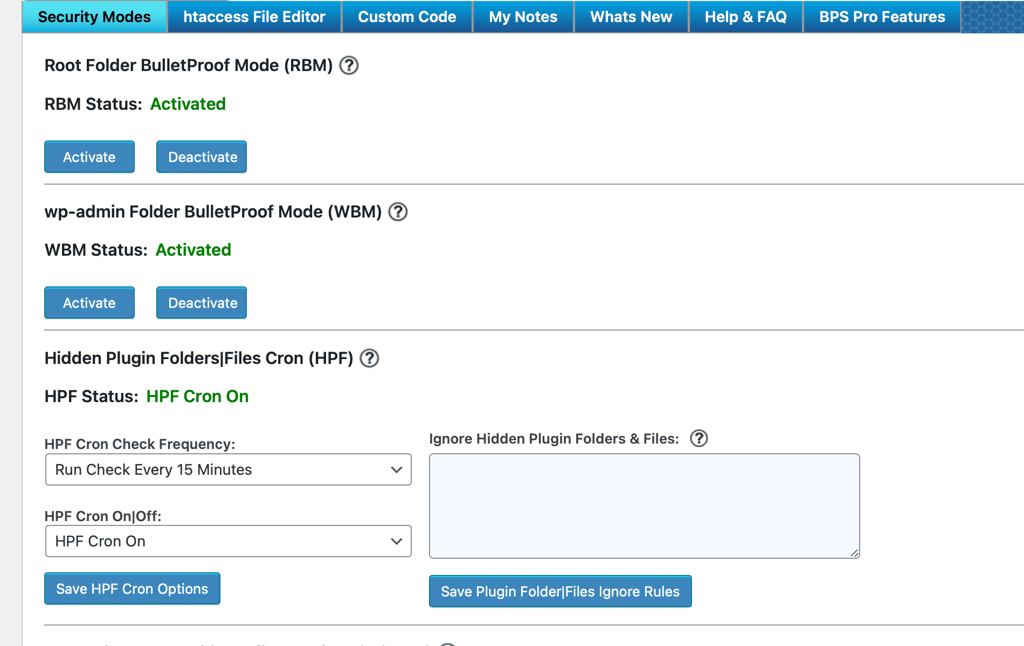
Unlike many competitors, this plugin offers extensive options in its free version, providing stable security without requiring a premium subscription. This approach makes it a cost-effective solution for users seeking ample protection.
Security features:
- .htaccess protection – Enhances the security of your .htaccess file to block potential threats.
- Login security – Includes login monitoring and protection against brute force intrusions, limiting failed logins.
- Database backup – Regularly backs up your database, ensuring your data is safe and recoverable in case of an attack.
- Malware removal – Scans your site for malware and suspicious activity, providing detailed reports and cleanup options.
- Intrusion detection – Monitors your site for unauthorized changes and security alerts you to potential security breaches.
- Maintenance mode – Allows you to enable maintenance mode to restrict access during updates or maintenance tasks.
Who is BulletProof Security recommended for:
This plugin is ideal for all types of small to medium-sized websites. It’s especially suitable for users who require granular protection without the need for advanced technical knowledge.
Many WordPress security plugins offer a premium malware removal option while this one includes it as a core feature, which can be a cost-effective solution. If you also need a plugin to control the WordPress maintenance mode, consider BulletProof Security to limit the number of installed plugins your site uses for improved performance.
What to look for in a WordPress security plugin?
After reviewing the detailed plugin list, it’s essential to understand the key aspects to consider when choosing a WordPress security plugin:
- Core features – The plugin should offer a malware scanner, firewall protection, and brute force prevention.
- Cost – Evaluate the plugin’s pricing to ensure it fits within your budget while still providing the necessary features.
- Ease of use – Look for an intuitive interface that makes setup and ongoing management straightforward, even for beginners.
- Performance impact – Check if the plugin efficiently balances security and site performance without slowing down your site.
- Support and updates – Consider security plugins with reliable customer support and regular updates to address new security threats.
Ultimately, the best WordPress security plugin for you is one that meets your specific needs and requirements. Consider the features that are most important to you, your budget, and how user-friendly the interface is for your skill level.
By selecting a plugin that aligns with your specifications, you can ensure comprehensive protection and peace of mind knowing your WordPress site has been secured.
Comparing the best WordPress security plugins
Now that you know what to look for in a WordPress security plugin, let’s compare some of the top options available. Below is a comparison table that highlights the key features, pricing, and ideal use cases for each of the eight best WordPress security plugins. This will help you make an informed decision on which plugin best suits your needs.
| Plugin | Pricing | Best Fit For |
| Wordfence | Free. Premium version starting at $119/year | eCommerce sites, high-traffic blogs |
| Patchstack | Free. Premium version starting at $89/year | Development teams, agencies and personal sites |
| Defender Security | Free. Pro version starting at $36/year | Small to medium-sized business websites, blogs, and personal sites |
| Solid Security | Free. Pro version starting at $99/year | Personal blogs, small businesses, and medium-sized eCommerce sites |
| All-In-One Security | Free | All types of personal blogs and small business sites |
| Sucuri | Free. Premium plans starting at $199.99/year | Personal blogs, business sites, and large eCommerce platforms |
| Shield Security | Free. Pro version starting at $129/year for one site | All types of WordPress websites, including personal blogs, business sites, and eCommerce platforms |
| Security Ninja | Free. Premium version starting at $39/year | Small to medium-sized businesses, blogs, and personal websites |
| BulletProof Security | Free. Pro version starting at $89.95/year | Small to medium-sized websites, including personal blogs, business sites, and eCommerce platforms |
Why should you use a WordPress security plugin?
Using a WordPress security plugin is essential for protecting your site from various threats. They help ensure your site’s integrity, safeguard user data, and maintain your site’s reputation.
Additionally, most security plugins offer real-time monitoring and automatic backups, making it easier to respond to threats promptly and recover from potential breaches.
Here are several other reasons why a WordPress security plugin is crucial for protecting your site:
- Malware removal – Blocks and removes malicious code that can harm your site and visitors.
- Stops brute force attacks – Limits login attempts to prevent unauthorized access.
- Firewall protection – Filters out malicious traffic before it reaches your site.
- Real-time monitoring – Provides ongoing surveillance to detect and respond to threats instantly.
- Data protection – Regular backups and security measures safeguard your site’s data from breaches.
Overall, using a WordPress security plugin enhances your site’s defense mechanisms, providing reliable protection against cyber threats without having to hire a security team.
Download WordPress security checklist
Conclusion
Securing your site is essential for protecting your data and maintaining trust with your users. After reviewing the best WordPress security plugins, consider options like Wordfence and Sucuri for the most extensive protection on the list.
These security plugins offer robust features, ease of use, and excellent support, making them the best choices for enhancing your site’s security.
You can also check out 22 methods to secure WordPress, and how to get two-factor authentication (2FA) on your site to further bolster your site’s security.
WordPress security plugins FAQ
Can I use more than one WordPress security plugin?
While it’s possible to use more than one WordPress security plugin, it’s generally not recommended due to potential conflicts and performance issues. Advanced users might use different plugins during various stages of development, ensuring they don’t enable similar features simultaneously to avoid redundancy and compatibility problems.
How much does it cost to secure WordPress?
Securing your site can range from free to $200/year or more per WordPress website, depending on the plugins and services you choose. Many effective security plugins offer free versions with essential features, while premium versions provide advanced protection and support, typically starting around $50 to $100 annually.
What is the best protection for WordPress sites?
The best protection for WordPress sites includes using a security plugin like Wordfence, Sucuri, Shield Security, or another plugin listed above. It’s also crucial to implement strong passwords, enable two-factor authentication, and regularly update WordPress, themes, and plugins. Combining these measures ensures robust defense against various threats.
How are WordPress Plugins Installed?
For each of these top WordPress security plugins listed, you can install and activate them by going to your Admin Dashboard → Plugins → Add New Plugin page, and typing the plugin’s name in the search bar on the right-hand side of the page. You can also download a copy for free from the WordPress plugin repository.
For further details, you can check out our guide on installing plugins.
This article is a localized version of 9 best WordPress security plugins and what features you should look for, originally published in English.

For over 20 years, Jenni has been a web developer and digital marketer and she has specialized in WordPress for nearly as long. She spends most of her time heading up WP Pros(e) where she also provides technical copywriting for WordPress, WooCommerce, and web technology. When she’s not writing, she enjoys watching her favorite TV comedies, spending time in nature, reading, and contributing to the open source WordPress project.

Comments
0 responses