What is targeted email marketing? How to do targeted email marketing?
Oct 15, 2026
/
By Justina B.
/
13 min Read
Targeted email marketing is the practice of sending personalized emails to specific groups within your subscriber list based on their interests, purchases, or behavior. Instead of sending the same message to everyone, each group gets content that’s actually relevant to them.
To do targeted email marketing, follow these steps from choosing the tool to measuring results:
- Choose an email marketing tool first. Your platform shapes what data you can collect and how you segment your list.
- Collect subscriber data through sign-up forms, purchase history, and browsing behavior.
- Segment your list into groups based on shared traits like location, interests, or buying patterns.
- Create content tailored to each segment.
- Test your emails before sending. Run A/B tests on subject lines and check how they render across devices.
- Set up automated triggers so the right email is sent at the right time.
- Measure your results and adjust your approach for the next send.
Key characteristics of targeted email marketing
Targeted email marketing sends different content to different subscriber groups based on data you’ve already collected. It’s segment-first, meaning you decide who should receive a message before you write it. The goal is relevance over reach.
A target campaign usually has these traits.
- Data-driven subscriber profiles. Every targeting decision rests on first-party data you’ve collected, whether that’s purchase history, sign-up preferences, or website behavior.
- Defined audience segments. Subscribers are grouped by shared traits, behaviors, or lifecycle stages such as “purchased in the last 30 days” or “hasn’t opened an email in 90 days.”
- Content matched to the segment. The subject line, preview text, hero image, and call to action shift depending on who’s receiving the email.
- Lifecycle stage awareness. A new subscriber gets different content than a repeat buyer or someone who hasn’t engaged in months. Lifecycle timing is what separates targeted campaigns from batch sends.
- Behavioral triggers. Some targeted emails are triggered automatically when a subscriber takes a specific action, such as abandoning a cart or completing a purchase.
- Dynamic content blocks. Parts of the email change by recipient, so you don’t need to build a completely separate email for each segment.
- Measurable per-segment results. You track performance for each segment individually, not just for the campaign as a whole.
You might hear targeted email marketing referred to as segmented email campaigns, behavioral email targeting, or lifecycle email marketing. These terms describe the same core approach.
One common misconception is that adding a subscriber’s first name to the subject line counts as targeting. It doesn’t. That’s personalization, which adjusts details inside the email. Targeting decides who receives the email in the first place.
The difference between targeted email marketing and email marketing
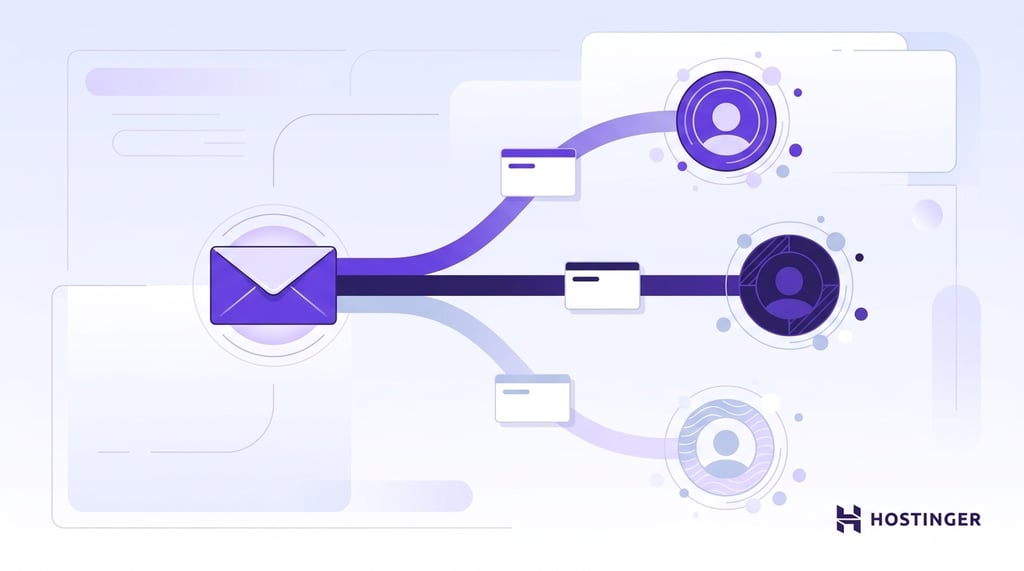
Email marketing is the whole channel; targeted email marketing is the subset where messages are matched to defined subscriber segments rather than sent to everyone.
| Dimension | Email marketing | Targeted email marketing |
| Audience | Entire subscriber list | Defined segment of the list |
| Data required | Email address | Email address plus behavioral, demographic, or lifecycle data |
| Content | Same message for all recipients | Tailored message per segment |
| Performance | Baseline open and click rates | Segmented campaigns drive roughly 30% more opens and 50% more clicks, per HubSpot’s 2023 State of Marketing Report |
Based on that same HubSpot data, even basic segmentation makes a noticeable difference. The return on setting up two or three segments shows up quickly
Use Hostinger Reach from the start. Only send an untargeted broadcast when the entire list genuinely needs the same information, such as during a service outage or a policy change.
Difference between targeted email marketing and email personalization
Targeting decides who receives the email; personalization decides what changes inside it for each recipient.
Targeting works at the segment level, grouping subscribers by a shared trait, behavior, or lifecycle stage. Personalization works within the email, changing details such as a subscriber’s name, location, or last purchase.
For example, a cart abandonment campaign targets shoppers who left items in their cart in the last 24 hours. Personalization fills in the details: the specific product they left behind, its price, and its image.
Strong campaigns use both. A segment gets the send, and personalization fits the details.
How to do targeted email marketing
These steps run in order because each one builds on the last. Your tool shapes how you collect data, your data shapes your segments, and your segments shape your content.
1. Choose an email marketing tool
Pick your email service provider first because it determines how you collect data, segment subscribers, and automate sends.
These four are important when choosing one:
- List size fit. Free-plan limits vary widely. Klaviyo’s free plan supports up to 250 active profiles and 500 monthly email sends, while Kit’s Newsletter plan supports up to 10,000 active, unique subscribers. Check what each tool costs at your current list size and at your next growth milestone.
- Authentication handling. The tool should either configure SPF, DKIM, and DMARC for you or guide you through the process. These are DNS records that help receiving email servers verify that your emails are legitimate.
- Segmentation depth. Some tools only filter by one condition. Others let you combine criteria, like “opened an email in the last 30 days AND made a purchase.” Match the tool to the level of targeting you need.
- Automation options. If you plan to run welcome sequences or cart abandonment flows, make sure the tool supports multi-step automation.
Popular options include Hostinger Reach, Mailchimp, Constant Contact, Brevo, Klaviyo, and Kit.
Hostinger Reach is an AI-powered email marketing tool that generates branded emails from your brand details and a short prompt. The free plan includes 200 emails and 100 unique subscribers per month, and access lasts one year. Paid plans start at 0/month and scale up to 50,000 unique subscribers. Paid plans also unlock automations, such as welcome emails and multi-step sequences with delays. If your website already runs on Hostinger, you can connect your domain from the Reach dashboard. Your contacts and campaigns then stay in one place.
One mistake here is choosing a tool your team may not use. A powerful email service provider only helps if your team can consistently build segments, set up test emails, launch campaigns, and review reports.
2. Collect subscriber data
Targeting starts with data. An email address alone isn’t enough to build relevant campaigns.
You need extra details about each subscriber to sort them into meaningful groups. That data comes in two forms: what you track from their behavior on your site, and what they share directly through forms or surveys.
Four main ways to collect it:
- Sign-up forms with one to three extra fields. Ask for a location, job role, or interest category at sign-up. Keep extra fields optional so the form does not discourage sign-ups
- Behavioral tracking. Your email tool and website analytics can track actions such as clicks, page visits, purchases, downloads, and abandoned carts. This can help you build segments based on what subscribers actually do.
- Preference centers and surveys. Let subscribers tell you what they want to hear about and how often. This is a valuable signal of intent because it comes directly from them.
- CRM sync. If you already store customer data in a CRM, connect it to your email tool so that segments stay up to date automatically.
One pitfall is collecting data you’ll never use. If you’re not going to segment by company size, don’t ask for it. Unused fields clutter your forms and don’t improve targeting.
If you’re starting, focus on the sign-up form first. The same form that helps you build an email list can also collect the basic preference data you need for targeting.
3. Segment your list
Segmenting means dividing your list into groups that share a trait, behavior, interest, or lifecycle stage. After collecting subscribers’ data, use email list segmentation to turn that data into groups you can actually send to.
Five segment types cover most targeted campaigns:
- Demographic. Age, gender, income, or job title. A B2B software company might segment by role to send different content to developers and managers.
- Geographic. Country, region, city, or climate zone. A retail brand might promote winter jackets only to subscribers in cold areas.
- Behavioral. Purchase history, page views, email clicks, downloads, or product views. This is a useful starting point because it reflects what people actually do.
- Psychographic. Interests, values, or lifestyle preferences. A fitness brand might segment by workout type, such as running, weightlifting, or yoga.
- Lifecycle. New subscriber, active buyer, lapsed customer, or VIP. One example is sending a welcome discount to first-time sign-ups and different content to repeat buyers.
With fewer than 500 subscribers, start with two or three segments. Smaller groups usually don’t produce enough sends to compare. Expand to five or six once you pass 1,000 subscribers.
Save your segments as dynamic if your tool supports it. Dynamic segments update automatically as subscriber data changes, so you don’t have to rebuild the list before every campaign.
4. Create content for each segment
Each segment gets its own message. Four content elements should shift to fit the audience:
- Subject line. Match it to the segment’s interest or lifecycle stage. “Your cart’s waiting” works for abandoners. “Welcome aboard” works for new sign-ups.
- Hero image or dynamic content block. Swap the main image, product module, or content block based on the segment; for example, a winter coat for subscribers in cold regions, a light jacket for warm ones.
- Offer. Change the discount, resource, or value proposition by segment. A first-time buyer might get an introductory discount. A VIP might get early access or a loyalty offer.
- Call to action. Match the CTA text and the destination page to the segment’s next step, such as “Complete your purchase” for cart abandoners or “Browse new arrivals” for active browsers.
Personalization adjusts details inside the email. Targeting decides who receives it. Use both together so that the right segment receives the correct version of the message.
Many email tools now include AI features that help draft subject lines, campaign ideas, and segment-specific copy. Using AI for email marketing can speed up content creation when you’re managing multiple audiences at once.
5. Test your emails before sending
Testing identifies problems that are easy to fix before sending, and difficult to fix after the campaign goes out. Send a test to yourself and at least one teammate before every targeted campaign.
Check three things in every test:
- Dynamic fields. Make sure merge tags, product names, discount codes, and personalized blocks display correctly. A broken merge tag displays a placeholder instead of your subscriber’s name.
- Rendering across devices. Open the test email on desktop and mobile, then check major email clients if your tool supports previews. Images, buttons, and layouts can behave differently between Gmail, Outlook, and Apple Mail.
- Links. Click every link, CTA, product module, and unsubscribe link in the email. Confirm each one points to the right page.
If your tool supports A/B testing, change one variable at a time. Test a subject line, send time, or CTA on a small portion of your list, then send the winning version to the rest of the segment.
Run a spam check, too. It can flag risky formatting, missing authentication, or content patterns that may hurt inbox placement.
6. Set up automated triggers
Some targeted emails run on behavior rather than a schedule. Email marketing automation sends the right message the moment someone acts, stops acting, or reaches a specific lifecycle stage.
Start with these four common workflows:
- Welcome series. Fires when someone subscribes. A short sequence introduces your brand, sets expectations, and drives a first action.
- Cart abandonment. Fires when a shopper leaves items in their cart. Start with a same-day reminder, then test whether a second or third message improves recovery without increasing the number of subscribers.
- Post-purchase follow-up. Fires after a purchase. Ask for a review, suggest related products, or share care instructions.
- Re-engagement. Fires when a subscriber stops clicking, buying, or engaging. Offer an incentive to come back or ask if they still want to hear from you.
Automation runs inside the email tool you picked in step one. One pitfall is a workflow loop that sends the same email twice or triggers from stale data. Test every workflow end-to-end before activating it, and set suppression rules to prevent duplicate messages.
7. Measure and refine
Every campaign teaches you something about the segment. Track these five metrics per segment, then use the pattern to improve the next send:
- Open rate. How many subscribers opened the email? Useful as a directional signal but not fully reliable. Apple Mail’s privacy features have inflated open rates across the industry since 2021, accounting for over half of all opens according to Litmus. Treat opens as a soft signal.
- Click-through rate. How many clicked a link inside the email? This is usually a stronger engagement signal than opens.
- Conversion rate. How many completed the desired action, whether that’s a purchase, a sign-up, or a download?
- Unsubscribe rate. How many opted out after the send? A spike in one segment means the content or frequency missed the mark.
- Revenue per send. How much did the campaign earn from that segment?
Compare results across the segments you built in step three. For underperforming segments, refine the content or merge the segment into a broader group. For top performers, test a tighter sub-segment to see if you can push results further.
Don’t rely on open rate alone. The bot opens, and privacy features can inflate the number, so use clicks and conversions for real decisions.
Benefits of targeted email marketing
Email marketing returns an average of $36 for every $1 spent, according to Litmus, and 78% of marketers call segmentation their most effective email marketing strategy, per HubSpot’s 2023 State of Marketing Report.
Because targeted email marketing sends different content per segment, the metrics work out differently, too.
- Higher revenue per send. Campaign Monitor reports that automated emails can generate 320% more revenue than non-automated emails. The mechanism is timing: welcome, cart recovery, and re-engagement messages reach subscribers when there is already a signal of intent.
- Better deliverability signals. Relevant segments usually produce stronger engagement and fewer spam complaints. Those signals boost your sender reputation, which can improve the odds that future emails reach the inbox rather than the spam folder.
- Stronger retention. Lifecycle triggers keep subscribers active by sending the right message at the right time.
- Higher overall ROI. Litmus’ 2025 ROI data show that 30% of marketing leaders report $36-$50 in return for every $1 spent on email, and 5% report more than $50. The top performers pull ahead through segmentation and lifecycle timing, not bigger lists.
Is targeted email marketing effective for small lists?
Yes, targeting can work with fewer than 500 subscribers, but the setup should stay simple.
With a small list, you usually don’t have enough data to run five or six segments. Start with two or three and expand as your list grows. Here’s a practical starting point:
- Under 500 subscribers. Run two segments, like active and lapsed. At 300 subscribers, this is enough to test the approach without splitting the list into groups too small to measure.
- 500–1,000 subscribers. Add a third segment based on behavior or interest. Start testing simple welcome sequences.
- Over 1,000 subscribers. Expand to five or six segments if you have enough behavior data to separate them meaningfully.
- Any list size with an online store. Set up cart abandonment and post-purchase early, because these triggers fire based on individual behavior, not overall audience size.
These ranges aren’t hard rules. They’re a starting point you can adjust based on your audience and what your email tool supports.
Types of segmentation used in targeted email marketing
Five segmentation types cover most targeted email campaigns. These are the categories most major email service providers offer, from Mailchimp to Klaviyo.
Here’s how each one works:
- Demographic segmentation. Groups subscribers by traits like age, gender, income, or job title. A B2B company might send different emails to CTOs and marketing managers because their priorities differ.
- Geographic segmentation. Groups subscribers by location, country, region, city, or climate zone. A retail brand promoting winter jackets only to subscribers in cold regions instead of sending the same offer to warm-weather audiences.
- Behavioral segmentation. Groups subscribers by actions, like purchases, page views, clicks, downloads, product views, or cart abandonment. This is often the first useful segment type because it reflects what people actually do.
- Psychographic segmentation. Groups subscribers by interests, values, preferences, or lifestyle. This data typically comes from surveys, quizzes, or preference centers, making it harder to collect, but it is useful when subscribers provide it directly.
- Lifecycle segmentation. Groups subscribers by where they are in the customer journey: new subscriber, first-time buyer, repeat customer, or lapsed. Each stage calls for different content and a different tone.
Most beginners should start with behavioral segments because purchase history, email clicks, and page activity are usually the first useful signals already available.
How do you segment an email list in practice?
Pick the segmentation type, define the criteria, and save the segment. That’s the core workflow in any email service provider.
Here’s how to do it in three steps:
- Choose the segment type. Decide whether you’re segmenting by demographics, behavior, geography, psychographics, or lifecycle stage. Start with the data you already have.
- Define the criteria. Set the conditions that qualify a subscriber. For example, “opened an email in the last 30 days AND is located in the US.” Combining criteria gives you a tighter, more relevant group.
- Save as a dynamic segment. If your email service provider offers dynamic segments, use them. A dynamic segment updates automatically as subscribers change behavior, so you don’t rebuild the segment every campaign.
Use static lists only when the group should not change, such as event attendees, beta users, or customers from a specific import.
Best practices for targeted email marketing
These four practices sit alongside the seven steps above. They don’t replace segmenting or content writing; they serve as quality control, preventing campaign errors and missed standard steps.
1. Set up email authentication
SPF, DKIM, and DMARC are DNS records that tell receiving mail servers your messages are legitimate. Without them, even relevant emails can fail authentication or land in spam.
Most email service providers guide you through authentication, but confirm it before your first send. If yours doesn’t configure authentication for you, you’ll need to add the records to your domain’s DNS settings manually.
2. Clean the list on a schedule
High bounce rates signal list hygiene issues and can reduce inbox placement. Remove invalid addresses, fix typos, suppress long-term inactive subscribers, and review segments that generate high unsubscribe rates or complaints.
A monthly cleaning routine helps protect sender reputation and keeps your targeting data useful.
3. Handle GDPR and CAN-SPAM correctly for segmentation
Behavioral data used for targeting counts as personal data under GDPR. That means consent and privacy notices should clearly explain what data you collect and how you use it for marketing.
For EU audiences, consent must be freely given, specific, informed, and unambiguous. For US audiences, CAN-SPAM requires a working unsubscribe link in every email. Rerun your compliance check whenever your data collection changes or targeting rules change.
4. Test send time per segment
Different segments may engage at different times. For example, a B2B audience might check email during work hours, and an ecommerce audience might engage more in the evenings and on weekends.
Sending every campaign to every segment simultaneously can reduce overall performance. Test send time by segment or use send-time optimization if your email service provider supports it.
Clean the list monthly and rerun the compliance check whenever your data collection changes. These practices work well alongside general email marketing tips, such as writing strong subject lines and testing send frequency.
What’s the difference between deliverability and inbox placement?
Deliverability is whether the receiving server accepts the email. Inbox placement refers to whether the accepted email ends up in the inbox, promotions tab, or spam folder.
You can have high deliverability but low inbox placement if your sender reputation is poor. Targeting helps because engaged subscribers are more likely to click and less likely to report the email as spam.
That improves your sender reputation, one of the key factors, alongside email authentication and content quality, that determines whether your emails land in the inbox or spam.
Monitor spam complaints and sender reputation in Google Postmaster Tools. Gmail’s bulk sender guidance treats spam rates above 0.3% as a serious compliance issue, so a rising complaint rate is an early warning that targeting, frequency, or list quality needs attention.
What are the most common targeted email marketing mistakes?
Most targeting problems come from a few habits. Watch for these five. – Targeting too broadly. A segment that still includes most of the list behaves like a general blast. Narrow the criteria until the group shares a clear trait, behavior, or lifecycle stage. – Using outdated data. Behavior from a year ago rarely describes what a subscriber wants today. Refresh your segment criteria regularly and remove contacts who have been inactive for a long time. – Sending too often. More sends to the same segment raise unsubscribes and complaints. Set a frequency limit per segment and check the unsubscribe rate after each campaign. – Ignoring unsubscribe requests. Every email needs a working unsubscribe link, and opt-outs must be honored right away. Continuing to email people who opted out hurts sender reputation and can break email consent rules. – Creating too many small segments. Groups with only a handful of subscribers are too small to measure. Start with two or three segments, and expand once your list passes 1,000 subscribers.
Putting targeted email marketing into practice
Build one segment this week. Take your active openers from the last 60 days and send them a campaign that the rest of the list wouldn’t get.
It doesn’t need to be complicated. A different subject line and a more specific offer for that group are enough to test the approach.
Track opens, clicks, and conversions for that segment separately from the rest of your list. This gives you a clear before-and-after comparison to measure the impact of targeting on the performance metrics.
If the results are flat, the segment is either too broad, too narrow, or not sufficiently different from the full list. Adjust the criteria, add a second segment, and send again.
This article is a localized version of What is targeted email marketing? How to do targeted email marketing?, originally published in English.

Justina is a Content Writer passionate about marketing, with a background in social media and customer success management. She also loves reading books, traveling and exploring new places as well as cooking, and trying out new recipes. Follow her on LinkedIn.