26 Best IT tools for professionals to run successful business
Sep 14, 2025
/
Ariffud M.
/
18 min Read
IT professionals play a vital role in ensuring smooth business operations. With the growing reliance on technology, the demand for the best IT tools for professionals is increasing as well.
Whether you’re running a website or managing VPS, using the right tools can help you manage networks, applications, and data efficiently.
In this article, we will introduce you to the best IT tools for various needs, from asset management and application development to cyber security and performance monitoring.
Download Guide to Writing Business Plan
What Are IT Tools?
IT tools are specialized web, mobile, or computer software tools to assist professionals in various tasks, including monitoring network performance or automating system maintenance tasks. In short, tools for IT enhance efficiency, streamline operations, and ensure the reliability of your organization’s IT infrastructure.
Why Are IT Tools Important?
IT tools are essential to keep your business running smoothly without any downtime. Let’s go over the main benefits of using the right tools for IT:
- Automation – IT software tools automate repetitive tasks and processes, allowing professionals to focus on more strategic and complex aspects of their work.
- Time management – get valuable insights and diagnostics to quickly identify and resolve issues.
- Security – safeguard sensitive data and protect your business against malicious activities by enabling continuous monitoring and threat detection with tools for IT.
- Scalability – IT tools facilitate scalability, ensuring that systems can expand to accommodate increasing demands without compromising performance.
- Value for money – using the right tools for IT helps business owners make informed decisions about software and hardware investments, optimizing resource allocation.
The next section will explore various tools every IT tech should have based on several software categories.

Asset Management Tools
Asset management tools track and manage hardware and assets within a business. These IT tools assist professionals in maintaining an accurate inventory, optimizing resource allocation, and ensuring compliance with licensing agreements and security policies.
1. Spiceworks Help Desk

Spiceworks Help Desk Stats
- Rating: 4.4/5
- Best for: freelancers, startups, and small businesses
- Price: free
Spiceworks Help Desk is an IT tool to monitor, manage, and prioritize user requests and network activities. It simplifies the help desk process, streamlines task management, and offers robust reporting capabilities.
To begin using Spiceworks, sign up for a free account on their website. After logging in, you can deploy a customizable web portal for users to submit tickets. This tool automatically assigns and routes tickets based on priorities and categories.
Spiceworks is completely free, making it the best choice for freelancers, startups, and small businesses. This IT tool is also available on Android and iOS mobile devices, allowing you to monitor status updates and manage your IT tasks from anywhere.
Key Features
- Consolidated activity streams and graphical dashboards.
- Network inventory, monitoring, and mobile help desk functionality.
- Ticket rules for easy assignment, categories, due dates, and priorities.
- Advanced reporting with customizable filters.
- Power BI Desktop Data Connector for data integration and visualization.
Drawbacks
Spiceworks may not provide the same level of customization and scalability as some premium help desk solutions.
2. Lansweeper

Lansweeper Stats
- Rating: 4.6/5
- Best for: mid-size businesses to large enterprises
- Price: freemium (paid versions start at $2,000/year)
If you need a comprehensive IT asset management solution, Lansweeper is worth considering. This software provides centralized IT inventory management by offering complete visibility into all connected devices, users, and software within your IT estate.
Lansweeper automatically and continuously discovers IT assets across your infrastructure, including those integrated with Active Directory. It maintains an up-to-date inventory with detailed hardware specs, user data, and installed software in a central repository.
To enhance its inventory accuracy, Lansweeper can detect and recognize devices on the network without the need for credentials. Furthermore, this asset management tool offers security insights by combining data with vulnerability sources, helping to prioritize device security.
Key Features
- Credential-free Device Recognition (CDR) for accurate network device identification.
- Seamless integrations with ITSM, CMDB, and cyber security tools.
- Complete IT, OT, IoT, Azure, AWS, and GCP visibility.
- Powerful data reports, risk insights, and diagrams.
Drawbacks
While there is a free version available, it has very limited features. On the other hand, Lansweeper’s starting price of $2,000/year may be too much for smaller businesses with limited budgets.
Application Development Tools
Application development tools to help you create, test, and deploy mobile apps or websites. These tools in the IT field allow you to streamline development workflows, enhance collaboration, and boost productivity.
1. Microsoft Visual Studio
Microsoft Visual Studio Stats
- Rating: 4.6/5
- Best for: developers, teams, and enterprises
- Price: freemium (paid versions start at $45/user/month)
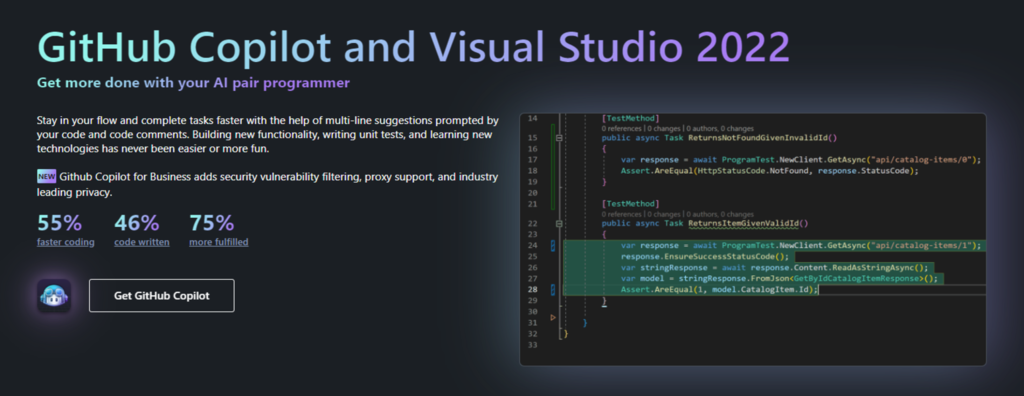
Microsoft Visual Studio is an integrated development environment (IDE) that empowers software developers to create applications across various platforms, including Windows environment. It offers an efficient and collaborative development experience for web, desktop, and mobile device applications.
This IT tool helps you to prepare and manage an integrated software development environment. Visual Studio can build projects of all sizes and complexities using a wide range of programming languages with its 64-bit IDE.
Developers can use a new Razor editor, diagnose issues with visualizations for async operations, and benefit from automatic analyzers. Additionally, it offers AI-powered code completions and suggestions through IntelliSense.
Key Features
- Support various programming languages, including Java, PHP, Python, and Ruby.
- Automated CI/CD workflows for Azure deployment.
- Efficient code debugging and testing with instant results.
- Integrations with popular add-ons and services, such as GitHub Copilot and GitHub.
Drawbacks
Visual Studio may have a steeper learning curve for beginners, and the full-featured paid version can be resource-intensive.
2. Xcode

Xcode Stats
- Rating: 4.5/5
- Best for: developers, teams, and small to mid-size businesses
- Price: free (uploading apps to the App Store costs $99/year)
For those interested in software development for Apple’s ecosystem, Xcode might be the ideal choice. As Apple’s official IDE, it enables the development, testing, and distribution of apps across macOS, iOS, watchOS, and tvOS devices.
Xcode helps you speed up the application development process with its rich features, such as code completion, interactive previews, and live animations. Developers can choose between Swift or Objective-C programming languages to write code and use Interface Builder to design user interfaces.
Additionally, Xcode provides access to all necessary tools and resources, including the App Store distribution platform. It offers deployment options directly to the App Store through Xcode Cloud.
Key Features
- Enhanced code completion for faster and safer coding.
- Git integration for version control and collaboration with teams.
- Interactive previews and live animations for app design.
- Built-in iOS and macOS simulators for testing apps on various device configurations.
Drawbacks
Xcode is exclusively designed for Apple platform development, limiting its usage to cross-platform projects. Furthermore, it can be installed only on Mac operating system devices.
3. IntelliJ IDEA
IntelliJ IDEA Stats
- Rating: 4.7/5
- Best for: individual developers, teams, and organizations
- Price: freemium (paid versions start at $16.90/user/month)
Another noteworthy application development software is IntelliJ IDEA. It is renowned as the premier IDE for Java and Kotlin development. It significantly enhances productivity by facilitating high-quality code creation and automating routine tasks, enabling developers to focus on the bigger picture.
IntelliJ IDEA offers various coding assistance features that expedite code writing. It actively detects potential errors, provides real-time improvement suggestions, and helps developers learn to code by providing best practices from the community.
Additionally, this IT tool provides a comprehensive out-of-the-box toolset, so you don’t need to install additional plugins. It is a valuable choice for developing applications for desktop and mobile devices.
Key Features:
- Integration with popular build tools like Gradle and Maven.
- AI Assistant empowers auto-documentation comments, name suggestions, and commit message generation.
- Language injections to work seamlessly with code elements in other embedded languages.
- The Problems tool window highlights issues identified within the project.
Drawbacks:
The free Community version of IntelliJ IDEA is only available for Windows operating system devices.
Backup Tools
When managing an IT infrastructure, data integrity and protection are crucial. One of the best ways to achieve this is by using a backup tool.
Backup IT tools ensure your data remains secure from malicious activities and is accessible whenever needed.
1. Backblaze Business Backup
Backblaze Business Backup Stats
- Rating: 4.7/5
- Best for: small businesses to large enterprises
- Price: freemium (paid versions start at $6/TB/month)
Backblaze Business Backup is a robust backup solution to safeguard critical data against potential loss or corruption. It simplifies the essential tasks of data backup and restoration across devices, catering to businesses of all sizes.
This system administration software can integrate network-attached storage (NAS) devices with compatible tools like GoodSync, MSP360, FreeNAS, and Synology. It ensures efficient data synchronization, copying, and sharing.
To protect your confidential or sensitive information against unauthorized access, Backblaze B2 uses secure data transfer via HTTPS and enhances security measures with private encryption keys.
Key Features:
- Data integration for virtual private servers, workstations, and NAS devices.
- Single sign-on via G-Suite and Office 365 for streamlined user authentication.
- Active Media Archive for content sharing within existing workflows and preferred media management tools.
- Physical data recovery to receive an encrypted hard drive through FedEx mail service.
Drawbacks:
Restoring files doesn’t automatically organize them into subfolders, as they remain in one large ZIP file.
2. Acronis Cyber Backup
Acronis Cyber Backup Stats
- Rating: 4.5/5
- Best for: mid-size businesses to large enterprises
- Price: starting at $85/year
Acronis Cyber Backup safeguards data across different environments, encompassing virtual, physical, and cloud-based systems. It enables you to perform backups to any device to your preferred location and simplifies the data migration between different hypervisors and platforms.
This IT tool offers various backup and restore options, allowing you to recover files across systems while minimizing downtime. Furthermore, Acronis Backup ensures data protection by integrating advanced anti-ransomware technologies.
While it doesn’t have a free version, Acronis Cyber Backup offers a 30-day free trial.
Key Features
- Flexible storage options, including NAS, SAN, tapes, disks, and cloud storage like Azure, AWS, or Google.
- AI-based ransomware protection and blockchain notarization.
- Universal Restore for dissimilar hardware recovery.
Drawbacks
Different pricing plans for each system can be confusing. For instance, it begins at only $85/year for workspaces and $595/year for servers.
3. Veeam Backup & Replication
Veeam Backup & Replication Stats
- Rating: 4.8/5
- Best for: small businesses to large enterprises
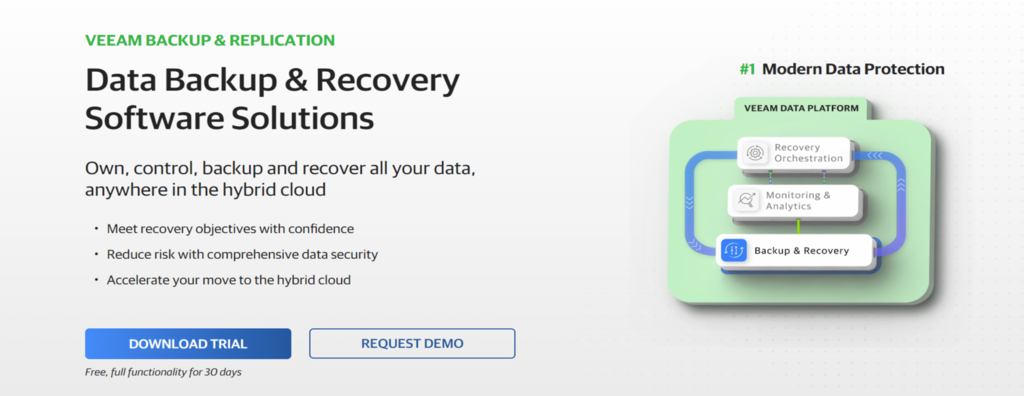
Another backup and restore solution to consider is Veeam Backup & Replication. It provides a comprehensive solution for data recovery, disaster recovery orchestration, and efficient data storage within a centralized platform.
Veeam Backup & Replication offers a user-friendly interface that enables staff members to efficiently set up and manage backup and recovery tasks. Users can create remote replicas in VMware vSphere or Hyper-V, diagnose issues, and automate remediation processes.
This IT tool provides an API for seamless integration with third-party solutions such as NetApp, Fujitsu, Nutanix, and Purestorage. Veeam Backup & Replication also includes built-in recoverability and security protection, ensuring compliance with industry guidelines.
Key Features:
- Centralized AWS, Azure, and Google Cloud backup and recovery support, with options for both native and agentless or agent-based solutions.
- Cloud DR for achieving agile disaster recovery, dev/test, and analytics with a two-step recovery process to any cloud.
- Ransomware protection to secure workloads through trustworthy backups and end-to-end immutability.
- Automated verification that detects undetected malware before initiating the recovery process.
Drawbacks:
Pricing information is not readily available and requires contacting the company directly, which is not transparent for potential users.
Bug Tracking Tools
Even applications that have been deployed may still contain bugs. Therefore, you need to use bug tracking tools for IT to detect bugs within the system and fix them immediately.
1. Jira
Jira Stats
- Rating: 4.4/5
- Best for: freelancers, startups, small-to-large businesses
- Price: freemium (paid plans start at $790/year)
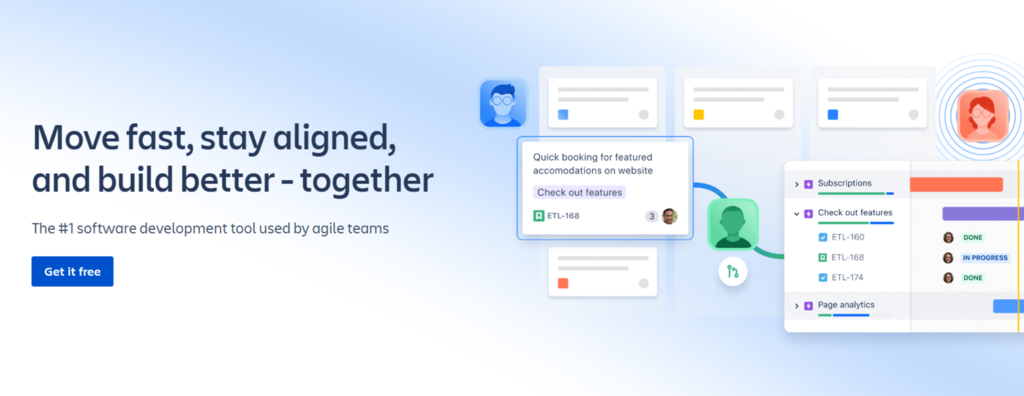
Developed by Atlassian, Jira is a versatile bug-tracking and project-management tool that helps teams streamline their workflows and manage projects efficiently, making it easier for teams to prioritize and execute their work.
Using Jira starts with creating issues, which can represent tasks, bugs, or any work items. You can assign these issues and their priorities to team members. Then, track progress using customizable boards and reports.
Jira offers numerous add-ons and integrations with other Atlassian tools, such as Confluence and Bitbucket, enhancing collaboration and project management capabilities. Furthermore, Jira’s robust reporting options make it a powerful choice for teams of all sizes.
Key Features
- Customizable issue tracking workflows.
- Agile project management with Scrum and Kanban boards.
- Jira’s Query Language (JQL) for creating custom reports using advanced queries.
- Integration with popular developer tools and services through REST, Java APIs, and Atlassian Marketplace.
Drawbacks
Jira’s extensive features may require a learning curve, especially for new users.
2. Asana
Asana Stats
- Rating: 4.5/5
- Best for: freelancers, startups, small to mid-size businesses
- Price: freemium (paid plans start at $10/user/month)
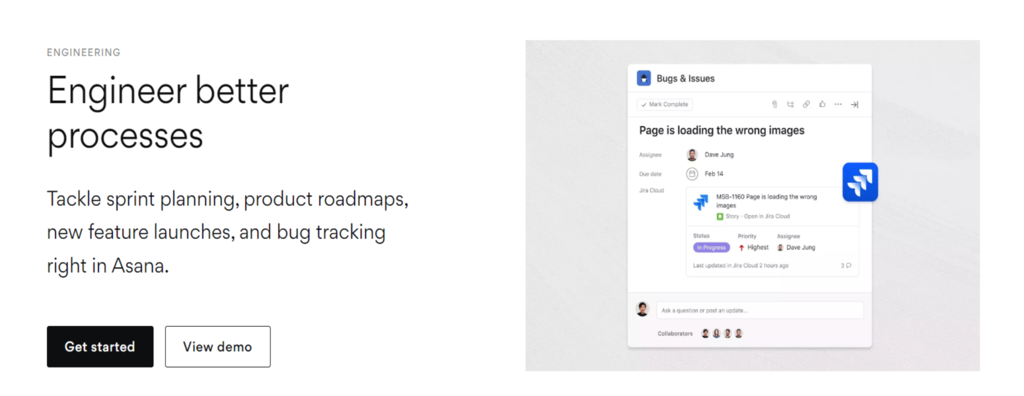
Asana is a widely recognized project management and collaboration tool with bug-tracking capabilities. It empowers teams to organize work, track projects, and manage tasks effectively.
To use Asana for bug tracking, create a dedicated project or workspace. Within this workspace, you can generate tasks to represent bugs or issues. Assign these tasks to team members, establish due dates, and include pertinent details.
While it may not be as specialized as certain IT tools for bug tracking, Asana’s versatility makes it suitable for teams seeking a broader project management solution.
Key Features
- Collaboration tools, including comments and file sharing.
- Integration with other productivity and developer tools, such as Gitlab and Slack.
- Kanban boards for visualizing work progress.
Drawbacks
In comparison to other bug-tracking tools, Asana may lack some of the features essential for extensive tracking and reporting.
Bootable Utility Tools
Bootable utility tools are software programs or applications that can be run directly from a bootable device like a USB drive or CD/DVD. These tools for IT are used to perform various system diagnostics, repairs, or maintenance tasks on a computer.
As these tools are totally free to try and use, there is no rating.
1. Rufus

Rufus Stats
- Best for: beginners, developers, freelancers, and small businesses
- Price: free
Rufus is a lightweight and efficient bootable utility tool for creating bootable USB drives. This completely free software is a popular choice for users who need to install or upgrade operating systems, run diagnostics, or perform other tasks that require booting from a USB device.
You can use Rufus by inserting your USB drive into your computer and making it bootable. After that, choose the ISO file or another bootable image and configure any additional settings, such as the partition scheme and file system.
Unlike some competitors, Rufus doesn’t require installation. It’s a portable tool that can be run directly from a USB drive.
Key Features
- Support for various partition schemes, including MBR and GPT.
- Compatibility with different bootable image formats, including ISO, DD, and IMG.
- Advanced options for power users, such as bad block checks.
Drawbacks
Rufus is not a comprehensive system management or diagnostic tool, so users looking for broader system utility functionality may need additional software.
2. Clonezilla
Clonezilla Stats
- Best for: IT professionals, system administrators, and advanced users
- Price: free
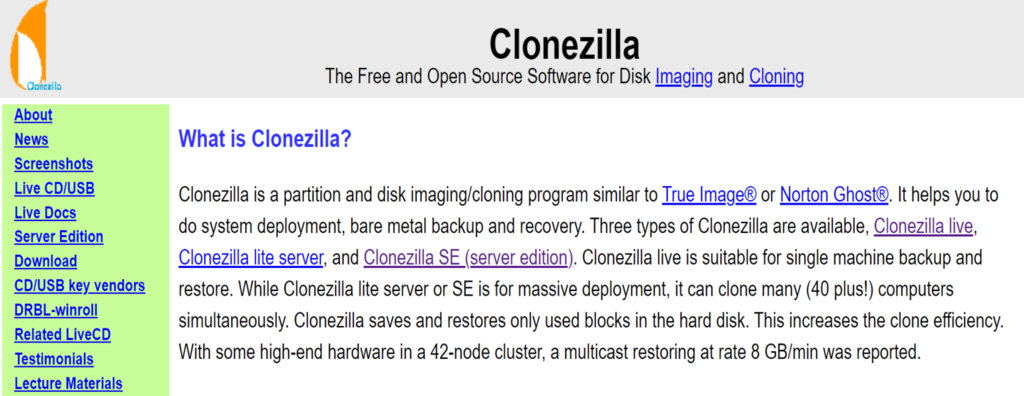
Clonezilla is one of the most popular system administration tools offering robust disk imaging and cloning capabilities, empowering users to create precise copies of entire drives or partitions for backup or deployment purposes.
You’ll need to create a bootable Clonezilla USB drive or CD to use Clonezilla. Once you’ve booted into Clonezilla, you can select from various cloning and imaging options, including device-to-device cloning, disk-to-image, and image-to-disk.
Clonezilla excels in creating exact replicas of drives and partitions, making it an indispensable tool for system administrators and IT professionals.
Key Features:
- Disk-to-disk cloning, disk-to-image, and image-to-disk cloning.
- Batch mode for unattended cloning operations.
- Encryption support for securing cloned data.
Drawbacks
Clonezilla’s interface can be intimidating for beginners, and its advanced features may not be necessary for casual users.
[DOWNLOAD]
3. UNetbootin

UNetbootin Stats
- Best for: beginners, Linux enthusiasts, and system administrators
- Price: free
UNetbootin is a bootable utility tool for Ubuntu and other Linux distributions, including Debian, CentOS, and Fedora. It simplifies the process of installation or testing without the need for a CD/DVD drive.
You can choose from a list of available distributions or provide your ISO image. UNetbootin will then create a bootable USB drive that you can use to install or run the selected OS.
UNetbootin can also load various system utilities, such as Parted Magic, Kaspersky Rescue Disk, Smart Boot Manager, and FreeDOS.
Key Features
- Built-in download options to fetch the latest distribution versions.
- User-friendly interface for both beginners and Linux enthusiasts.
- Cross-platform compatibility (available for Windows, macOS, and Linux).
Drawbacks
UNetbootin’s compatibility with some newer distributions and features may vary. Users should ensure their selected distribution is fully supported.
Capacity Planning Tools
Capacity planning tools analyze and forecast an organization’s IT infrastructure needs. They help businesses efficiently allocate resources, predict requirements, and optimize their systems to effectively meet demands.
1. VMware Aria Operations
VMware Aria Operations Stats
- Rating: 4.9/5
- Best for: large enterprises
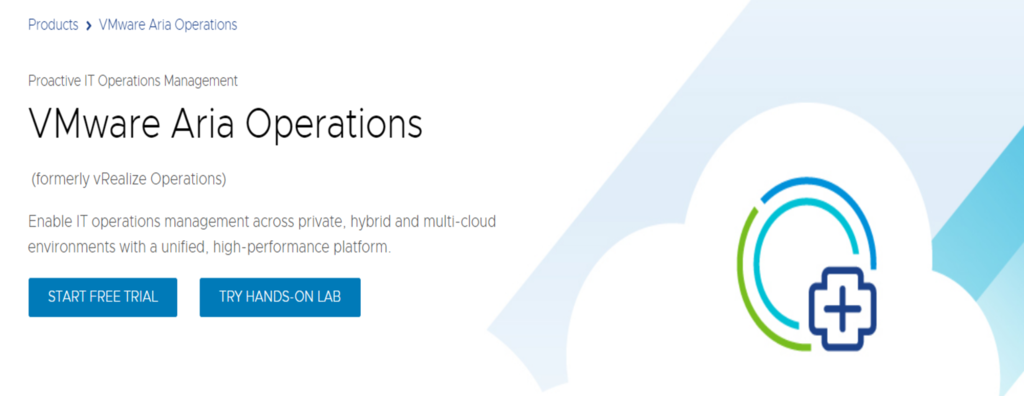
VMware Aria Operations, formerly vRealize Operations, is a robust capacity planning tool for large enterprises and data centers. This IT tool provides comprehensive monitoring and optimization solutions for virtualized infrastructure.
VMware Aria supports extensive monitoring and performance analysis for virtualized environments and advanced predictive analytics to forecast capacity needs. Users can seamlessly integrate it with VMware’s suite of virtualization products for efficient management.
Even though there is a free trial, the overall pricing might be confusing as they are using the pay-as-you-go model.
Key Features
- Dynamic thresholds that adapt to your specific environment.
- Intelligent workload placement, optimizing workload distribution across clusters.
- Capacity optimization, identifying overprovisioned or underutilized resources.
Drawbacks
VMware Aria Operations can be complex to set up and configure, making it more suitable for large enterprises with dedicated IT teams.
2. SolarWinds Virtualization Manager
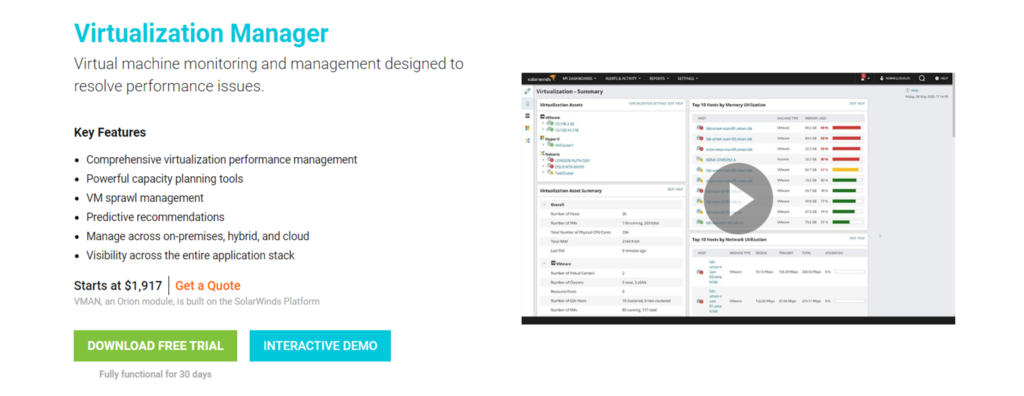
SolarWinds Virtualization Manager Stats
- Rating: 4.9/5
- Best for: large enterprises
- Price: starts at $1,917/license
SolarWinds Virtualization Manager helps you monitor and manage virtual machines with a focus on identifying and resolving performance issues. It offers robust capacity planning tools that assist users in optimizing resource utilization within their virtual environments.
This IT tool provides recommendations for quick issue resolution and environment optimization. Users can also generate detailed chargeback reports to allocate costs based on different parameters.
SolarWinds Virtualization Manager also provides failure prediction analytics, which can help you anticipate and prevent issues.
Key Features
- Performance issue identification to detect and alert users about performance problems, ensuring quick response and issue resolution.
- Capacity planning tools for optimizing resource utilization.
- Intelligent recommendations to improve virtual environment performance and efficiency.
Drawbacks
SolarWinds’ pricing may be relatively high for smaller businesses. In addition, the initial setup and configuration process can be time-consuming.
Cyber Security Tools
Cyber security tools safeguard VPS, computer systems, local networks, and data from cyber threats and attacks. These IT tools include antivirus software, firewalls, intrusion detection systems, and encryption applications.
1. Wireshark

Wireshark Stats
- Rating: 4.6/5
- Best for: network administrators, security professionals, and small businesses
- Price: free
Wireshark is a widely used network protocol analyzer to capture and inspect data traveling over a network. Network professionals often use it to analyze network traffic for suspicious or malicious activity.
Wireshark provides detailed packet information, including source and destination addresses, protocols used, and payload data, aiding in troubleshooting network issues. You can apply filters to focus on specific types of traffic or analyze packets in real-time or from previously captured data.
Wireshark’s open-source nature, extensive community support, and cross-platform availability make it a preferred choice for network professionals.
Key Features
- Real-time packet capture and analysis.
- Extensive protocol support, including Wi-Fi and VoIP.
- Customizable display filters for targeted analysis.
- Color-coded packet types for quick identification.
Drawbacks
Wireshark’s rich feature set may be overwhelming for non-technical users, as it requires sufficient knowledge to interpret captured data accurately.
2. Metasploit
Metasploit Stats
- Best for: cyber security professionals, penetration testers, and ethical hackers
- Price: freemium (contact Metasploit team for pricing information on paid plans)
Metasploit is a penetration testing and vulnerability assessment tool that helps cyber security professionals and ethical hackers identify and exploit vulnerabilities in computer systems, local networks, and applications.
Metasploit allows you to simulate real-world attacks and analyze the results. Users can create custom payloads, exploit vulnerabilities, and generate reports. Additionally, it supports Linux command-line usage for advanced users.
Key Features
- Exploitation framework that offers a wide range of exploits and payloads for testing vulnerabilities.
- Rapid development capabilities for creating custom exploits and payloads to simulate specific scenarios.
- Detailed reports and insights to assist organizations in prioritizing vulnerabilities.
Drawbacks
The absence of pricing information for the paid version may create uncertainty for potential customers.
3. Nessus
Nessus Stats
- Rating: 4.7/5
- Best for: mid-size businesses to large enterprises
- Price: starts at $3590/year
Nessus is a cloud-based security configuration and vulnerability assessment solution designed to assist security practitioners in identifying and resolving vulnerabilities to enhance organizational security.
This IT tool offers pre-defined templates that users can customize to conduct scans for critical vulnerabilities, enabling them to initiate vulnerability scans on their network or assets. Reports are generated after each scan to identify, prioritize, and address vulnerabilities, ultimately improving security.
You can try its free trial to decide whether it suits your business.
Key Features
- Web application scanning to pinpoint vulnerabilities and enhance web application security.
- Policy management offers scans that meet compliance requirements, including CIS benchmarks.
- Live results module for conducting offline vulnerability assessments, detecting issues, and prioritizing remediation.
- Versatile deployment on a variety of platforms, including Raspberry Pi.
Drawbacks
Nessus’s relatively high price may not be suitable for startups, small businesses, and organizations with budget constraints.
Deployment Tools
Besides using web development tools for building web applications, you need deployment tools to automate and streamline releasing, installing, and configuring software or applications onto target systems or environments.
1. Docker
Docker Stats
- Rating: 4.6/5
- Best for: individual developers, teams, small businesses to large enterprises
- Price: freemium (paid plans start at $5/month)
Docker is a leading containerization platform that simplifies developing, shipping, and running applications. It allows users to package applications and their dependencies into containers, ensuring consistency across different environments.
Users can create a Dockerfile, defining the application’s environment and dependencies. Docker images are built from these Dockerfiles, and containers are launched from these images.
Docker revolutionized containerization by popularizing the concept of containers and providing an easy-to-use platform. Its advantages include a vast community, a wide range of pre-built images, and compatibility across various cloud platforms.
Key Features
- Docker containers encapsulate applications and dependencies for easy deployment.
- Docker Swarm and Kubernetes support orchestration capabilities for managing containers at scale.
- Docker Hub provides a repository of pre-built Docker images for popular applications.
Drawbacks
Docker’s network configuration can be challenging for complex multi-container applications.
2. Kubernetes

Kubernetes Stats
- Rating: 4.6/5
- Best for: individual developers, teams, freelancers, and small businesses
- Price: free
Often abbreviated as K8s, Kubernetes is an open-source container orchestration platform. It automates containerized applications’ deployment, scaling, and management, enabling users to effectively manage container workloads.
Kubernetes operates with a master node that manages multiple worker nodes. Users define the desired state of their applications using YAML or JSON files, specifying how many replicas of an application should run and how resources should be allocated.
This container orchestration tool has a large and active community and support from major cloud providers like Google, Microsoft, and Amazon.
Key Features
- Automatic scaling to increase or decrease application needs based on resource requirements.
- Self-healing replaces failed containers or nodes automatically.
- Rolling updates without downtime.
- Load balancing automatically distributes traffic to healthy containers.
Drawbacks
Small businesses may need dedicated expertise to manage and maintain Kubernetes clusters.
3. Ansible Automation Platform
Ansible Automation Platform Stats
- Rating: 4.4/5
- Best for: IT teams, DevOps professionals, and large enterprises
- Price: freemium (contact the Ansible team for pricing information on paid plans)
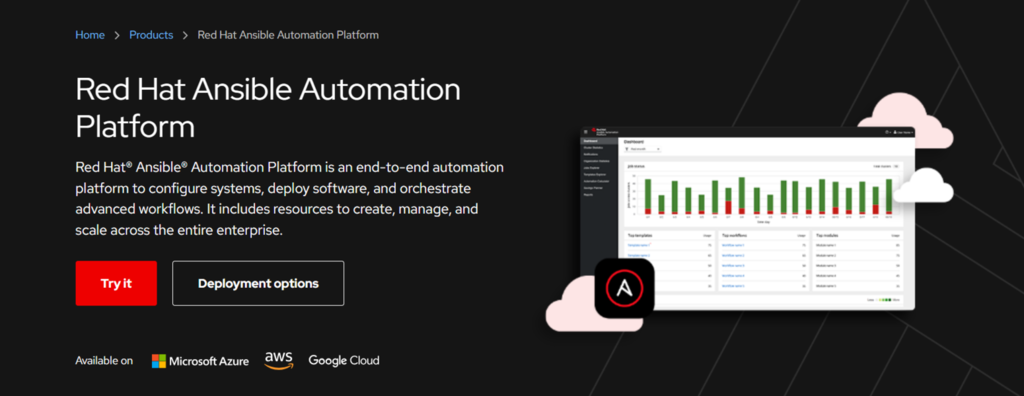
Developed by Red Hat, Ansible is a powerful open-source automation tool that simplifies complex tasks such as configuration management, application deployment, and task automation. This IT tool offers free, open-source community and commercial enterprise editions with additional features and support.
Ansible uses simple YAML scripts, called playbooks, to define automation tasks. Users write playbooks that describe the desired state of a system or application. Ansible then executes these playbooks to ensure the system matches the desired state. It connects to remote systems via SSH and doesn’t require agents, making it agentless and secure.
When it comes to pricing, Ansible offers a 60-day free trial. However, you will need to contact the team for your pricing after the trial.
Key Features
- Playbooks to define automation tasks in easy-to-read YAML files.
- An extensive library of modules and roles is available to automate various tasks.
- Integration with other Red Hat products like OpenShift and Satellite.
Drawbacks
Ansible Automation Platform can be resource-intensive, so organizations need to ensure they have the necessary hardware components and infrastructure to support it effectively.
Performance Monitoring Tools
Performance monitoring tools are designed to continuously track and assess the performance of computer systems, networks, or applications. These IT tools provide real-time data and insights into resource usage, response times, and overall system health.
1. New Relic

New Relic Stats
- Rating: 4.5/5
- Best for: small businesses to large enterprises
- Price: freemium (Contact the New Relic team for pricing information on paid plans)
New Relic is a performance monitoring tool designed to assist businesses in optimizing the performance of their applications and infrastructure. This IT tool offers in-depth insights into application behavior, user experiences, and system performance.
Using New Relic involves installing and integrating agents on your servers with your applications. Once set up, it automatically collects data on your application’s performance, infrastructure, and end-user experiences, which users can access through the New Relic dashboard.
Key Features
- Application Performance Monitoring (APM) to monitor app performance, identify bottlenecks, and troubleshoot issues for optimal user experiences.
- Infrastructure monitoring proactively addresses problems within the server and infrastructure.
- Real User Monitoring (RUM) provides real-time insights into how users are experiencing your application.
- Synthetic monitoring simulates user interactions within applications to identify performance issues.
Drawbacks
New Relic can be relatively expensive, as its pricing is based on the number of hosts or user licenses, which can add up quickly as your organization grows.
2. Dynatrace
Dynatrace Stats:
- Rating: 4.5/5
- Best for: small businesses to large enterprises
- Price: starting at $0.08/hour
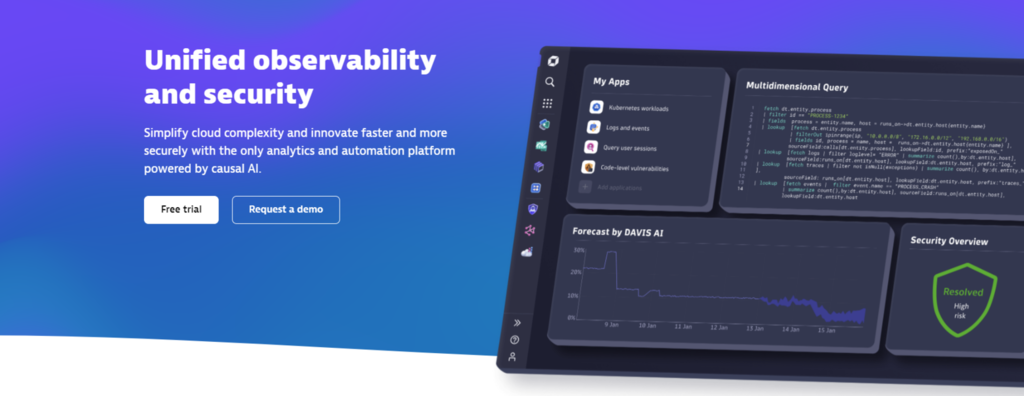
Dynatrace is a comprehensive application performance management (APM) and observability platform designed for monitoring and optimizing the performance of applications, infrastructure, and digital experiences.
It helps organizations ensure the reliability, availability, and performance of their digital services and applications, enabling faster problem resolution and enhancing user experiences.
With its AI-powered monitoring capabilities, Dynatrace offers automated root cause analysis and anomaly detection, assisting users in identifying and resolving issues more quickly than traditional monitoring tools.
Key Features
- AI-powered analysis that automatically identifies performance issues and their root causes.
- Full-stack monitoring for applications, infrastructure, and user experiences provides a holistic environmental view.
- Integrations with popular DevOps and ITSM tools for seamless workflow.
Drawbacks
Dynatrace’s dependency on cloud-based components may present challenges in network-restricted environments.
System Utility Tools
System utility tools are designed to optimize and manage computer systems and their resources. These tools for IT assist users in tasks such as disk cleanup, system maintenance, hardware diagnostics, and performance tuning, ultimately enhancing system efficiency and reliability.
1. CCleaner

CCleaner Stats:
- Rating: 4.5/5
- Best for: individual users, small businesses to large enterprises
- Price: freemium (paid plans start at $29.95/PC/year)
Developed by Piriform Software, CCleaner is a system utility tool to clean and optimize your computer and mobile devices. It helps remove unnecessary files, such as temporary files from desktop and mobile apps, to free up disk space and improve system performance.
With CCleaner, you can analyze your system to determine what can be cleaned or initiate the cleaning process directly. It also offers a registry cleaner and a tool to manage startup programs.
While competitors provide similar functionality, CCleaner stands out due to its ease of use and trusted reputation.
Key Features
- Junk file cleaning removes unnecessary files, temporary files, and caches, freeing up disk space.
- Registry cleaner scans and fixes registry issues to enhance system stability.
- Browser cleaning to clear browser history, cookies, and cache for improved privacy and security.
- Real-time system monitoring for automatic optimization.
- Automatic scheduled cleaning to keep the system running smoothly.
Drawbacks
Users should be cautious when working with the registry cleaner, as it can cause issues if incorrectly used.
2. Recuva
Recuva Stats:
- Rating: 4/5
- Best for: individual users, freelancers, small to mid-size businesses
- Price: freemium (paid plans start at $24.95/year)
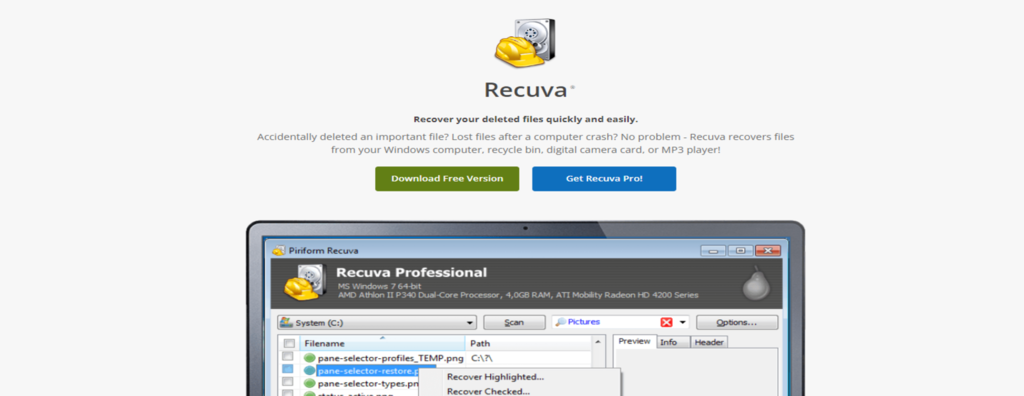
Another product from Piriform, Recuva is a user-friendly system utility tool designed for data recovery. It assists users in retrieving accidentally deleted files, including documents, photos, videos, and more, from their computers, memory cards, USB drives, or other storage devices.
With Recuva, users can select the type of file they want to recover, specify where it was deleted, and let Recuva scan for recoverable files. Additionally, Recuva offers a preview feature that allows users to view files before recovery, choose where to restore them, and even completely wipe files if needed.
Recuva’s user-friendly interface and quick scanning make it accessible for individual users and small businesses without needing advanced technical skills. It’s a reliable solution for recovering and managing data stored on various devices.
Key Features
- Advanced deep scan mode to find deleted data even on damaged or formatted storage.
- Preview recoverable files to ensure correct data recovery by reviewing files before restoring them.
- Portable version that can be run directly from a USB drive.
- Secure file deletion to permanently delete files and prevent their recovery by others.
Drawbacks
While effective, Recuva may not always be able to recover files if they have been overwritten or damaged beyond repair.
3. Blancco

Blancco Stats:
- Rating: 4.5/5
- Best for: small businesses to large enterprises
- Price: freemium (paid plans start at $18.46/year)
Blancco is a system utility tool designed for secure data erasure and IT asset disposition. It offers a range of features to help businesses and organizations securely erase sensitive data from storage devices, ensuring data privacy and compliance with data protection regulations.
This tool offers various data erasure algorithms, including DoD 5220.22-M, NIST 800-88, and others, to meet multiple data sanitization standards. Users can also confirm data destruction, customize erasure settings, and initiate the process. Blancco provides detailed reports after each erasure, ensuring transparency and compliance.
Blancco’s extensive reporting capabilities and user-friendly interface make it a preferred choice for secure data erasure.
Key Features
- Multiple data erasure algorithms to meet various data sanitization standards.
- Customizable erasure settings for flexibility.
- Detailed reports for compliance and auditing purposes.
- Compatibility with a wide range of storage devices, including HDDs, SSDs, and mobile devices.
Drawbacks
Blancco is more suitable for businesses with large-scale data erasure requirements, which may make it less practical for individual users with minimal erasure needs.
Conclusion
IT tools are indispensable assets for businesses and organizations in every industry.
This article has covered a comprehensive list of IT and system admin tools across various software categories, from asset management for maintaining an accurate inventory to performance monitoring for optimal system performance.
Whether you’re a system administrator in a startup or an IT manager in a large enterprise, using the right tools for IT can make a significant difference in managing, optimizing, and safeguarding your IT infrastructure.
For this reason, we recommend trying a few tools before choosing the right one for your business.
IT Tools FAQ
This section will answer the most common questions about IT tools.
How Much Do IT Tools Cost on Average?
The cost of IT tools can vary significantly based on their type and complexity. Some basic tools are free, while more advanced solutions may require a subscription or a one-time payment. On average, businesses can expect to invest anywhere from a few hundred to several thousand dollars annually, depending on their needs.
What to Look For in IT Tools?
When selecting IT tools, consider scalability, compatibility with your existing infrastructure, ease of use, reliability, and customer support. Additionally, evaluate whether the tool addresses your IT management needs, such as network monitoring, security, or system administration. Choosing tools that align with your organization’s goals and requirements is essential.
All of the tutorial content on this website is subject to Hostinger's rigorous editorial standards and values.

Ariffud is a Technical Content Writer with an educational background in Informatics. He has extensive expertise in Linux and VPS, authoring over 200 articles on server management and web development. Follow him on LinkedIn.