10 best Manus alternatives in 2026
Aug 28, 2026
/
By Bruno S.
/
15 min Read

The best Manus alternatives in 2026 fall into three groups: ready-to-use general agents like ChatGPT, specialized business and research tools like Hostinger Agent and Genspark, and open-source options like OpenManus and n8n that you run on your own server.
Each group answers a different Manus limitation: Manus runs every task on its own infrastructure and bills per task in credits rather than a flat rate.
Hosted alternatives solve the pricing problem – you can start in minutes and pay a flat monthly fee. Self-hosted alternatives are free to use and keep your data on your own server, but you handle setup and maintenance yourself. Predictable costs, data control, and your technical skills decide which one fits best.
Best Manus AI alternatives at a glance
The best Manus alternatives cover business operations, research, workflow automation, and software engineering, with starting prices from free to $42.50 per month.
Alternative | Best for | Hosted or self-hosted | Starting price | Technical skill required |
Hostinger Agent | Specialized business agents | Hosted | $6.99/month | Low |
ChatGPT | Everyday tasks; team Workspace agents (Business plan) | Hosted | Free; $8/month individual; $20/user/month for Workspace agents | Low |
Genspark | Research, presentations, and running several agents at once | Hosted | Free; $19.99/month | Low |
Lindy | Recurring team workflows in Slack | Hosted | $29.99/user/month | Low |
OpenManus | Self-hosted, open-source Manus-style agent | Self-hosted | Free (with your own API keys) | High |
AutoGPT | Building and running autonomous agents on a schedule | Both | Free (self-hosted); $42.50/month (cloud) | Low on cloud, high on self-hosted |
CrewAI | Teams of specialized agents working together | Both | Free (framework); enterprise pricing for AMP | High |
OpenClaw | Private personal agent on your own machine | Both | Free (self-hosted); managed from $7.99/month | Medium |
n8n | Structured AI workflows with full process control | Both | Free (self-hosted); $20/month (cloud) | Medium on cloud, high on self-hosted |
Devin | Autonomous software engineering | Hosted | Free; $20/month | Medium |
1. Hostinger Agent: role-based agents with guided skills
- Best for: Solopreneurs and small business owners who need specialized agents for SEO, content, marketing, legal, and sales.
- Price: From $6.99/month.
- Open source: No.
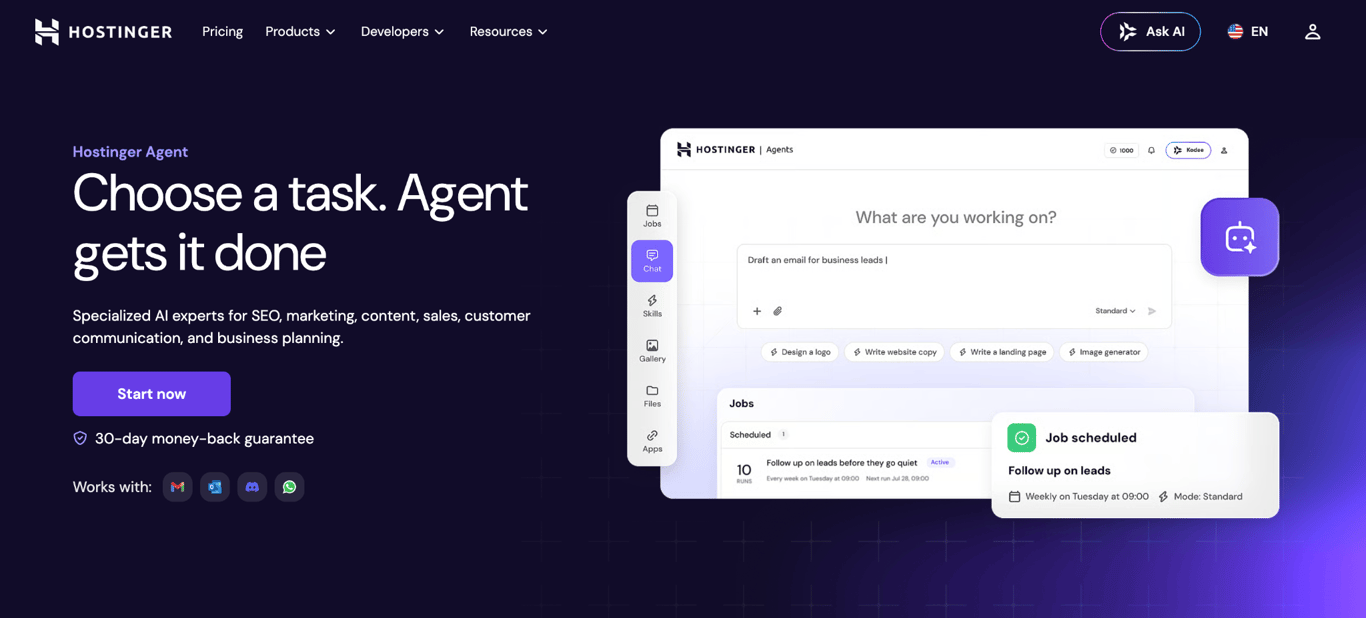
Hostinger Agent is Hostinger’s AI assistant for small business owners who manage content, SEO, marketing, legal, and sales without a dedicated team.
It covers the business work that Manus users delegate to a general agent, split across seven domain specialists rather than one assistant you have to prompt and guide. The lineup includes Business Advisor, Creative Writer, SEO Consultant, Marketing Planner, Legal Advisor, Customer Communications, and Sales & Outreach.
Business context carries forward between conversations, so agents already know your brand, preferences, and past decisions each time.
Hostinger Agent key features
- Seven specialized agents. Strategy, writing, SEO, marketing, legal, customer communications, and sales, each with its own skill set rather than one shared prompt.
- 150+ guided skills. SEO audits covering 24 on-page factors, blog posts, logo design, content calendars, pricing reviews, privacy policy drafts, and lead outreach.
- 1,000+ app connections. Acts through Gmail, Slack, WhatsApp, HubSpot, Notion, Jira, GitHub, and Figma without leaving the chat.
- Persistent business memory. Agents keep your brand, preferences, and past decisions across conversations.
- Scheduled recurring tasks. Image and logo generation and file uploads with version tracking.
Hostinger Agent limitations
- No autonomous execution. No independent web browsing, code execution, or sandboxed environment.
- Skill-bounded scope. Requests outside the 150+ built-in workflows lose the guided structure.
- Cloud-hosted only. No self-hosted option, which OpenClaw and OpenManus cover.
Hostinger Agent pricing:
Hostinger Agent starts at $6.99/month on the 12-month plan and renews at $8.99/month, so it is worth factoring that in before committing. Shorter-term plans are available at higher monthly rates for those who prefer more flexibility.
All plans include 1,000 credits per month, refreshing automatically with no manual top-ups needed. Credits cover the full range of tasks across all seven agents: skill runs, image generation, scheduled automations, and file handling. A 30-day money-back guarantee applies to all plans.
2. ChatGPT: general-purpose assistant with built-in browsing
- Best for: Individuals who want a ready-made agent for everyday tasks and browser actions; teams that want persistent Workspace agents.
- Price: Free; individual plans from $8/month; Business from $20/user/month billed annually (minimum 2 seats).
- Open source: No.
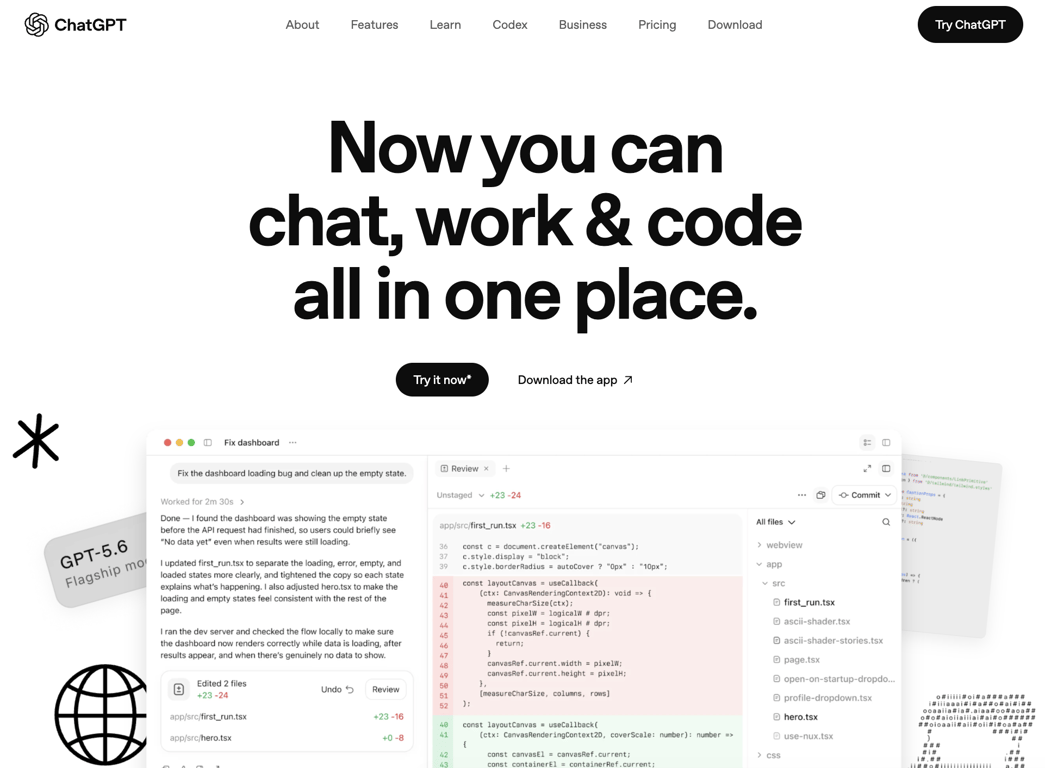
ChatGPT is OpenAI’s general-purpose AI agent with built-in browsing, scheduled tasks, and app connections on individual plans, and a separate Workspace agents product for business teams.
For Manus users considering it as a replacement, its agent capabilities are split across two plan types – individual and Business – and only Business includes Workspace agents.
On individual plans (Go, Plus, and Pro), ChatGPT includes a built-in browser on every tier, scheduled tasks from the Go plan upward, and app connections to internal tools on Plus and above. These cover everyday research, automations, and integrations without needing a team account.
Workspace agents require a Business plan with a minimum of two seats. The full product includes a persistent template gallery, an org-wide agent directory, and 24/7 scheduled runs. For solo Manus users, this is the key constraint: the feature that most directly replaces Manus is not available on any individual plan, including Pro from $100/month.
ChatGPT key features
- Model access. GPT-5.6 Sol on Plus, GPT-5.6 Sol Pro on Pro, all frontier models on Business.
- Template gallery and org directory. Workspace agents are shared across the company rather than rebuilt per person.
- 24/7 scheduled runs. Business-tier agents work on a cadence without prompting.
ChatGPT limitations
- Usage limits on every individual plan. Message and feature caps vary by tier and are not always published as fixed numbers.
- Ads on Free and Go. Sponsored placements appear below responses.
- No self-hosted option. Everything runs on OpenAI’s infrastructure, the same constraint that pushes people off Manus.
ChatGPT pricing:
Individual plans run from $0/month (Free) to $8/month (Go), $20/month (Plus), and from $100/month (Pro). Workspace agents require a Business plan at $20/user/month billed annually or $25/user/month on a monthly plan, with a minimum of two seats. Enterprise pricing is custom.
3. Genspark: Super Agent and AI Slides
- Best for: Research-heavy tasks, presentations, and multi-modal content that benefits from parallel AI agents.
- Price: Free (100 credits/day); paid plans from $19.99/month billed annually.
- Open source: No.
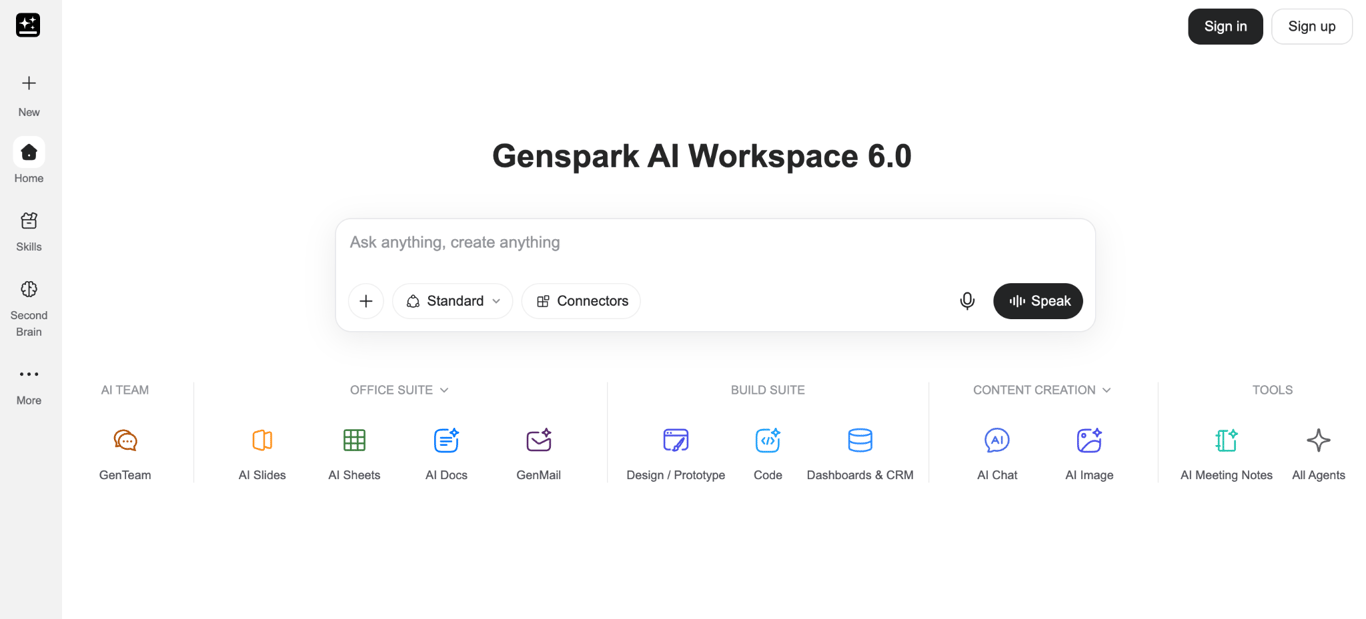
Genspark, currently on AI Workspace 6.0, is an AI workspace built around Super Agent and AI Slides, developed for research-heavy work, content creation in text, images, and video, and AI presentations. Super Agent handles complex research tasks autonomously, while GenTeam coordinates multiple AI agents working in parallel.
AI Slides and Deep Research make it the strongest match for readers who use Manus mainly for research and presentations. Super Agent researches the topic first, then builds the output, following the same research-before-execution pattern Manus uses.
The free tier gives 100 credits per day, and agent tasks run on it. Standard requests cost 30 to 150 credits each; Ultra mode, which uses the most capable models, costs 100 to 600 credits per request. A single Ultra task can consume the full daily free allowance.
Genspark key features
- Model choice. Access to multiple major model providers from one workspace.
- Saved workflows. Rerun a research or content process without rebuilding it.
- Commercial content license. Included on paid plans, so generated material is usable in client work.
Genspark limitations
- No public pricing page. Plan details are visible only after you create an account.
- Credits do not carry over. Monthly allocations reset each billing cycle.
- Fair-use throttle. Heavy chat or image use triggers a five-hour cooldown that buying credits will not lift.
Genspark pricing:
Genspark’s free plan gives 100 credits per day, The Plus plan starts at $19.99/month billed annually and includes 10,000 credits per month, 50 GB of storage, unlimited AI Chat and image generation, and a commercial content license.
The Pro plan at $199.99/month raises that to 125,000 credits and 1 TB of storage. Genspark states that the unlimited chat and image perks are guaranteed through December 31, 2026.
4. Lindy: Slack-native AI teammate
- Best for: Teams that want a persistent AI teammate in Slack handling recurring workflows, meetings, and inbox management.
- Price: From $29.99/user/month; 7-day free trial.
- Open source: No.
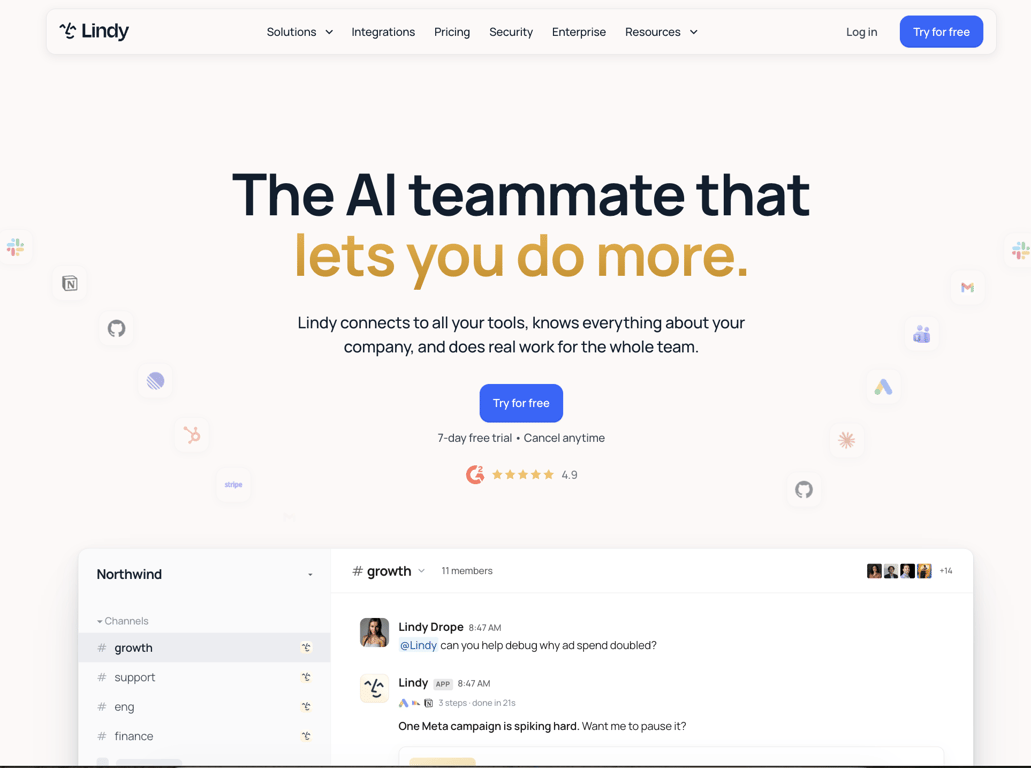
Lindy is an AI teammate designed to live inside your team’s Slack workspace and handle recurring work, such as inbox management, meeting notes, daily briefs, and scheduled follow-ups. You give it a task, and it does the work.
The credit system maps to the scope of each task. Everyday lookups and replies cost 2 to 250 credits; research tasks and longer reports run 250 to 1,000 credits. Complex dashboard builds and heavy scheduled workflows reach 1,000 to 2,500 credits – close to a full month’s allowance for one seat. Credits pool across the whole team, which means one person’s heavy use draws from everyone’s shared balance.
Lindy also supports computer use, meaning it can operate software directly rather than only connecting through APIs. Combined with MCP support and over 1,000 integrations, it covers most of the recurring operational work Manus users hand off to an agent.
Lindy key features
- Meeting support. Joins calls as a named participant, records, transcribes, and files recordings in shared folders.
- No surprise bills. Lindy pauses and notifies admins when the credit pool runs low, and per-seat caps are configurable.
- 40+ built-in skills. Research, data analysis, decks, and dashboards, plus custom skills your team builds once and reuses.
Lindy limitations
- Slack-centric by design. Teams working elsewhere lose most of the product.
- Per-seat pricing. Costs grow with headcount from the $29.99/user/month base.
- No free tier. Access needs a paid seat once the seven-day trial ends, and direct signups are billed immediately.
- Approval gates. Actions with external consequences stall until a named approver signs off, slowing unattended workflows.
Lindy pricing:
Lindy starts at $29.99/user/month, which includes 3,000 credits per user per month, pooled across the workspace. Higher tiers add more credits and connected inboxes. Enterprise adds HIPAA compliance for healthcare data, company-account login, automatic user syncing, and activity logs.
Credits can be topped up at $10 per 1,000 at any time. The 7-day trial starts automatically when anyone in your Slack first tags Lindy.
5. OpenManus: open-source Manus replication
- Best for: Developers and technical users who want a self-hosted, open-source Manus-style agent with bring-your-own-model flexibility.
- Price: Free (self-hosted; bring your own API keys).
- Open source: Yes (MIT).
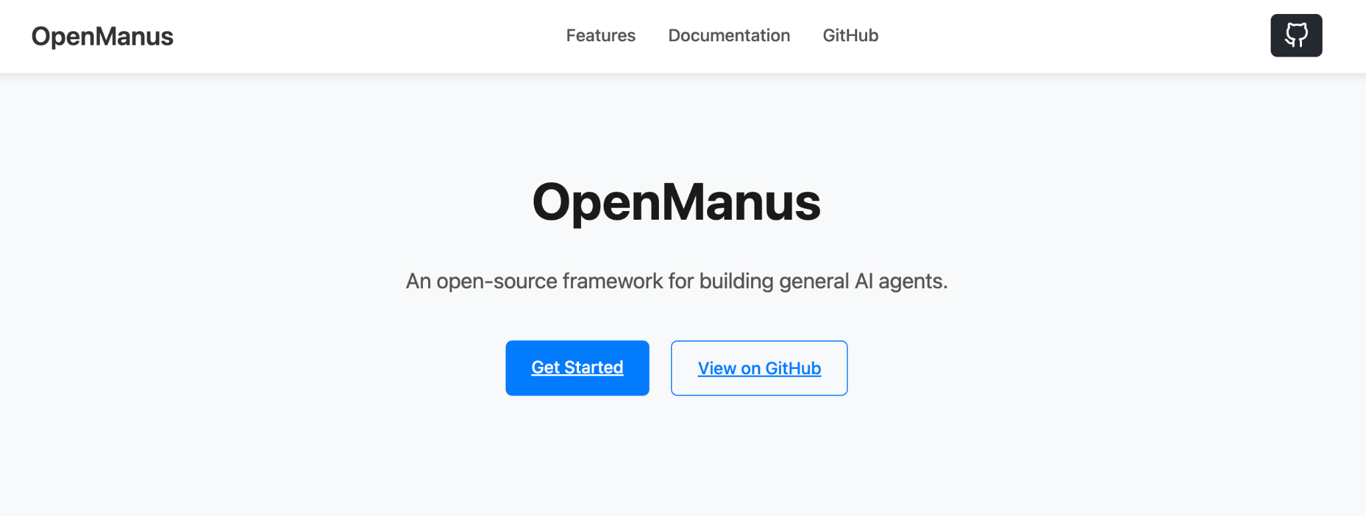
OpenManus is an open-source AI agent framework built by researchers from the MetaGPT team as a rebuild of Manus without the credit system. It is one of the earliest and most referenced open-source alternatives in this space, with 58,100+ GitHub stars.
It runs on your machine with your own model API keys and handles the same categories of tasks Manus does: browser automation, file operations, and multi-step agent runs.
Setup requires cloning the repository, adding your model credentials to a config.toml file, and running python main.py. A recent main-branch update integrates Browser Use CLI 3.0, which attaches to a local Chrome session for browser automation without an additional API key.
Two caveats are worth noting before you start: the multi-agent flow is labeled “unstable” in the project’s README, and the latest tagged release, v0.3.0, dates back to April 2025, even though the main branch receives regular commits.
OpenManus key features
- DataAnalysis agent. Optional add-on for data analysis and visualization tasks.
- Local browser mode. Attaches to your existing Chrome session, so browser automation needs no extra API key.
- 59 contributors. Built and maintained by researchers from the MetaGPT team.
OpenManus limitations
- Technical setup required. Python 3.12, dependency installation, and manual configuration, with no graphical interface.
- No managed hosting. You run the infrastructure, cover model API costs, and handle updates.
OpenManus pricing:
OpenManus is free to download and self-host under the MIT license. Running it costs whatever your model provider charges per API call; there is no platform subscription or usage fee.
6. AutoGPT: agent platform with a visual builder
- Best for: Users who want to build and run autonomous agents on a schedule, either in the cloud or self-hosted, with visual workflow control.
- Price: Free (self-hosted); cloud from $42.50/month billed annually.
- Open source: Partially (classic agent is MIT; cloud Platform uses Polyform Shield).
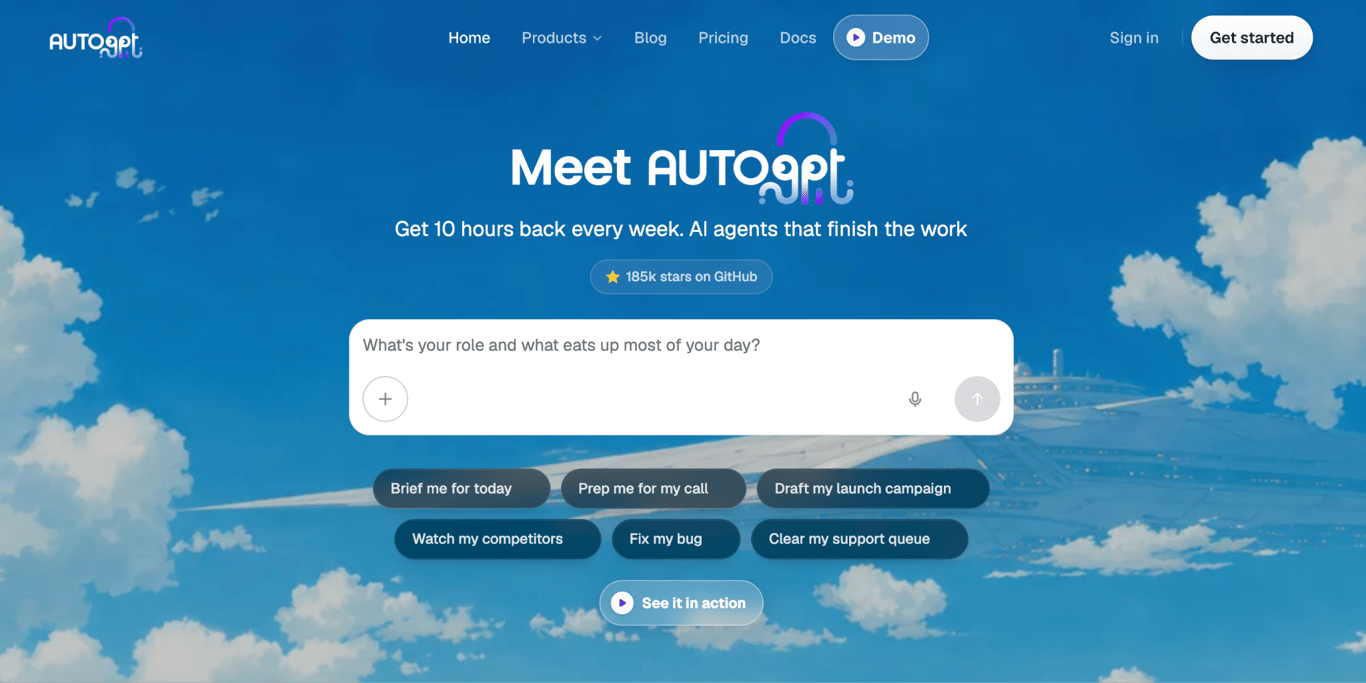
AutoGPT is a platform for building and running autonomous AI agents. It replaces the open-ended runs Manus handles on demand with agents you define once and rerun on a schedule.
The product has four parts. AutoPilot turns a plain-language description into a working agent; Agents is the dashboard for monitoring runs and costs; Marketplace offers ready-made agents you can deploy in one click; and Build is a visual block editor for step-by-step control.
You can run it two ways. The hosted Platform is managed by AutoGPT, requires no model API keys, and uses Polyform Shield, which permits personal and internal business use but prohibits building a competing hosted service on top of it. The classic standalone agent, in the classic/ folder, is MIT-licensed and runs anywhere, on your own infrastructure with your own model keys.
Agent runs on the Platform are pay-as-you-go from a prepaid balance. Your subscription covers AutoPilot chat, while the balance covers whatever your agents consume when they run.
AutoGPT key features
- Browser automation on all plans. Agents browse, scrape, and interact with pages.
- 45+ integrations. Gmail, Google Calendar, GitHub, Slack, HubSpot, Notion, Linear, and Airtable.
- Schedule and trigger support. Run agents on demand, on a schedule, or from a webhook.
- Per-task spending caps. Set a budget per task and watch costs as they accrue.
- Approval steps. Agents pause and ask before taking consequential actions.
AutoGPT limitations
- No free cloud tier. The managed platform needs a paid plan, and self-hosting requires Docker plus your own model keys.
- Platform is in beta. The current release still carries a beta version tag.
AutoGPT pricing:
The self-hosted path is free, with no license fee; you cover infrastructure and model API costs. The cloud Platform starts at $42.50/month, billed annually, for Pro, and at $272/month for Max, which includes 8.5 times Pro’s chat allowance.
The subscription covers AutoPilot chat. The agent runs the bill separately from a prepaid balance and is priced the same on every plan, so a higher tier buys more chat rather than cheaper automation.
7. CrewAI: Python framework for agent crews
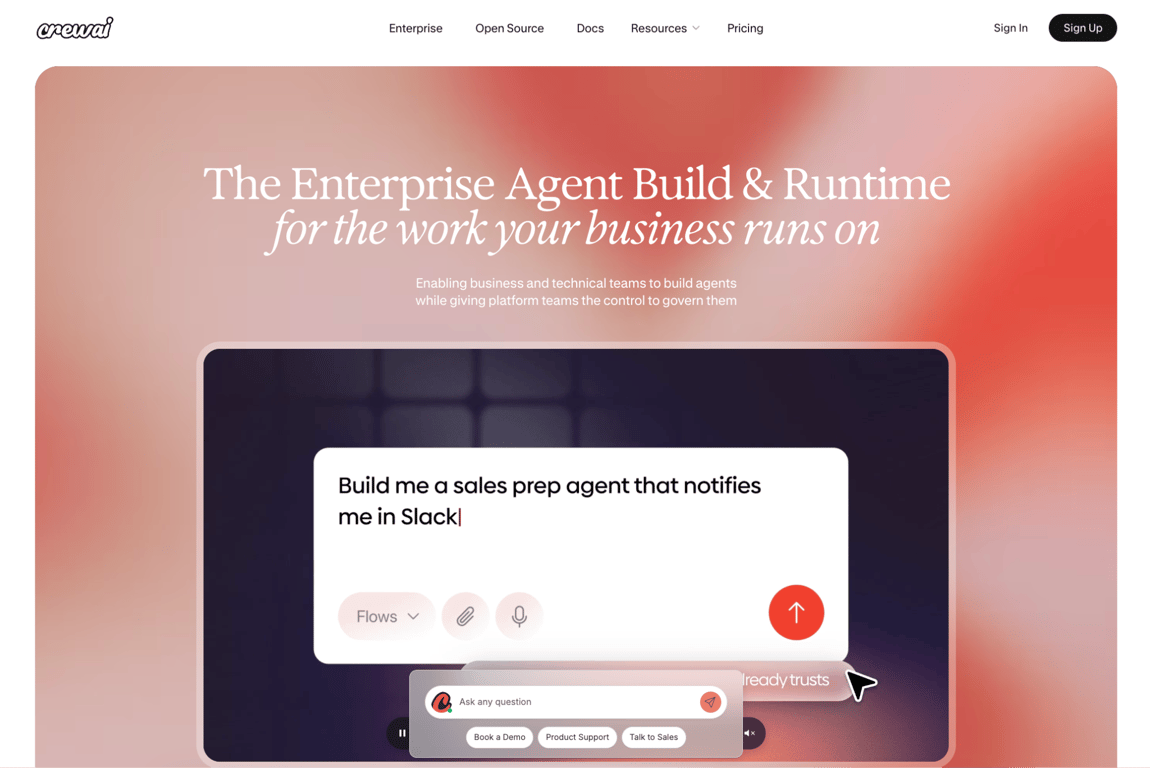
- Best for: Developers building production-ready multi-agent systems where different agents have distinct roles and collaborate on complex tasks.
- Price: Free (50 executions/month on CrewAI AMP); enterprise pricing on request.
- Open source: Yes (MIT).
CrewAI is an open-source Python framework for building and coordinating multi-agent systems: networks of specialized AI agents that collaborate on complex tasks, each with a defined role, goal, and set of tools. It replaces Manus’ multi-step task handling with agent roles you define in code.
With roughly 29 million monthly downloads from PyPI, Python’s package registry,, it ranks among the most widely used AI agent builders in the Python ecosystem.
The framework has two core concepts that work together. Crews are autonomous, role-based agent teams built for tasks that benefit from collaborative decision-making, in which agents hand off work to each other as needed. Flows are event-driven workflows that give precise control over the order in which steps run, what data is carried between them, and how the system behaves in production.
Most real-world implementations combine both: Crews for the reasoning, Flows for the structure.
CrewAI AMP Suite is the commercial layer built on top of the framework. It adds a visual Studio editor, runs your agents on CrewAI’s servers with a live view of each step, and lets a person approve consequential actions before they happen. The free tier includes 50 workflow executions per month on CrewAI’s cloud.
CrewAI key features
- Exportable to Python. The visual Studio editor produces code you own rather than a locked configuration.
- Real-time tracing. Every model call, tool call, and memory read is visible while it runs.
- Enterprise controls. SSO, role-based access, PII redaction, and VPC or on-premise deployment.
CrewAI limitations
- Python-first. Building crews takes code, and the Studio editor only covers the simpler configurations.
- Learning curve. Crews and Flows are separate patterns that take time to combine well.
CrewAI pricing:
The open-source framework is free with no restrictions. CrewAI AMP’s Basic plan is also free and includes access to the Studio editor, GitHub integration, and 50 workflow executions per month in CrewAI’s cloud.
Enterprise pricing requires contacting the team and includes a company account login, role-based permissions, automatic removal of personal data, deployment on your own infrastructure, US federal security certification, and a 45-day onboarding program.
8. OpenClaw: local agent inside your chat apps
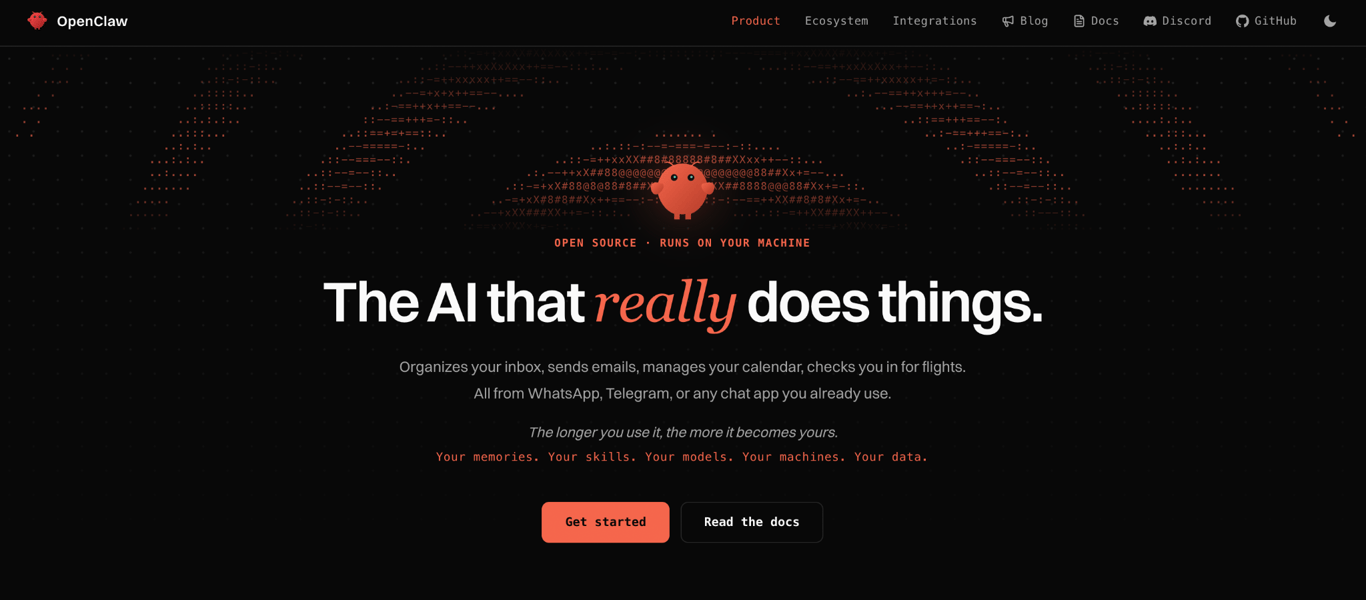
- Best for: Users who want a private, self-hosted personal agent that runs on their own machine and connects to the chat apps they already use.
- Price: Free (MIT, self-hosted); managed hosting from $7.99/month (annual billing).
- Open source: Yes (MIT).
OpenClaw is an open-source personal AI agent that runs locally on your machine and connects to the messaging apps you already use, including WhatsApp, Telegram, Slack, Discord, iMessage, Signal, and Google Chat.
You set up OpenClaw with a one-line installer, npm, or Docker, then point it at your model provider. It handles the same personal assistant work Manus does, including email, calendar, files, browser sessions, and shell commands, with persistent memory across every conversation. All your data, credentials, and agent state stay on your own infrastructure.
The project has 387,400+ GitHub stars and 2,940 contributors. It is developed under the OpenClaw Foundation, a non-profit organization.
You can sign in with a ChatGPT Plus or Pro subscription instead of a pay-per-token API key, which removes the variable API cost that most self-hosted agent setups carry.
Hostinger runs OpenClaw as a managed service through its AI automation apps, handling installation, updates, and infrastructure so you keep the privacy benefits of a self-hosted agent without the ongoing upkeep.
OpenClaw key features
- 29 chat channels. WhatsApp, Telegram, Slack, Discord, iMessage, Signal, and Google Chat among them.
- Skills and plugins. Community extensions through ClawHub, and agents can write and install their own.
- Optional sandboxing. Tools run with full host access unless you configure a sandbox.
OpenClaw limitations
- Technical setup required. Connecting model providers, channels, and permissions takes time beyond the install.
- You manage the infrastructure. Updates, uptime, and backups are yours on a self-hosted install.
- Fast-moving project. The release pace has introduced instability, so production installs should track the stable channel.
OpenClaw pricing:
OpenClaw is free to self-host under the MIT license. Your costs depend on which model provider you connect to and how much you use it. A ChatGPT Plus or Pro subscription works as the model source, replacing per-token billing.
Hostinger’s managed setup starts at $7.99/month (annual billing), and it handles the infrastructure for users who want a private agent without the upkeep.
9. n8n: workflow automation with AI nodes
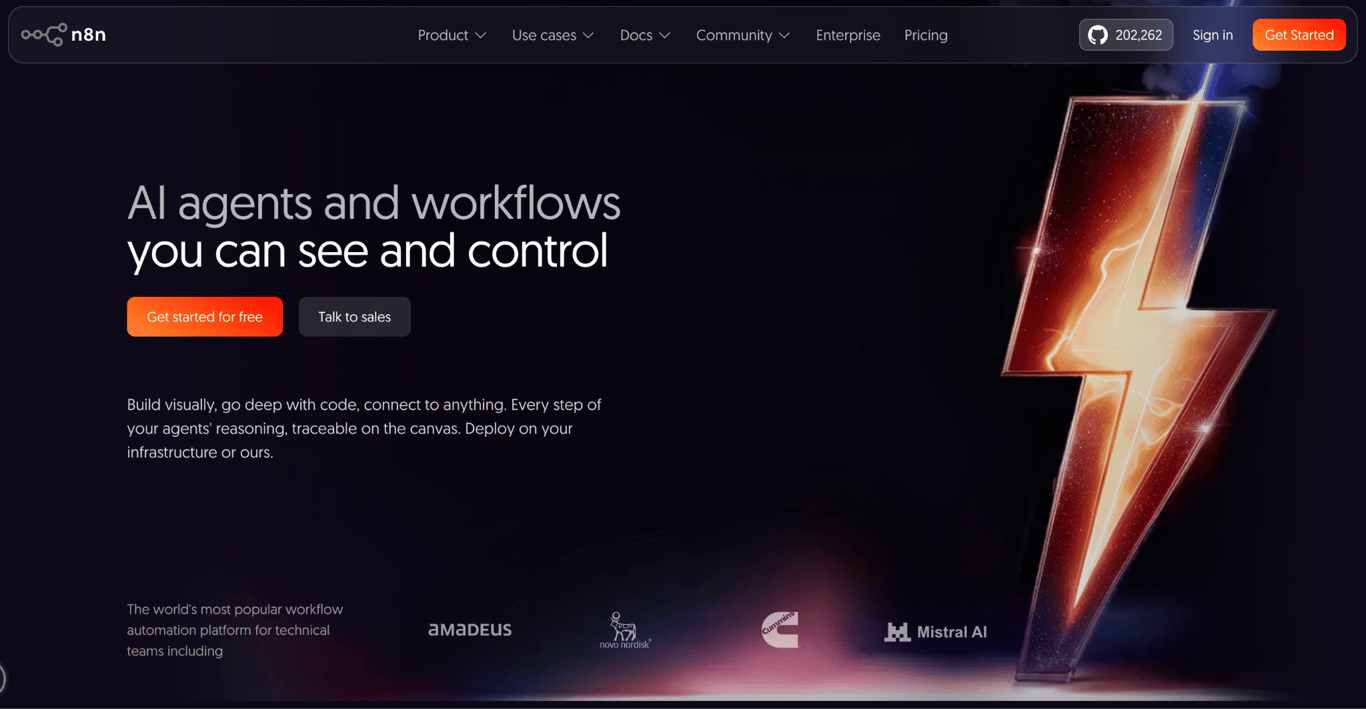
- Best for: Technical teams who want to build structured AI workflows they can inspect, version, and control, without per-seat pricing.
- Price: Free (Community Edition, self-hosted); cloud from $20/month billed annually.
- Open source: No (fair-code; free to self-host under the Sustainable Use License).
n8n is a workflow automation platform that combines a visual node editor, AI capabilities, and flexible self-hosting. It sits at the intersection of AI agents and automation: not an autonomous agent that makes its own decisions, but a programmable system where you design the process and AI handles the steps you assign it.
The platform supports agentic workflows, retrieval from your own documents (RAG), and connections to outside tools through MCP, with every reasoning step visible on the canvas.. You build in the UI, drop into JavaScript or Python when needed, and replay individual steps without re-running the whole workflow. Testing against real data before you deploy is built in.
It replaces the Manus tasks you run repeatedly, trading autonomous decisions for a process you define once. The pricing model reflects that: you pay per complete workflow execution, regardless of how many nodes the workflow contains.
The Starter cloud plan includes unlimited users, making n8n competitive for teams that run into per-seat costs elsewhere. Self-hosting removes per-seat cost entirely, and managed n8n hosting covers the Docker setup, updates, and backups.
n8n key features
- 400+ integrations. Native nodes for common apps, plus HTTP request nodes for anything without one.
- Step-level replay. Rerun a single step instead of the whole workflow while debugging.
- Git-based version control. Available from the Business tier, alongside environments and audit logging.
n8n limitations
- Fair-code license. Internal business use is allowed, but this is not an OSI-approved license and reselling n8n as a hosted service is restricted.
- AI Assistant is in preview. The built-in workflow-building assistant is still marked preview on cloud plans.
n8n pricing:
The Community Edition is free to self-host with no user limit, no execution caps, and no license fee. Cloud plans start at $20/month billed annually (Starter: 2,500 workflow executions per month, unlimited users, 2,300 AI credits).
The Pro plan at $50/month raises the execution limit to 10,000 and adds workflow history, execution search, and admin roles. Business and Enterprise tiers add Git-based version control, environments, SSO, and audit logging.
10. Devin: AI software engineer
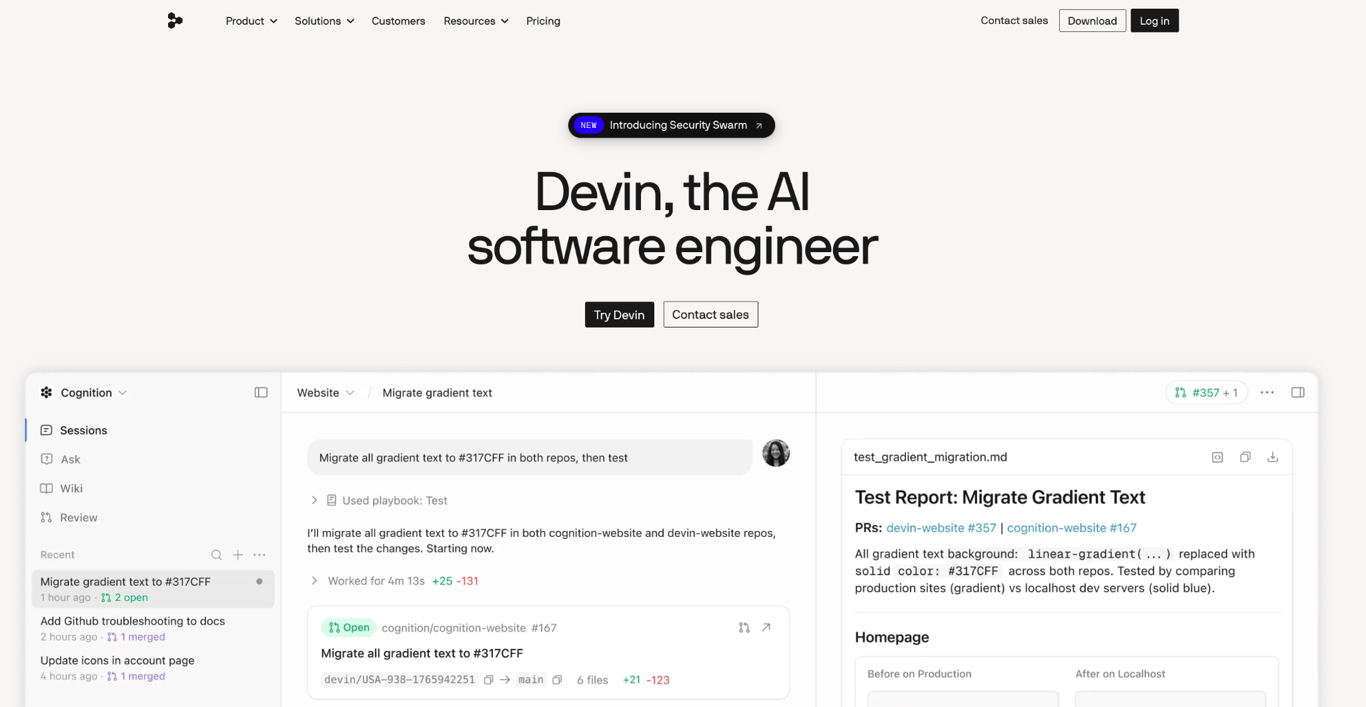
- Best for: Software engineering teams that want an autonomous agent for coding, code review, testing, incident triage, and codebase documentation.
- Price: Free ($0, light quota); Pro $20/month; Max $200/month.
- Open source: No.
Devin is an AI software engineer built by Cognition AI. It handles the coding work that typically requires a human developer: writing and reviewing code, fixing bugs, triaging incidents, and shipping pull requests.
It replaces the coding work Manus handles, and it is built specifically for engineering teams rather than general-purpose use.
The platform has four parts: Devin Cloud for autonomous agent runs in a managed environment; Devin Desktop for inline completions and edits in your code editor; Devin CLI for running Devin from the terminal; and Devin Review for automated pull request review and visual checks on the interface.
DeepWiki, Cognition’s companion codebase documentation tool, auto-generates documentation and system diagrams for existing codebases. Fleet mode lets you run agents in parallel across large migrations and multi-repo projects.
For the open-source equivalent, OpenHands (formerly OpenDevin) covers similar ground under a permissive license, and is worth exploring if self-hosting matters more than the managed experience.
Devin key features
- Full development environment. Browser, terminal, code editor, and test runner, with Devin responding to failed builds and review comments on its own.
- Playbooks. Reusable procedure files that tell Devin how your team handles a task, so the same steps repeat across sessions instead of being re-explained each time.
- Integrations. GitHub, GitLab, Bitbucket, Slack, Teams, Linear, and Jira on Pro and above.
Devin limitations
- Free tier cannot run cloud agents. It covers a light quota and a restricted model set, with Devin Cloud starting at Pro.
- Concurrent session cap. Pro and Max allow 10 at once, and unlimited sessions require the Team plan.
- Team pricing is additive. $80/month base plus $40/month per developer seat.
Devin pricing:
The free plan includes a light agent quota, unlimited inline edits, and unlimited Tab completions, which covers testing and occasional use. Pro costs $20/month and adds access to the latest models, Devin Cloud agents, and up to 10 concurrent sessions. Max costs $200/month, and raises every usage allowance, with the same 10 concurrent session cap.
Teams start at $80/month plus $40/month per full developer seat, with unlimited team members and concurrent sessions. Usage allowances refresh daily and weekly; cost per session varies by model and task complexity.
Why look for a Manus alternative?
Three characteristics separate Manus from most alternatives here: credit-based pricing, cloud-only execution, and an ownership structure that reversed in April 2026.
Pro starts at $20/month for 4,000 monthly credits, and the next tier costs $40/month for 8,000, both with 20 concurrent tasks. The rate per credit is the same either way, so upgrading buys volume, not a better price.
The free plan runs only Manus 1.6 Lite in Agent Mode, with 300 credits refreshing daily and one concurrent task. The daily allowance looks generous, but Manus scopes those credits to “quickly answering simple questions,” and they don’t accumulate, so real agent work still needs a paid tier.
Meta closed its roughly $2 billion acquisition of Manus on December 29, 2025. According to TechCrunch, China’s National Development and Reform Commission ordered both parties to withdraw the transaction on April 27, 2026.
Manus announced its return to independent operations on August 11, 2026. Accounts in some jurisdictions had data created on or after December 29, 2025, deleted on August 23 and 24, with a backup window that closed the morning of August 23.
For anyone relying on the platform for ongoing or sensitive work, that kind of disruption is hard to plan around.
Which Manus alternative should you choose?
The right pick depends on what you were actually using Manus for.
For general autonomous tasks: ChatGPT. Built-in browsing and scheduled tasks on individual plans from $8/month, with no credit system to track. AutoGPT if you want the same open-ended runs on your own infrastructure.
For research and presentations: Genspark. Includes a free tier included, Super Agent follows the same research-before-execution pattern as Manus, and AI Slides covers the deck use case directly.
For business operations: Hostinger Agent. Guided specialists for content, SEO, marketing, legal, and sales, for less than Manus’ cheapest paid plan.
For software engineering: Devin. Purpose-built for the full development lifecycle: code review, incident triage, and PR shipping. Free plan available.
For team workflows on a schedule: Lindy, if your team is in Slack and you want an AI that acts like a colleague; n8n if you need to define every step and inspect every run. Both let you cap spend before a run.
For privacy and control over your own machine: OpenClaw. The most active self-hosted option, with one of the largest open-source contributor communities. Managed hosting is available through Hostinger if you want the privacy benefits without maintaining a server.
For building at the framework level: OpenManus for a standalone self-hosted agent; CrewAI if you need to orchestrate multiple specialized agents in production code.
If your main Manus use case was building web or mobile apps, that’s a different category: an AI website builder will serve you better than any agent here.
Spending caps and approval gates were niche features a year ago. Lindy, AutoGPT, and n8n now ship them by default, and that is the first thing to check on whatever you pick.

All of the tutorial content on this website is subject to Hostinger's rigorous editorial standards and values.

Bruno is a Content Writer at Hostinger, focused on creating and optimizing helpful, engaging articles about web development and marketing. With a background in journalism, he combines storytelling with practical insights to make complex topics easier to understand. He has also contributed to publications like MacMagazine and Jornal A Tarde. Outside of work, Bruno enjoys exploring art, cooking, and technology.