The core difference between AI agents vs. automation is how much of a task each can handle on its own.
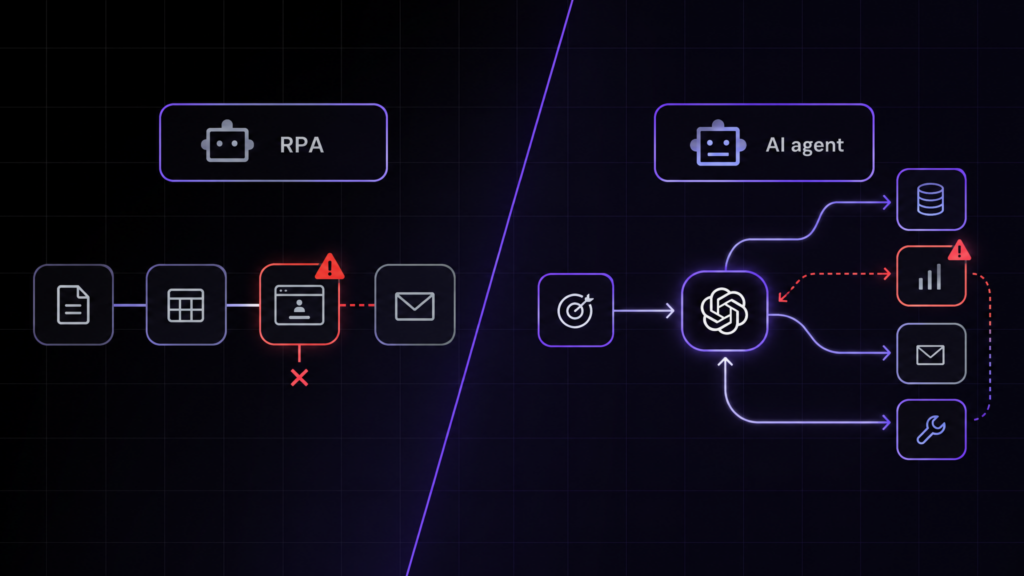
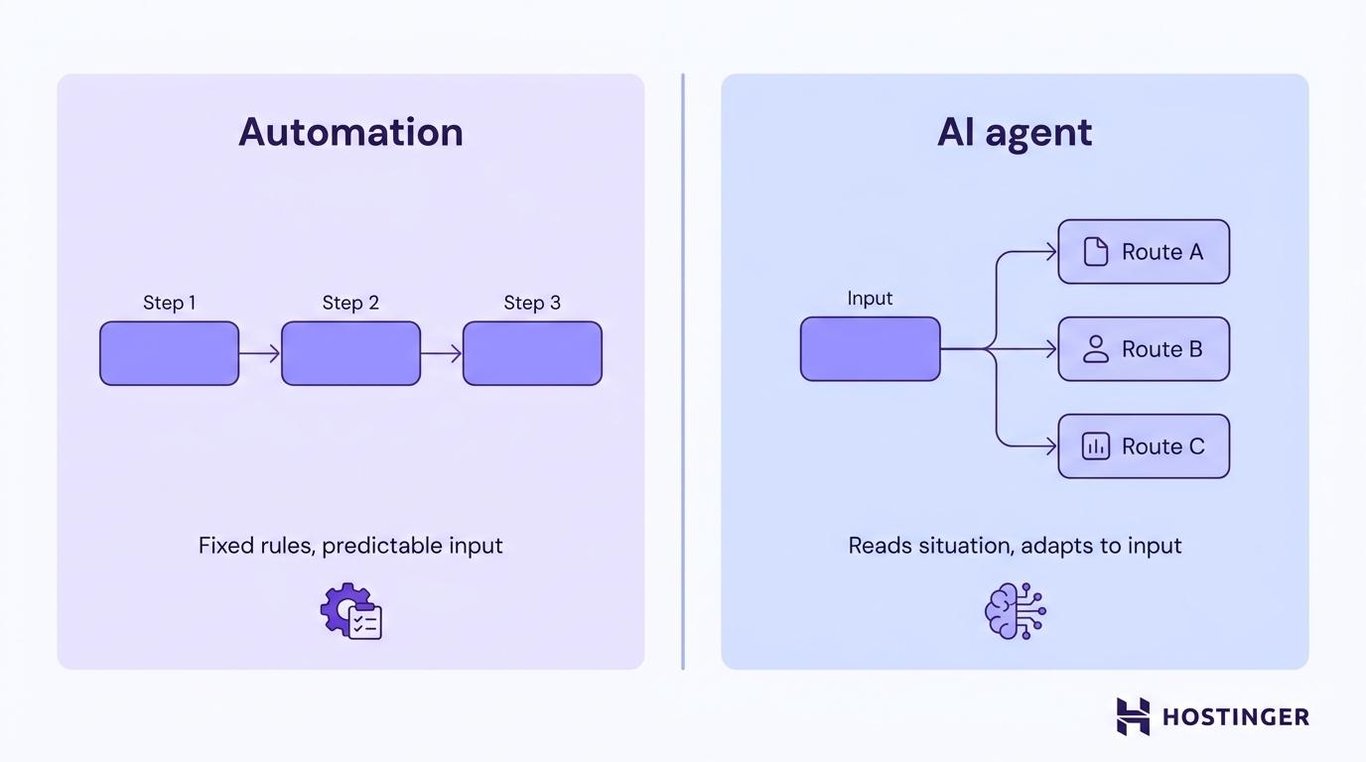
Automation follows a fixed set of rules written in advance, the same steps every time. An AI agent examines the current situation and decides what to do, adapting as the inputs change.
Neither one is universally better. Automation works best when the steps and input are predictable, such as sending the same follow-up email every time someone fills out a form.
AI agents cost more per task, but they’re useful when the work requires interpretation, such as reading a support request and deciding which team should handle it.
The right choice between AI agents and automation depends on how predictable the task is and how much judgment is required in the decision.
What’s the core difference between AI agents and automation?
AI agents vs. automation comes down to decision-making. Automation needs the steps to be mapped in advance. An AI agent receives a goal, reads the available context, and chooses what to do next.
Here’s how the two compare:
Aspect | Automation | AI agents |
Setup effort | Map every step in advance | Start from a plain-language instruction |
Flexibility | Follows fixed rules | Adjusts to context and new inputs |
Data handling | Works best with structured, predictable input | Can interpret free text and changing inputs |
Cost predictability | Lower per task, cheap if the process stays stable | Higher per response, no rebuild needed when the task changes |
Technical skill | Requires rules, triggers, and actions to be set up | Ready-made agents need little setup; custom agents need more |
Scalability | Best for large volumes of similar tasks | Best for repeated tasks where each case needs interpretation |
Best use case | Stable, rule-based work | Work that needs judgment |
Automation runs a set sequence: if X happens, do Y, in the same order, every time. A form submission triggers the same three steps: copy the fields into a CRM, send a confirmation email, and create a follow-up task.
It works best with structured, predictable input. When the input falls outside the rules, the automation needs another rule, a fallback step, or a person to handle it.
AI agents work differently. They read the input, whether that’s a message, ticket, or form, and work out what it means before choosing an action.
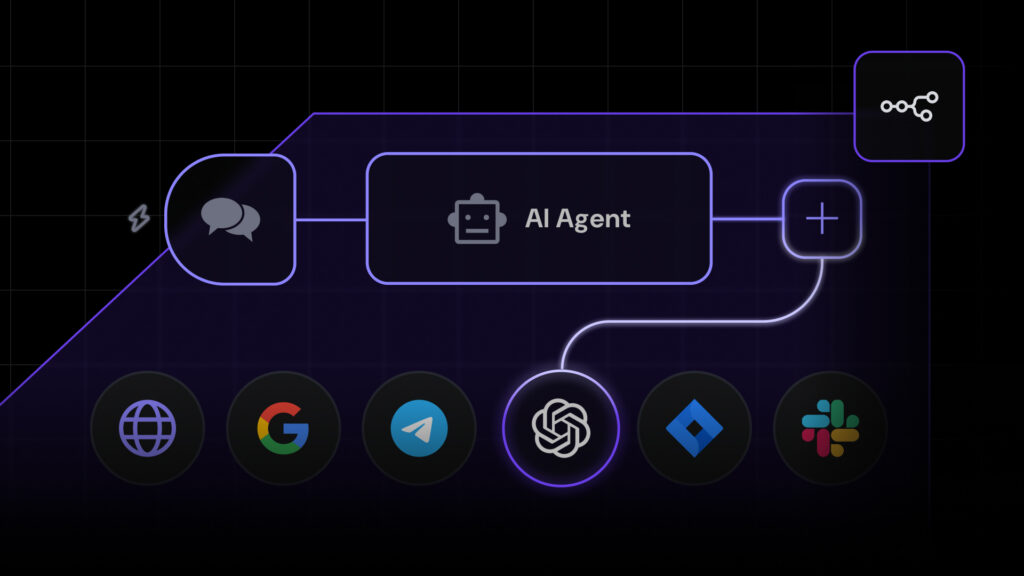
Many AI agents use a large language model, or LLM, to understand the request and choose the next step. An LLM agent combines that model with instructions, tools, stored context, and access to other software so it can act on the decision.
This reasoning ability is also why people call these systems agentic AI. Agentic AI describes systems that can choose and carry out steps toward a goal rather than only returning one response.
Where do AI agents and automation overlap?
Automation and AI agents overlap in two ways. First, agents rely on automation to carry out the actions they decide to take.
Second, automation platforms are adding their own AI steps, following current automation trends, such as summarizing an email or sorting a ticket, rather than leaving all the language work to a separate agent.
The boundary isn’t whether AI is involved. It’s whether the next step was set in advance by a rule, or chosen in the moment by the agent.
What do AI agents and automation do?
Automation handles tasks with fixed, predictable steps. AI agents handle the ones that need judgment first.
Here are examples of routine tasks you can automate:
- Sending a follow-up email after a form submission
- Updating a customer relationship management (CRM) record from a clean form field
- Checking website uptime and load time, and sending an alert if the site goes down for more than five minutes
Here are real-world AI agent examples you’ll see across support, sales, and marketing teams:
- Reading a support ticket and routing it to the right queue
- Summarizing a lead’s notes into a clean brief
- Drafting content ideas from a short prompt
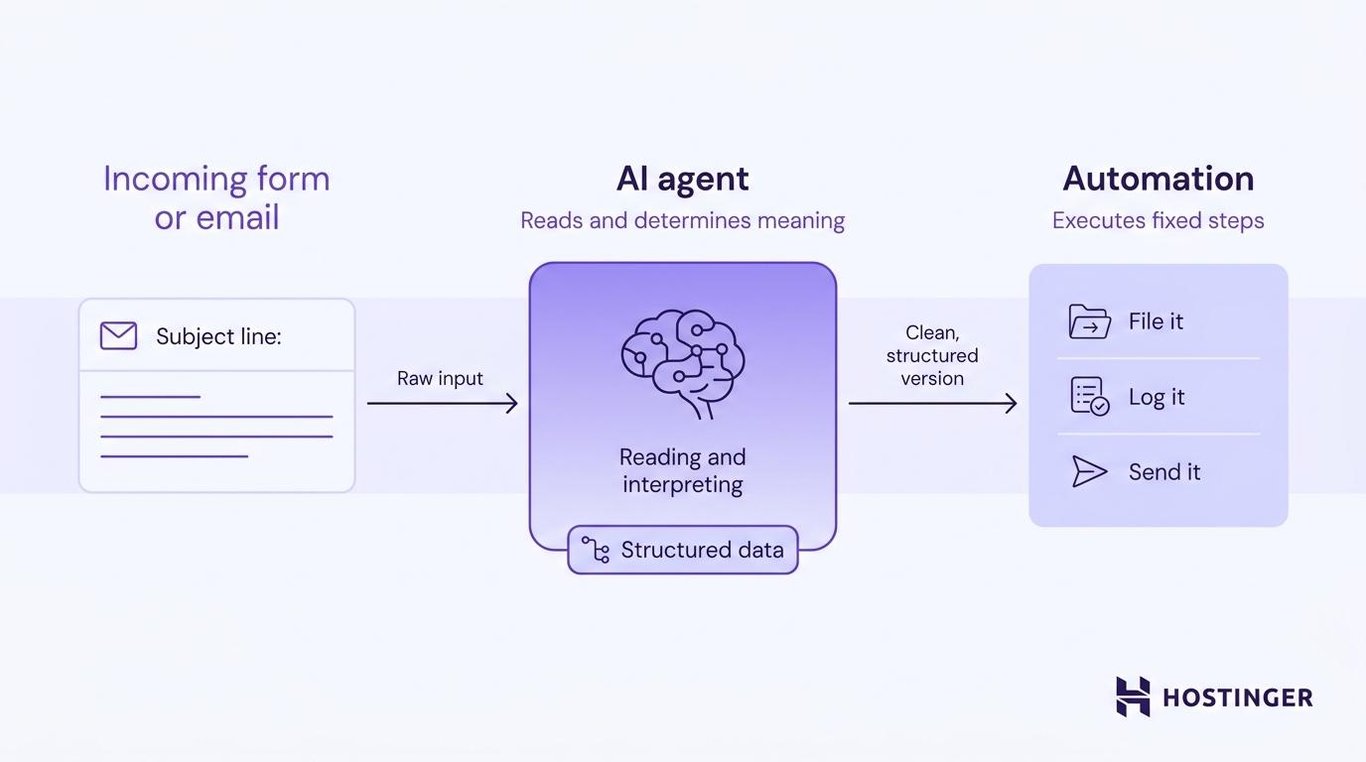
When the two work together, an agent reads an incoming form or email and determines its meaning. It then hands a clean, structured version to an automation, which files it, logs it, or sends it.
What are the limitations of AI agents and automation?
AI agents can act on made-up information with full confidence, while automation can run the wrong rule just as confidently. Both need safeguards before their output affects the business.
AI agent limitations
Most AI agent failures trace back to how the agent reasons or what it can access:
- Hallucinations – The AI agent makes something up. It might invent a statistic, fabricate a field, or report success when the action failed.
- Permission risk – An AI agent with broad access to email, CRM, or billing systems can act on the wrong record when no limits are in place.
- Unclear instructions – A vague goal, such as “improve this email,” leaves the AI agent to guess whether the result should be shorter, friendlier, clearer, or more persuasive.
- Tool failure – The AI agent might choose the right action but fail because an integration is unavailable, a permission has expired, or another service returns an error.
Automation limitations
Automation doesn’t reason, so its failures are more predictable:
- Brittle rules – Automation can fail or send an input down the wrong path when it receives something its rules don’t cover.
- Over-automation – Automating a broken process makes it fail faster and at a higher volume.
Automation is more reliable for repetitive tasks because it follows the same instructions every time. AI agents trade some of that reliability for flexibility, so the safest setup gives each one the work it handles best.
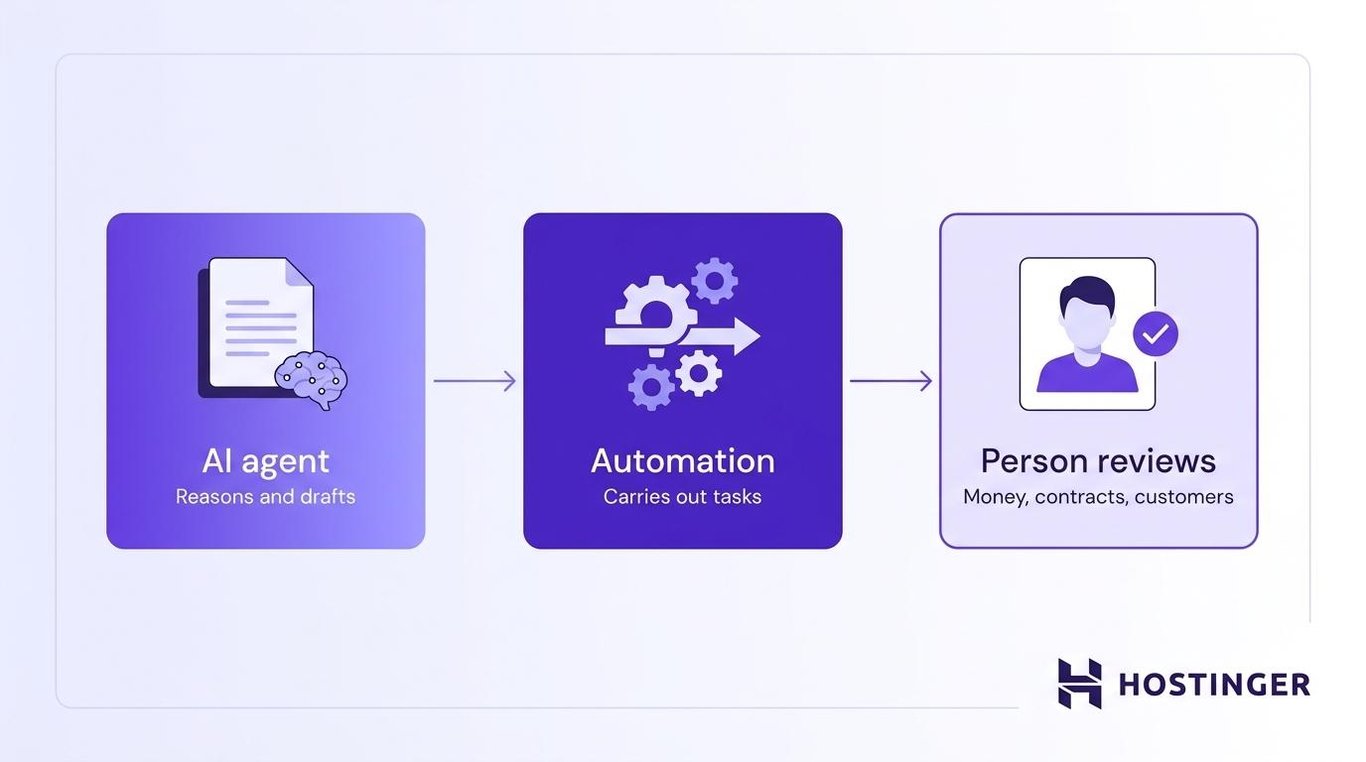
AI agents handle reasoning and drafting, automation carries out repeatable actions, and a person approves anything involving money, contracts, account access, business records, or customer communication before the action is completed or the message goes out.
Which costs less to run: AI agents vs. automation
Automation costs less per task and stays inexpensive when the process rarely changes. AI agents cost more per response, but they can handle inputs that don’t follow the same format every time.
Automation makes more sense for stable, high-volume work. Copying five fixed fields from a form into a CRM doesn’t require an agent because the rules are already clear.
An agent becomes more useful when the input changes from one case to the next. For example, hundreds of differently worded customer requests would require a long list of automation rules, while an agent can first work out what each message is about.
According to McKinsey, 88% of organizations use AI regularly in at least one business function. However, only around 6% qualify as AI high performers. These organizations attribute at least 5% of their earnings before interest and taxes (EBIT) to AI and report significant value from using it.
McKinsey found that these high performers are more likely to redesign how work gets done instead of adding AI to an unchanged process.
The gap shows that using AI widely doesn’t guarantee strong business results. Companies still need to match each task with the right tool and change the workflow when the old process no longer makes sense.
How to get AI agent capabilities without building them yourself
If you don’t want to build an agent yourself, a ready-made platform gives you specialist help without requiring you to set up the underlying system.
Ready-made agentic AI solutions cover the reasoning, tools, and orchestration for you, so you get the agent’s judgment without maintaining the system behind it.
Hostinger Agent, for example, gives you access to a team of specialized AI agents for strategy, search engine optimization (SEO), writing, marketing, legal tasks, customer communication, and sales.
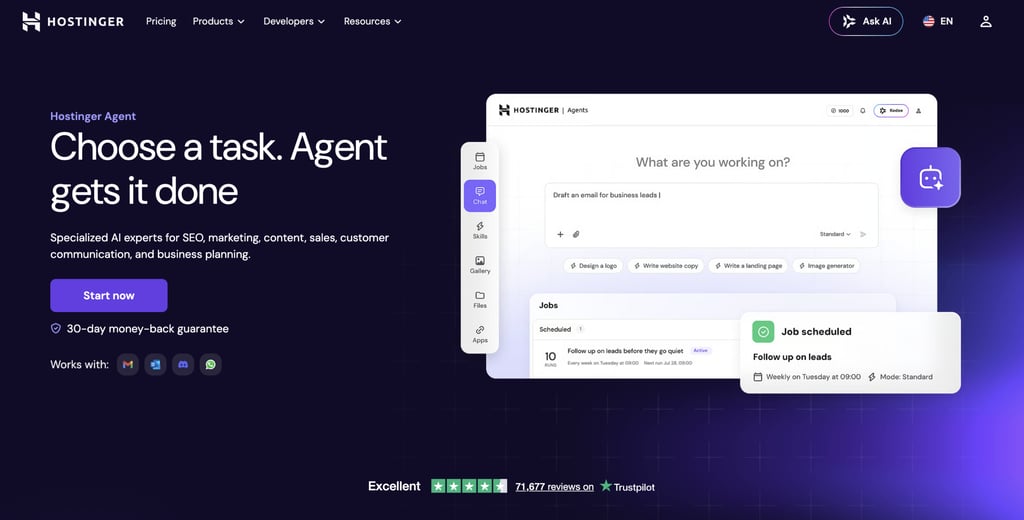
You choose the agent that matches the job, then describe what you need in plain language. Because each agent already focuses on one business area, you don’t have to build a workflow or map every step in advance.
You can also ask Hostinger Agent in the Hostinger dashboard (formerly hPanel). For supported requests, it can recognize what you need and pass the task to the relevant specialist agent.
Sometimes, the task doesn’t need an agent at all. Moving data between apps on a fixed schedule is better handled by an automation tool such as Zapier, Make, or n8n.
What are some more advanced automation and AI agent tools?
Teams that need more control can build workflows in n8n, run an assistant such as OpenClaw, or connect existing tools through APIs and webhooks.
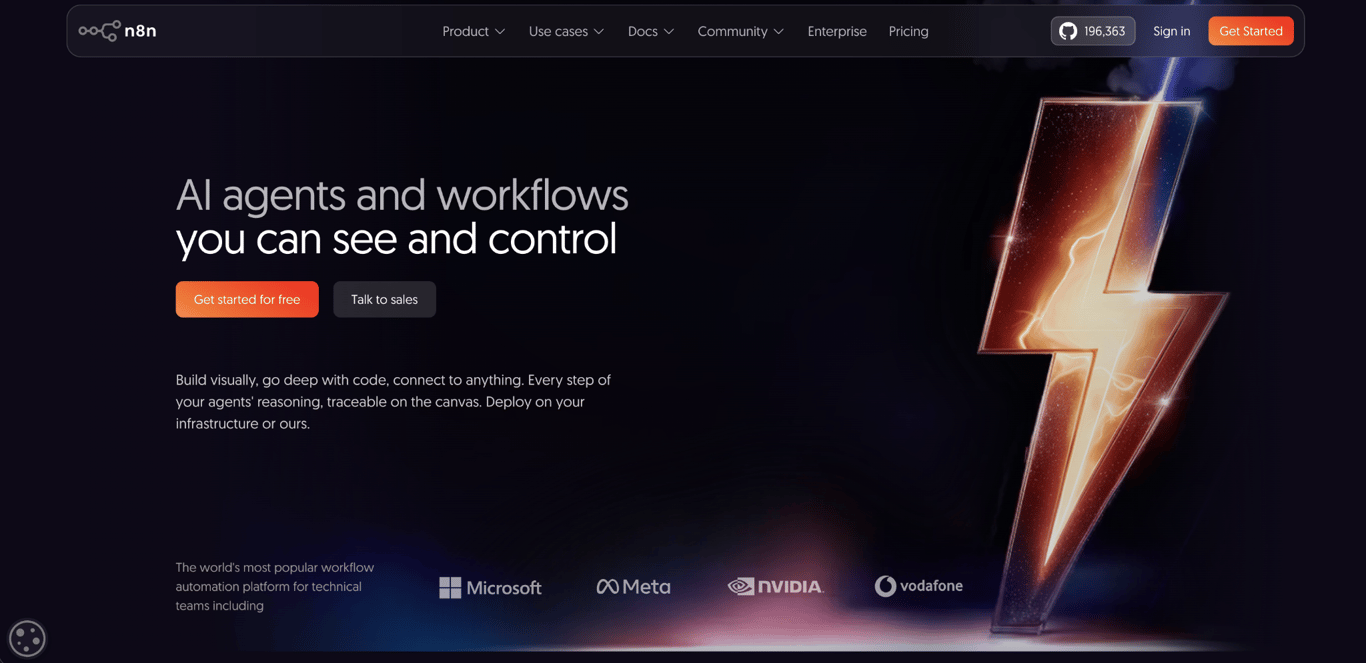
n8n – Best for self-hosted automation with an AI step
n8n is an open-source automation platform that you can use through its hosted service or run on your own server. It also includes AI steps that you can add to a workflow.
It’s a good option when you want AI to handle one part of an otherwise predictable workflow, or when you need to keep your data on your own server.
You can use n8n to add a single AI step or build an AI agent with n8n that uses several tools.
OpenClaw – Best for an always-on agent without building a workflow
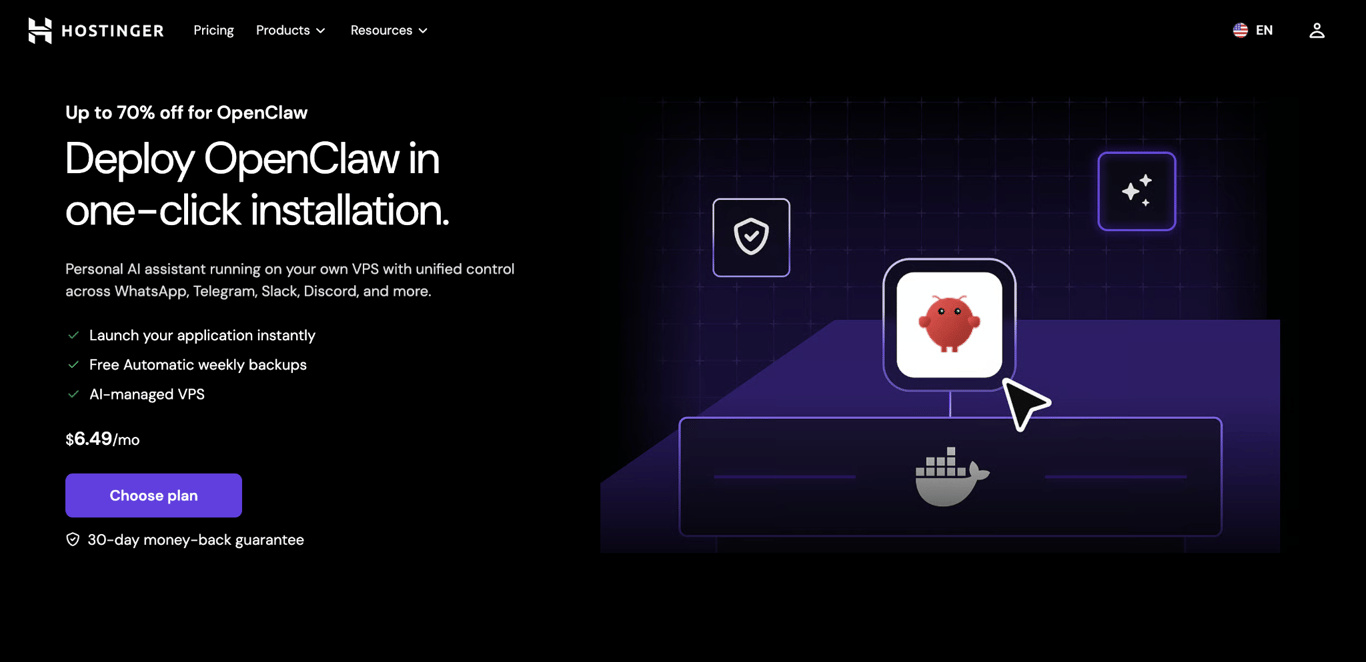
OpenClaw is an open-source personal AI assistant that works through messaging apps such as WhatsApp, Telegram, Slack, and Discord.
Hostinger offers two ways to run it. Managed OpenClaw handles setup, updates, and server security for you. OpenClaw on VPS gives you full control over the server, but you need to manage its maintenance and security yourself.
Both options keep the assistant running on a server, so you can reach it through connected messaging apps without opening a separate agent platform each time.
APIs and webhooks – Best for connecting agents and automation
Application programming interfaces (APIs) and webhooks are two common ways to connect agents, automation platforms, and business software.
APIs let different pieces of software communicate, and webhooks are how one app automatically notifies another when something happens, such as a form being submitted.
Once you’re connecting pieces this way, the natural next step is to structure agentic workflows so that multiple steps chain together reliably.
When should you use automation, AI agents, or both?
The right choice depends on how much reasoning the task needs and how stable the input is.
- Automation – Best for stable, rule-based tasks with structured data, such as form-triggered emails, threshold alerts, or CRM updates from clean fields.
- AI agents – Best for tasks that need context, judgment, research, or summarizing, such as sorting inbound tickets or drafting marketing copy.
- Both – Combine them when a task starts with unstructured input and ends with a repeatable action. The agent interprets the request, then automation carries out the fixed steps.
Here’s how that looks for some common scenarios:
Scenario | Best fit | Why |
Follow-up email after a form submission | Automation | The trigger and action are predictable, so an AI agent just adds cost without doing anything automation can’t already do. |
Triaging support tickets by intent | AI agents | The input is free text, and routing depends on meaning, not keywords. |
Updating CRM records from structured form data | Automation | Fields are clean, rules are stable, and you get a clear record of exactly what happened and when. |
Drafting blog posts or marketing copy | AI agents | This needs judgment and writing that rules can’t produce. |
Nightly performance checks with threshold alerts | Automation | Metrics are numeric, and the thresholds don’t change. |
Drafting a customer reply, then logging and sending it | Both | The agent drafts the reply, a person approves it, and the automation logs and sends it. |
Processing a refund under a set dollar limit | Both | The agent reviews the request and drafts a response. Fixed rules check the policy and amount, then a person approves the refund before automation processes it. |
Start with automation when the steps and inputs are already clear. Test an agent when the input varies, and someone currently has to interpret it. For work involving money, access, contracts, or customers, add human approval to whichever option you choose.
As you compare tools, check what they can actually do rather than relying on labels such as “AI-powered” or “AI agent.”
For example, a tool that writes, summarizes, or answers questions may use generative AI without working as an agent. The difference between agentic AI and generative AI is what happens after the tool produces an output. Generative AI returns a response, while agentic AI can choose the next step, use other tools, and continue working toward a goal.
Some products still use the term “AI agent” to refer to tools that only generate responses. Before choosing one, confirm that it can take actions and work through several steps rather than only return an answer.
Once you’ve matched the task to automation, an AI agent, or both, check the safeguards around it. Limit access, keep a record of what happened, and require approval before high-risk actions affect customers, money, contracts, or business records.
This article is a localized version of AI agents vs. automation: What’s the difference, and which do you need?, originally published in English.
All of the tutorial content on this website is subject to Hostinger's rigorous editorial standards and values.

Alma is an AI Content Editor with 9+ years of experience helping ideas take shape across SEO, marketing, and content. She loves working with words, structure, and strategy to make content both useful and enjoyable to read. Off the clock, she can be found gaming, drawing, or diving into her latest D&D adventure.