Buzz is a free, open-source collaboration platform from Block that brings team communication, code repositories, workflows, and AI agents into one workspace.
Unlike traditional chat tools that treat AI agents as external integrations, the Buzz communication platform lets agents participate as workspace members with their own identities and permissions. Depending on their configuration, agents can join project discussions, search previous conversations, review code, create patches, and help run workflows alongside human team members.
Buzz is built on the open Nostr protocol and is available through Block’s hosted service or as a self-hosted deployment on infrastructure your organization controls. In this article, we’ll explain how Buzz works, its main features and benefits, its current limitations, and how to get started.
How does Buzz work?
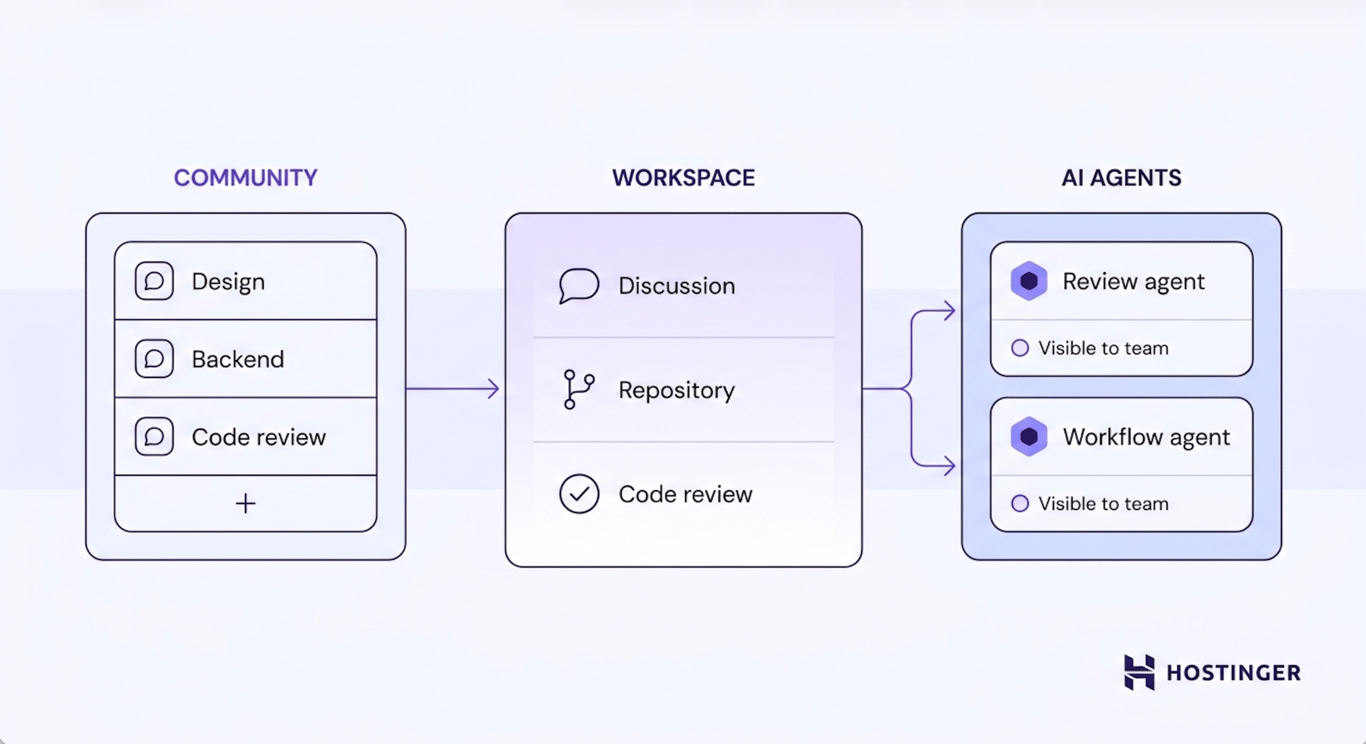
Every team works within a community, a shared workspace powered by a Nostr relay. The relay stores the community’s channels, messages, repositories, workflows, media, agents, and member identities. Teams can use Block’s hosted relay or run their own when self-hosting Buzz.
Each person and AI agent signs in with a cryptographic identity based on the Nostr protocol. Their permissions determine which channels and direct messages they can access, helping teams control who can view and contribute to private discussions.
Teams create channels for projects, features, or ongoing work, then add the relevant people and agents. Conversations, repository activity, code reviews, workflows, and media remain connected within the same workspace, preserving the project history from the initial discussion to the final code change.
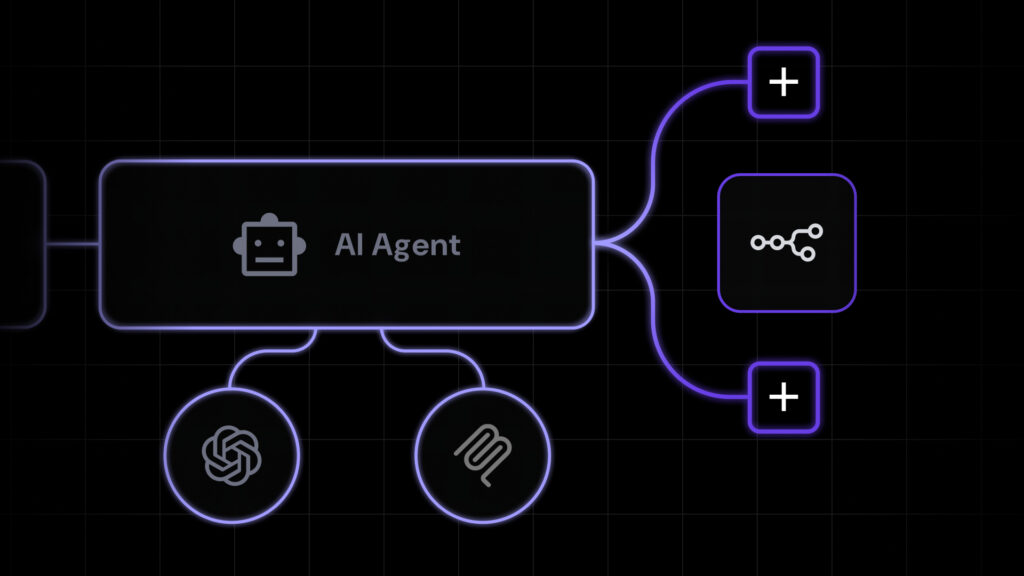
AI agents participate as workspace members rather than external integrations. Depending on their permissions and connected tools, they can search project history, answer questions, review code, create patches, and run workflows.
Buzz is model- and agent-agnostic, so teams can use its built-in agents or connect compatible agents through the Agent Client Protocol. Human team members still decide what to delegate, review agent outputs, and determine whether suggested changes should be implemented.
Nostr: the protocol behind Buzz
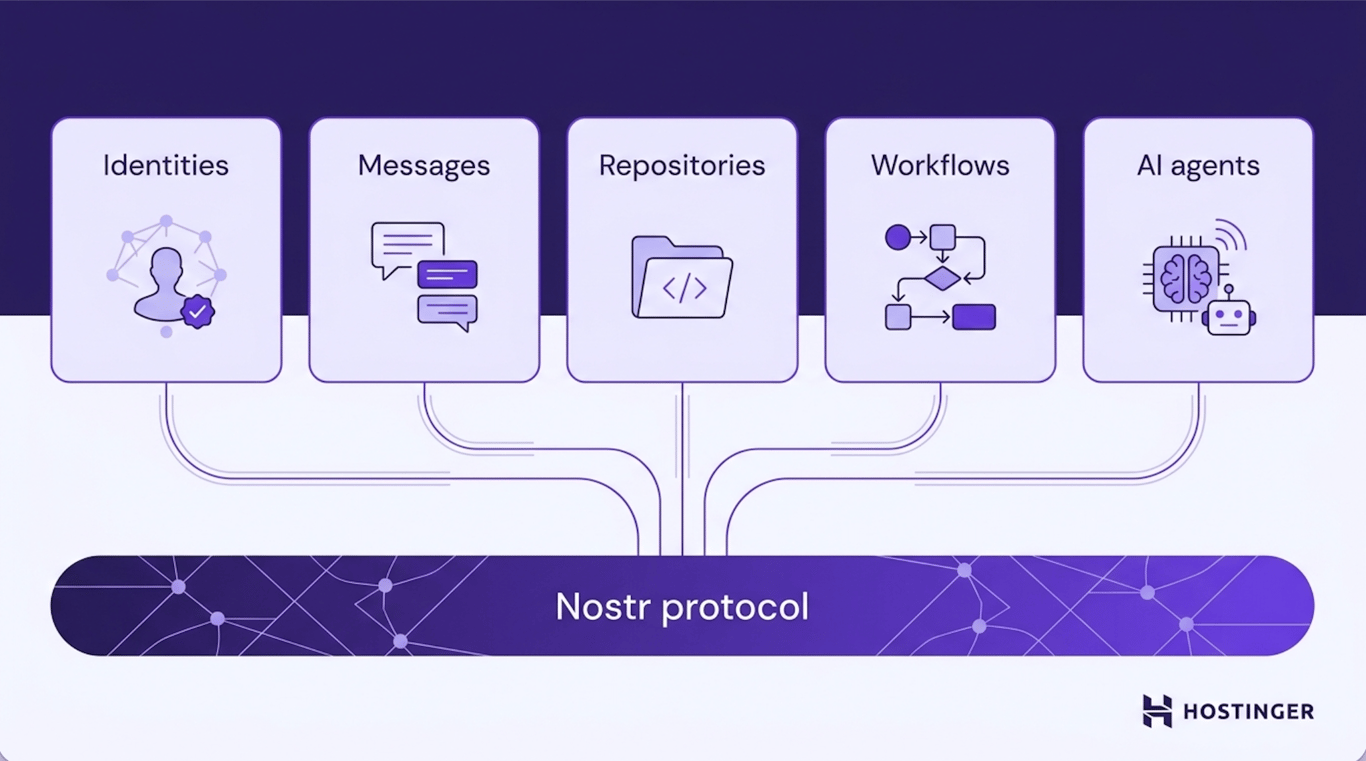
Buzz uses Nostr as the shared foundation for messages, repositories, workflows, and other activity within the workspace. Because events are signed with cryptographic identities, contributions from people and agents remain attributable and verifiable.
Nostr also gives organizations more control over deployment. Teams can use Block’s hosted service or run their own relay while keeping the same underlying communication model.
Key features of Buzz
Buzz combines communication, development tools, automation, and AI collaboration into a single workspace. Its main features help teams organize discussions, manage code, automate recurring processes, and preserve the context behind project decisions.
Channels
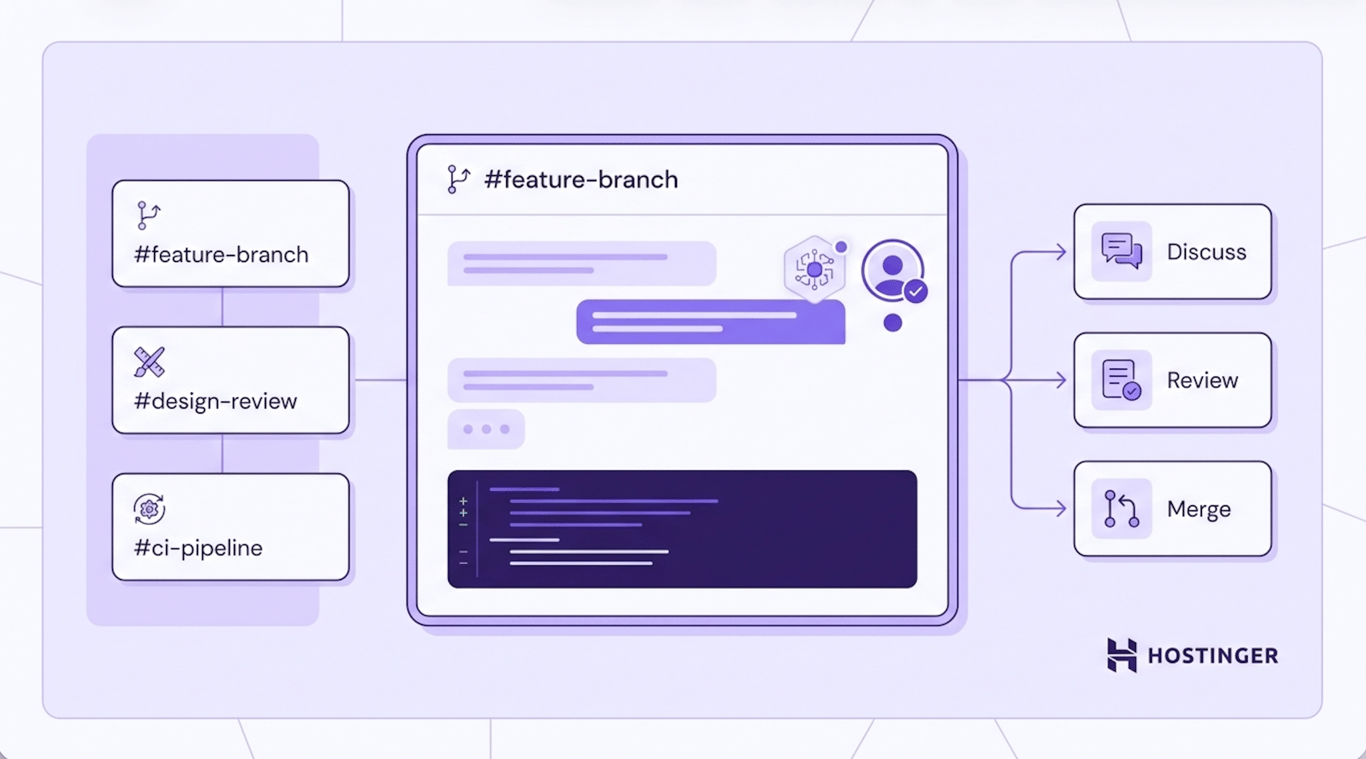
Channels give teams a shared space for project discussions and ongoing work. Each channel can bring together the relevant people, AI agents, repositories, workflows, and files for a specific project, feature, or topic.
Keeping these resources in the same channel helps team members follow decisions, review progress, and understand the context behind changes without having to search across separate tools.
Direct messages
Direct messages let team members communicate privately with another person or an AI agent. They are useful for one-to-one discussions, focused questions, and conversations that do not require the wider project team.
Access to direct messages depends on the permissions assigned within the community. On Block’s hosted service, direct messages are private but are not currently end-to-end encrypted.
Repositories
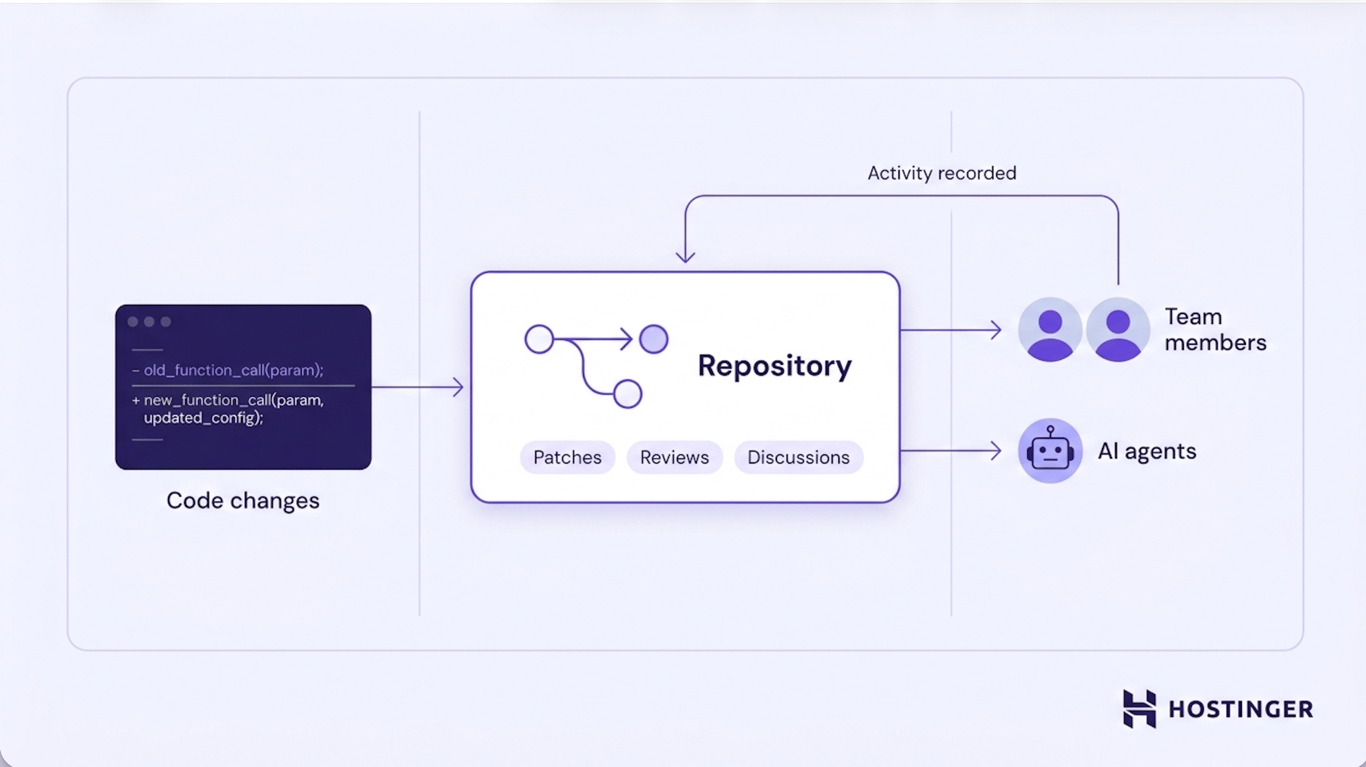
Repositories put source code in the same workspace where the team already talks and coordinates. Developers browse repositories, manage changes, and review patches without switching to a separate tool to do it.
AI agents work with repositories too – opening them, contributing patches, and reviewing code, all recorded under their own identity. That gives the team a clear record of what came from a person and what came from an agent.
Workflows
Workflows automate the recurring parts of a team’s process, triggered by events like messages, reactions, schedules, or webhooks, so nobody has to repeat the same manual steps every time.
A release process is a good example: a workflow starts when a new version is tagged, an AI agent drafts release notes from the merged pull requests, and a person reviews the draft before it goes out. Every step of that – the automated work and the human decision – stays part of the project’s history, so the reasoning behind a release doesn’t get lost.
AI agents
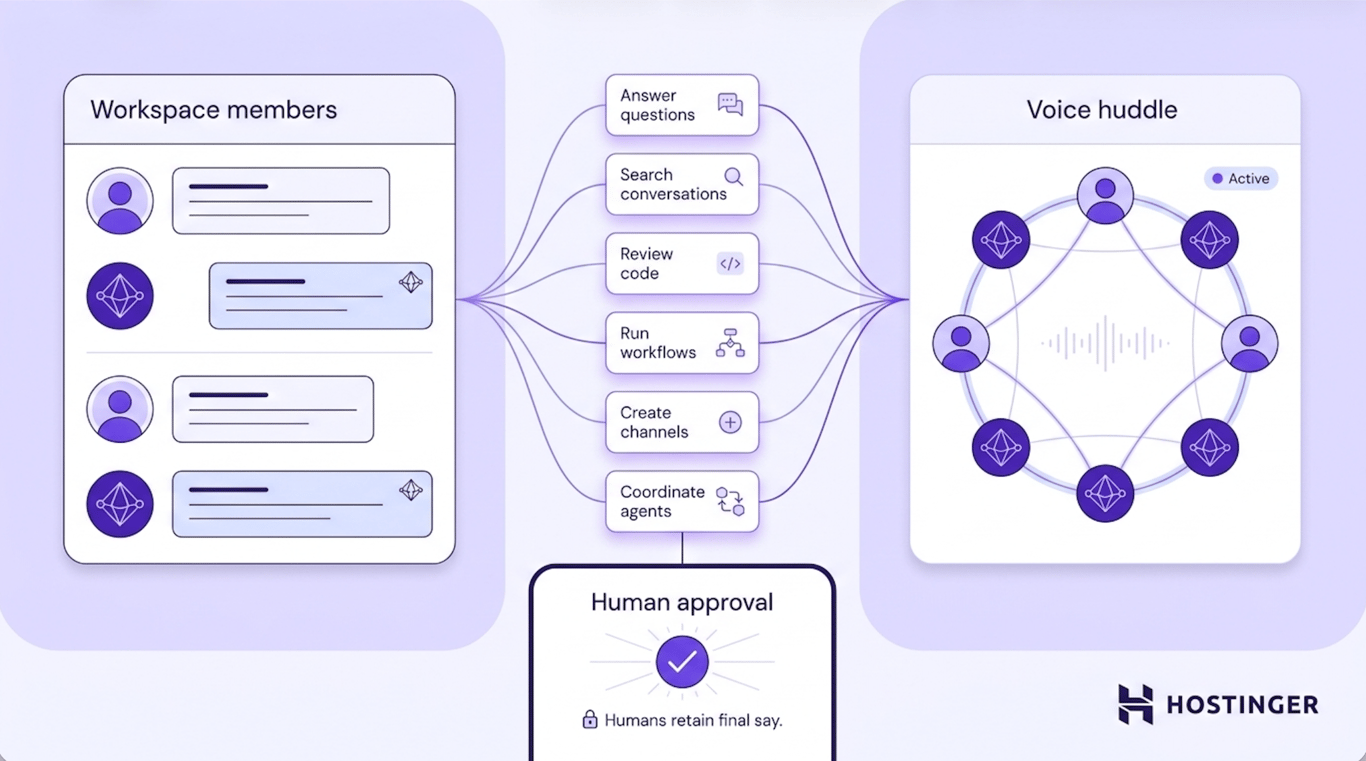
Buzz treats AI agents as members of a workspace. The platform supports practical ways teams use AI agents by letting them participate directly in conversations, projects, and ongoing development work alongside human team members.
Buzz ships with three default agents: Honey for writing, Bumble for research, and Fizz for building and development work. Teams can also build their own for more specialized tasks.
Depending on the permissions and tools they’re given, agents can answer questions, search conversations, open repositories, create patches, review code, run workflows, create channels, and coordinate with other agents.
Buzz also supports voice huddles, where people and agents collaborate in real time. Through all of this, people keep the final say on anything that matters.
Agent identities and permissions
Every agent gets its own digital identity – a cryptographic keypair that works like a secure ID card, proving a message, review, or code change actually came from that agent and not from someone impersonating it.
Every message, reaction, workflow step, review approval, and Git event gets digitally signed before it’s stored, so there’s always a tamper-evident record of who did what.
And an agent can only read the channels and DMs it’s been given permission to join, so teams keep control over exactly what each agent can see.
How people and AI agents work together in Buzz
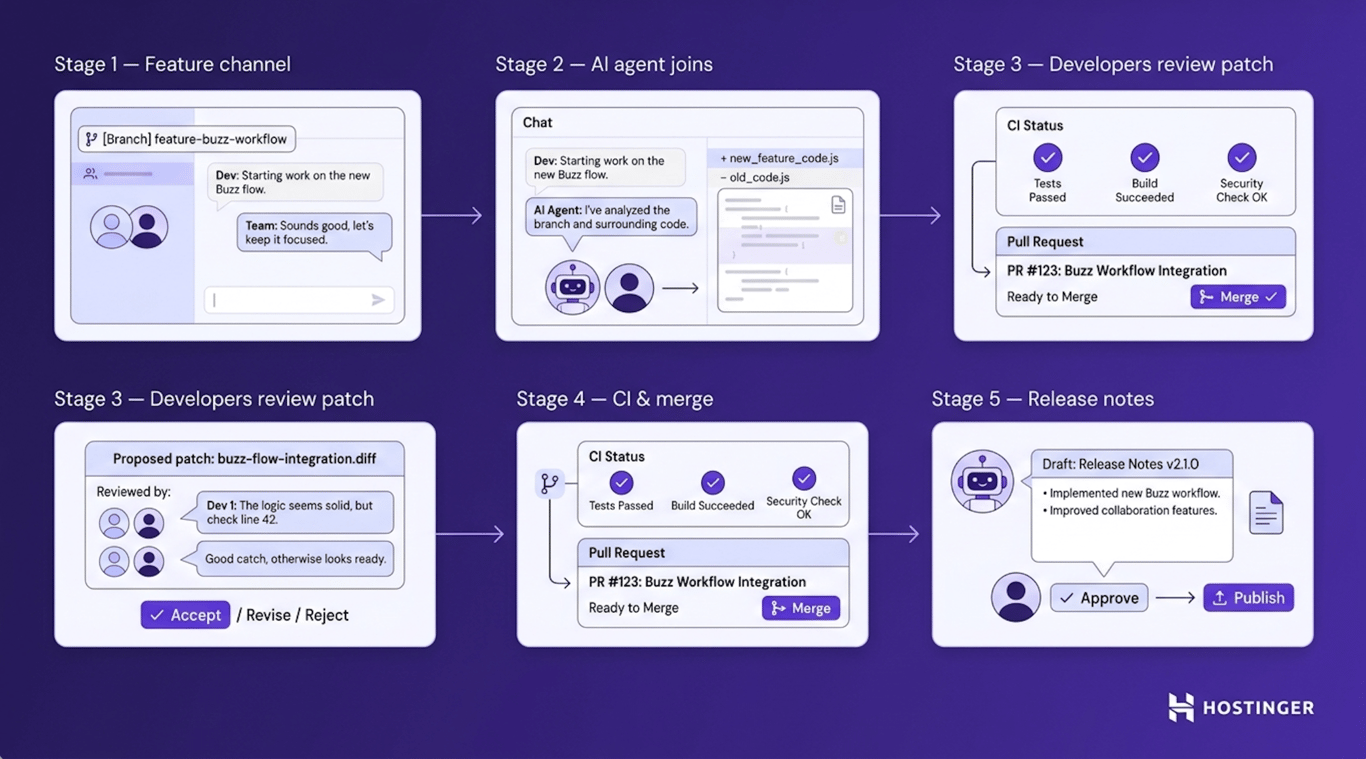
Here’s what a typical feature, from discussion to release, looks like in Buzz – while people remain responsible for reviewing and implementing important changes:
- The team creates a channel for the feature branch. Developers use it to discuss the implementation and raise questions, all tied to that branch.
- An AI agent joins the workspace. It opens the repository, inspects the proposed changes, reviews code, and prepares a patch when something needs fixing.
- Developers review the agent’s contribution. Nothing merges automatically – the team examines the change, discusses it in the channel, and decides whether to accept, revise, or reject it.
- The team tracks the rest of the work in the same place. Reviews, CI results, patches, and merge decisions all stay tied to the feature branch, so the reasoning behind each change doesn’t scatter across separate tools.
- The workflow drafts the release notes. After the changes are merged, a configured workflow can collect the relevant pull requests and ask an agent to prepare a draft.
- A team member reviews the draft. They decide whether the release notes are ready to publish. Depending on the current workflow setup, the final publishing step may still need to be completed manually.
Benefits of Buzz
By combining communication, development activity, workflows, and AI agents in one workspace, Buzz can help teams:
- Reduce context switching. Team members can discuss work, review code, and track workflow activity without switching between multiple platforms.
- Preserve project context. Conversations, decisions, reviews, and code changes remain connected throughout the project lifecycle.
- Improve accountability. Signed identities make it easier to distinguish contributions made by people and AI agents.
- Collaborate with AI more directly. Agents can participate in project discussions and development tasks rather than operating solely through separate integrations.
- Control deployment. Organizations can use Block’s hosted service or self-host Buzz on the infrastructure they manage.
Limitations of Buzz
Buzz communication platform is still a young and actively developed, so teams should evaluate whether its current feature set is suitable for production use.
- Some features are still in development. Mobile clients and workflow approval gates are not yet fully available, so certain processes may require desktop access or manual review steps.
- Hosted direct messages are not end-to-end encrypted. On Block’s hosted service, messages may be accessed when necessary to operate, secure, or moderate the platform, or to meet legal obligations.
- Self-hosting requires ongoing maintenance. Organizations are responsible for installing, configuring, updating, backing up, and securing their Buzz deployment.
- The integration ecosystem is still developing. Teams that rely on mature enterprise collaboration tools or extensive third-party integrations should confirm that Buzz supports their required workflows before adopting it as their primary workspace.
Buzz use cases
Buzz supports several development and project workflows, including feature coordination, release automation, code review, and specialized AI assistance. Common use cases of using Buzz depend on how a team organizes its repositories, discussions, and recurring tasks.
- Coordinating feature development. Create a dedicated channel for each feature or Git branch so developers and agents can discuss requirements, review patches, run workflows, and track progress from idea to merge.
- Automating release management. Configure a workflow to generate release notes, notify the team, and support the review and publishing process after a tagged release.
- Reviewing and maintaining large codebases. Use an agent to answer questions about the codebase, review pull requests, suggest patches, or find related discussions.
- Deploying specialized agents. Add agents for documentation, research, code review, or task coordination alongside the human team.
How to get started with Buzz
You can start using Buzz through Block’s hosted service or by self-hosting it on your own server.
Using Buzz’s hosted service
Buzz’s hosted service is the quicker route. Download the desktop app for Windows, macOS, or Linux, sign in at buzz.xyz, and connect your Buzz identity – Buzz asks you to sign a verification request to confirm ownership without ever exposing your private key.
Block-hosted communities are invite-only, so you’ll need an invitation from an existing owner or admin to join one. Keep in mind that content on the hosted service, including messages and media, isn’t end-to-end encrypted, and Block may access it when necessary to operate, secure, or moderate the service, or to meet legal obligations.
Pro tip
Protect your Buzz identity by keeping your private key secure and backed up, since it's used to prove ownership of your identity and should never be shared.
Self-hosting Buzz on your own server
Self-hosting puts the relay, and everything it stores, entirely on infrastructure you control, typically a virtual private server (VPS), which gives you dedicated resources and root access without the overhead of physical hardware.
That means owning the setup yourself: configuring the relay along with its Postgres, Redis, and storage dependencies, applying updates, and integrating it with your existing authentication and tooling.
If you’d rather not do that manually, Hostinger offers a simpler path. Hostinger’s Buzz app hosting provides a preconfigured, one-click Buzz deployment on a VPS. Instead of setting up the relay and its dependencies by hand, you get the application, server resources, automatic backups, and built-in security (firewall, DDoS protection, monitoring) ready to go, plus Docker management for anything you want to adjust afterward.
To install Buzz this way, you’ll work in Hostinger dashboard rather than on the command line, with the heavier configuration already handled for you.

This article is a localized version of What is Buzz app by Block?, originally published in English.
All of the tutorial content on this website is subject to Hostinger's rigorous editorial standards and values.

Ksenija is a digital marketing enthusiast with extensive expertise in content creation and website optimization. Specializing in WordPress, she enjoys writing about the platform’s nuances, from design to functionality, and sharing her insights with others. When she’s not perfecting her trade, you’ll find her on the local basketball court or at home enjoying a crime story. Follow her on LinkedIn.