Restaurant SEO Guide: How to Increase Online Visibility for a Restaurant
Dec 18, 2025
/
Linda D.
/
9 min Read
Search engine optimization (SEO) plays a huge role in making your restaurant easily discoverable to potential customers. Effective restaurant SEO strategies can also transform the way your establishment connects with the local community.
This increased visibility leads to more website traffic, more bookings, and, ultimately, a higher number of diners walking through your doors.
What Is SEO for Restaurants?
Restaurant SEO is the practice of optimizing a restaurant website to boost its visibility in search engine results. It involves various strategies to increase the chances that potential customers will find your restaurant when searching for places to eat in your area.
Restaurant SEO starts with understanding the basic principles of SEO, including keyword research, local SEO, and content marketing. By tailoring these strategies specifically for the restaurant industry, you can significantly improve your online reach and increase the number of visitors to your website.
In this guide, we’ll explore the specifics of restaurant SEO and provide you with actionable strategies for improving your visibility and attracting more diners.

Importance of SEO for Restaurants
Implementing effective SEO strategies when building a new restaurant website can significantly improve your business’s overall growth.
Let’s have a closer look at several benefits of implementing effective SEO:
- Increased visibility. SEO helps your restaurant appear higher on the search engine results page (SERP) when diners are looking for options in your area. Meaning that more people will discover your restaurant when they search for phrases like “best sushi place in town” or “family-friendly restaurants near me.”
- Targeted website traffic. SEO allows you to target specific demographics and customer interests through carefully curated keywords. Therefore, your site traffic is not only higher in volume but also more likely to convert into restaurant visits.
- Enhanced user experience. SEO involves optimizing your website to make it more user-friendly. A well-structured site that loads fast and has easily accessible information contributes to a positive user experience, which is crucial for attracting and retaining visitors.
- Cost-effective marketing. Compared to traditional advertising, SEO is a cost-effective strategy with long-term benefits. Achieving a high search ranking maintains visibility without ongoing expenses, making SEO a valuable investment with a high return over time.
To summarize, focusing on SEO can help restaurants improve their online presence, which ultimately leads to increased sales and a stronger brand.
6 Effective Restaurant SEO Strategies
Let’s explore six restaurant SEO tips that can improve your website’s online presence and ensure it stands out in a crowded market.
1. Conduct Keyword Research for Restaurant Websites
Keyword research is essential for effective SEO. It involves finding the terms potential customers use to search for restaurants like yours.
Relevant keywords often include the type of cuisine and location, such as “Italian restaurant in [City]” or “best sushi bar near me”. These keywords are vital because they match what people are actively searching for in your area.
To further refine your keyword strategy and appeal to more people, consider what other points about your restaurant make it unique:
- Special features. Reflect on what makes your restaurant stand out. Are you pet-friendly or known for your extensive vegan options? Keywords such as “dog-friendly cafes” or “vegan restaurants in [City]” can attract more diners.
- Dining occasions. People often search for restaurants based on the occasion. Incorporating terms like “romantic dinner spots” or “best family restaurant near [Location]” can help to appeal to a larger audience.
- Ambiance and experience. Keywords like “cozy coffee shop” or “upscale dining” provide potential customers with a sense of what to expect, attracting those whose preferences align with what you offer.
- Menu highlights. If your restaurant offers a signature dish, include it in your keywords. For instance, “best Mexican restaurant in [City]” or “authentic tapas bar” can drive traffic from diners with specific cravings.
Use keyword research tools like Google Keyword Planner, Semrush, or Ahrefs. They provide insights into a keyword’s search volume and competition level, helping you determine which terms to target.
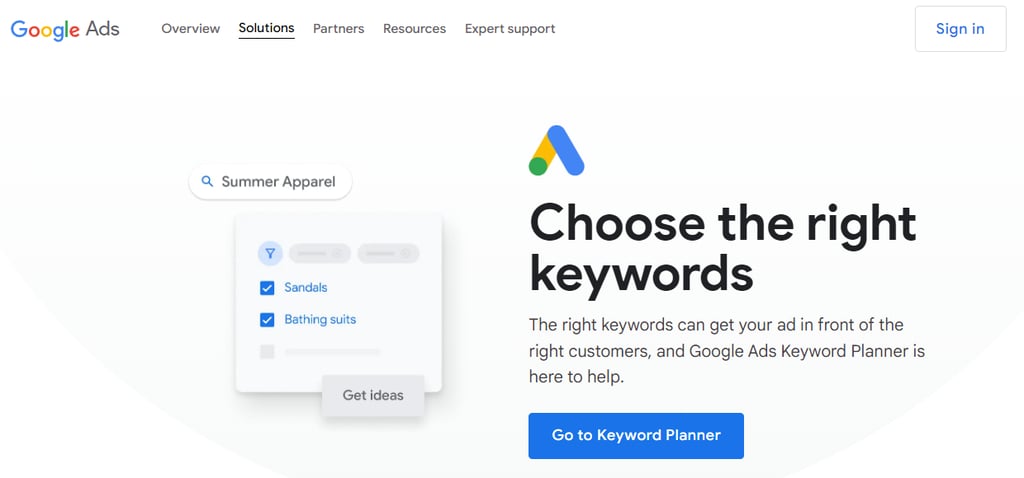
Once you have your list of keywords, integrate them naturally into your website’s content – on your homepage, menu descriptions, blog posts, and meta tags. Use these keywords in a way that feels natural.
To make the process easier, opt for Hostinger restaurant website maker, which comes with built-in SEO tools. From your website builder interface, navigate to Website settings → SEO settings.
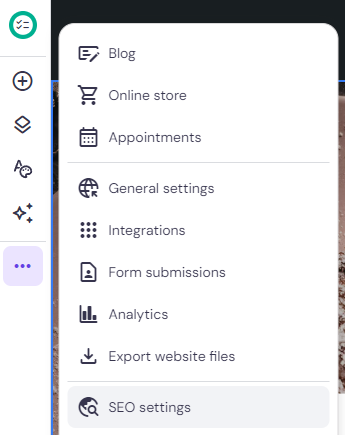
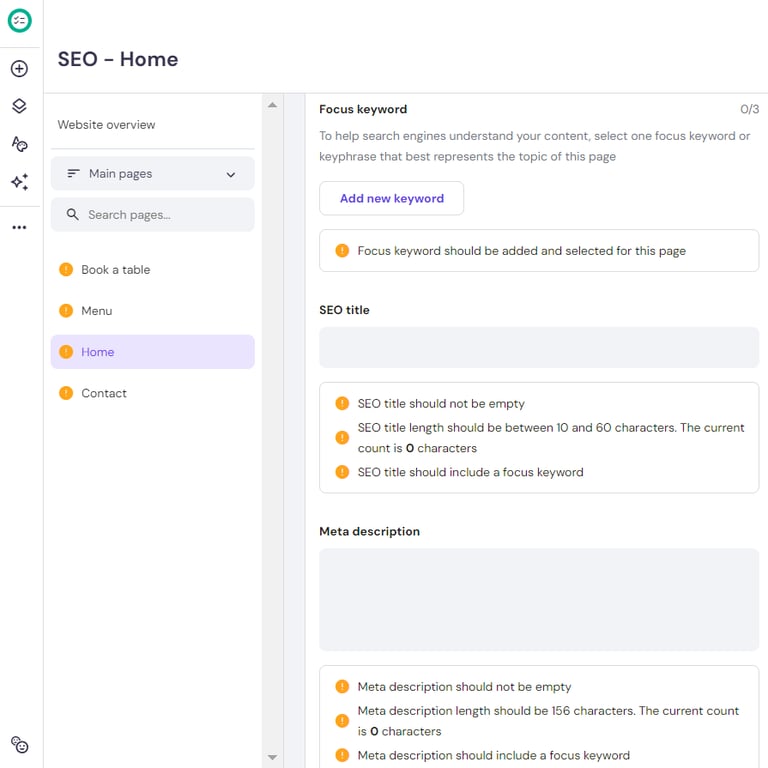
On it, you can add focus keywords, create custom SEO titles, and write meta descriptions for each web page.
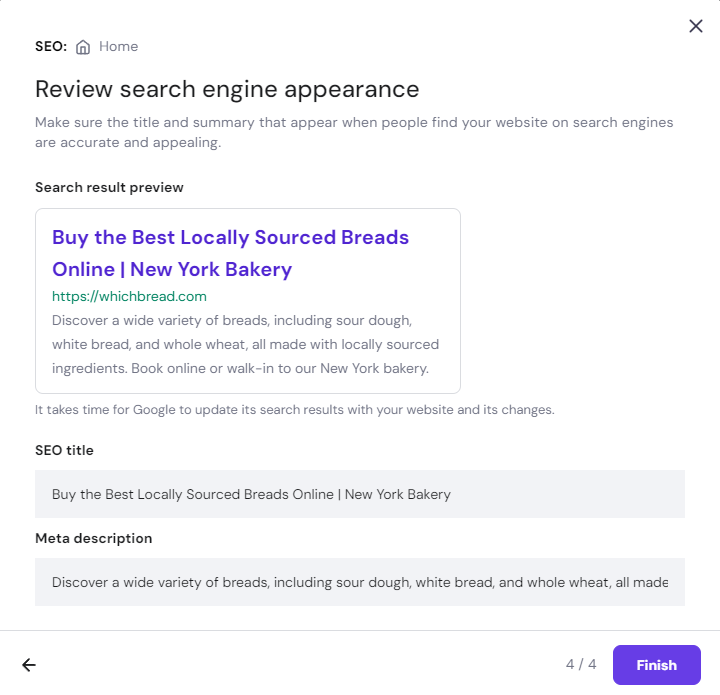
We also have an AI SEO Assistant where you can automatically generate your focus keywords, SEO titles, and meta descriptions. This is especially helpful for users with minimal technical and SEO knowledge.

2. Leverage Local SEO
Local SEO helps restaurants attract local customers in their area. By enhancing your visibility in local searches, you can increase walk-in traffic and online bookings.
Google Business Profile, formerly Google My Business, is an essential tool for any restaurant business. This free listing allows your restaurant to appear in local search results and on Google Maps, making it easier for customers to find and visit you.
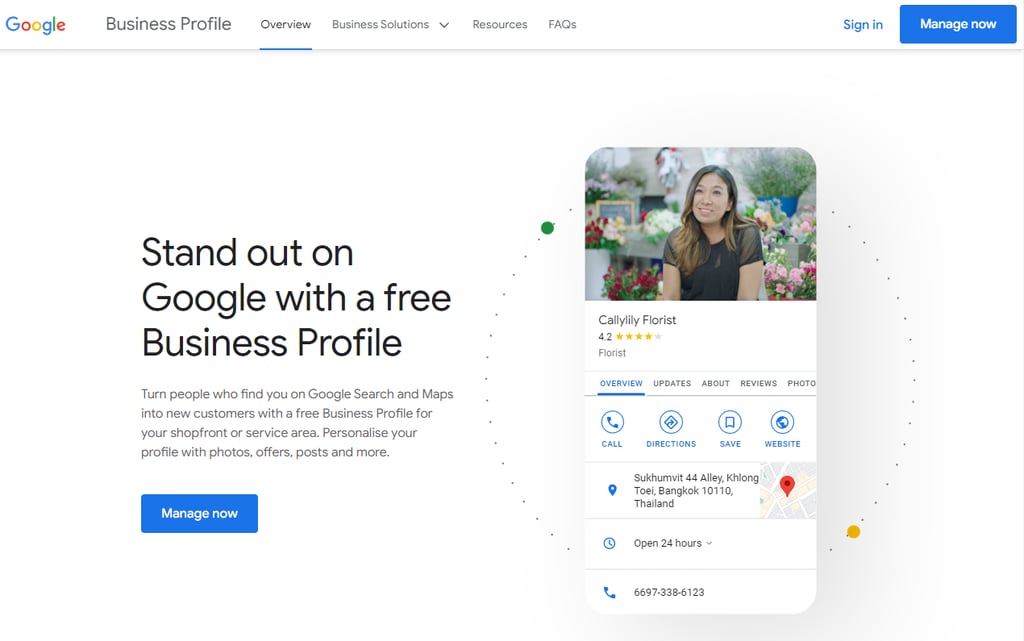
Your Google Business Profile should contain the most important business information, such as the address, phone number, operating hours, and photos of your restaurant or menu items. Keeping this information accurate and up-to-date is also crucial for attracting local customers.
Let’s see more tips for optimizing your Google Business Profile SEO:
- Ensure NAP consistency. Ensure the name, address, and phone number (NAP) are consistent across all online platforms and directories. This consistency helps search engines verify your business as legitimate and can improve your search rankings.
- Use local keywords. Use local keywords in your Google Business Profile and on your website. For example, the “best pizza in Miami” keyword can help you rank higher in local searches.
- Actively encourage reviews. Encourage your customers to leave reviews by providing links on receipts, in follow-up emails, or even directly asking them after their dining experience. Positive online reviews can significantly impact your local search rankings and attract more customers.
- Manage reviews responsibly. Respond to all reviews, both positive and negative, professionally. Engaging with reviews shows that you value customer feedback, which is a positive aspect of any business.
Important! Google has announced the closure of its Google My Business website platform. Therefore, if you have a Google My Business website for your business, you might need alternative solutions.
For detailed guides on how to migrate your Google My Business site and explore other viable options, you can visit the following tutorials:
How to Migrate Google My Business Website Before the Platform Closes
Top 6 Google Business Profile Website Alternatives
3. Optimize Website Structure
A well-structured website is essential for improving SEO and online visitors’ experience. For restaurants where first impressions are crucial, your site structure can make a significant difference in attracting and retaining customers.
With the majority of searches now generated through mobile devices, having a mobile-friendly website is essential. This means your website should look good and function well on smartphones and tablets.
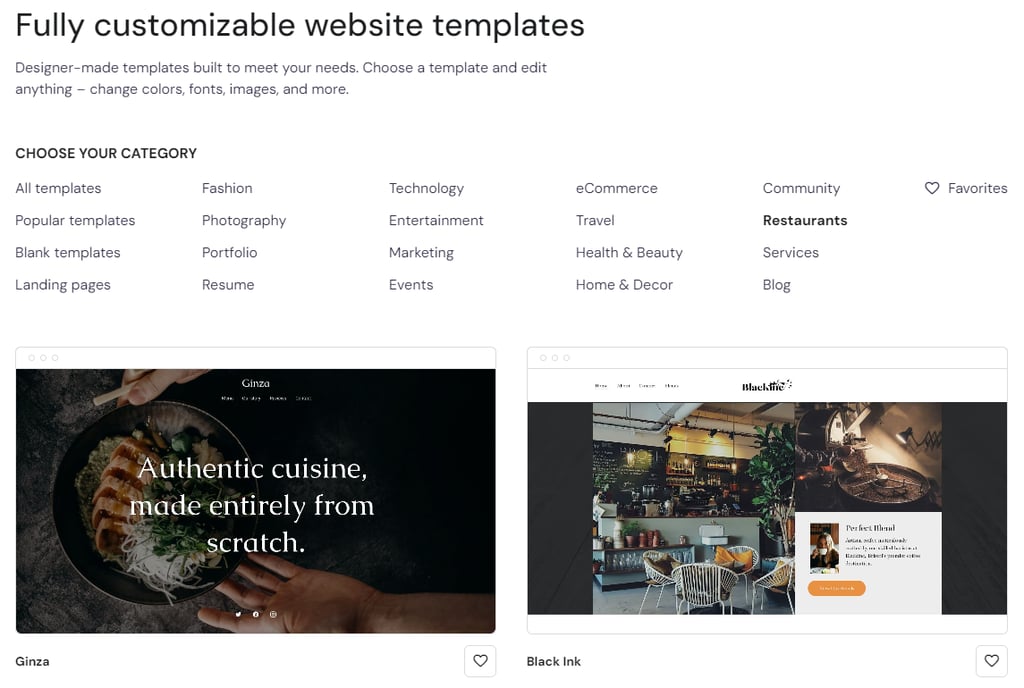
As one of the best restaurant website builders, Hostinger Website Builder offers various responsive restaurant website templates for different restaurant styles. You can easily customize the pre-built design and have it look great on computer screens and mobile screens alike.
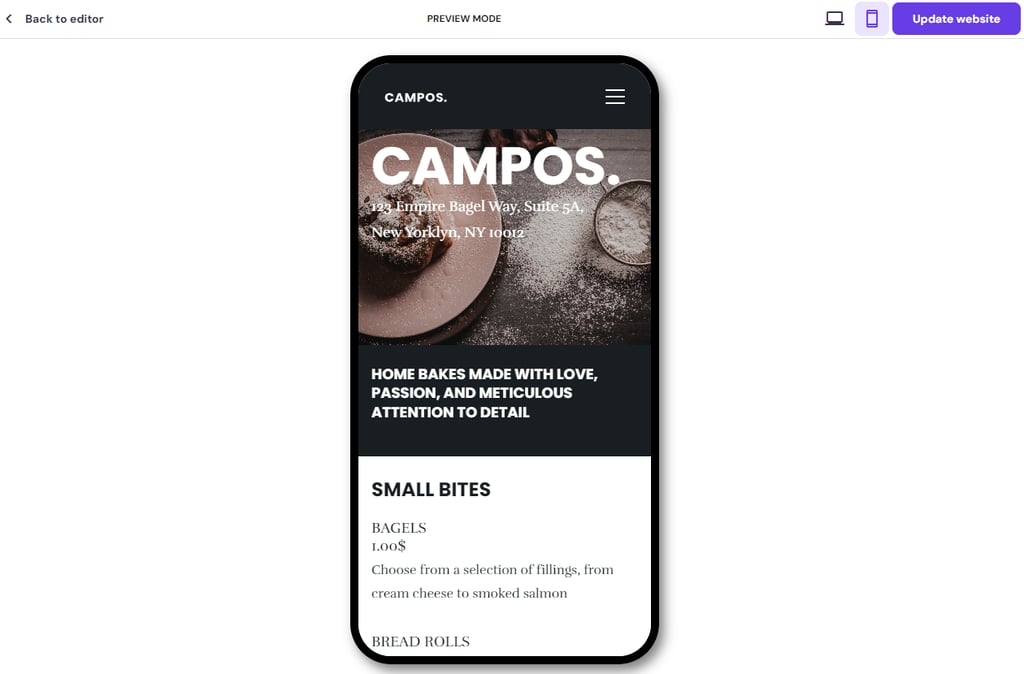
Make your site look good on any screen size by switching from the desktop to mobile mode while customizing your web design. Ensure your layouts are neat, fonts readable, and buttons touch-friendly, so potential customers can make a quick reservation or view your menu easily.
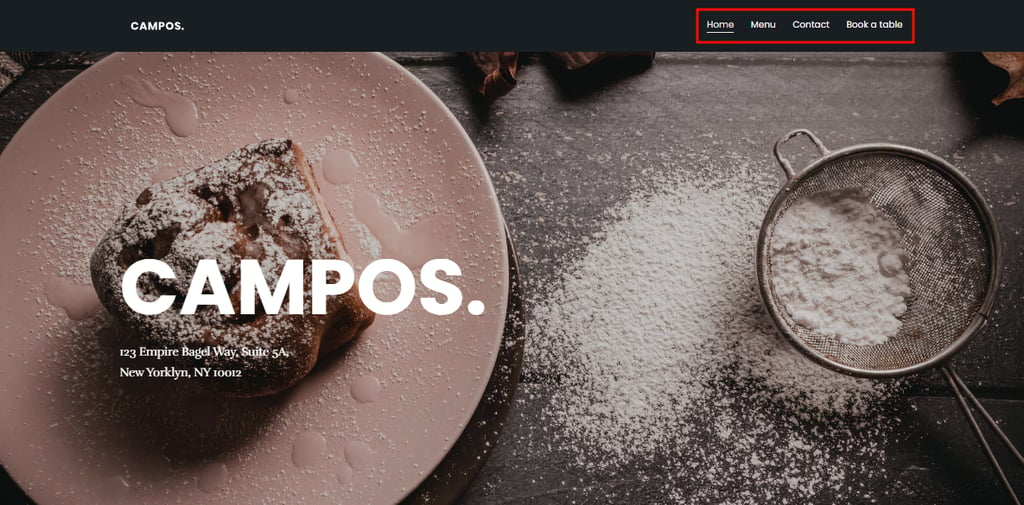
Your website should also be intuitive and allow visitors to find information quickly and effortlessly.
Key sections like the Menu, About, and Contact should be accessible from the main page. In addition to improving user experience, clear navigation helps search engines index your site more effectively.
4. Implement Solid Backlink Strategies
Building backlinks, which are links from other websites to your own, is a powerful strategy to improve your restaurant’s search engine ranking. These links act as endorsements, signaling to search engines that your business is valuable and authoritative.
Collaborating with food bloggers in your area can be a win-win situation.
You can invite them to try your menu in exchange for a review on their blog or offer to host a food-tasting event. When they write about their experience and link back to your website, it not only directs their readership to you but also improves your SEO.
Alternatively, sponsoring local events can get your restaurant’s name and website link featured on event materials, websites, and promotional posts. Look for community events, local festivals, or charity events where your restaurant can contribute and gain visibility.
These links are particularly valuable as they come from reputable community-based sites.
While it might be tempting to try and gather as many backlinks as possible, the quality of the links is far more important than the quantity. Here’s why:
- Links from reputable websites, especially those relevant to your industry and locality, carry more weight and have a more significant impact on your SEO.
- Search engines evaluate the relevance of the linking site. A link from a local food critic’s blog, for example, is much more beneficial than a generic link from a less relevant website.
Moreover, focusing on quality helps avoid potential penalties from Google and other search engines for spammy link-building practices. Grow your backlink profile organically and ethically to foster relationships with local businesses and influencers in a way that naturally encourages them to link to your site.
5. Integrate Social Media to Reinforce Your Online Presence
Social media is a powerful tool for direct engagement with customers and for boosting search engine optimization. By strategically using social media, restaurants can increase their online visibility and drive more website traffic.
Here’s how to effectively integrate social media into your restaurant’s SEO strategy:
- Promote web content. Whenever you publish new content on your website, like blog posts about your cuisine or special promotional offers, share it across your social media platforms. This strategy helps drive traffic back to your website while keeping your content fresh and engaging.
- Use high-quality visual content. Restaurants have a unique advantage in that they can use appealing food photography and video tours of their premises to engage users. High engagement on these posts can lead to higher shares and increased website visibility.
- Interactive posts. Encourage user interaction by creating posts that invite comments, such as asking followers to vote on their favorite dish or to share their dining experiences. Engagement like this can increase the reach of your posts and encourage more visits to your website.
- Use hashtags. Hashtags can help your posts reach a broader audience beyond just your followers. Use popular food-related hashtags as well as local hashtags to increase visibility in your area.
On top of all, a strong online presence on social media can significantly boost your brand’s visibility and recognition. When more people are aware of your restaurant through such platforms, they are more likely to search for your restaurant by name on search engines.
This type of direct search is known as branded search.
Branded searches are a strong signal to search engines that your restaurant is interesting and relevant to people. Increased branded searches can lead to higher website rankings because they indicate to search engines that your site is a sought-after destination.
This is especially impactful when users are not just searching for your restaurant’s name but also using modifiers related to your services, location, or specific offerings. For example, “[Restaurant Name] menu” or “[Restaurant Name] reservations”.
As your brand becomes more recognizable and more searched for, search engines can display more results for it. This further improves your visibility and may drive more traffic to your website.
6. Write Compelling Website Content
Creating content that resonates with your customers encourages more interactions and shares and, ultimately, drives traffic back to your website. Here’s how to create content that can make a real impact:
The right content speaks directly to your audience’s needs, preferences, and emotions.
This is an excellent opportunity to write about what makes your venue unique and why customers should choose you over competitors. Content that effectively shows your unique food options and the quality of the dining experience can build customer loyalty and attract new diners.
Let’s explore some content ideas:
- Blog posts. Share the stories behind your signature dishes and include high-quality images, cooking tips, or even secret ingredients. These posts can intrigue food enthusiasts and give them a taste of what they can expect.
- Chef interviews. Give your chef a platform to share their culinary philosophy, inspiration behind menu items, or personal cooking tips. This type of content adds personalization to your brand, as well as builds credibility and trust among your audience.
- Customer testimonials. Positive reviews from your customers can be incredibly persuasive. Video testimonials or articles on a memorable dining experience can be especially impactful.
Additionally, search engines favor websites that are regularly updated with fresh content. For a restaurant, this means:
- Regularly updating your menu online, especially if you offer seasonal items.
- Posting about upcoming events, special nights, or holiday menus.
- Keeping your blog and social media feeds active with new posts, updates, and interactive content.
Maintaining a steady stream of new content not only helps with SEO but also keeps your audience engaged and informed about what’s happening at your restaurant. This continued engagement helps build a community around your brand and keeps customers returning, both online and in person.
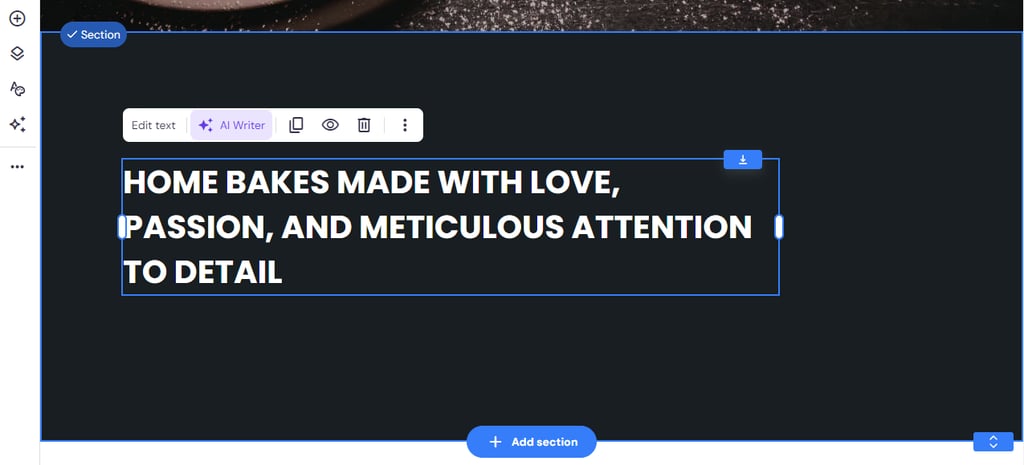
If you’re having difficulties developing your content ideas into well-written pieces, Hostinger Website Builder’s AI Writer can be a big help. Click on any text element → AI Writer to use the feature.
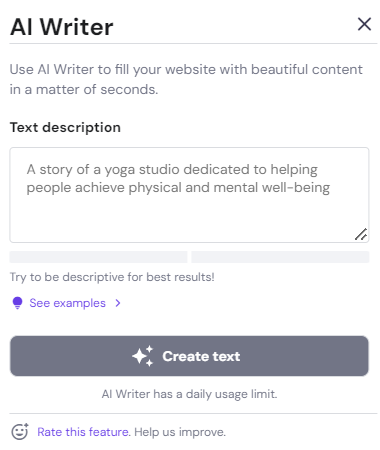
Then, type in a brief description → click Create text to generate the copy.
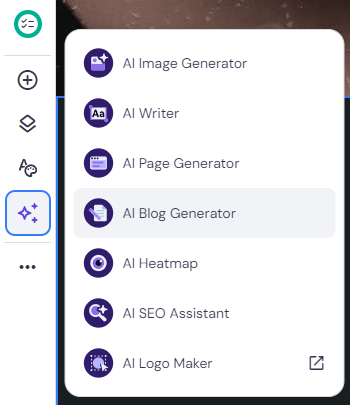
You can also use our AI Blog Generator, which can help with blog post writing. Navigate to AI tools → AI Blog Generator to access this feature.
A pop-up window will appear where you can set your writing tone and length and provide a brief description of the blog post. Click Create content to complete the process.

Conclusion
Learning about search engine optimization can seem scary, but as we’ve explored in this guide, applying SEO is much simpler than you may think. What’s more, doing so can dramatically improve your restaurant’s online visibility and attract more customers.
Here’s a short recap of six effective restaurant SEO tips:
- Conduct keyword research to find terms that match what people search for.
- Leverage local SEO with a Google Business Profile listing.
- Optimize website structure for better user experience.
- Build backlinks by collaborating with food bloggers and sponsoring local events can boost your visibility.
- Integrate social media to reinforce your restaurant’s online presence.
- Create compelling content to boost interactions and drive traffic.
Each strategy plays a significant role in connecting with your target audience and boosting your search engine rankings. By implementing these practices, you make it easier for potential customers to find your restaurant, learn about your menu, and choose you over competitors.
In addition, regular updates, responsive interactions with customer reviews, and fresh content are not just recommended – they are essential for sustained success.
Restaurant SEO FAQ
Let’s answer some of the most frequently asked questions about restaurant website SEO.
What Are the Key Elements of Restaurant SEO?
Restaurant SEO centers around keyword research, local SEO optimization, mobile-friendly website design, quality content creation, social media engagement, and building backlinks to improve your restaurant’s online visibility and attract more customers.
How Important Is Local SEO for Restaurants?
Local SEO is extremely important for restaurants as it targets potential customers in your geographical area. Optimize your Google Business Profile, ensure NAP consistency, and manage local reviews to rank higher in local search results, directly influencing walk-in traffic and bookings.
Should I Focus on On-Page or Off-Page SEO for My Restaurant Website?
Both are essential. However, start by prioritizing on-page SEO to optimize your website for search engines and potential restaurant visitors. Once established, expand to off-page SEO strategies to increase your online authority.
How Do Online Reviews Affect Restaurant SEO?
Online reviews impact SEO by having an effect on local search results. Positive reviews can attract more customers, and actively responding to reviews can further boost SEO through enhanced engagement and content freshness.
All of the tutorial content on this website is subject to Hostinger's rigorous editorial standards and values.


Linda is a seasoned Content Writer specialized in website creation. With her passion for the written world and obsession with helping others, her goal is to deliver resourceful content pieces for all skill levels. When she’s not writing, Linda likes to cross stitch and watch films. Follow her on LinkedIn.



Comments
0 responses