7 best WordPress quiz plugins
Mar 10, 2026
/
Ratna & Tashia T.
/
6 min Read
WordPress quiz plugins are powerful tools for turning passive visitors into active participants. Whether you’re looking to create fun personality quizzes, interactive surveys, or lead-generating polls, the right plugin helps you build and embed them with minimal effort — no coding required.
These tools not only increase user interaction and time on site, but also serve strategic goals like email list building, customer feedback collection, and social media exposure. Quizzes can capture user data, segment audiences, and even guide visitors toward specific products or services based on their answers.
In this article, we’ll explore the best WordPress quiz plugins, highlighting key features like customization options, analytics, integration with marketing tools, and ease of use.
- Quiz and Survey Master
- Opinion Stage
- HD Quiz
- Quiz Cat
- ARI Stream Quiz
- Thrive Quiz Builder
- Modal Survey
You’ll also learn the top benefits of adding quizzes to your site — plus actionable tips to make them more engaging and shareable.
1. Quiz and Survey Master
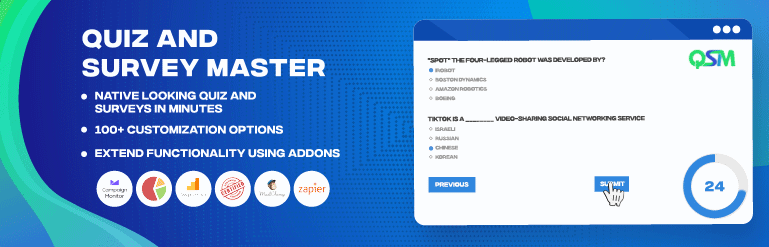
Quiz and Survey Master is a versatile and free WordPress quiz plugin for creating various types of online quizzes. It can implement a correct vs incorrect answer system and provide scores.
There are 15 question types, ranging from fill-in-the-blank to multiple-choice questions. This quiz maker plugin lets users add custom messages, schedule quizzes, display math formulas, and enable social sharing for quiz results.
In addition, this simple quiz plugin has a restore tool that allows site owners to recover previously made quizzes. Certificate and leaderboard add-ons are also available.
What’s more, this WordPress plugin offers many premium pre-made quiz and survey themes. Other add-ons for reporting and analytics, data export, and landing page creation are available in the pro version. Note that some CSS knowledge may be required for more advanced quiz design customization.
2. Opinion Stage

Opinion Stage is a free WordPress quiz plugin for people who want to create quizzes with ease using an intuitive editor and free templates.
When it comes to personalization, fonts, colors, and quiz box sizes are customizable. You can also add images and videos to make any quiz more engaging.
Easily place your quizzes anywhere on the site, whether that’s the sidebar, within posts, or as a pop-up message. They are also shareable on social networks, and the design is responsive to any screen size.
When it comes to analytics, you can view the submission data in tables and graphs or download them as .xls or .csv files. This plugin also supports 40+ languages.
Keep in mind that an Opinion Stage account is required to use this plugin. In addition, the CSS editing option is not available in the free version.
3. HD Quiz

HD Quiz is a straightforward quiz builder plugin letting users create an unlimited number of simple WordPress quizzes. Plus, every quiz has a shortcode that users can place anywhere on their website.
Create quizzes with multiple-choice, open-answer, or multiple-answer questions. Then, add an image, set a quiz timer, and randomize questions and answers to make the quiz more exciting.
Moreover, you can show the correct answer for each question after the quiz taker answers it incorrectly. Preventing visitors from changing their responses is also an option.
This free plugin has a .csv uploader for those wanting to add pre-made questions. Users can also rename buttons, configure pass rate percentages, and show customizable pop-up messages.
Additionally, more quiz styling options are available via its premium quiz customization add-on.
4. Quiz Cat

Quiz Cat is a simple WordPress quiz plugin that lets you create unlimited, mobile-friendly quizzes. With its own Gutenberg block, it lets users add quizzes directly from the WordPress post editor.
The plugin implements a drag-and-drop feature and provides various quiz customization options, like adding images and showing the correct answer after every question. The landing page of each quiz can also feature a custom title and CTA button.
There are Save and Preview options available as well. Each quiz includes a shortcode that users can place anywhere on their WordPress site. Moreover, Quiz Cat text strings and quizzes are translatable to any language.
With the free plan, users can only make knowledge-based and trivia questions. Purchasing the premium WordPress plugin unlocks more quiz types, such as personality and pop culture quizzes. Note that Quiz Cat only offers social sharing options on paid plans.
5. ARI Stream Quiz

ARI Stream Quiz is one of the best quiz plugins for WordPress. The plugin’s editor is user-friendly and lets you make unlimited quizzes using its extensive theme options.
This quiz builder can refresh the browser for each question page to increase pageviews and display more ads. Site owners can also randomize questions and shuffle answers to make the quizzes unique.
Using this plugin makes it possible to collect leads, like the names and emails of quiz takers. Afterward, integrate Mailchimp or MailerLite through API keys to use these leads for email marketing campaigns.
Keep in mind that the free version only lets users make trivia quizzes, and customization options will be limited without editing CSS. Also, quiz result reports are only available on the premium version.
6. Thrive Quiz Builder
Thrive Quiz Builder is an amazing WordPress quiz plugin for creating professional-looking quizzes. It implements quiz flow and overview quiz navigation, letting users build complex quizzes with branching logic. Besides quizzes with right and wrong answers, the plugin supports open-answer and personality quizzes.
A setup wizard is available to help you install the WordPress plugin. During editing, the quiz plugin will alert you of any missing elements or incorrect configurations.
There are statistics for every participant, their answered questions, and their social media shares. Thrive Quiz Builder also provides an A/B testing feature that can help identify which result page design brings the most conversions.
This WordPress quiz plugin has a badge builder for creating custom badges that users can share via social media. It has an automatic badge sizing feature based on the platform and no editing restrictions for element placements, background colors, and text formatting.
7. Modal Survey
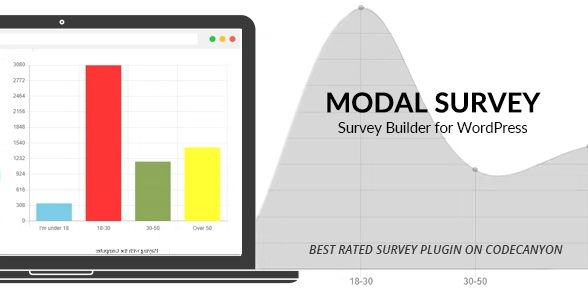
Modal Survey is one of the best premium quiz plugins for WordPress as it lets users create unlimited trivia and personality quizzes. However, it is important to note that the user interface has a steeper learning curve than most of the other plugins listed in this article.
This WordPress quiz plugin supports questions with multiple correct answers, open answers, lists, numbers, and dates. Importing and exporting quiz files is also possible.
In addition, fonts, colors, and box styles and sizes are customizable. Each quiz can have a timer and progress bar as well. Site owners are also free to add quizzes on a page, post, or as a pop-up.
Display participants’ scores and quiz details via charts and graphs for easier analysis. Afterward, it’s possible to export the quiz results data in five file formats, including .pdf, .csv, and .xls.
Users can include custom messages at the end of each quiz. You can also collect participant names and contact details to build an email list, as this plugin integrates with marketing platforms like Mailchimp and Benchmark.

How to Engage Your Audience With Quizzes
Creating a good quiz or survey requires thorough planning. The goal is for people to find it interesting enough to participate in and not just scroll past it.
Here are some tips on how to create quizzes that are engaging for users:
- Start with a goal. Think about what you want to achieve with the quiz. It could be anything from getting leads to increasing website traffic.
- Provide value. Make sure the quiz serves a purpose or offers information that is valuable to users. It could provide answers to unique questions or simply be entertaining.
- Pick the right topic. Ensure the quiz relates to the site’s main content theme. Research popular quizzes within your niche for some ideas and inspiration.
- Know your audience. By knowing your target audience, you can create interactive quizzes they’re interested in. Observe online forums and social media to see what’s currently trending.
- Entertain. Use attractive titles, eye-catching visuals, and CTAs. Write in a natural, fun, and friendly tone. In addition, make the questions simple and easy to understand.
- Stay updated. Take note of which quizzes are working and optimize the ones that aren’t as popular for better performance.
Benefits of Using Quizzes on Your Site
Whether for entertainment or educational purposes, quizzes can help elevate your website. Here are some benefits of including quizzes and surveys on your site:
- Collect visitor information. Generate leads for your business using a quiz or survey. For example, quizzes requiring email addresses can be useful for increasing newsletter subscribers, while demographic information can be helpful for customer segmentation.
- Enhance free exposure via social sharing. People can share your quizzes and their results on social media websites. Free exposure can help boost website branding, positively impacting traffic and conversion rates.
- Improve search engine optimization (SEO). Quizzes and surveys can help you learn more about your target audience’s expectations. Use the findings to adjust your content accordingly by answering users’ search intent to rank higher on search engine results pages (SERPs).
- Reduce bounce rate and increase time on site. A quiz encourages visitors to engage with your content and stay longer on your site. This helps prevent visitors from exiting your WordPress site immediately after accessing it.
Next Steps: Expand your WordPress engagement strategy
While quiz plugins are excellent for driving interaction, they work best as part of a holistic user engagement strategy. To further boost time on site and encourage return visits, consider combining quizzes with other interactive elements like polls, feedback forms, live chat, and gamified content.
One high-impact addition is a custom contact form, which turns quiz responses and visitor interest into actionable conversations. It helps capture leads, support requests, or collaboration inquiries — making your site more dynamic and responsive.
Not sure where to start? Check out our guide on how to create a contact form in WordPress to easily add this feature and complement your engagement toolkit
All of the tutorial content on this website is subject to Hostinger's rigorous editorial standards and values.

Ratna is a web hosting expert. With her experience with all things tech and SEO, she is ever-ready to share. In her spare time, Ratna likes to read a good book or resume her cross-stitch project.

Tashia is passionate about all things website development, digital marketing, and eCommerce. She strives to spread her knowledge and help people navigate the online world through her words, one article at a time.