15 website speed optimization tips for improving site speed
Apr 23, 2026
/
Akshay K.
/
11 min Read
Optimizing your website load speed is essential for user engagement and SEO performance. Major search engines like Google and Bing prioritize page speed, making it one of the Core Web Vitals determining your site’s success.
A slow load time can hurt your site’s credibility, lowering conversion rates and negatively impacting business performance.
To help you improve your page load times, we’ve curated a list of the top 15 website speed optimization tips that ensure high-performance websites.

15 Website Speed Optimization Techniques
Let’s delve into 15 actionable tips that will help you improve your website performance by ensuring fast-loading web pages.
1. Compress Your Images
Images can make your website content more engaging. However, they often make up a sizable portion of a web page size.
This is especially true for large, high-resolution images, which can greatly slow down page loading speed and frustrate users who want fast access to web content.
Web developers and designers address this issue using image compression tools like ImageOptim or TinyPNG.
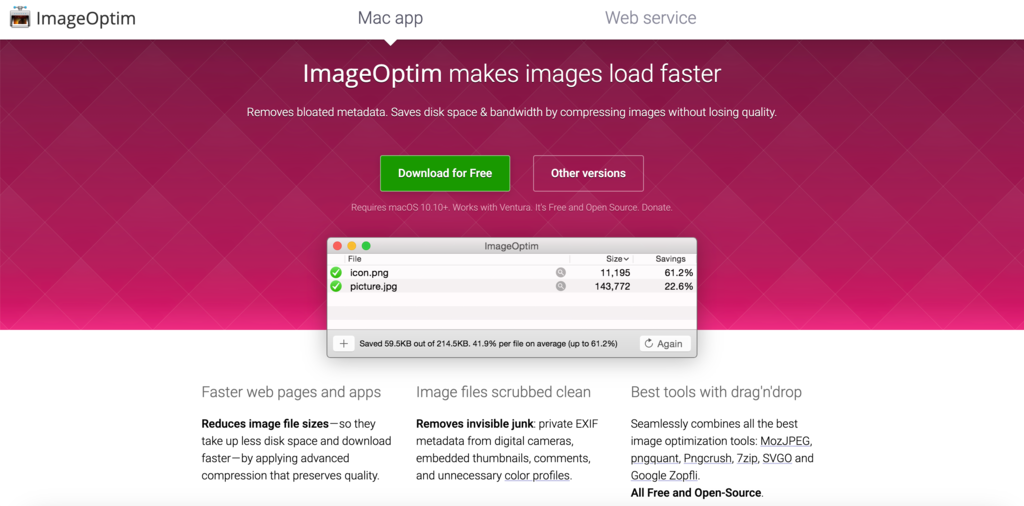
These website optimization tools can significantly reduce the file size of your images without sacrificing quality, ensuring faster page speed.
Another common solution is to select the best image format for the right purpose. Different image formats have distinct advantages:
- JPEG is ideal for photographs where color variety is crucial.
- PNG is good for images that require clarity and sharper lines.
- New formats like WebP and progressive JPEG offer faster load times, higher quality, and smaller file sizes.
Let’s now delve into some advanced measures to further refine your image optimization strategies:
- Use CSS sprites – optimize small images that are frequently used across your site, like icons, and consider using CSS image sprites. This technique enables you to combine multiple images into a single file, reducing the number of HTTP requests.
- Make images responsive – utilize the srcset attribute in HTML to serve different image files to different screen sizes and resolutions, helping you to optimize the viewing experience for all website visitors.
- Prioritize Above-The-Fold (ATF) content – for faster-perceived load times, load images that appear above the fold first. You can use asynchronous loading to prioritize these images.
- Use lazy loading images – pair your ATF with lazy loading to load images as the user scrolls, saving both server and user bandwidth.
- Optimize alt text and titles – incorporating descriptive alt text and image titles is one of the key website optimization strategies for improving search engine optimization (SEO) and accessibility.
- Reduce the use of image-based text – use CSS styling and web fonts for visual text effects instead of embedding text in images to reduce any unnecessary weight on your page.
Pro Tip
For WordPress website owners, check out our guide on how to serve scaled images on WordPress to speed up your site.
2. Don’t Host Your Videos Locally
Large video files can strain server resources, causing potential website performance issues when hosted locally. As such, exploring file compression methods and optimized hosting solutions is vital.
Popular platforms like YouTube or Vimeo are ideal due to their seamless streaming and improved user experiences. However, businesses seeking more control over their content often opt for cloud-based services such as AWS S3.
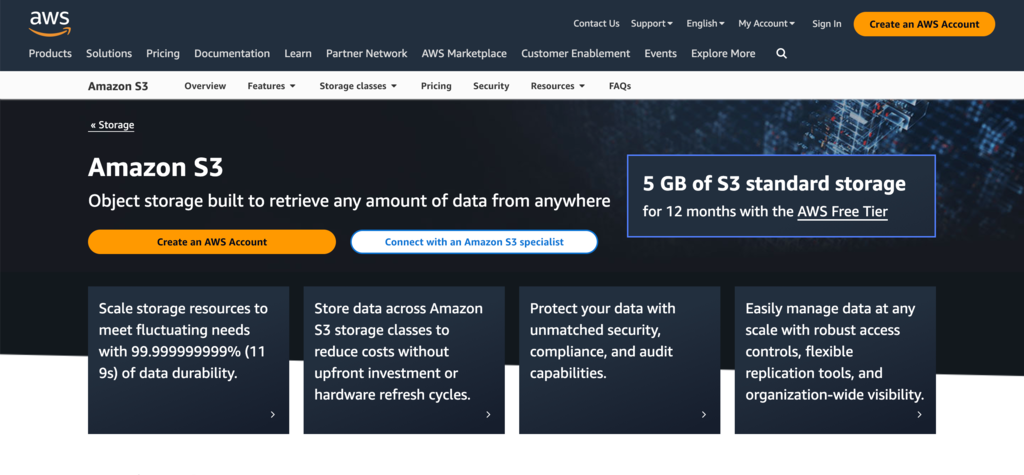
Here are some additional steps you can take to elevate your video optimization efforts:
- Compress the video – use tools such as HandBrake or Adobe Premiere Pro to reduce file sizes without compromising video quality.
- Provide different formats for multiple devices – make sure your video adapts to various devices and screen sizes. Video hosting platforms offer this feature by serving the most suitable version of the video based on the user’s device.
- Specify video parameters – when embedding videos, specify parameters, such as height, width, and controls, to ensure correct display and easy user manipulation.
- Make video resolution scalable – leverage responsive web design techniques to ensure that the video scales appropriately for different screen sizes and orientations.
- Make bitrate adaptive – implement adaptive bitrate streaming to adjust the video quality in real time according to the viewer’s network conditions.
- Enable lazy loading – load the video only when the user scrolls, enhancing initial page load times.
- Use preloading – ensure smoother playback for essential videos you want your visitors to watch by preloading all of the videos.
3. Use a Quality Hosting Plan
Your hosting provider plays a pivotal role in how well your site performs. A slow host can affect user experience and negatively impact your website’s performance by causing it to load slowly.
As such, you must opt for hosting services that are tailored for high speed and uninterrupted performance.
Hostinger is an excellent choice for those looking for speed-centric web hosting services. With a focus on maximum performance, we offer a range of hosting plans suitable for both beginners and advanced users.
Let’s go over some of our features for site speed enhancement:
- Solid-State Drives (SSD) – Hostinger employs SSD storage to deliver faster data retrieval than traditional hard drives.
- Optimized servers – our dedicated servers are optimized for leading content management systems like WordPress, ensuring faster loading times right out of the box.
- Free CDN – Hostinger CDN effectively reduces the time for fetching resources to address user requests.
- Latest technologies – Hostinger leverages LiteSpeed web servers and object cache across all its web hosting plans to ensure that your site loads quickly.
- Unlimited bandwidth – transfer limitless data and effortlessly accommodate high web traffic volumes.
- Website speed test tools – choose from a suite of website speed monitoring tools to simplify your optimization efforts.
Hostinger’s hPanel, which is integrated with external tools such as Google’s PageSpeed Insights, enables website owners to easily run performance tests from the dashboard.

These tools can help you measure Core Web Vitals by assessing the website’s performance and providing suggestions to improve website speed. These metrics include Cumulative Layout Shift (CLS), Largest Contentful Paint (LCP), and Interaction to Next Paint (INP).
Whether you’re running a simple blog or a complex eCommerce store, Hostinger’s web hosting services and speed tools can substantially boost your Core Web Vitals score and website performance.

4. Avoid Too Many Animations
Animations can add a dynamic and interactive layer to your website, but they come at the cost of speed and resources. Complex animations can be particularly demanding, requiring more resources to render smoothly.
If not handled carefully, animations can slow websites down, especially for visitors using older devices or having a slow network connection. As such, website owners need to be more selective of the animations they use to ensure better website usability.
What to do
- Prioritize essential animations – add only those animations that add real value to the web page for a user experience and ditch the rest.
- Opt for lightweight options – where possible, choose lightweight animation options. CSS animations, for example, are often lighter than JavaScript-based animations.
- Optimize code – if you’re using custom animations, ensure the code is as clean and streamlined as possible. Bloated code can slow down your website’s speed unnecessarily.
- Test performance – before finalizing the design, test how your animations impact the site speed. Perform A/B tests with website speed testing tools like GTmetrix to understand how animations impact web page load times.
Pro Tip
Learn how to perform website speed tests with:
How to Test Website Speed and Understand Speed Metrics.
How to Run a Website Speed Test With GTmetrix.
5. Optimize Your Code
Code optimization is an integral part of website speed optimization. When your website’s code is clean, well-organized, and minimized, it can dramatically reduce page load times.
The process involves a range of strategies, including reducing the size of your code, eliminating unused portions, and minimizing the number of server requests your site makes.
Let’s delve into the specifics:
Minimize Code Size
The more streamlined your code, the faster your website will load. To achieve this, you can use minification tools that remove unnecessary characters, like spaces and comments, without affecting the code’s functionality.
For instance, UglifyJS is an excellent tool for minifying JavaScript files, making them lighter and quicker to load.
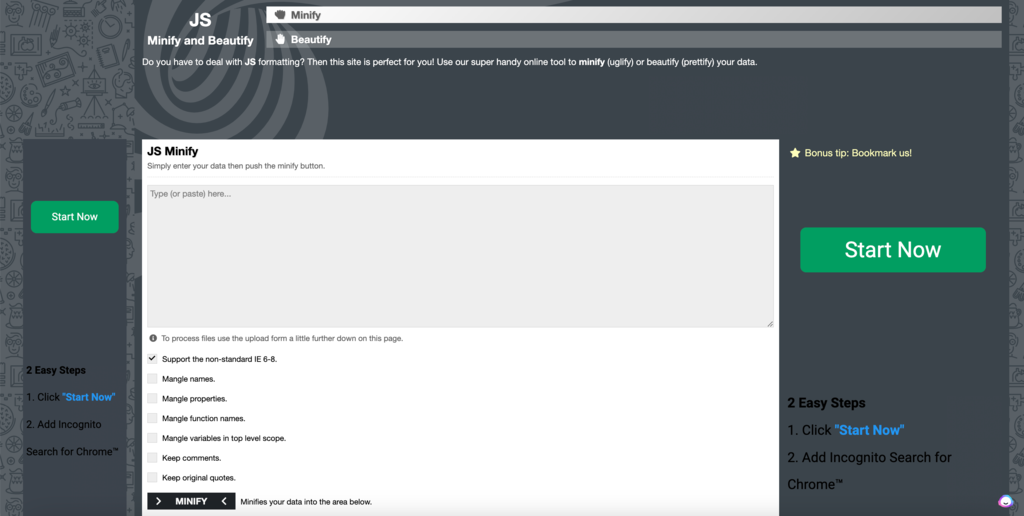
On the other hand, CSSNano is a specialized tool focused on minimizing CSS files, which can result in faster stylesheet loading times.

Remove Unused Code
Another effective way to implement code optimization for speed is to remove unused or redundant code. Uninstall or remove plugins or libraries you no longer use.
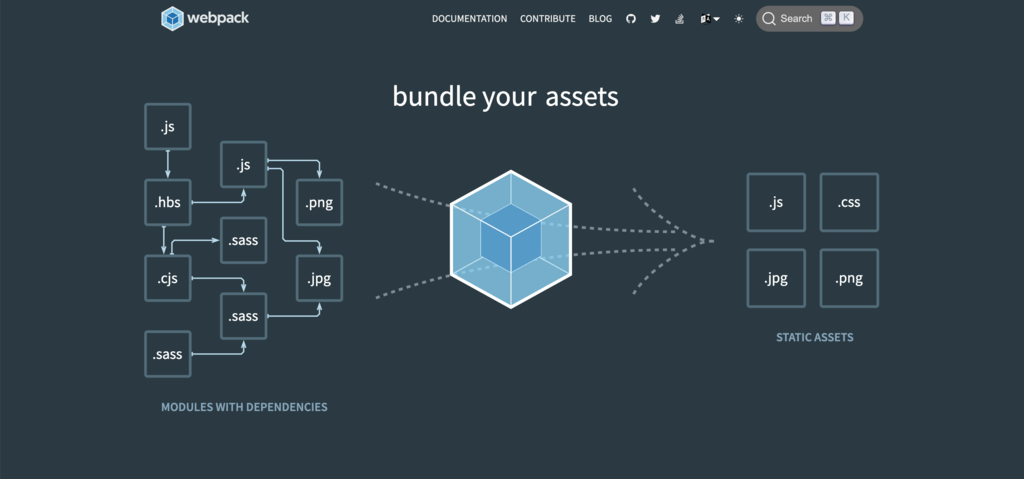
Modern JavaScript bundlers like Webpack integrate website development tools, such as PurifyCSS, to identify and remove unused code using techniques like tree-shaking to ensure optimal website performance.
Reduce Server Requests
Each element on a web page, from images to scripts, requires a server request. The more requests your server has to fulfill, the slower the page speed.
To reduce these requests, you can:
- Use CSS sprites to combine multiple images into a single image and use CSS to display parts of that image as needed.
- Inline small JavaScript and CSS files into your HTML document to avoid additional requests.
- Limit the use of third-party plugins and widgets that generate additional server requests.
6. Utilize Server-Side Caching
Caching files on the server side is a vital page speed optimization technique. When a user visits a web page, the server receives a request to fetch the necessary files. These files can include HTML documents, images, and CSS and JavaScript files.
A new server request is created each time you visit or refresh a web page without server caching, resulting in slow load times.
With this technique, you can temporarily store static files and website elements on the server. When users accessing the website create multiple requests, the server sends these cached files to their browsers, speeding up the website.
7. Minimize External Resources
External resources like scripts and plugins can enhance your website’s functionality and visual appeal but can also hinder its performance.
These resources need more server requests, increasing your web page load time.
For instance, social media widgets, chatbots, analytics tools, or embedded videos can individually increase the number of server requests. When combined, the impact can be substantial, leading to a sluggish load time and a poor user experience.
What to Do
- Audit your resources – regularly review all third-party scripts, plugins, and other resources to ensure they are essential for your site’s functionality or user experience. Remove or replace any that are unnecessary or outdated.
- Prioritize essentials – load vital site scripts asynchronously or defer them until after the main content loads. This prioritizes swift accessibility to the primary content for users.
- Opt for local hosting – where possible, host fonts, images, and other resources locally rather than linking to an external server. This reduces DNS lookups and improves website responsiveness.
- Test – use speed testing tools to analyze website performance and identify slow or resource-heavy external resources.
8. Use Lazy Loading
Lazy loading is a performance optimization technique that defers the loading of non-critical resources like images and videos until they’re actually needed.
In simpler terms, rather than loading all content simultaneously when a page is accessed, lazy loading ensures that only the content visible to the user is loaded initially. Additional content is fetched and displayed as the user scrolls down the page.
This technique improves your site’s initial load time, benefiting users with slower internet connections or older devices.
Here’s what you can do to effectively implement lazy loading:
- Identify candidates for lazy loading – the first step is to identify which elements on your page could be lazy-loaded. Typically, images, videos, and iframes are the best candidates.
- Use native lazy loading – modern browsers support native lazy loading with the loading=”lazy” attribute that can be added directly to HTML elements like images and iframes.
- Implement JavaScript libraries – for more advanced or customized solutions, you can use JavaScript libraries like lozad.js or lazysizes to implement lazy loading.
- Test and validate – after implementing lazy loading, thoroughly test your website to ensure the content is being loaded correctly, and there are no issues with layout shifts, functionality, and overall performance.
- Monitor performance – regularly check your website’s speed and performance metrics to ensure that lazy loading has the intended positive impact on load times.
9. Minimize HTTP Requests
The number of HTTP requests made to the server greatly impacts your website’s speed. These requests occur when your browser asks for resources like images, stylesheets, or scripts.
While each HTTP request adds a small amount of overhead to your page’s load time, your site can become noticeably sluggish when the requests accumulate.
Here are some tips to minimize HTTP requests:
- Combine multiple stylesheets – instead of using multiple CSS files, merge them into one.
- Use CSS sprites – a CSS image sprite is a single image file with multiple smaller images. Use CSS positioning to display sprite image parts as needed, reducing image file load.
- Minimize scripts – keep your JavaScript and jQuery code concise and load them asynchronously by adding the async or deferring attributes to the script tags if immediate rendering is unnecessary.
- Inline small resources – for small images or short scripts and styles, you can inline them in your HTML. But use this technique sparingly, as it can make your HTML documents bulky if overused.
10. Use a CDN
A content delivery network (CDN) is a powerful tool for improving website speed. It caches website copies on multiple servers spread across different geographic locations.
When a user visits your site, the CDN delivers content from the nearest server, reducing data transfer time over the internet.
Hostinger CDN for Faster Websites
We provide a free custom-built CDN to minimize your page load time by up to 10% and page size by nearly 50% on average.
Hostinger Content Delivery Network comes with our higher-tier hosting plans, so you can enjoy boosted performance and faster load times without the hassle of third-party integrations.
Pro Tip
Learn how to configure a CDN using How to Set Up a CDN.
11. Enable GZIP Compression
Enabling GZIP compression reduces the amount of data transferred between your website’s server and the client’s browser. This technique compresses your HTML, CSS, and JavaScript files into a ZIP file with a .gz extension, which is significantly smaller in size.
When a user accesses your site, the compressed files are sent to their browser, which then extracts them to display them on the window.
Here are some benefits of using GZIP compression:
- Open-source and free – GZIP was developed as an alternative to proprietary compression methods.
- Efficiency – it is lightweight, requiring minimal computational power and temporary storage.
- High compression ratios – reduce file sizes by up to 90%, with an average of around 70% for text-based files.
- Speed – GZIP offers quick compression and decompression speed, outperforming many competitors like Brotli and BZIP2.
Pro Tip
For faster website loading, pair GZIP compression with server caching. When used together, they can result in a sizable website performance boost.
12. Enable Keep-Alive
Keep-Alive is a feature that allows multiple HTTP requests and responses to be sent over a single TCP connection.
The technique eliminates the need to establish a new connection for each request, making data transfer more efficient and improving your website’s speed.
Reducing the overhead associated with each new connection brings several benefits:
- Eliminate latency – each connection has a so-called three-way handshake process, adding latency. Enabling Keep-Alive reduces this by reusing existing connections.
- Reduce server load – less computational power is required to manage fewer connections, making the server more efficient.
- Increase website loading speed – fewer connections mean less time spent in the initial setup, which results in quicker page loading for the end-user.
13. Utilize AMP (Accelerated Mobile Pages)
Accelerated Mobile Pages (AMP) is an open-source HTML framework designed by Google to elevate website performance across mobile devices.
AMP achieves rapid page-loading speeds by streamlining HTML, CSS, and JavaScript elements, delivering a smooth browsing experience for mobile internet users.
The framework strips down the elements of a web page to its most essential components, ensuring that content loads almost instantaneously on mobile devices.
It is one of the most crucial speed optimization strategies to keep mobile users engaged and reduce bounce rates.
Here are some benefits of implementing AMP:
- Improved SEO – rank higher in search engines, as Google Search prioritizes faster-loading pages.
- Increased visibility and exposure – appear on Google Top Stories carousel. This enhances website visibility, exposing it to more mobile users.
- Reduced bandwidth costs – AMP pages are smaller and more efficient, saving you bandwidth costs.
- Improved user experience – minimize page load time, ensuring a consistent user experience and better customer satisfaction.
14. Leverage Browser Caching
Leveraging browser caching is a technique that stores frequently accessed resources, such as images, CSS, and JavaScript files, locally on a user’s browser. This reduces the need to fetch these resources from the server repeatedly, improving your website speed.
When visitors land on your site, their browser stores and downloads resources. Setting an expiration date for these resources instructs the browser how long to keep the files before fetching a new version from the server.
There are two main ways to set expiration dates for resources:
Using HTTP Headers
To set an expiration date for resources, add the following HTTP header to each response:
Cache-Control: max-age=<seconds>Here, <seconds> is the number of seconds for the browser cache. For instance, to set an expiration date of 1-month, you can use this HTTP header:
Cache-Control: max-age=2592000Using the .htaccess File
Alternatively, you can set an expiration date for resources using the .htaccess file. To do this, add the following lines to the file:
Expires <date>Specify <date> as the resource’s expiration date and time in the browser.
Important!The .htaccess file is a global configuration file, and any changes to it can affect all your website resources. We recommend using the relatively risk-free HTTP headers method if you only want to set an expiration date for specific resources.
15. Reduce the Number of Redirects
While redirects serve useful purposes like preserving website structure during redesigns or guiding visitors to the most current content, they can also harm your web performance optimization efforts.
Each redirect triggers an additional server request, increasing the time for a web page to load.
Here are some tips to reduce redirects:
- Audit your redirects – use website performance audit tools to identify unnecessary redirects. Consider removing or updating them.
- Use direct links – always use direct links in your content and navigation to avoid needless redirection.
- Limit chains – try to minimize redirect chains, where one redirect leads to another, as these can significantly slow down the website.
- Temporary vs Permanent – use 302 temporary website redirects only when absolutely necessary. Opt for 301 permanent redirects when you can, as they are faster.
Domain Name Checker
Instantly check domain name availability.
Conclusion
Speed optimization is not just a one-off task. It’s an ongoing process that requires attention to various components, from server hosting and settings to coding practices.
Selecting a web hosting provider that prioritizes speed optimization is crucial. Hostinger offers strong built-in solutions and a reliable hosting environment optimized for top performance.
Here are four key website optimization tips that complement Hostinger’s high-speed web hosting service:
- Optimize your code – streamline JavaScript and CSS files using tools like UglifyJS and CSSNano.
- Leverage website caching – set expiration dates for resources such as images and scripts to boost load times for returning visitors.
- Use a CDN – a content delivery network (CDN) distributes load, saving bandwidth and speeding up user access.
- Utilize AMP – implement accelerated mobile pages (AMP) to significantly speed up page load time for mobile users.
Website Speed Optimization FAQ
Let’s address some of the most frequently asked questions about website speed optimization.
u003cstrongu003eWhat Is Website Speed Optimization?u003c/strongu003e
Website speed optimization encompasses a range of practices focused on enhancing the loading speed of web pages. It involves fine-tuning code, configuring server settings, and optimizing design elements to offer a more streamlined user experience.
u003cstrongu003eWhy Is Website Speed Important?u003c/strongu003e
A fast website speed is crucial for enhancing user experience and boosting search engine rankings. When your site loads quickly, it keeps visitors engaged for longer, helping you increase conversion rates and improve business.
u003cstrongu003eWhat Affects Website Speed?u003c/strongu003e
Factors like server performance, code quality, image sizes, and the use of plugins or external scripts can influence website speed. Optimizing these elements can greatly enhance loading times.

Akshay is a Senior Content Writer who loves writing about technology. As a Computer Engineering graduate and a certified digital marketer, he aims to make tech easier for everyone. He also enjoys cooking, traveling, and learning new languages. Follow him on LinkedIn.