What is a website maintenance plan? Key elements explained
Sep 15, 2026
/
By Nadya A. & Saulius L.
/
9 min Read

A website maintenance plan is a comprehensive guide that lists actionable tasks to maintain and improve a site’s performance. This includes analyzing it for vulnerabilities, performing backups and software updates, monitoring its speed, and reporting changes.
Creating a web maintenance plan involves developers, marketers, and security specialists. Since maintenance is ongoing, small businesses without a dedicated IT team may benefit from using a website maintenance service. These services are typically offered as monthly or yearly packages covering security, updates, backups, and sometimes design and SEO.
If you’re doing the maintenance yourself, creating a plan will also help draw up a budget and better calculate the overall website maintenance cost.
To keep your website secure, optimized, and relevant, cover the following core areas in your website maintenance plan:
- Security. Scanning for malware, monitoring vulnerabilities, and maintaining SSL certificates.
- Updates. Installing the latest versions of your website platform, themes, plugins, and dependencies.
- Backups. Regularly backing up files and databases to ensure quick recovery from data loss or security incidents.
- Site performance. Monitoring load times, optimizing assets, and managing server resources efficiently.
- User experience. Fixing broken links, testing functionality, and ensuring consistent mobile responsiveness.
- Content marketing. Refreshing outdated content and publishing new, relevant information to stay current.
- SEO. Tracking keyword performance, maintaining technical SEO health, and improving search visibility.
A structured approach improves long-term performance and keeps your website aligned with your business goals.
What does a website maintenance plan include?
The essential elements in website maintenance plans include security, updates, backups, site performance, user experience, content marketing, and SEO.
Security
Identifying vulnerabilities and implementing protective measures is necessary to reduce the risk of getting your website hacked.
Security breaches can harm a brand’s reputation and relationship with customers, damaging its online presence in the long run.
To get started, install a Secure Sockets Layer (SSL) certificate to encrypt data transfer and protect customers’ sensitive information if you haven’t done so yet.
Then, schedule regular website security audits to protect customers’ data and solve security gaps with the following measures:
- Run security and vulnerability scans. Scan the website for malware, exposed files, outdated components, and known vulnerabilities. Automated scans help identify common security issues, while manual reviews can uncover misconfigurations that tools may miss.
- Review login and authentication security. Ensure all accounts use strong, unique passwords and enforce multi-factor authentication wherever possible. Check for shared accounts and remove or replace them with individual user access.
- Check application configuration. Review default settings, enabled features, and exposed endpoints to ensure nothing unnecessary is publicly accessible. Disable unused functionality that could expand the attack surface.
- Audit user roles and permissions. Verify that users only have access to the data and features they need. Remove inactive accounts and regularly review permissions to prevent privilege creep.
Updates
Outdated website components increase the risk of compatibility issues, system bugs, performance instability, and security threats, including malware.
To minimize these risks, your website maintenance plan should include the following actions:
- Review platform and system updates. Regularly check for updates to your website creation platform or framework. These updates often include critical security patches, bug fixes, and performance improvements that help keep your site stable and secure.
- Update and audit extensions, themes, and integrations. Keep plugins, themes, extensions, and third-party integrations up to date. Use scheduled reviews to remove unused or unnecessary components that can increase your attack surface.
- Review hosting plans and resources. Ensure your hosting plan is active and provides sufficient resources for your website’s current traffic and functionality. If performance issues arise, it may be time to upgrade your hosting resources.
- Monitor domain registration and renewals. Check your domain name’s expiration date at least once a year and renew it before it expires to avoid downtime or loss of ownership. Some registrars like Hostinger support automatic domain renewals or send update notifications to make this process easier.
- Identify and resolve server and website errors. Routine troubleshooting helps detect server issues, broken functionality, or configuration errors early. Fixing problems promptly prevents them from escalating into larger, more costly issues and helps maintain consistent site performance.
Because server maintenance can be technically complex, consider assigning this task to an IT professional or using a website maintenance service that includes server updates and monitoring.
That said, if you’re using managed hosting, like shared, cloud, or fully managed plans, most server-level maintenance is handled by the hosting provider.
Expert tip
The best time to perform server maintenance is during low traffic hours.
First, fewer visitors will be affected. Second, any unforeseen issues can be resolved before business hours – minimizing the risk of losing sales.
For Hostinger users, the Access logs section in Hostinger dashboard provides information on when your website experiences low traffic.
Lastly, remember to back up the site before performing any updates.

Back-End Developer
Backups
By downloading a website backup, you can prevent data loss and simply recover the site’s previous version if there’s an issue, eliminating the need to rebuild it from scratch.
Your website maintenance plan should include automatic or manual backups on a regular basis. Monthly backups are sufficient for small websites without a lot of content. However, for more complex sites with frequently updated content, like ecommerce websites, we recommend performing weekly backups.
Site performance
Monitoring site performance is essential to ensure your website remains accessible, loads quickly, and delivers a smooth user experience. Include the following tasks in your monthly maintenance plan:
- Run a site speed test. Use performance testing tools such as Google PageSpeed Insights to evaluate page load times and identify performance bottlenecks.
- Monitor Core Web Vitals. Track key user experience metrics, including Largest Contentful Paint (LCP), Interaction to Next Paint (INP), and Cumulative Layout Shift (CLS), to ensure your site meets modern performance standards.
- Minify files. Reduce file sizes by removing unnecessary code, whitespace, and comments from CSS, JavaScript, and HTML files. Minification helps speed up page loading and improves overall performance.
- Optimize and compress images. Compress images to reduce file size without sacrificing quality. This improves load times, speeds up content delivery, and enhances the user experience across devices.
- Monitor website uptime. Use an uptime monitoring tool to check your site’s availability at regular intervals and receive alerts when downtime occurs. Continuous monitoring helps you detect and resolve issues quickly before they impact users.
User experience
A positive user experience is essential for building credibility and trust. In fact, 88% of users are less likely to return to a website after a poor experience.
To maintain a user-friendly website, include the following tasks in your quarterly maintenance plan:
- Review website design and layout. Ensure to follow web design best practices and make your site functional. Navigation should be intuitive, pages should load quickly, and key information should be easy to find.
- Ensure web accessibility compliance. Improve accessibility by adding descriptive alt text to images, supporting keyboard navigation, and following accessibility best practices so the site is usable for all visitors.
- Test interactive elements. Check that all calls-to-action (CTAs), pop-ups, forms, and interactive features work as intended and provide a smooth user journey.
- Optimize for mobile devices. Run mobile-friendliness tests and implement recommended improvements to ensure the website performs well across different screen sizes and devices.
- Conduct usability testing. Evaluate how users interact with your website to identify friction points and usability issues before making design or layout changes.
Expert tip
Before making changes to your site, test them on a staging environment. It allows you to experiment without risking the functionality of the actual website.
If you are a WordPress user, I recommend getting our Business WordPress hosting plan, as it comes with a built-in staging environment tool. You can test its code, design, and plugins, and deploy them to the live site with one click.
Back-End Developer
Content marketing
A website maintenance plan should include regular content updates to reflect industry changes, maintain relevance, and keep users engaged. Consider adding the following content-focused tasks:
- Publish new content regularly. Create a content schedule to ensure consistent publishing, such as posting at least one new article per week. Fresh content helps maintain audience interest and supports long-term growth.
- Conduct periodic content audits. Review existing content every three to six months to identify pages that need updating, consolidation, rewriting, or removal. This helps keep your content accurate, relevant, and aligned with current goals.
- Update key pages monthly. Refresh important pages with the latest information, including product pages, service descriptions, and About Us content, to ensure accuracy and consistency across the site.
- Review and replace images. Check for broken, outdated, blurry, or low-quality images on a monthly basis. Replacing them with optimized, high-quality visuals improves both user experience and overall site presentation.
Search engine optimization (SEO)
SEO plays a critical role in driving long-term organic traffic and generating qualified leads. Websites that rank higher in search results are more visible to potential visitors, making ongoing SEO maintenance essential.
A strong website maintenance plan should include regular SEO evaluations and improvements, such as:
- Conduct periodic backlink audits. Review your backlink profile quarterly to identify and remove harmful or low-quality links, and uncover opportunities to earn high-quality backlinks.
- Optimize on-page SEO elements. Regularly review and refine page titles, meta descriptions, headings, and tags to ensure they align with search intent and target relevant keywords.
- Evaluate site structure and internal linking. Organize content into clear topic-based categories, strengthen internal links between related pages, and maintain clean, readable URL structures to improve navigation and crawlability.
- Update sitemap and robots.txt files. Ensure your sitemap and robots.txt file accurately reflect your current site structure, helping search engines crawl and index your pages efficiently.
- Fix crawl errors and broken links. Identify and resolve 404 errors, broken links, and other technical issues. Use redirects where appropriate to preserve link equity and maintain a smooth user experience.
For a deeper dive, refer to our comprehensive website optimization guide to further improve site performance, user experience, and SEO results.
Expert tip
After finishing the website maintenance tasks, document the changes to evaluate progress. Creating a website maintenance report helps to track how it has impacted site performance – whether it’s better speed, improved security, or higher rankings.

Paulius M.
SAE Team Lead
Why is a website maintenance plan important?
A website maintenance plan keeps your site secure, fast, and functional for your visitors. Without regular updates and checks, a website becomes vulnerable to security threats and technical glitches that can drive traffic away. By following a consistent schedule, you prevent small issues from turning into costly repairs.
These are the reasons why you should do regular website maintenance:
- Secured website data and visitors. Regular maintenance ensures your security software stays up to date. At the same time, a maintenance plan includes frequent backups, so if something goes wrong, you can restore your site in minutes rather than starting from scratch.
- Improved site performance and speed. A maintenance plan helps you identify and remove “bloat” on your site, such as unused plugins, large image files, or broken links.
- Enhanced the user experience (UX). Broken buttons or 404 errors frustrate users and damage your brand’s credibility. When you proactively fix these errors, you show visitors that your business is active and reliable.
- Boosted search engine rankings. Search engines prefer sites that have high uptime and fresh content while penalizing those with malware or broken links. A solid maintenance routine ensures your site stays indexed correctly and remains competitive in search results.
Helpful tools for website maintenance plans
If you decide to conduct the maintenance plan yourself, here are several website management tools to help you during the whole process.
1. Google Analytics – Web analytics tool

Google Analytics 4 (GA4) provides detailed reports about your visitors and how they interact with your site. These insights help you find specific areas to improve during your next maintenance session.
For example, the Pages and screens report identifies which content gets the most traffic or where visitors lose interest. By using the Traffic acquisition report, you can see which marketing channels bring in the most users.
To find technical bottlenecks, use the Funnel exploration tool. This shows exactly where visitors drop off before completing a goal, like a purchase or a sign-up. Identifying these gaps helps you decide if a page needs a design refresh or a technical fix.
While the premium Google Analytics 360 is built for large corporations with massive data needs, the free version offers more than enough features for most individuals and small businesses.
➡️ Learn how to navigate Google Analytics 4 in our tutorial.
2. Pingdom – Site monitoring tool
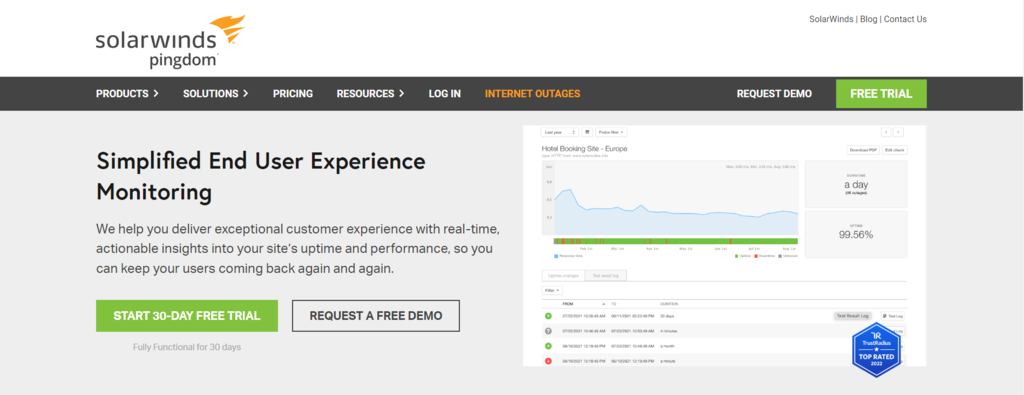
Pingdom is an easy-to-use tool that offers high-quality features. It includes uptime monitoring, which checks site availability from multiple locations and web browsers.
Apart from that, Pingdom’s real-time monitoring feature provides insights into visitor behavior, helping you identify trends.
Moreover, Pingdom offers free page speed testing to track load times and pinpoint website issues affecting user experience.
Also, if there are any issues with unavailable pages or content changes, the tool will immediately notify users via SMS, email, and in-app notifications.
3. Ahrefs – SEO tool

Ahrefs is a premium tool for maintaining the site’s SEO performance. Its site audit feature will crawl the site to find technical and on-page SEO issues and offer actionable tips to solve them.
Moreover, the backlink checker analyzes the site’s backlinks, providing insights into domain and URL ratings.
To plan future SEO efforts, users can take advantage of the Keyword Explorer. It suggests keywords to target and provides information on how difficult it would be to rank for them on organic search engine results.
Ahrefs also helps users analyze competitors by providing data about their content, backlinks, keywords, and PPC ads. With this information, users can create a strategy to outperform them.
As it’s a premium tool, purchasing a plan is necessary to get the full features. However, consider trying out Ahrefs’ free SEO tools to lower the website maintenance cost.
4. FileZilla – File management tool
FileZilla is an FTP client tool that helps users perform backups for site maintenance.
It is open-source software with an easy setup that allows users to find and transfer large files quickly and conveniently. Since it supports the SSH protocol, you can make the file transfer more secure.
Moreover, users can manage uploads and downloads with its transfer queue feature.
FileZilla is a cross-platform tool, so it’s available for Windows, Linux, and macOS. Its premium version also integrates with cloud storage services such as Google Drive, Dropbox, and Google Cloud Storage.
5. Sucuri – Website security tool
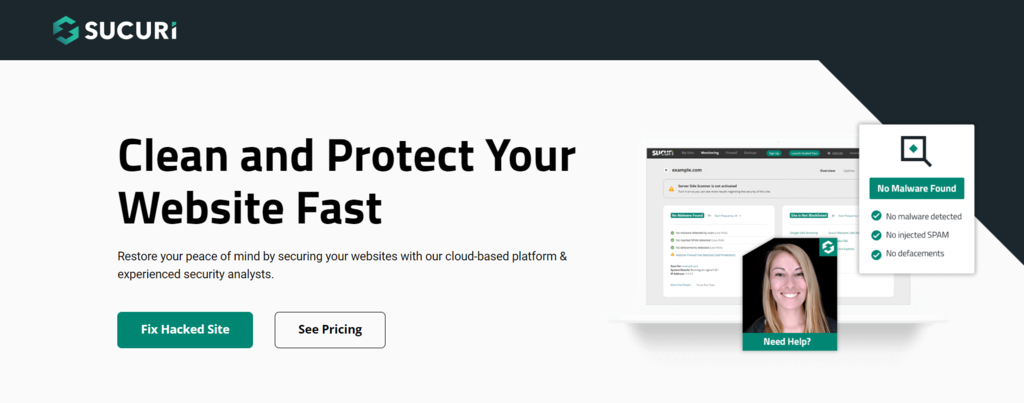
Sucuri is a maintenance tool for website security. It has scan tools for malware, blocklisting, link injection, or suspicious DNS and core file changes. Moreover, it offers unlimited malware removal requests, website clean-up, and DDoS attack protection.
If there’s an issue, it’ll immediately alert users via a number of configurable methods, including email, SMS, RSS, and Twitter.
WordPress users can install the free Sucuri Security plugin. In addition to malware scans, the plugin audits site activities, including login attempts, file uploads, and file changes – helping to prevent and mitigate threats.
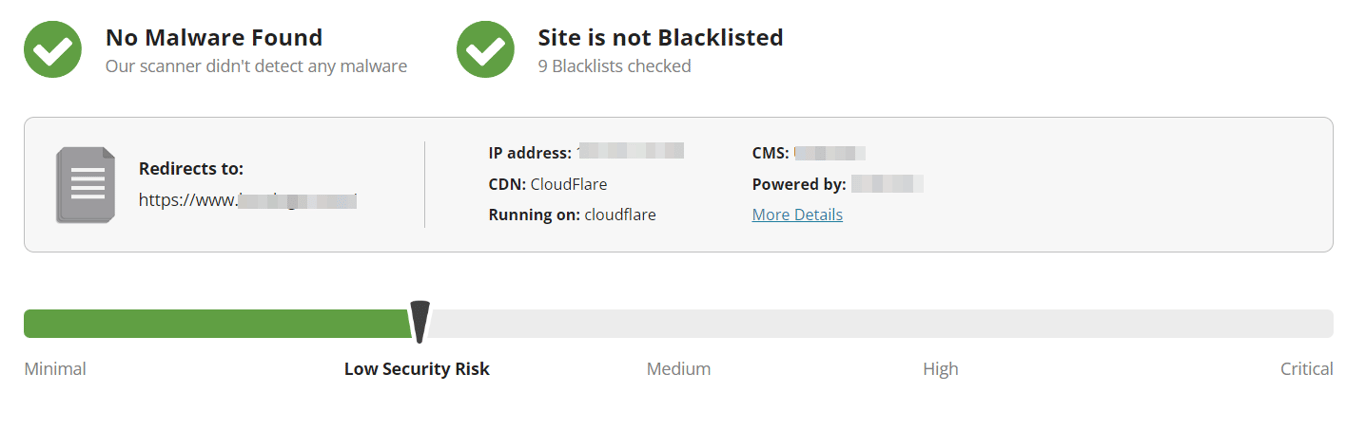
In addition, Sucuri offers a free remote security scanner, Sucuri SiteCheck. Simply copy and paste your site’s URL to get a brief report of its overall security health.
Calculate your website maintenance costs
A well-structured maintenance plan ensures your website remains secure, functional, and reliable for every visitor.
After organizing your management strategy, calculating your total website maintenance cost is the essential next step to help you budget for recurring security checks and decide whether to handle updates yourself or hire a professional.
This financial clarity allows you to estimate long-term expenses accurately as your online presence grows and requires more advanced resources.
This article is a localized version of What is a website maintenance plan? Key elements explained, originally published in English.

Nadya has a passion for WordPress and web hosting. She wants to help people build a successful online presence, so they can make an impact in the world. When not writing, she can be found learning new languages or orchestrating a photoshoot for her cat. Nadya is always looking to learn and grow, and she hopes to help others do the same.

As VP of Product at Hostinger, Saulius oversees Web Hosting Platform & Tools, Managed WordPress, and WebPro Experience. Saulius enjoys observing users through their daily life activities, looking for problems to solve, and building products that make users more efficient online, help them spend more time on the things they love, and leave all the rest for technology to solve. Follow him on LinkedIn.