12 best WordPress directory plugins to improve listings
Dec 02, 2025
/
By Andzelika D.
/
12 min Read


A WordPress directory website lets you list the information that visitors can browse through. Creating one with WordPress is easy since many great WordPress plugins are available for this purpose.
However, choosing the right WordPress directory plugin can be challenging. Each plugin may only suit a specific directory type, so you must find the one that matches your needs.
This article will discuss the 12 best WordPress directory plugins you can use to create a website that lists various information. We’ve picked various types of directory plugins to cover different needs.
Download all-in-one WordPress cheat sheet
What to Look for in a WordPress Directory Plugin
The first step in choosing a directory plugin for WordPress is determining the website’s purpose and listing type.
For example, paid listings require a WordPress directory plugin that supports online payments and subscription plans. And if the directory lists various business locations, you will need a plugin with map integration.
Most WordPress directory plugins have common features that help you manage listings easily. Here are some features to look for:
- Listing categorization. A good WordPress directory plugin lets you categorize all listings to make it easier for users to find the information they need.
- Media support. The plugin should support photos and videos to help visualize listings.
- Front-end submission. You may want to allow website visitors to add a listing without accessing the website’s back-end. In this case, a front-end submission system will be useful.
- Customizable form fields. You may want to list custom information on the directory listings, which require customizable forms.
- Monetization option. Creating a directory website is an excellent way to make money online. However, you’ll need a monetization option like online payment support.

Top 12 WordPress Directory Plugins
We have picked the 12 best directory plugins for WordPress currently available on the market. These plugins vary, ranging from multipurpose to ad-specific directory plugins.
1. HivePress

Plugin stats:
- Downloads: 9,000+
- Rating: 4.9/5
- Best for: various types of directories
- Price: free core plugin, premium extensions start from $29, and premium themes from $69
HivePress is a free WordPress directory plugin suitable for various usages, including job listings, real estate, or a marketplace.
The free core plugin lets you add simple listings that include listing titles, descriptions, and images. To add custom fields or information, you need to install extensions.
Some free extensions are available, including geolocation, reviews, and paid listing extensions. However, advanced extensions like tags, opening hours, and SEO tools range from $29–$39. Alternatively, get all extensions by purchasing the $199 bundle option.
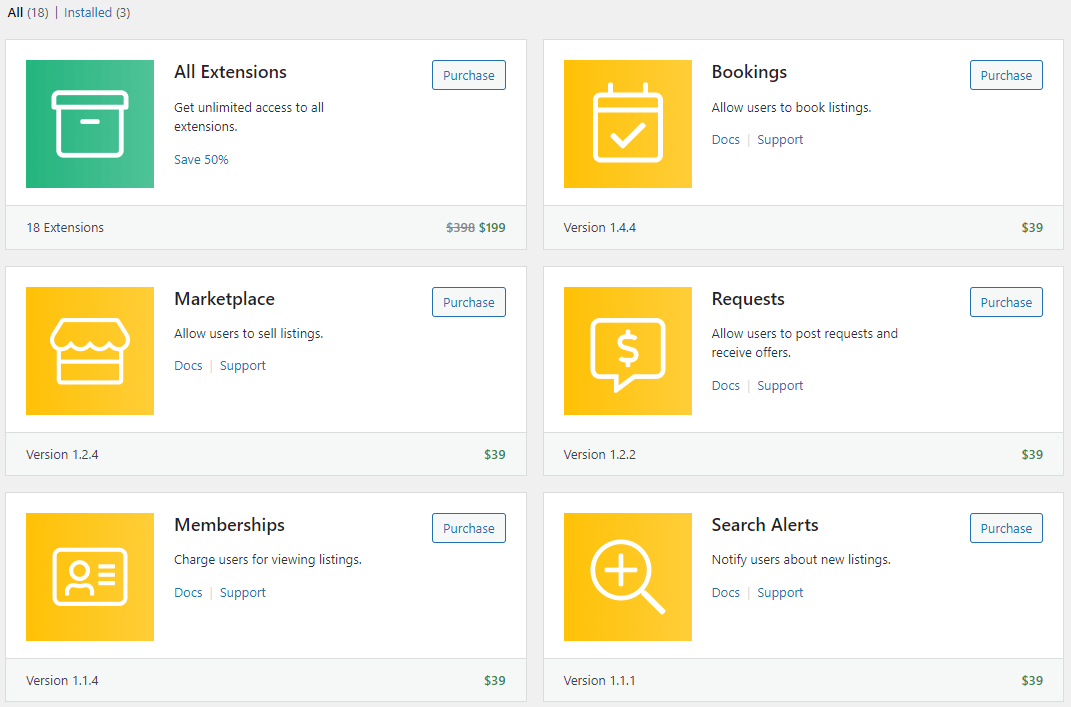
Use the plugin’s blocks to add a listing, user registration form, or vendor search form to any post or page. The plugin also supports a multi-vendor system for a public online directory.
HivePress has a dedicated free WordPress theme, ListingHive, that fully supports the plugin and its extensions. This theme is a great starting point for making a beautiful online directory website.
There are also premium themes from HivePress, ranging from $69-$89. Each premium theme was designed for a particular use case, such as job listing, property rental, and service directory websites.
Key Features
- Multipurpose directory plugin that’s suitable for various types of listings.
- Dedicated listing themes to create a directory with an appealing website design.
- The multi-vendor system is suitable for making an online marketplace.
Cons
- Requires additional extensions to enable various form fields and features.
2. Directorist

Plugin stats:
- Downloads: 10,000+
- Rating: 4.7/5
- Best for: various types of directories
- Price: freemium (starts at $199/year)
Directorist is a popular WordPress directory plugin suitable for various websites, including business directories, property listings, classified advertisements, and job portals.
The directory builder provides an intuitive drag-and-drop interface to manage the directory. Using the listing form builder, you can arrange the form fields, add various custom field types, and customize the listing layouts and search form.
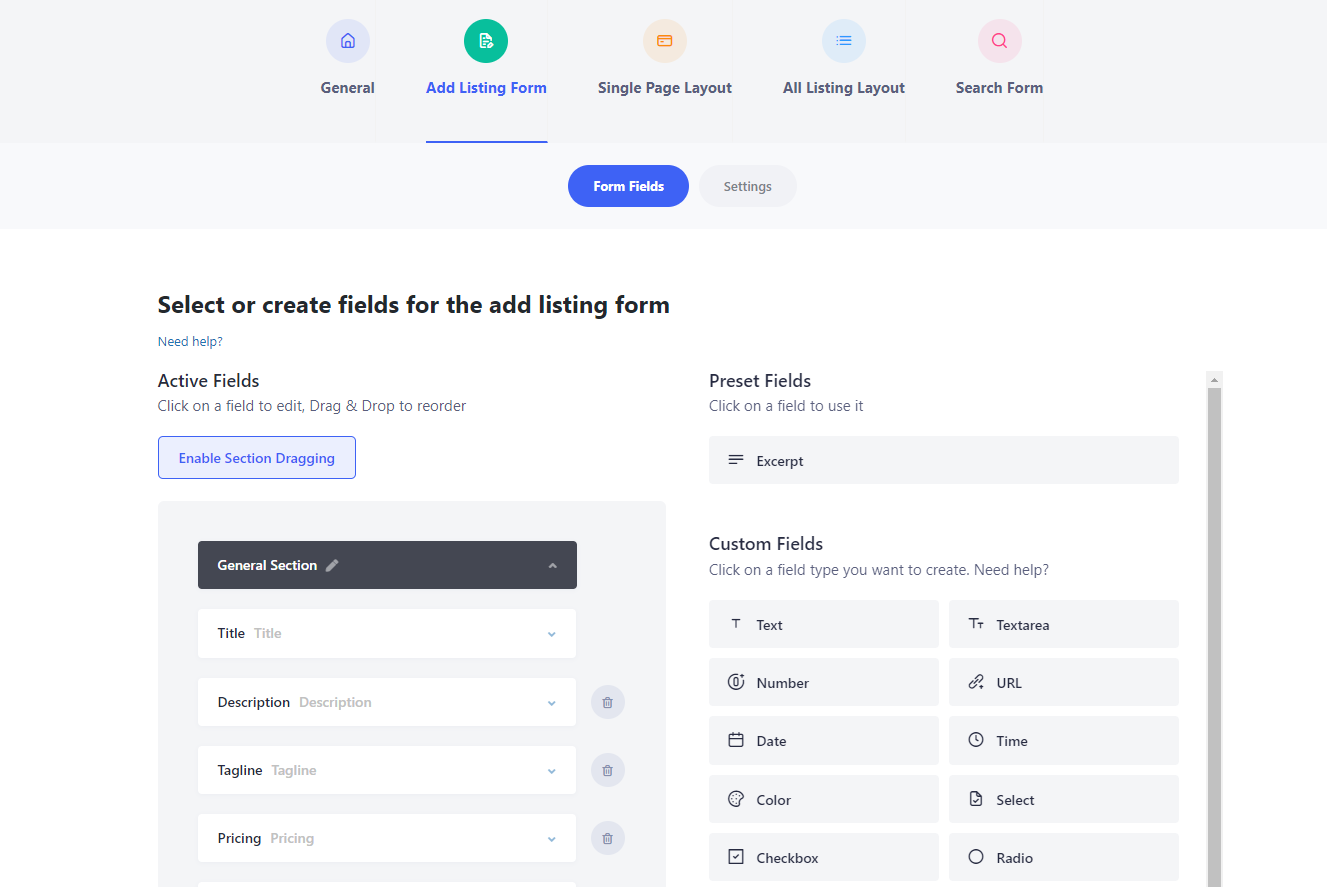
Directorist lets you organize listings by categories and locations. It supports OpenStreetMap and Google Maps to pinpoint any listing and provide more detailed location information.
You can embed and customize the directory on your WordPress website with 16 blocks. This WordPress plugin also allows guest submission, letting visitors add listings without logging in.
The free version supports bank transfer payments for monetization. To get extensions that include Stripe and PayPal payment gateways, you must upgrade to the premium plan, which starts at $119/year.
Key Features
- The built-in directory drag-and-drop builder lets you intuitively customize the listing form, layout, and search bar.
- Plenty of Gutenberg blocks provide flexible directory customization.
- OpenStreetMap and Google Maps integration.
- The setup wizard helps you start quickly, and the demo directory content can be a great starting point for customization.
Cons
- The plugin settings page may be overwhelming for beginners.
3. Business Directory Plugin

Plugin stats:
- Downloads: 10,000+
- Rating: 4.6/5
- Best for: business directories
- Price: freemium (starts at $49.50/year)
The WordPress Business Directory Plugin packs a lot of features, making it suitable for creating business directories. You can create nested categorization if you need a complex structure for the listings.
This WordPress plugin supports front-end listing submission and comes with a pre-made form with 10 fields. Modify the form or add custom fields on the plugin’s directory content page using the 14 available field types.
The monetization feature allows you to create pricing plans for your website directories. The free version supports the Authorize.net payment gateway. Upgrade to the premium version if you want to use Paypal, Stripe, or Payfast payment options.
Enable reCAPTCHA and login requirements to secure the directory from spam submissions. Alternatively, disable the front-end submission if you only want to manage the directory from the back-end.
Key Features
- Front-end submission with reCAPTCHA lets users submit listings while preventing spam.
- Monetization support with four payment gateway options. It also lets you create unlimited payment packages.
- Supports nested categorization for complex listing structures.
Cons
- Some essential features like file uploads, Google Maps integration, and location-based filtering requires premium modules.
[DOWNLOAD]
4. Connections Business Directory
Plugin stats:
- Downloads: 10,000+
- Rating: 4.9/5
- Best for: business directories
- Price: free (premium extensions cost $2.99-$14.99)
The Connections Business Directory plugin lets you create a business or personal directory. It comes with pre-made templates and WordPress blocks to embed your listing easily.
This business directory plugin lets you create directories for individual, organization, or family entries and set them for public, private, or unlisted. Many useful default fields are available, including the address, phone number, and social media ID.
The fieldset configuration on the settings page is comprehensive. You can enable or disable a particular field and set the default values for specific fields. There’s also an option to make the web directory available to logged-in users only.
The plugin adds four WordPress blocks for embedding the directory to any post or page – carousel, directory, team, and upcoming. Each block type has unique settings for customization, giving you more flexibility when displaying the directory.
Connections Business Directory is developer-friendly, and its source code is available on GitHub. Its granular template engine lets you override the CSS code for a customized appearance. Fortunately, it’s update-safe, so you won’t lose your customization after any update.
Key Features
- An open-source, developer-friendly, and lightweight WordPress directory plugin.
- Comprehensive pre-built fields.
- Four types of display options provide more flexibility when showing the directory.
- Various premium extensions and templates to customize the directory further.
Cons
- Custom fields and front-end submissions require premium extensions.
- No monetization option.
5. Directories Pro
Plugin stats:
- Downloads: 6,000+
- Rating: 4.8/5
- Best for: various types of directories
- Price: $39
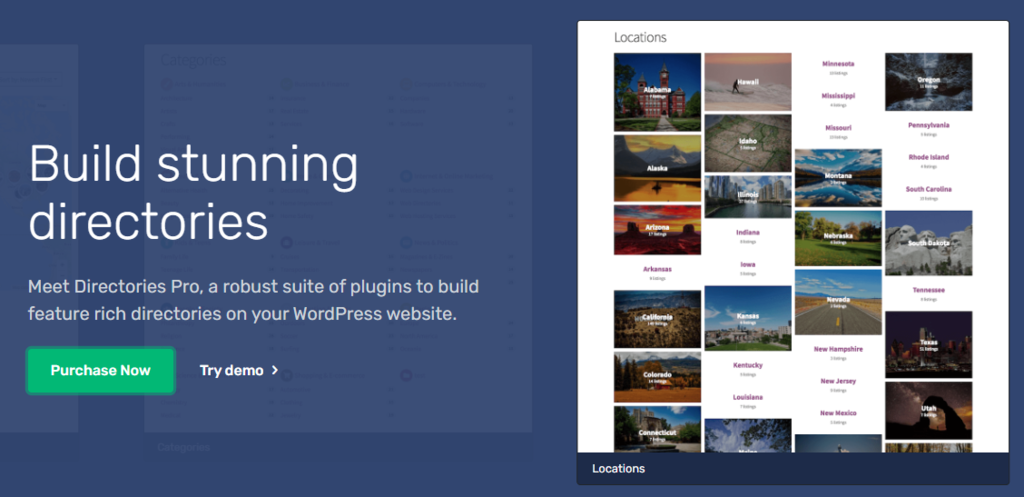
Directories Pro is a premium WordPress directory plugin to create multiple directories on your website. It’s suitable for any listing type, making it one of the most flexible options on the market.
Use this plugin to create directories with unique categorization options. Three layout options are available – list, grid, and masonry. In addition, a photo slider lets you display the listing photos.
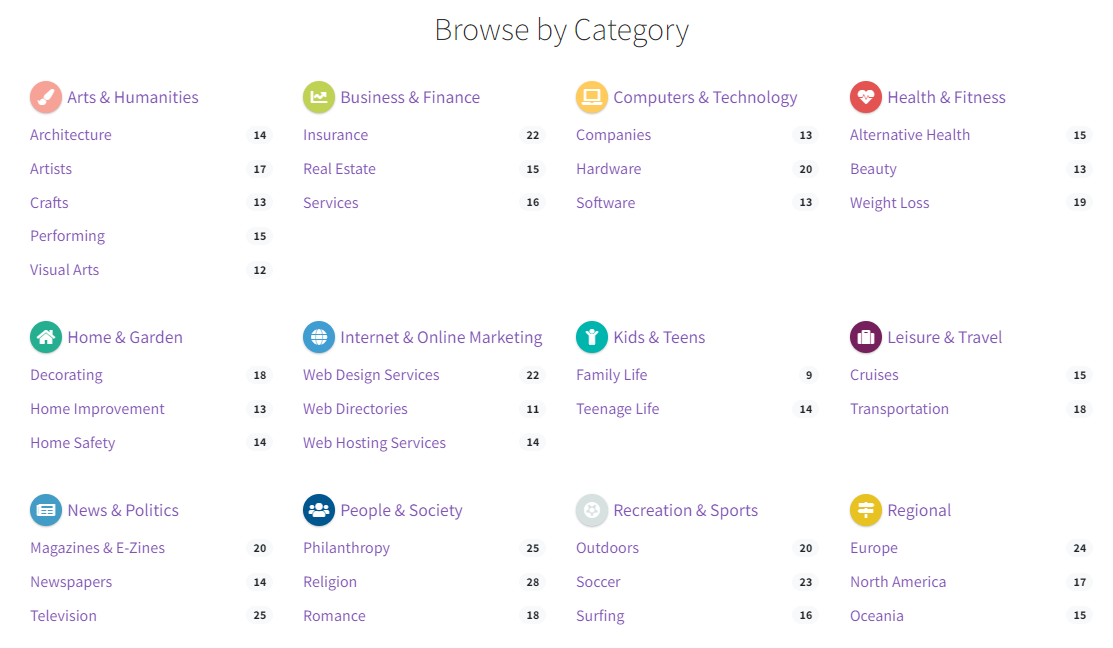
The plugin features a front-end dashboard, letting users submit listings, write reviews, or rate other listings. Enable guest posting to allow users to do so without registering. This feature will encourage user engagement in the online directory.
The fully customizable forms have conditional field features. You can show or hide specific fields depending on the other fields’ values or user roles. Moreover, 20+ custom fields let you build the exact listing form you want.
For monetization, this plugin works well with WooCommerce. You can charge users for submitting or claiming listings. Alternatively, create membership plans and adjust extra listing management features using the WooCommerce Subscription.
Furthermore, Directories Pro features a built-in cache that works for desktop and mobile, improving the website’s loading times and user experience.
Key Features
- Fully customizable listing forms with 20+ custom fields.
- The guest posting feature lets users submit listings without registering.
- Google Maps and OpenStreetMap integration to display listing location.
- Built-in cache to improve loading time and performance.
Cons
- Requires WooCommerce for monetization despite being a premium plugin.
6. GeoDirectory

Plugin stats:
- Downloads: 10,000+
- Rating: 4.7/5
- Best for: business location directory
- Price: freemium (starts at $199/year)
GeoDirectory is a great WordPress directory plugin for creating a location-based business directory.
The free version of GeoDirectory restricts the user to only one city and a local directory. Get the Location Manager add-on or a premium membership plan to unlock a multi-location or global business directory.
The plugin lets users create new listings using the front-end form submission. Customize the form from the WordPress panel and choose among 40+ custom fields that include property bathrooms, bedrooms, and features. These fields make the plugin suitable for hotels or other property rental business listings.
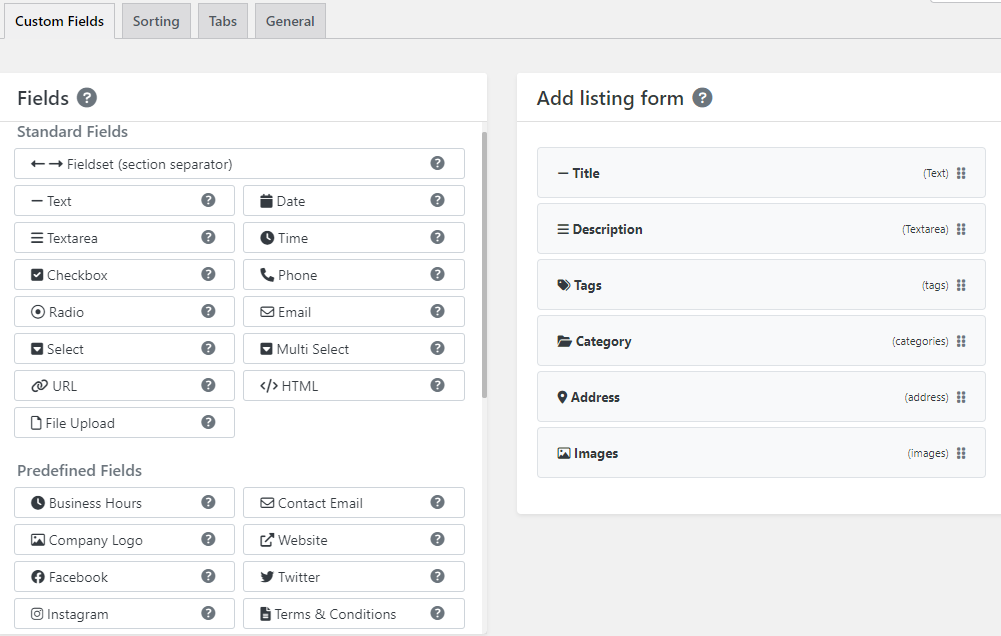
GeoDirectory is compatible with the WordPress block editor and other popular page builders. It also works well with the native WordPress search function. Users can perform a location or zip code search to browse the directory.
A weak point of GeoDirectory is monetization, as it requires the Pricing Manager premium extension. Moreover, the extension doesn’t include any payment gateway. You should install GetPaid or WooCommerce to accept online payments.
Key Features
- Integrated map support.
- Many custom fields for customizing submission forms.
- Plenty of WordPress blocks and widgets to customize the directory appearance. The plugin is also compatible with most page builders.
- Dedicated directory themes.
Cons
- Enabling online payments require a premium extension and installing additional WordPress plugins.
7. Formidable Forms

Plugin stats:
- Downloads: 300,000+
- Rating: 4.7/5
- Best for: various types of directories
- Price: freemium (starts at $39.5/year, however, creating directories requires Formidable Views, which comes in the Plus plan at $199/year)
Formidable Forms is a WordPress contact form plugin that can create listings and front-end submissions.
Its drag-and-drop feature makes creating a submission form easy. It also offers various templates, such as real estate and event planning, and contact forms that quicken the process.
The free version provides 14 custom field types, while the premium version provides 20+ more advanced field types.
To use this plugin to create directory listings, you need to purchase the Plus plan, which costs $199/year. You’ll get the Formidable Views feature to display the submitted data on the site’s front-end.
The Views feature lets you display submitted data in various ways, including single listing, calendar views, and all entries. Choose which data to display and edit the appearance for each view from the plugin’s dashboard.
This plugin is compatible with WooCommerce, PayPal, Stripe, and Authorize.net to collect online payments. You can use these payment platforms to set up paid listings.
Key Features
- As a form builder plugin, you get more flexibility in creating the subscription form.
- Customizable front-end data display.
- Compatibility with various payment gateways for monetization.
Cons
- The directory feature is not the core functionality of this plugin. To display listings, the user must upgrade to the Plus plan.
[DOWNLOAD]
8. Classified Listing

Plugin stats:
- Downloads: 10,000+
- Rating: 4.8/5
- Best for: classified ads and business directories
- Price: freemium (starts at $39/year)
Classified Listing is one of the best WordPress directory plugins for creating classified advertisement websites. It features excellent back-end and front-end listing management, allowing you and your visitors to post listings easily.
The plugin lets you add an unlimited amount of custom fields with seven field type options. Moreover, you can create a field group and assign it to any category.
The directory appearance is customizable from the admin settings page. You can change the colors of various directory elements, like the link and button colors.
There are also image settings. You can add image placeholders and define the size for gallery sliders and thumbnails.
If you have just started creating a directory website, this plugin’s developer offers four premium classified directory themes starting at $39. These themes are fully compatible with the plugin and help you complete a directory website quickly.
Key Features
- Allows you to add an unlimited number of custom fields.
- Category-specific field group lets you customize directory listing fields.
- Fully customize the directory appearance from the plugin settings page.
- Social share buttons for listings.
Cons
- Limited field type options.
- Google Maps integration is only available with the premium version.
9. Advanced Classifieds and Directory Pro

Plugin stats:
- Downloads: 4,000+
- Rating: 4.8/5
- Best for: various types of directories
- Price: freemium (starts at $95.88/year)
Advanced Classifieds and Directory Pro (ACADP) lets you create various types of listings with highly personalized categorization and custom fields.
The category function lets you create unlimited custom categories, subcategories, and category levels. This is helpful for websites with plenty of listings as they can categorize complex nested structures neatly.
The plugin also lets you have unlimited custom fields. Instead of providing pre-defined custom fields, users can add their own with many different property options. Choose from the eight field types, including the radio button, checkbox, URL, and date.
The premium version has monetization features. It lets you charge users who add featured listings that appear on top of regular ones. The WooCommerce integration makes online payments possible through Stripe and PayPal gateways.
The plugin offers a shortcode builder on its admin panel to embed content using customized properties such as the custom column number, listing per page, and listing order.
Key Features
- OpenStreetMap integration
- Video embedding from YouTube and Vimeo
- Shortcode builder for customized embedding
Cons
- Monetization features are only available on the premium version.
10. AWP Classifieds

Plugin stats:
- Downloads: 8,000+
- Rating: 4.6/5
- Best for: classified ads directories
- Price: freemium (starts at $49.50/year)
AWP Classifieds is a simple classified ad directory plugin that lets users and visitors create listings on your website.
The plugin automatically adds the required pages – the directory, user dashboard, and ad placement – to streamline the website setup. You can customize these pages to suit your style.
The free version comes with pre-defined form fields whose order appearance you can arrange. The premium extra fields module can add custom fields using input elements like text, drop-down menu, checkbox, and radio button.
The plugin lets non-registered users post ads. You can also enable email verification for non-registered users before displaying their ads.
You can monetize by charging listing fees and creating subscription plans. The free version supports PayPal and 2Checkout payment systems, while the premium version adds PayPal Pro and Stripe.
Key Features
- The plugin automatically creates required pages, streamlining the setup process.
- Allows non-registered users to post ads with simple email verification.
- Supports monetization with customized subscription plans.
Cons
- Requires a premium module to get the custom fields.
11. Name Directory

Plugin stats:
- Downloads: 3,000+
- Rating: 4.9/5
- Best for: glossary, business index, or business contact person information
- Price: free
Name Directory is a free WordPress plugin for creating index glossaries. You can also list employee information, such as their position and contact information.
When adding a new directory, there is an option to show letters on the index, allowing your visitors to select a letter to specify directory entries. This feature is helpful when you have many directory entries.
There’s also a front-end form submission feature to let visitors add entries to the directory.
The bulk import feature lets you import the directory from a CSV file. The plugin requires specific formatting for the list inside the file. Fortunately, it provides a sample file for reference.
There are no options to customize the appearance – the directory will inherit the styles from the active WordPress theme. Therefore, this plugin is more suitable for a simple glossary or information listing.
Key Features
- Easy-to-use WordPress directory plugin to create a glossary or business index.
- The front-end form submission lets users add new directory listing items.
- Bulk import lets you upload a pre-made list in a CSV file.
Cons
- There are no options to customize the directory appearance.
[DOWNLOAD]
12. Simple Link Directory
Plugin stats:
- Downloads: 3,000+
- Rating: 4.8/5
- Best for: link directory
- Price: freemium (starts at $28/year)
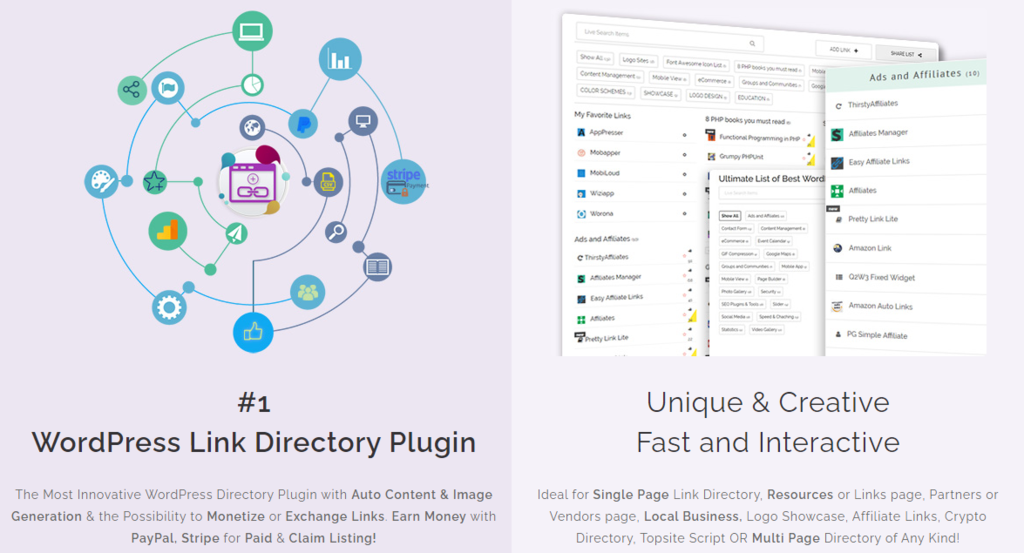
Unlike other directory plugins in this list, Simple Link Directory helps you create link directories.
Adding links to the directory from the admin panel is simple. You only need to add the item link, title, and image. You can also enable no follow to prevent search engines from crawling the link.
The plugin comes with a default shortcode to embed the directory. Alternatively, the shortcode generator block lets you generate shortcodes on the page or post with customized typography, list order, and template style.
There are four responsive template options for the shortcode generator. If you need further customization, add custom CSS and JavaScript, or get the premium version that offers 18 templates.
To monetize your directories, choose to accept paid or free listings and set subscription plans.
The premium version lets users add links from the front-end dashboard.
There are several premium add-ons for this plugin, too. For example, the broken link checker detects any broken links in your directory. Meanwhile, link exchange lets you swap links with users.
Key Features
- A unique plugin to create link directories.
- The monetization feature charges users if they add links to your directory.
- No follow option prevents search engines from crawling the link.
- The broken link checker add-on ensures all the links in the directory are working.
Cons
- The premium version is necessary to unlock monetization and front-end link submission.
Discover Other WordPress Plugins to Help Build Your Website
Best WordPress Slider Plugins
Best WordPress Popup Plugins
Best WordPress Live Chat Plugins
Best WordPress Translation Plugins
Best WordPress Plugins for Menu Creation
Best WordPress Plugins for Adding Tables
Best WordPress Download Manager Plugins
Best WordPress Security Plugins
Best WordPress Mapping Plugins
Conclusion
WordPress directory plugins make it easy to create a directory website. They provide features such as fully customizable form fields and listing management. The variety of plugins available means that you will likely find the right one for your WordPress directory website type.
To recap, here’s our verdict on the best WordPress directory plugins:
- Directorist. The best all-rounder WordPress directory plugin. It offers many customization features, monetization options, and map integration.
- Directories Pro. The best premium directory plugin for various listing types. Its built-in cache improves the performance of the directory website.
- Business Directory Plugin. One of the best WordPress business directory plugins that support nested categorization for a more complex directory structure.
- GeoDirectory. The best WordPress directory plugin to create a business location directory.
- Name Directory. A unique and free plugin that specializes in the glossary-type directory. It’s perfect for business indexes or glossary websites.
- AWP Classifieds. The best WordPress directory plugin to create classified ad directories. It also supports monetization to charge users who post ads.
Before picking up a WordPress directory plugin, decide what type of directory website you want to create and the listing types you need. Consider whether to pick a multipurpose directory plugin or a purpose-built one.
We hope this article helps you narrow down the options and pick the right WordPress directory plugin for your website.
WordPress Directory Plugins FAQ
After learning about the best WordPress directory plugins, the following are frequently asked questions on the topic.
What Is a WordPress Directory Plugin?
A WordPress directory plugin is a tool that allows users to create and manage various types of directories on their WordPress websites, such as business directories, staff directories, product directories, and more. It typically includes features like search and filter options, customizable templates, and user submission forms.
How Do I Make My Own Directory in WordPress?
To make your own directory in WordPress, you can use a directory plugin such as Business Directory. Another option is to build a custom directory using a theme or a page builder. Lastly, you can use custom post types and taxonomies to create a directory.
What Is the Purpose of a Directory?
The purpose of a directory is to organize and categorize information or resources in a structured and easily searchable way. Directories are commonly used for business listings, employee or member directories, and product listings. They can help users find what they are looking for quickly and efficiently.

Andzelika is a Content Writer and Editor with over 5 years of experience in the digital marketing industry. With passion for technology and the art of the written word, she loves to combine the two worlds and produce actionable content.



Comments
0 responses