Development and project teams can use the Buzz communication app by Block to coordinate sprints, assign coding tasks to AI agents, triage bugs, review code, automate recurring workflows, and keep project communication in one place. These use cases help teams reduce tool switching and maintain context as work moves from planning to implementation and review.
The Buzz platform combines team communication, code collaboration, and AI-powered workflow automation in a free, open-source workspace. Teams can use either the hosted version or deploy Buzz on their own infrastructure.
It is built around AI agents that can plan tasks, complete steps independently, and share their results in the same channels where the team discusses the project. This makes Buzz particularly useful for workflows that involve repeated handoffs between developers, project managers, reviewers, and automated agents.
However, Buzz is still in its early stages. Block describes the project as rough around the edges, so teams should expect its features and workflows to continue changing as the platform develops.
1. Coordinating software development projects
Buzz gives development teams a shared workspace for planning sprints, discussing architecture decisions, tracking progress, and keeping project context together.
Use Buzz as a shared workspace for sprint planning, daily coordination, and project decisions. This keeps important context in one place instead of spreading it across chat threads, issue trackers, and email. Engineering managers, tech leads, and cross-functional product teams can therefore work from the same project information.
How humans and AI work together
Team members discuss tasks and priorities in threaded conversations. AI agents could potentially summarize discussions, surface relevant past decisions, and flag blockers.
Each developer posts a daily update in the project channel. An AI agent can combine these updates into a short end-of-day summary. The tech lead can then review a summary instead of reading every discussion thread.
Buzz features for project coordination
- Persistent threaded channels keep sprint discussions organized by topic.
- Searchable project history makes past decisions easy to find.
- The ability to add an AI agent to a channel, giving it the same access to the conversation history a person would have.
How Buzz improves project coordination
Sprint context ends up in one searchable place. Decisions, trade-offs, and status updates are less likely to get scattered across multiple tools.
Limitations of using Buzz for project coordination
Buzz includes Git hosting and code review workflows, but it isn’t a full project management tool. It doesn’t provide a dedicated issue tracker or enterprise project management features such as Gantt charts or resource allocation, so teams that rely on those capabilities will still need a separate tool.
Buzz is still in its early stages, launched in July 2026. Several features are still unfinished, including mobile clients and workflow approval gates. Sprint coordination is a reasonable use case for Buzzis design, though specific sprint management features like backlogs or velocity tracking aren’t officially documented yet.
2. Running multi-agent coding tasks
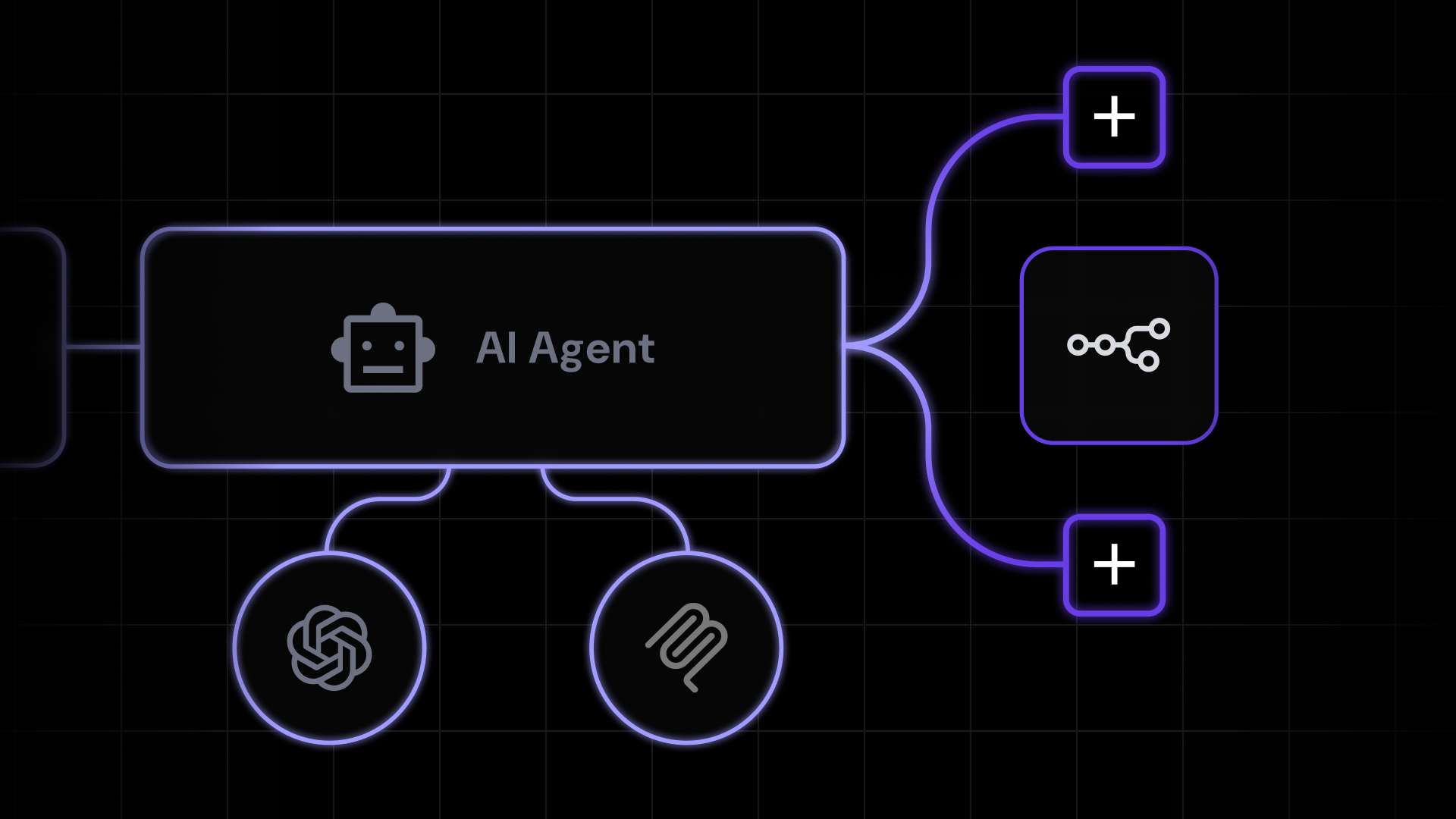
You can assign coding tasks to AI agents that operate within the Buzz workspace, going beyond simple code-completion tools that suggest individual lines of code.
Use Buzz agents to automate repetitive development work. Typical tasks include generating project setup code, refactoring legacy code, writing tests, and migrating projects to newer systems. AI agents provide the most value when they can independently complete these clearly defined, multi-step tasks.
A developer describes the task in natural language in a channel, and an AI agent carries out the work and posts results back for human review.
How humans and AI work together
Buzz uses Agent Client Protocol (ACP) to connect with agent frameworks such as goose, Codex, and Claude Code. These frameworks can read a codebase, modify multiple files, run tests, and report the results in a Buzz channel.
For example, a developer can ask an AI agent to add input validation to every API endpoint in a microservice. The agent scans the codebase and identifies missing validation logic. It then writes the required logic and unit tests before posting a summary for human review.
Buzz features for multi-agent coding
- Agent Client Protocol connects Buzz to external coding agents.
- Channel-based reporting lets agents post results where the team can see them.
- Natural language task assignment lets you describe the job instead of typing commands.
How multi-agent coding benefits developers
Routine, time-consuming coding tasks get completed faster while developers focus on higher-judgment work. Buzz provides the workspace and communication layer, while the agent framework handles the coding.
Limitations of multi-agent coding in Buzz
Actual results depend on the agent’s capabilities and the codebase’s complexity. Always review agent-generated code before merging. Specific capabilities are still taking shape as the platform matures.
Multi-agent coding is one example of AI agents used in workflows where AI handles execution and humans verify the output.
3. Searching project history and retrieving context
Buzz’s searchable workspace lets you find past conversations, decisions, code discussions, and the reasoning behind them across your entire project history.
Catch up on a project’s history or understand why past decisions were made, without interrupting teammates for context. In most chat apps, old messages get buried and forgotten. When someone joins a project mid-cycle or needs to revisit why a technical decision was made, the information is either gone or locked in someone’s memory.
How humans and AI work together
A team member types a search query and finds the original conversation. An AI agent could potentially help by summarizing long threads or pulling together related discussions from different channels.
For example, a new team member may need to know why the team chose PostgreSQL instead of MongoDB. They can search Buzz and find the original decision-making conversation. This gives them the required context without interrupting a senior engineer.
Buzz features for retrieving project context
- Cross-channel search covers every channel and thread in the workspace.
- Persistent message history means old conversations don’t disappear.
- The ability to add an AI agent to a channel and ask it to help make sense of a long discussion.
How searchable project history benefits teams
Institutional knowledge becomes easier to access rather than being lost in old chat logs. New team members can get up to speed without pulling senior engineers away from their work.
Limitations of Buzz project search
Buzz search uses PostgreSQL full-text matching and supports basic stemming. For example, a search for “running” can also match “run.” However, it does not automatically connect conceptually related terms, so “login” may not return a discussion about “authentication.”
Buzz can only retrieve information recorded in its workspace. Decisions made in private messages, external meetings, or video calls will remain unavailable unless someone documents them in Buzz.
Buzz is still in Developer Preview as of early August 2026, so treat it as an emerging tool for context retrieval rather than a production-ready knowledge base.
4. Triaging bugs and issues
Buzz can serve as a coordination layer where bug reports are received, categorized, prioritized, and assigned within the same workspace where development conversations happen.
Bug reports may come from quality assurance engineers, users, or monitoring tools. The triage lead checks each report for duplicates, assesses its severity, and assigns it to the appropriate developer. The assignment should include enough context for the developer to begin investigating immediately.
How humans and AI work together
Bug reports go into a dedicated channel. An AI agent could potentially analyze the report, suggest severity levels, and recommend who should investigate. The triage lead reviews the agent’s suggestions and confirms or adjusts assignments.
Before assigning a bug, the triage lead searches past channels for similar issues. A QA engineer submits a bug report with reproduction steps, and a quick search shows a similar issue that was reported and fixed two sprints ago. The triage lead recognizes it may be a regression and assigns it to the original developer with full context attached.
Buzz features for bug triage
- Dedicated triage channels keep bug reports organized and visible.
- Searchable issue history lets developers manually check for similar past reports before assigning, which is faster than digging through most chat tools.
- The ability to link directly to past discussions and fixes when assigning a bug, so the new developer doesn’t have to go looking for them.
How Buzz improves bug triage
Faster triage with better context reduces the time between bug report and developer assignment. The conversation history around past fixes gives developers a head start.
Limitations of triaging bugs in Buzz
Buzz does not provide automated duplicate detection. Teams must search manually for similar reports. Because the search relies on keywords, it may miss duplicate issues described with different terminology.
Buzz also lacks specialized functions such as service-level agreement tracking and customer-facing status pages. Teams that need these capabilities should continue using a dedicated issue-management platform.
These bug-triage workflows show how Buzz channels and connected AI agents can work together. However, Buzz does not currently document them as built-in bug-triage features.
5. Reviewing code collaboratively
Buzz lets you conduct code reviews using an integrated Git forge, where AI agents provide automated feedback, and approval decisions are documented alongside the project conversation.
Use Buzz’s Git integration to coordinate code reviews. A connected AI agent can complete the initial mechanical review by identifying potential bugs, checking coding style, and evaluating test coverage. Human reviewers can then focus on architecture, design decisions, and application logic.
How humans and AI work together
Code hosting and review happen natively within the platform. A developer shares changes in a channel, and AI agents you’ve configured can review them for common issues, style violations, and test coverage gaps. Senior engineers then focus on architecture and logic.
Buzz does not provide a built-in, one-click pull request review. Teams must configure an external agent framework, such as Claude Code or goose, to review the changes and post findings in a channel.
For example, a developer posts a pull request summary. The configured agent identifies missing tests for two edge cases and flags a possible null-pointer issue. A senior engineer verifies the findings and adds architectural feedback.
Buzz features for collaborative code review
- Integrated Git forge keeps code hosting and review inside the workspace.
- The ability to connect an agent framework like Claude Code or goose to review pull requests and post findings directly to the channel.
- Threaded discussions tie review feedback to the relevant conversation context.
How Buzz improves collaborative code review
AI handles the mechanical parts of code review, freeing your team to focus on design and logic. Review feedback lives alongside the project conversation rather than in a separate tool.
Limitations of reviewing code in Buzz
Buzz’s built-in Git integration and Forge interface are still at an early development stage. Teams should evaluate their current functionality rather than rely on expected future improvements.
Workflow approval gates are not yet functional in production. A workflow that requests human approval currently fails instead of pausing for a response. Therefore, Buzz does not yet support formal review processes that require human approval before a pull request is merged.
Teams using GitHub or GitLab should evaluate these limitations before migrating their review workflows to Buzz.
AI review quality also depends on the configured agent. Automated reviews may identify common errors and edge cases, but they do not replace experienced human review of critical code paths.
6. Automating recurring processes
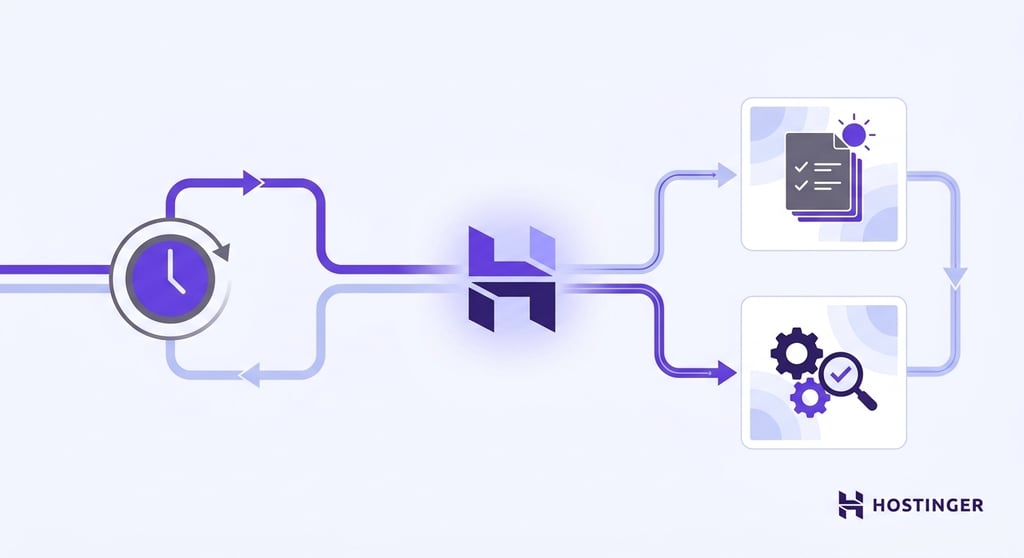
Buzz workflows use YAML definitions and can be triggered by a schedule, message, reaction, or webhook. Basic workflows can post updates without using AI.
Teams can also connect an AI agent to handle tasks that require analysis or synthesis. For example, an agent can turn daily updates into a standup summary, audit outdated dependencies, or draft a team report.
Use Buzz to automate repetitive coordination tasks such as collecting, formatting, and publishing team updates. These tasks are predictable but time-consuming when completed manually. Automation also reduces the chance that teams will skip them during busy periods.
How humans and AI work together
A team member first creates a YAML workflow with a scheduled trigger. The workflow posts a message in the relevant channel and mentions a connected AI agent. For example, it can send a daily prompt requesting a standup summary.
The agent receives the mention through the separately configured ACP harness. It compiles the required information and posts the result in the channel. Team members review the output and adjust the schedule or the agent configuration as needed.
This setup requires technical configuration. Teams must work with the ACP harness, Nostr key pairs, and YAML workflow syntax. Developers familiar with these technologies can configure the automations, while non-technical users will likely need technical support.
An engineering team could configure an agent to compile a daily standup digest by reading posted updates and flagging blockers. Another agent checks for outdated dependencies weekly and posts a summary ranked by severity.
Buzz features for workflow automation
- YAML-based scheduled triggers let agents run tasks on a defined cadence.
- Channel-based output posts results that the team will see.
- Configurable agent tasks mean you define what gets automated and how.
How Buzz benefits recurring workflows
Routine coordination tasks can run on a schedule without manual effort. Start with one or two automations and expand based on what your team actually needs.
Limitations of automating workflows in Buzz
Buzz does not currently provide prebuilt templates for these automations, so teams must configure each workflow manually. Approval gates are not fully functional in version 0.4, and some workflow actions remain incomplete. Teams should test every automation before using it for an important process.
Scheduled triggers can automate recurring workflows, but their reliability depends on the agent and workflow configuration. Agent uptime is particularly important for time-sensitive processes such as deployment notifications.
7. Keeping project discussions and decisions in a single workspace
Buzz can consolidate project-related communication into one searchable workspace, covering technical discussions, decision records, design debates, and stakeholder updates.
Use Buzz to keep technical discussions, project decisions, and design debates in one workspace. This prevents important context from being distributed across email, chat applications, wikis, and meeting notes. Team members can then find what was agreed and why the decision was made without searching several tools.
How humans and AI work together
Teams can organize Buzz channels by project or topic. Connected AI agents can summarize long discussions and extract action items. They can then add the results to a canvas, which is a shared document attached to the channel. The canvas can serve as an ongoing decision log.
For example, a product team can create a dedicated channel for each feature. When a discussion exceeds 50 messages, a configured agent can summarize the main positions. It can post the summary in the channel or add it to the project canvas. This preserves the rationale for the decision after the original discussion ends.
Buzz features for centralizing project communication
- Project-organized channels group discussions by topic or feature.
- Configurable AI agents can summarize long discussion threads into key decisions and action items, although this requires configuring an agent rather than relying on a built-in summarization feature.
- MCP tool integration lets agents create structured outputs like decision logs.
How a shared workspace benefits project teams
Decisions and their context stay preserved and findable. New team members can piece together a project’s history in one place instead of chasing it across several different tools.
Limitations of centralizing project communication in Buzz
These capabilities come from the agent framework rather than Buzz natively, so they require setup. Teams transitioning from other tools should also set clear norms about what gets discussed in Buzz. If conversations still happen elsewhere, the workspace will have gaps.
Buzz is still in its early stages and isn’t production-ready for most teams yet. Treat it as a promising consolidation tool rather than a guaranteed replacement for your current knowledge management setup.
How to decide which Buzz use cases fit your team
The best way to decide is to work through a few questions about your team, your current tools, and how much risk you’re comfortable taking on with an early-stage platform. Start with whichever use cases score lowest on risk and expand from there:
- How big is your team? Smaller teams may prefer the all-in-one workspace approach, while larger teams with specialized roles might start with targeted use cases like multi-agent coding or automated triage.
- How many tools are you juggling? The more tools your team switches between for communication, code review, task tracking, and documentation, the more consolidation can help.
- How comfortable is your team with AI agents? Teams experienced with AI agents working alongside humans in shared workflows can adopt agent-heavy setups right away. If you’re new to how agentic AI plans and acts toward a goal, start with AI-assisted search or summarization and build from there.
- Do you already have established workflows? Teams with existing code review and triage processes can layer Buzz on top of them. Teams building processes from scratch can use Buzz as their foundation.
- Do you need control over where your data lives? Self-hosting gives you full control but requires standing up a Nostr relay, managing Rust and Node dependencies, and dedicated DevOps capacity. The Block-hosted version is simpler, though your data resides on Block’s infrastructure.
- Are you willing to invest time in setting up automation? Recurring automation requires upfront configuration. Teams that prefer manual control can still use Buzz’s communication and search features.
Can non-developers use Buzz?
Yes, non-developers can use Buzz. Project managers, product managers, and other team members can use its communication and search features. They can also interact with connected AI agents via natural-language instructions for tasks such as summarizing discussions.
AI agent interactions use natural language, so technical expertise isn’t required for many workflows.
Buzz offers a desktop app for macOS, Linux, and Windows, a web interface, and mobile apps for both iOS and Android. Both mobile apps are free and published by Block, Inc.
The desktop application connects with locally installed agent harnesses such as goose, Claude Code, and Codex. These harnesses run independently on the user’s computer.
The mobile applications provide remote access to the Buzz workspace. Users can monitor conversations, interact with AI agents, and respond to requests while away from their computers.
How does Buzz differ from traditional project management tools?
Buzz combines real-time communication, AI agents, and project context into a single workspace, whereas traditional project management tools focus on task tracking, timelines, and resource allocation.
Buzz works best as a coordination and communication layer. It can complement dedicated project management tools rather than fully replace them.
Teams that need Gantt charts, resource planning, or granular task statuses will likely retain a dedicated project management tool. They can use Buzz alongside it for communication, project context, and AI-assisted coordination.
How to get started with Buzz
To get started with Buzz, first set up a running workspace, either through Block’s hosted service or by self-hosting.
For teams choosing the self-hosted route, setting up Buzz on your own server involves configuring several services, including the relay, database, caching layer, and media storage. Managing these services manually adds operational overhead.
If you want self-hosted control without the setup overhead, a preconfigured deployment can handle the heavy lifting. That way, your team spends time on the use cases above rather than on infrastructure.
Hostinger offers a one-click Buzz deployment starting at A$ 9.39/month for 24 months. It runs on Docker and automatically provisions the relay, database, caching layer, and media storage. After choosing a VPS plan and launching the deployment, you’ll have a Buzz instance ready for your team.

This article is a localized version of 7 Buzz app use cases for development and project teams, originally published in English.

Justina is a Content Writer passionate about marketing, with a background in social media and customer success management. She also loves reading books, traveling and exploring new places as well as cooking, and trying out new recipes. Follow her on LinkedIn.