300+ website name ideas for every type of site
Jun 25, 2026
/
By Alma F.
/
13 min Read

The right website name ideas can make it easier to shape your online presence from the start. A good name tells visitors what your site is about, makes your brand easier to remember, and helps you stand out before anyone even clicks.
The best website names are short, easy to spell and say out loud, and tied to what the site does. A name like “BrightLedger” gives visitors a clearer idea than “XQZR7,” and it’s much easier to type into a browser.
Treat these names as inspiration. Once a few options feel right, run them through a domain name search tool to see which ones are available. Your first-choice domain may already be taken, so it helps to have backup options ready.
1. General website name ideas
These general website name ideas work best when you want a flexible starting point. They don’t describe one exact niche, but they can still suggest trust, creativity, growth, or a clear online presence.
- PageBloom
- FirstFrame
- OpenPath
- BoldRoot
- FreshLayer
- BrightIndex
- ReadyForge
- SimplePilot
- CraftBridge
- PaperTrail
- LaunchNest
- TrueHarbor
- ClearMint
- ModernPatch
- DailyRoot
- KindPixel
- NewLedge
- BetterNest
- CoreSpring
- PlainCraft
- RiseField
- GoodThread
- NextHarbor
- BrightDesk
- StartField
A name like PageBloom works well for a content site, FirstFrame fits a portfolio or creative project, and LaunchNest suits a business, product, or startup-style website. Each of these names gives visitors a small clue about the site’s direction without limiting what it can become later.
If these feel too broad, use more specific domain name ideas to narrow the direction.
2. Tech and digital website name ideas

Tech website names should feel clear, capable, and trustworthy. These ideas work for software tools, AI products, developer blogs, IT services, cybersecurity sites, and digital agencies.
- CodeRadius
- StackLayer
- ByteForge
- NullPointer
- DataPulse
- LogicGate
- InfraRoot
- ParseFlow
- NeuralEdge
- CipherCraft
- DevGrid
- AutoStack
- CloudNest
- PipeNode
- DeployKit
- WireShift
- SignalRoot
- ZeroLatency
- CoreThread
- SyncField
A strong tech name should give users confidence before they sign up, install, or share information. Words like core, cipher, logic, deploy, and data show that the site is technical without making the name feel cold or hard to understand.
Avoid vague startup-style names that could mean anything. A good tech name should give visitors at least a small clue about what the product, service, or content helps them do.
3. Ecommerce and retail website name ideas

For online stores, boutique shops, product brands, and marketplaces, strong ecommerce names should make shopping intent clear. Shoppers should understand that they can browse products, compare options, add items to a cart, and buy.
- ShelfLine
- CartReady
- GoodsLoop
- MarketNook
- SupplyRoom
- FindCrate
- ShopLedge
- PackThread
- OutletBloom
- StudioCart
- OpenShelf
- CollectBox
- PickFair
- StoreFront
- BuyNest
- TrueGoods
- DailyFinds
- PrimeBundle
- RetailEdge
- StockBridge
Names like CartReady, OpenShelf, and DailyFinds work because they use language shoppers already recognize. Cart points to checkout, shelf suggests products, and finds make the site feel useful for discovery. Those cues help visitors expect a store experience instead of a review site, brand blog, or general advice page.
4. Blog website name ideas

Blog website names need room for your voice, topics, and publishing style to develop. A good blog name can suggest essays, tutorials, opinions, stories, or regular updates without forcing every post into one narrow subject.
- ThinkDraft
- CuriousRoute
- MarginNotes
- TheSlowEdit
- WideAngle
- OddCompass
- DailyLens
- QuietSignal
- OnwardPress
- HalfPage
- TheOpenFile
- LoopLetter
- ThreadLine
- RoughDraft
- BackPorch
- MorningList
- FieldNotes
- SmallClaim
- TrueNorth
- PlainSight
Names like MarginNotes, WideAngle, and FieldNotes work well because they point to a way of writing rather than one fixed topic. MarginNotes suggests commentary, WideAngle leaves space for broader opinions, and FieldNotes feels right for personal observations, research, or niche publishing.
A focused blog can use more specific wording. Food, travel, finance, and other niche blogs usually benefit from names that signal the topic early, while broader blog name ideas can point to the writer’s perspective, format, or publishing style.
5. Personal and portfolio website name ideas

Personal and portfolio websites usually work best when the name points back to the person behind the work. For resumes, creator sites, freelancer portfolios, writer websites, developer portfolios, photographer sites, and artist profiles, these patterns keep your name visible while adding context about what you do.
- [Name]Writes
- [Name]Studio
- [Name]Creative
- WorksBy[Name]
- The[Name]Portfolio
- [Name]DesignCo
- [Name]Captures
- BuiltBy[Name]
- [Name]andCo
- Studio[Name]
- [Name]Folio
- [Name]Draws
- TheDeskOf[Name]
- [Skill]ByDesign
- [Name]Online
- [Name]HQ
- [Name]Made
- [Name]Crafted
- [Name]Workshop
- [Name]Projects
Using your real name is usually a good choice when clients, employers, or followers are searching for you directly. A photographer named Alex Carr, for example, gains more from alexcarr.com or CarrCaptures.com than from a name that could belong to any studio.
If your name is common, already taken as a domain, or easy to misspell, add a word that explains your work. [Name]Writes, [Name]Studio, [Name]Captures, and BuiltBy[Name] all keep the personal connection while helping visitors understand whether you write, design, code, photograph, or create.
6. Business website name ideas

A business website name should sound credible before someone reads your services page. For consultants, agencies, local businesses, professional firms, and companies selling to other businesses, the name needs to feel established without hiding what the business does.
- SummitEdge
- TradePoint
- VectorGroup
- FirmGround
- PivotBridge
- CoreAdvisory
- ClearScope
- TrueNorth Partners
- SteadyOak
- AnchorOps
- KeystoneWorks
- ReachPartners
- AlpineStrategy
- PrimePath
- StrideConsult
- RedMaple
- PointForward
- BlueLine Advisory
- IronGate Group
- Vantage Works
Names like CoreAdvisory, AlpineStrategy, and BlueLine Advisory work because they point to consulting, planning, or professional services. Others, like KeystoneWorks and AnchorOps, leave more room for operations, project work, or business support.
Keep future services in mind when choosing from business domain name ideas. A name like SmithBookkeeping works for a bookkeeping-only site, but it can feel too narrow if you later add financial consulting, tax planning, or advisory services.
7. Travel and lifestyle website name ideas

Travel and lifestyle website names should suggest movement, discovery, and a clear point of view. These ideas work for travel blogs, destination guides, planning resources, lifestyle sites, and creator-led travel brands.
- RoamPocket
- AtlasPath
- TheOpenPassport
- PackLight
- RouteJournal
- FarShoreLine
- WanderLog
- MapThread
- HorizonDrift
- FieldTripper
- LocalPace
- PassageNote
- GoneEarly
- BorderNote
- SunwayPress
- NomadFrame
- DriftRoute
- LayoverLetter
- DistantTable
- TheSlowTrip
For broad travel coverage, choose words tied to routes, maps, passports, journals, horizons, and movement. AtlasPath can grow with a site that covers multiple regions, RouteJournal suits personal travel stories, and TheSlowTrip points to a slower, more intentional travel style.
A name built around one city, country, or region can work well for a focused destination guide. For a site that may cover new places over time, broader wording gives you more space to write about different trips, planning styles, and lifestyle topics without needing a new name later.
8. Food and recipe website name ideas

Food and recipe website names should help visitors picture the kind of cooking, recipes, or dining experience they’ll find. The right wording can suggest comfort food, quick meals, restaurant-style dishes, baking, grilling, meal planning, or home cooking.
- SpoonReady
- TableDraft
- PantryLoop
- FlavorLedge
- CrumbTrail
- TheSimmerPost
- FreshPlate
- BiteLine
- KitchenRoute
- WarmBowl
- HalfBaked
- TheSupperEdit
- SlowPantry
- OpenFlame
- GrainAndVine
- FeastField
- QuickSkillet
- SeasonPass
- PlatedNotes
- StockAndStir
Choose words that match the style of food you want the site to be known for. WarmBowl and SlowPantry lean toward comfort food and home cooking, OpenFlame suggests grilling or bold flavors, and GrainAndVine feels closer to baking, wine pairings, or a more refined food brand.
Food-related words also make the niche easier to understand at a glance. Terms like simmer, crumb, plate, feast, pantry, and skillet give readers a clear food cue before they open a recipe, menu, or blog post.
9. Education website name ideas

Education website names should show what kind of learning experience visitors can expect. A tutoring site, online course, school, learning platform, educational blog, or coaching site can point to lessons, practice, progress, skills, or study support.
- LearnTrack
- ClearLesson
- StudyPulse
- SkillFrame
- CourseGrid
- PracticeLab
- BrightPath Academy
- TheStudyDesk
- MasterNote
- ClassBridge
- OpenChapter
- LessonLoop
- StepByStep Academy
- ProgressMap
- QuizForge
- TutorNest
- GraspIt
- FluentEdge
- ReadyMind
- TheStudyRoom
Match the name to how people will learn. CourseGrid and SkillFrame sound suited to structured course libraries, while PracticeLab works for hands-on learning, exercises, or tutoring support. TheStudyDesk and TutorNest feel more personal, which makes them stronger choices for one-on-one tutoring or student-focused resources.
Words such as learn, lesson, study, course, practice, progress, and tutor give visitors a clear learning cue. They help the name feel educational without sounding like a textbook or school form.
10. Health, fitness, and wellness website name ideas

Health, fitness, and wellness website names should point to the type of support visitors can expect, whether that’s workouts, recovery, nutrition, yoga, coaching, or daily habit-building.
- ActiveLoop
- StrongRoots
- BalanceTrack
- MoveWell
- DailyRep
- RecoverBase
- PulseRoutine
- FitPath
- CoreHabit
- SteadyForm
- EnergyLog
- StretchField
- LiftNote
- QuietStrength
- RestAndRise
- ProgressPace
- FlexPoint
- MindfulRep
- TrailFit
- WellSpring
Choose wording that reflects the site’s approach. DailyRep, PulseRoutine, and CoreHabit point to consistency and training habits, while RecoverBase and RestAndRise focus on rest, recovery, and sustainable progress.
A broader name gives you more room to expand. StrongRoots, BalanceTrack, and MoveWell could start with workout content and grow into meal plans, coaching, wellness guides, or digital courses without sounding limited to a single format.
11. Location-based website name ideas

Location-based website names help visitors understand where you operate before they open the site. They work well for local services, regional stores, tourism businesses, neighborhood blogs, restaurants, community projects, and city guides.
- PortlandPourOver
- BayAreaTutors
- AustinBiteCo
- BrooklynForge
- MapleSt Market
- LakesideLessons
- DowntownDaily
- HarborView Eats
- MainStreet Studio
- SummitCityGuide
- RiverWard Press
- CoastalRoots Co
- OldTownTable
- ParkSide Digital
- RedBridge Bakery
- NorthEnd Barber
- HillcrestHub
- WestLoop Works
- ElmStreet Designs
- CrosstownCraft
Place names work best when location is part of the decision. NorthEnd Barber tells nearby customers where the business is, while BayAreaTutors and SummitCityGuide make the service area clear before visitors read the homepage.
A location in the name can help customers understand your service area, but it’s only one part of local visibility. Google says local results are mainly based on relevance, distance, and popularity, while complete business information, reviews, and photos can also support your Business Profile.
Use a city, neighborhood, street, or region only when you’re confident about the area you want to serve. AustinBiteCo works for a local food brand, but it may feel too narrow if the business later expands across Texas or becomes fully online.
12. Creative and brandable website name ideas

Creative and brandable website names use made-up words, unusual word pairings, or familiar words in a new way. They’re useful when you want a name that feels distinct, rather than one that describes the site directly.
- Vellura
- Nimblr
- Oranda
- Petalith
- Zolvane
- Fennwick
- Luminark
- Clareo
- Brimstone Creative
- Tessara
- Voxlyn
- Windmark
- Soltura
- Mythwell
- Fablecraft
- Kindara
- Elowynn
- Prismara
- Novaflect
- Talewind
This naming style gives you more room to build a unique identity. Vellura and Clareo feel polished and flexible, Luminark and Prismara suggest something visual or creative, and Fablecraft or Talewind point more clearly toward storytelling, writing, or design.
The tradeoff is that a brandable name may not explain what your website does right away. Pair it with a clear tagline, homepage headline, logo, and domain name that make the purpose easy to understand.
13. Modern and minimalist website name ideas

Modern and minimalist website names use short words, simple sounds, and clean visuals. This style works well for startups, studios, agencies, creators, and online-first businesses that want the brand to feel polished without using a long or descriptive name.
- Cabin
- Grove
- Matter
- Forma
- PlainIndex
- NorthRoom
- StillLine
- Dusk
- Fieldwork
- Indent
- Tender
- Margin
- Almanac
- Basis
- SlateHouse
- Overture
- Trellis
- Verso
- Ember
- Primer
Single-word names like Cabin, Grove, Matter, and Ember feel simple because they’re easy to say, easy to remember, and visually clean in a logo or domain. Two-word options like PlainIndex, NorthRoom, and SlateHouse add more context while keeping the same stripped-back style.
Minimalist names work best when the rest of the brand gives visitors enough context. A name like Grove or Basis may look strong on a homepage, but the headline, logo, navigation, and tagline still need to explain what the website offers.
14. Catchy website name ideas

Catchy website names use sound devices to make them easier to remember. Alliteration, rhyme, rhythm, and short word pairings can help a name stand out when people hear it in conversation, videos, podcasts, or social media.
- PixelPop
- FlipFlare
- SnapStack
- BuzzBloom
- QuickClick
- DripDrop Design
- PingPong Press
- ZipZag
- BoldFold
- ClickCraft
- BopShop
- SnapLine
- TripTrek
- DashDot
- FizzFront
- WrapRack
- PopThread
- FlipGrid
- NipTuck Studio
- TapRoot
PixelPop, SnapStack, and BuzzBloom use repeated sounds that are easy to say out loud. QuickClick and DashDot feel fast and action-led, while BopShop and TripTrek sound more playful.
Keep the spelling simple. A catchy name loses its effect if people hear it once but can’t guess how to type it, or if the joke only makes sense when the name is written down.
15. Descriptive and keyword-led website name ideas

Descriptive website names use clear words that show the topic, service, product, or audience right away. They can work well for guides, review sites, tutorials, directories, tools, and niche resources where visitors need to understand the purpose quickly.
- WebDesignGuide
- FreelancerHub
- HomeBuyerTips
- PlantCareBasics
- BudgetTravelFinder
- SmallBizToolkit
- RecipeIndexOnline
- SEOStarterKit
- PetAdoptionHelp
- RunningGearReview
- DigitalMarketingLab
- CodingForBeginners
- HomeGymSetup
- HealthyMealPlanner
- RemoteWorkResources
- StartupCostGuide
- DIYHomeRepairs
- FitnessClassFinder
- ParentingTipsDaily
- GuitarLessonHub
A name like CodingForBeginners tells visitors exactly who the site is for, while PlantCareBasics and HomeGymSetup explain the topic before someone reaches the homepage. That can help searchers choose your site faster when they’re comparing several similar results.
The tradeoff is that descriptive names can feel less distinctive. Many websites could use similar wording around web design, plant care, fitness, or beginner coding. To make the name feel more ownable, pair the keyword with a less common word, a clear visual identity, or a tone that competitors in the same niche don’t use.
16. Website name formulas and mashups
If none of the ready-made names feels right, use a naming formula to build your own. Start with a pattern, swap in words from your niche, skill, audience, or location, then read the result out loud before checking availability.
[Verb] + [Result]
Example: BuildBright. Start with an action your audience takes and pair it with the outcome they want.
[Keyword] + Studio
Example: PixelStudio. Good for creative services, portfolios, and agencies. Swap Studio for Lab, Works, or Co to change the tone.
[Place] + [Service]
Example: DenverDesign. Use this when location helps customers understand where you work or who you serve.
[Name] + Writes
Example: EllaWrites. Strong for writers, bloggers, and creators. Replace Writes with Codes, Cooks, Draws, or another verb tied to your skill.
[Core word] + HQ
Example: DesignHQ. Useful for resource hubs, learning sites, and service brands that want to sound like a go-to source.
[Benefit] + Lab
Example: GrowthLab. Lab suggests testing, learning, or improvement, which suits education, marketing, and coaching sites.
[Word] + [Word] compound
Example: SunForge. Combine two simple words to create something more original, but check that the meaning still feels clear.
Word blend
Example: Teacherly, from teach and scholarly. Blend parts of two words into one, then make sure the result is easy to say and spell.
[Action] + [Object]
Example: CatchFish. Pair a clear verb with a concrete noun so the name is easy to picture.
[Niche] + Collective
Example: FoodCollective. Useful for communities, directories, and multi-author sites. You can also try Circle, Guild, or Network.
[Adjective] + [Noun]
Example: BrightSeed. Use the adjective to set the mood and the noun to hint at the topic or brand direction.
Alliteration pair
Example: CraftedCode. Repeating the same starting sound can make a name easier to remember, as long as it still sounds natural.
[Audience] + [Resource type]
Example: FreelancerToolbox. Name the reader and the type of help they’ll get, especially for niche resource sites.
[Topic] + Daily
Example: MarketingDaily. Daily suggests frequent updates. Use Weekly, Digest, or Journal if your publishing rhythm is slower.
Initials from a phrase
Example: SBG, from Small Business Guide. Use initials only when they are easy to say, remember, and connect back to the full name.
[Metaphor] + [Modifier]
Example: IronPen. Choose an object that represents your niche, then add a second word to shape the mood.
[Word] + ify
Example: Learnify. Adding -ify can make a name sound more like a product or tool. Keep the base word short.
[Word] + ly
Example: Rently. The -ly ending can make a simple word feel more brandable, but check for similar names before using it.
[Emotion] + [Noun]
Example: JoyLedger. Pair a feeling with a practical word to create contrast. This can suit finance, wellness, lifestyle, or productivity brands.
[Two syllables] + [Two syllables]
Example: OpenMint. Balanced syllables create a name that is easier to say and remember.
[Verb] + [Place]
Example: ExploreValley. Use this for travel, outdoor, local discovery, or destination-focused sites.
[Skill] + Path
Example: CodePath. Path suggests learning or progress. You can also try Track, Route, or Map.
[Color] + [Object]
Example: RedAnvil. A color makes the name more visual, while the object gives it weight or personality.
[Time] + [Activity]
Example: MorningBrew. A time of day can suggest a habit, routine, or recurring content format.
[Prefix] + [Root word]
Example: Unbuild. Prefixes like un-, re-, pre-, and co- can give a familiar word a new angle. Make sure the meaning is still easy to understand.
What to do if your website name is taken
A taken domain doesn’t mean you have to start over. Many short, simple .com domains are already registered, so it’s normal to test a few versions before finding one you can use.
Start with a small modifier. If BrightPath is taken, try GetBrightPath, MyBrightPath, TryBrightPath, or UseBrightPath. Short words like get, my, try, and use keep the original name intact while giving you more domain options.
You can also try a different domain extension. A tech product might work well with .io, while an online store could use .store. Extensions like .co, .net, and .shop may also be available, but choose one that your audience will recognize and remember.
Another option is to adjust the wording. If FreshPlate is taken, try FreshDish, CleanPlate, or FreshPlates. Shortening a longer name can also open up more choices. BudgetTravelFinder could become BudgetFinder or TravelFinder.
Some taken domains are listed for resale on domain marketplaces. Before buying one, compare the price with the value it brings to your brand. A strong name may be worth paying for, but a clear alternative at the regular registration price is often the better choice.
Avoid registering a domain that looks too similar to a competitor’s name. If another business owns brightpath.com, using brightpath.co or brightpath.net could confuse customers and create trademark issues. Choose a variation that gives your brand its own space.
A domain name generator can test modifiers, synonyms, and domain extensions faster than checking each version one by one.
How to choose the right website name
A good website name should be easy to remember, easy to spell, and clear when spoken aloud. It should also align with your site’s focus and leave room for future products, topics, or services.
Before registering it, check the basics: keep it short, avoid hyphens and numbers, and make sure it doesn’t look too close to another business name.
Run your final option through a domain name checklist before you commit.
Domain Name Checker
Instantly check domain name availability.
How to check a website name before registering it
Check your website name before you register the domain. A few quick searches can help you catch availability, branding, and trust issues before the site goes live.
- Check domain availability. Search for the exact name with a domain name search tool. Start with .com, then check extensions that match your site, such as .co, .io, .store, or .net. If the .com is taken, make sure the alternative extension still feels familiar to your audience.
- Search social handles. Check Instagram, X, TikTok, LinkedIn, YouTube, and any other platform where your audience spends time. Matching or similar handles make your brand easier to find and reduce the risk of confusion with another account.
- Look for trademark conflicts. Search the USPTO database, your country’s trademark registry, and WIPO’s Global Brand Database. These are trademark search databases that can help you spot names already connected to another business or product.
- Check competitor similarity. Search the exact name on Google, LinkedIn, Crunchbase, app stores, social platforms, and industry directories. If a close competitor already uses a similar name, choose something more distinct to avoid customer confusion.
- Test spelling confusion. Type the name into a search engine and see whether autocorrect changes it. Double letters, silent letters, unusual spellings, and borrowed words can make a name harder to search or type correctly.
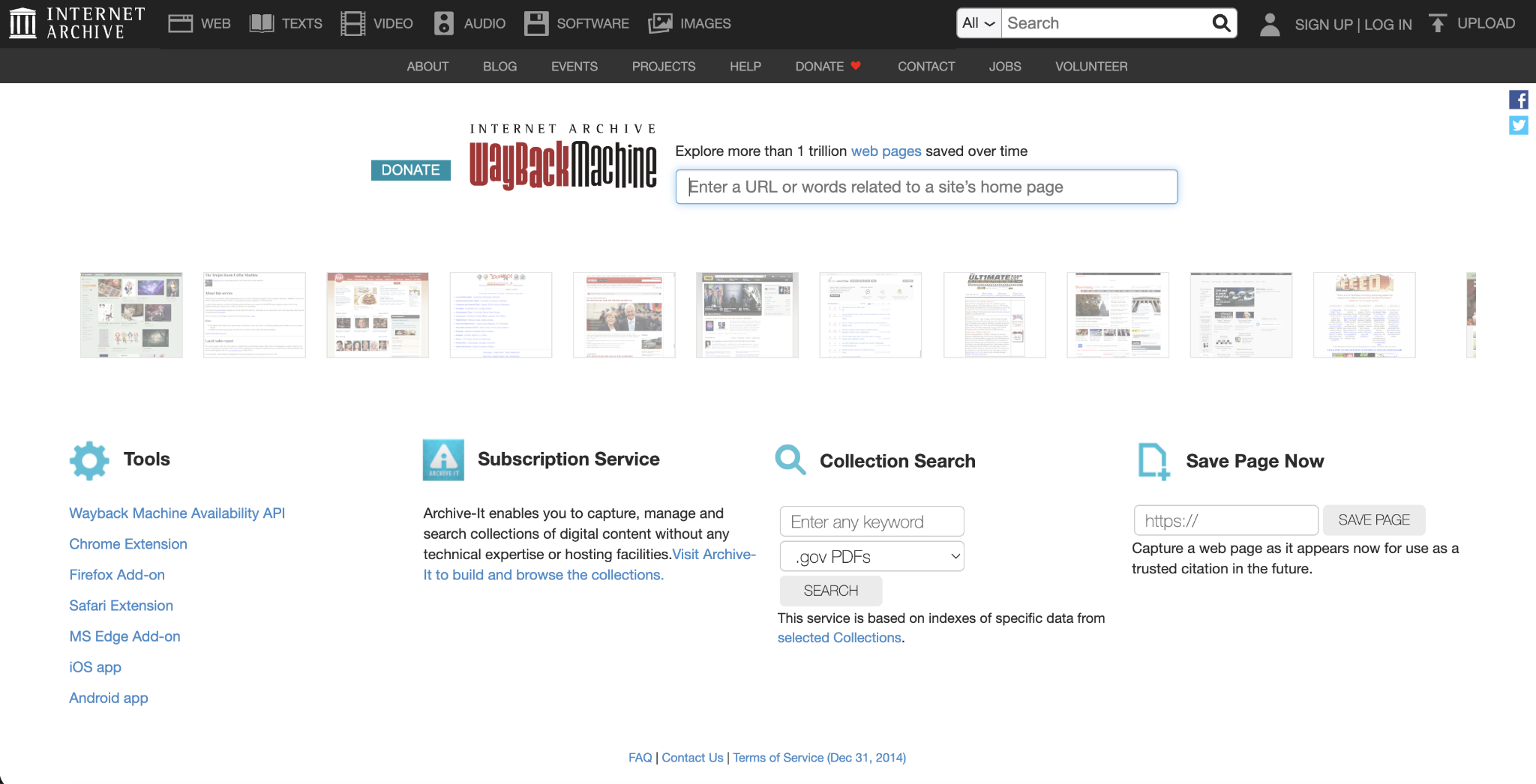
- Check domain history. Use the Wayback Machine to see what the domain was used for before. An expired domain may have been associated with spam, scams, or low-quality content, making it harder to build trust from the start.
What to do after choosing your website name
Once your name passes the availability and brand checks, secure the basics before you start building.
- Register the domain. If the domain is available, buy the domain name before someone else takes it. Use the exact name where possible, or the closest clean variation if your first choice is unavailable.
- Reserve matching social handles. Claim the name on the platforms your audience uses, even if you don’t plan to post there right away. Consistent handles make your brand easier to find across search, social media, and word of mouth.
- Set up a branded email address. Use an address like yourname@yourdomain.com instead of a free webmail account. With Hostinger Email, you’ll connect the address to your domain by adding the required DNS records. If your domain uses Hostinger nameservers, some records may be added automatically. If your DNS is managed elsewhere, you may need to add it manually.
- Define the basic brand details. Your website name should guide your logo, colors, homepage copy, navigation labels, and social profile bios. A simple document with your brand colors, fonts, and voice notes is enough to keep things consistent at the start.
- Start building the website. Choose a website builder or CMS that matches your project, then use your name consistently as you make your website, from the homepage and menus to email and social profiles.
All of the tutorial content on this website is subject to Hostinger's rigorous editorial standards and values.

Alma is an AI Content Editor with 9+ years of experience helping ideas take shape across SEO, marketing, and content. She loves working with words, structure, and strategy to make content both useful and enjoyable to read. Off the clock, she can be found gaming, drawing, or diving into her latest D&D adventure.