At Hostinger, you can download your domain certificate by following these steps:
- Go to the Domains Section > Domain Portofolio on the left side bar of hPanel
- You can select the domain name that you want to download the Domain Certificate by clicking on Manage
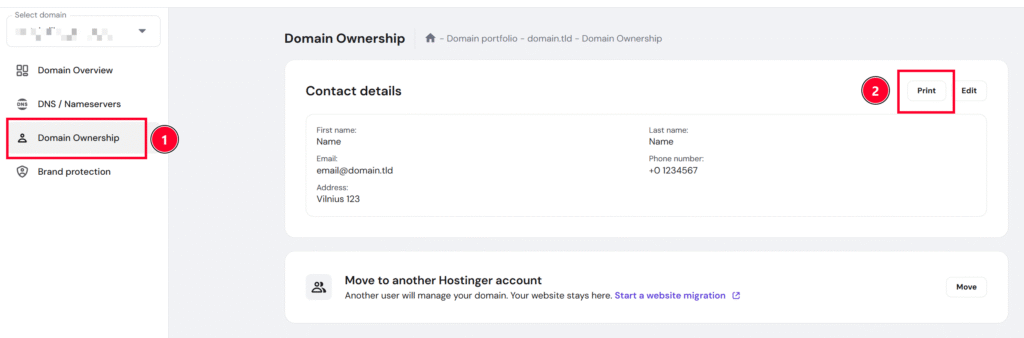
- Once you are in the Manage section, find the Ownership section
- Next to the Edit button, you can, click on Print. You can open and print the downloaded certificate from your end.
NOTE
-
If you wish to use different contact details for the domain certificate, you can update the information by following this article