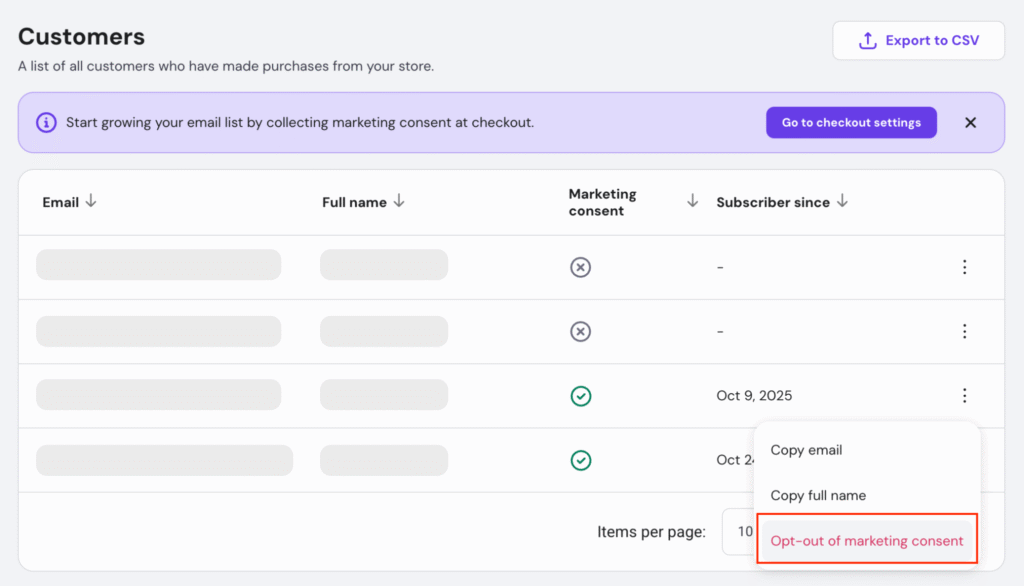
Grow your customer base and stay compliant with data protection rules by enabling email marketing consent at your checkout. This feature allows you to collect customer permissions to send marketing emails, helping you build stronger relationships and increase repeat sales.
Why collect marketing consent at checkout?
- Re-engage customers with personalized offers and product updates.
- Boost sales through discounts and special promotions sent via email.
- Stay compliant with privacy regulations like GDPR and similar laws that apply to your store.
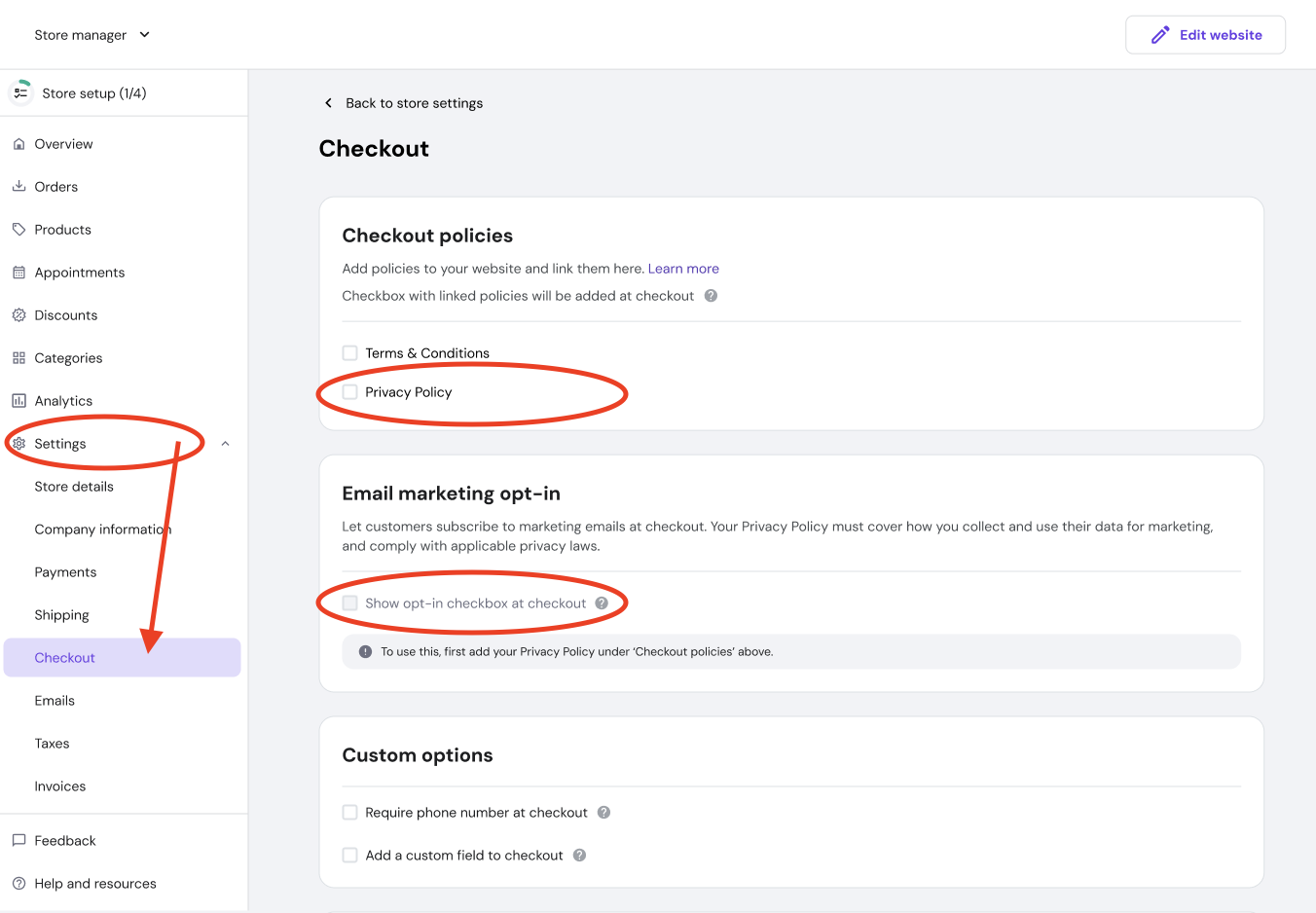
How to enable marketing consent collection at the checkout?
- Go to Store Manager -> Settings.
- Select Checkout.
- Go to Email marketing opt-in section.
- Enable Show opt-in checkbox at the checkout.
💡 Tip: Make sure your Privacy Policy is added under Checkout policies before enabling this feature. Learn how to add your Privacy Policy and other legal pages.
How to preview customers who gave consent?
Go to Customers in the Store Manager. In Customers list view all your customers in one place, track who’s given marketing consent, and use these contacts to start your email marketing campaigns in order to grow your audience and boost sales.
How to remove contact from the marketing list?
- Go to Customers;
- Click on 3 dots icon;
- Select Opt-out of marketing consent.