Hostinger Website Builder: How to Sort Menu Items in the Website’s Navigation Menu

Learn how to sort the menu items in the website’s navigation bar using Hostinger Website Builder

Updated 1 week ago

Within Hostinger Website Builder, you may easily sort navigational items – pages, links, dropdown menus – to change their display order in your website’s header section, also known as the navigation menu:
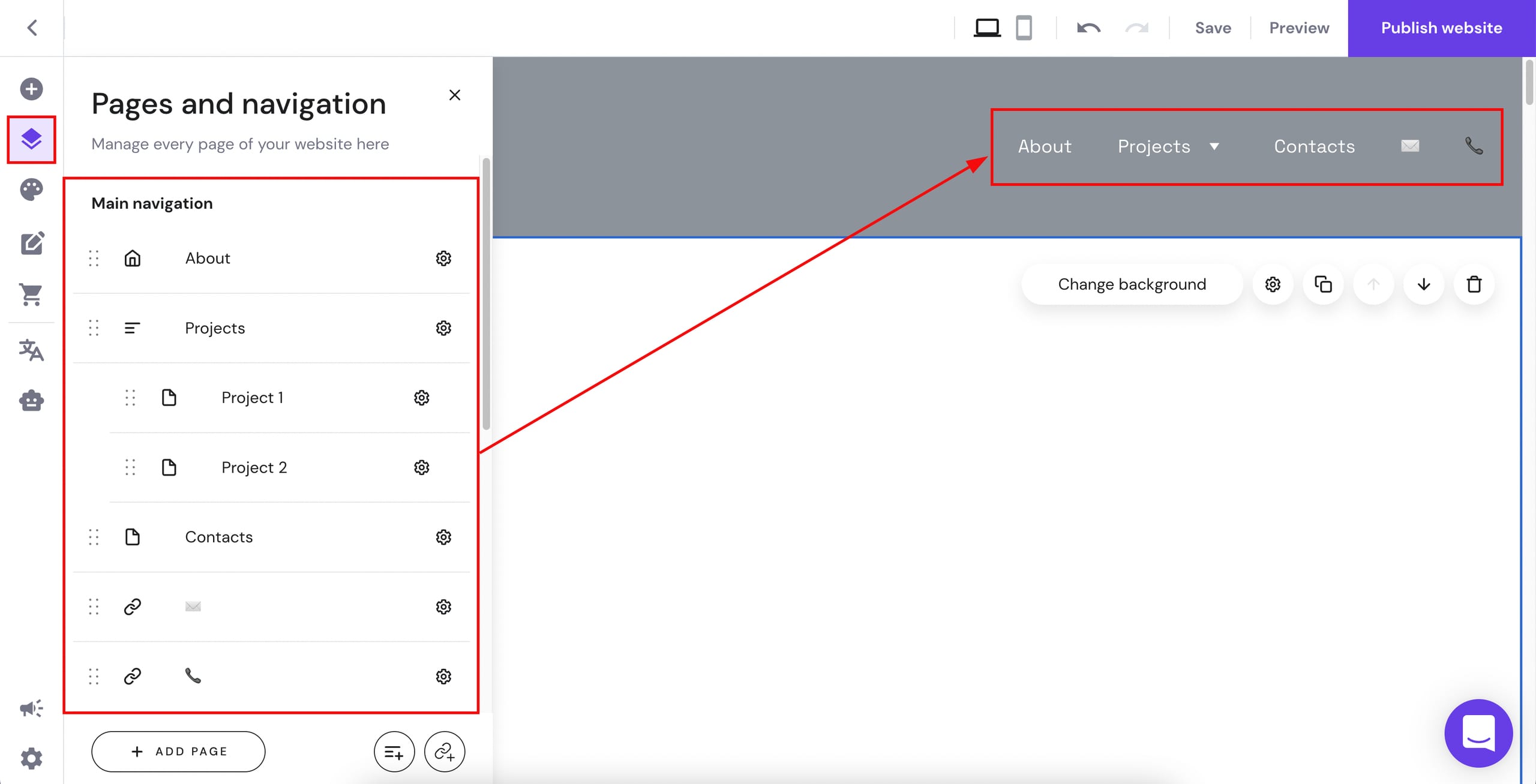
Hostinger Website Builder pages and navigation panel with main navigation menu items highlighted

Within the editor, expand the Pages and navigation panel on the left to view all your navigational items. Next to each item (page, link, dropdown menu), you’ll see a handle resembling six dots:
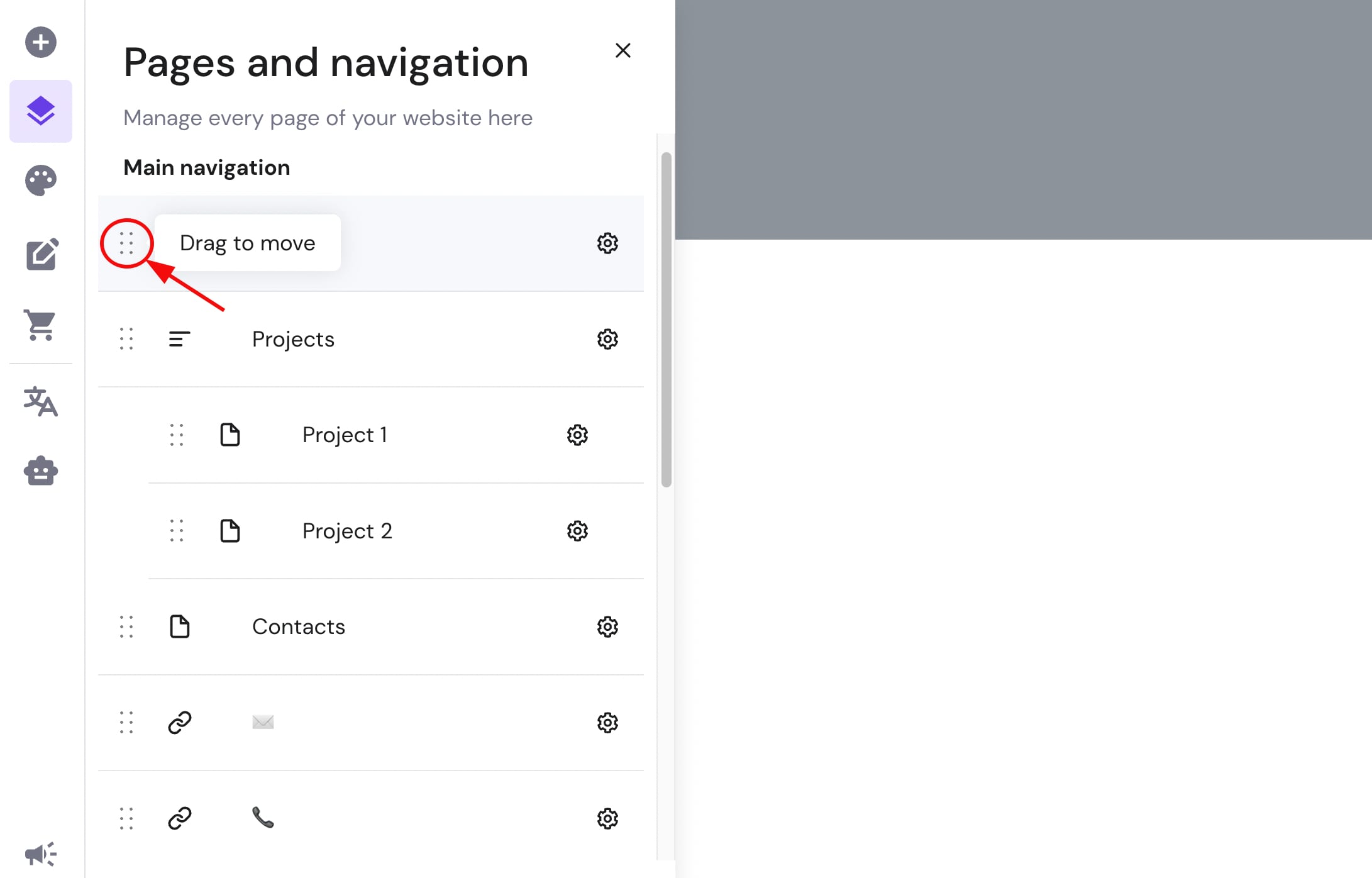
Hostinger Website Builder pages and navigation panel, drag handle highlighted for moving menu items

Use this handle to drag the item up or down:
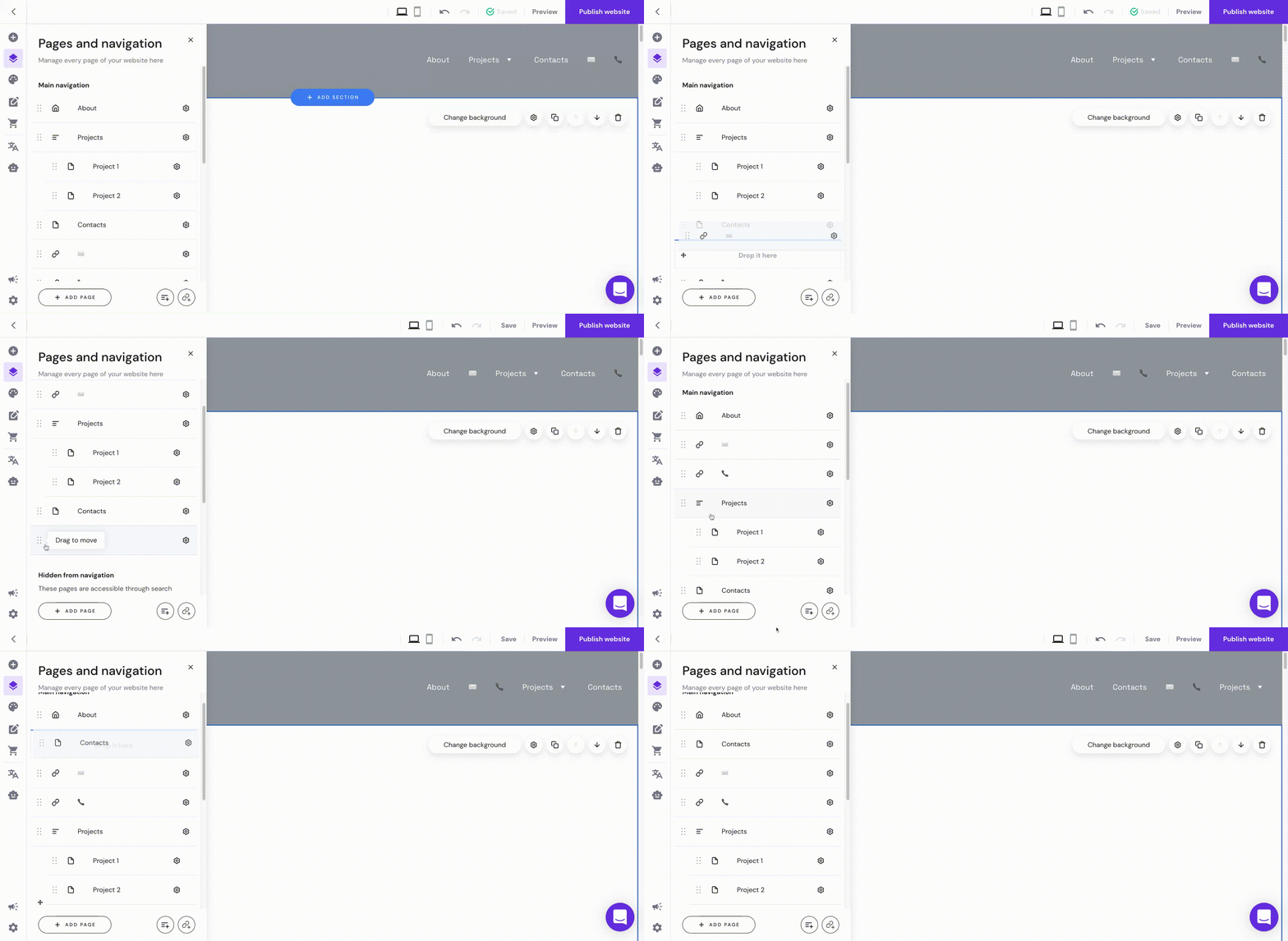
Hostinger Website Builder pages and navigation panel with menu items for sorting site navigation

And that’s it!