If you use Hostinger Email and wish to export your messages to EML, Mbox, or Maildir format, follow the steps below 👇
Note: At the moment, the feature is only available in the old version of Webmail, so you need to access the old version Webmail to export it
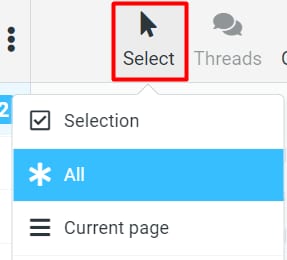
Access the webmail of Hostinger Email, and select all the emails that you want to export. You may use the Select button to do it quicker:
Once selected, click on More, then Download, and choose the format:
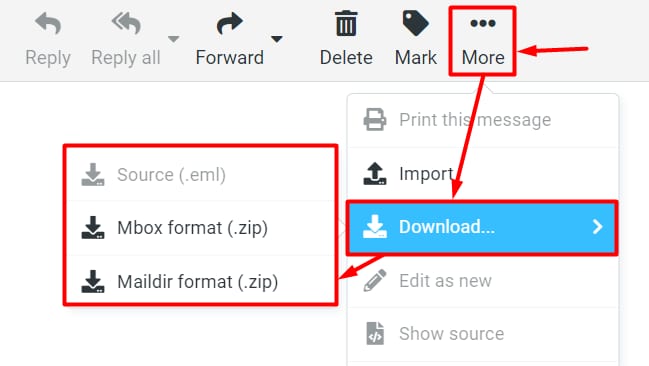
This way, an archive of all your selected emails will be downloaded to your device.
NOTES
-
You can download an EML file for one email at a time only
-
If you select the Mbox or Maildir format, you’ll receive a .ZIP file containing emails in the chosen format