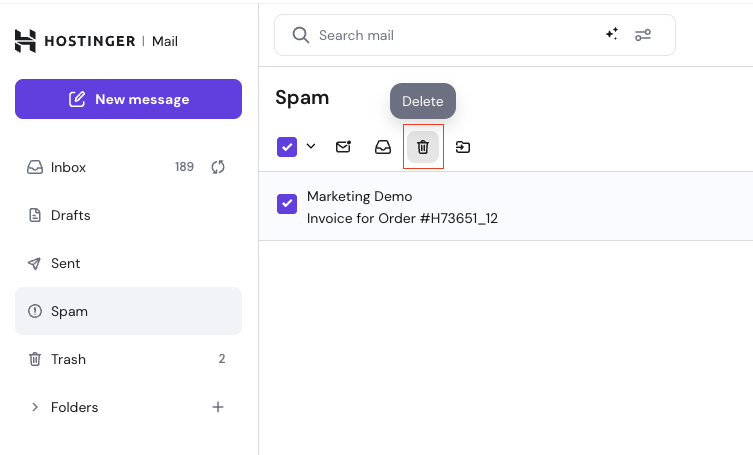
The Spam folder stores emails that are automatically flagged as suspicious.
This helps protect your inbox from unwanted or potentially harmful messages.
Spam filtering is automatic and cannot be turned off. It aims to block spam but may occasionally misclassify emails.
Why Emails Are Marked as Spam
Emails are usually marked as spam for one or more of these reasons:
-
Similar emails were previously marked as spam by users.
-
The sender has a poor sending reputation.
-
The message contains suspicious links, attachments, or formatting.
-
Email authentication is missing or misconfigured for the sending domain (SPF, DKIM, or DMARC).
Moving Emails Between Spam and Inbox
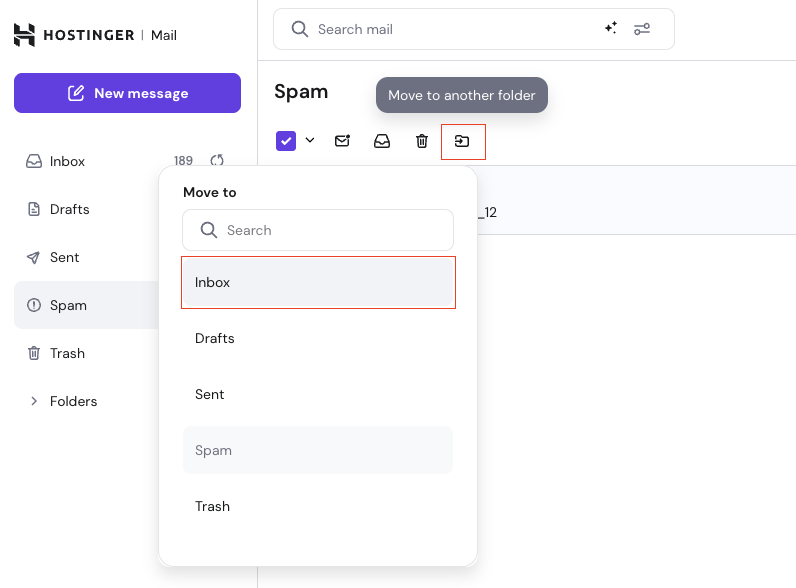
Since March 2026, Hostinger Email Spam filtering has evolved to per-user spam learning, which means that your actions help improve the spam filtering accuracy per mailbox:
-
Moving an email out of Spam trains the system that similar messages are legitimate, and this is a trusted sender per your mailbox.
-
Moving an email to Spam trains the system that similar messages are unwanted.
Changes are not immediate and may not affect previous messages that are already in Junk.
Automatic Deletion From Spam and Trash
To prevent storage issues, automatic cleanup is applied.
Emails in the Spam and Trash folders are automatically deleted after 30 days.
This cleanup helps ensure your mailbox storage is not exceeded due to spam or deleted messages.
Deleted emails cannot be recovered.
You can also delete emails immediately by clicking Delete while viewing messages in the Spam folder.