We are truly sorry to hear that you are considering refunding your services.
Before initiating the refund process, we recommend downloading all the necessary data since your services will be canceled as soon as you submit the refund request. Your files, databases, and emails will be deleted permanently. Learn more:
Find the Payment ID to Refund
Once you download all the data you want to keep, navigate to this page on your hPanel, where you will find all the payment IDs for the last 30 days.
If the Payment ID is refundable, you’ll find the Refund button:
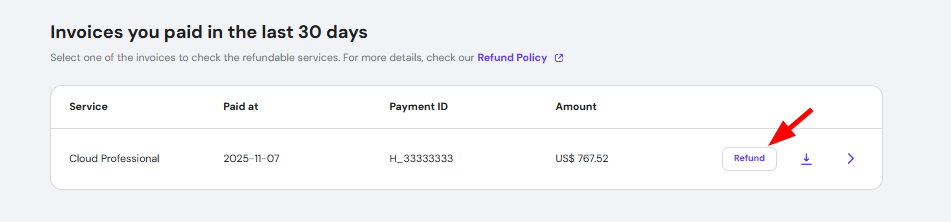
You can also click on the downward arrow to see the Payment ID details. If the service has auto-renewal enabled, you can disable the auto-renewal or proceed with the refund.
If the refund button is missing, it means that the Payment ID is not eligible for a refund as per our Refund Policy.
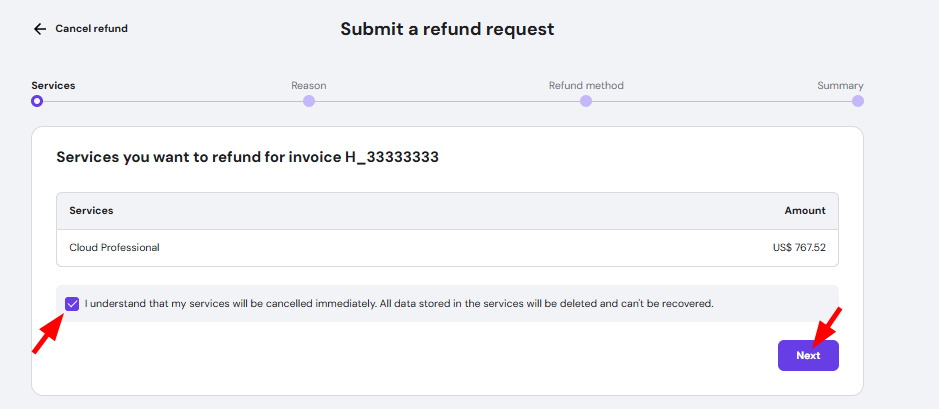
Confirm Refundable Services
Confirm refundable services, mark the checkbox below to confirm you understand that related data will be permanently lost, and click on Next to select the reason of refund:
Select the Refund Method
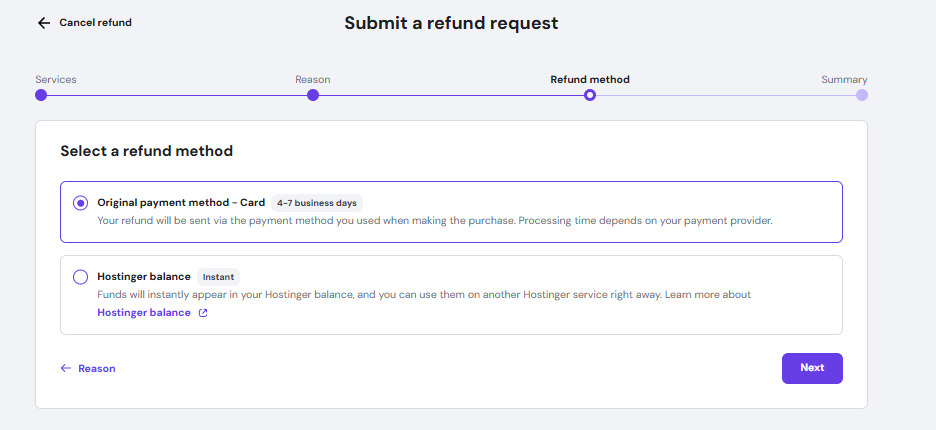
You may choose whether you want to get funds back to your Hostinger Balance or the original payment method:
|
Hostinger Balance |
Original Payment Method |
|
|
Once you select the preferred refund payment method, click on Next:
Submit the Request
Finally, review your refund request and click on Submit request. You will shortly receive an email confirmation. To check the refund status at any time, navigate to the Billing → Refund History section:
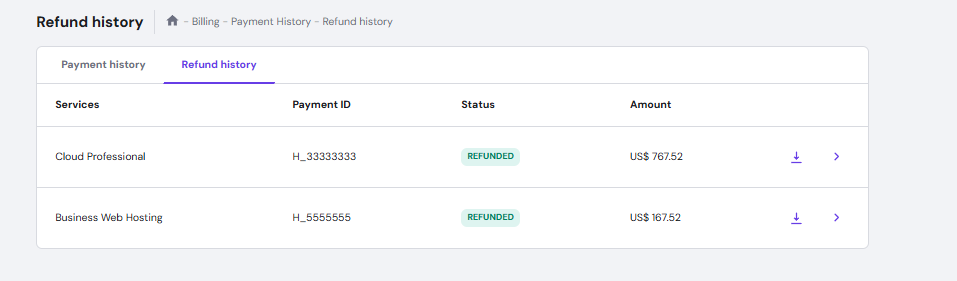
After the email confirmation, you will receive the refund in a few hours or up to a few days, depending on the payment method used for the purchase.
NOTES
-
Products purchased using cryptocurrencies, tokens, or digital assets are not refundable
-
The refund request is not reversible: all files, databases, emails, and any configuration are permanently lost; if you change your mind after requesting the refund, you will need to purchase a new service and restore the backups
-
Backups of websites created with Hostinger Website Builder cannot be downloaded, but as an alternative, you can export the content to WordPress: Website Builder: How to export content to WordPress
-
If your original payment method does not support direct refunds, we will require you to provide the details of an alternative refund method