How to sell a domain name in 7 steps
Oct 02, 2026
/
By Alma
/
7 min Read

To sell a domain name, first determine its value based on comparable sales, then list it on a marketplace or find a buyer directly, use escrow to secure the payment, and transfer the domain after the funds are confirmed.
What a domain sells for depends on how much buyers want it, not what you originally paid, so the goal is to put the domain in front of the right buyers and make the transaction simple to complete.
A sale can close in days or remain open for months, depending on how you price the domain and where you list it. Getting the domain ready beforehand and creating a clear listing help keep things moving once a buyer shows up.
To sell a domain name, follow these seven steps:
- Make sure your domain is ready to sell.
- Estimate your domain’s value.
- Set a selling price.
- Choose where to sell your domain.
- Create your domain listing.
- Secure the buyer’s payment.
- Transfer the domain to the buyer.
1. Make sure your domain is ready to sell
Before you put the domain up for sale, check that you control it, it’s active, and you can transfer it to a buyer. A few checks this early can prevent delays later, especially if the domain is close to expiring or subject to a transfer restriction.
Log in to your registrar account and confirm that you still control the domain. Check that your account and contact details are up to date, then review the following:
- Registration status. The domain should be active and not close to expiring. Renew it if the expiration date is within the next few months, so a lapse doesn’t kill a deal mid-negotiation.
- Ownership disputes. Check whether the domain has any pending disputes, registrar holds, or Uniform Domain-Name Dispute-Resolution Policy (UDRP) complaints, which are formal disputes over domain name ownership. Resolve any outstanding issues before listing the domain.
- Transfer restrictions. Most generic top-level domains (TLDs) such as .com and .net follow ICANN rules that prevent transfers within 60 days of initial registration or a previous transfer. A 60-day lock can also apply after a change to the registrant’s name, organization, or email address. Some country-code TLDs have their own restrictions.
- Trademark clearance. Search the USPTO trademark database and WIPO’s Global Brand Database for potentially conflicting trademarks. A trademark conflict can lead to a UDRP dispute, which can result in the domain being transferred or canceled.
- Transfer method. Decide whether the eventual handover will be an internal account move (if the buyer uses the same registrar) or a transfer to another registrar. This affects timelines and what the buyer needs from you.
- Domain parking is optional. You do not need to park a domain before selling it. Parking simply lets you place a temporary page on the domain while you are not using it, and some services can display a “for sale” message.
2. Estimate your domain’s value
Estimate your domain’s value by comparing it with similar domains that have sold recently and using automated appraisal tools as a starting point. The price ultimately depends on buyer demand, not what you originally paid.
Factors that affect domain value include the domain’s keywords, extension, length, existing traffic, and any links pointing to it from other websites. Brandability and domain history also play a role, especially for non-generic names.
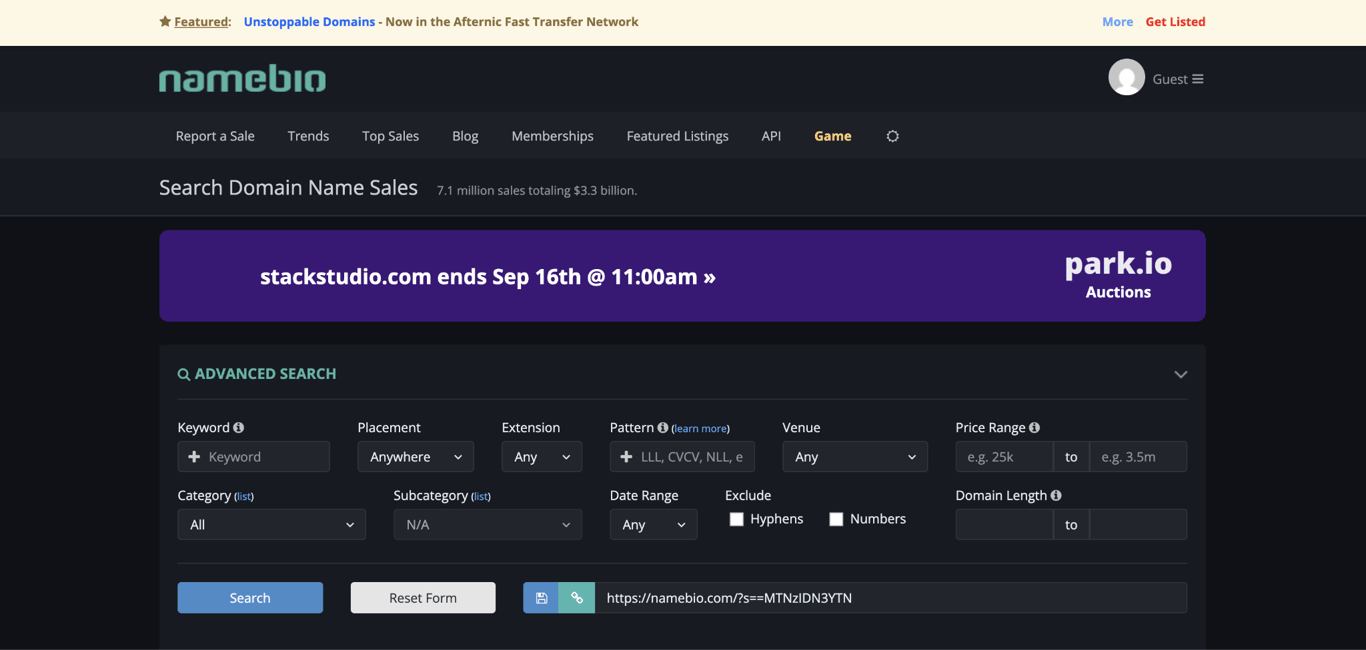
Because these factors vary from one domain to another, no automated tool can tell you exactly what a buyer will pay. Search NameBio for recent sales of similar domains to see what buyers have actually paid, then use tools such as GoDaddy’s Domain Appraisal, EstiBot, or Domainindex.com as another reference point.
Comparing actual sale prices with automated estimates gives you a more realistic range for setting your asking price.
3. Choose a pricing strategy
Choose a pricing strategy based on how much flexibility you want during the sale, then use comparable sales to set a price you’re comfortable accepting.
There are two standard pricing approaches:
- Buy It Now (fixed price). Set a fixed price that allows buyers to purchase the domain without negotiation. This works well when recent comparable sales give you enough information to set a price you’re comfortable accepting.
- Make Offer (negotiated price). Let buyers submit offers and negotiate from there. This works well when the domain is harder to value, or you want to leave room to negotiate with the right buyer.
You can also combine both by setting a Buy It Now price while allowing offers below it. This gives buyers a clear purchase option while leaving room for negotiation.
Whatever approach you choose, price the domain realistically. A price far above what comparable names sell for will make it harder to attract interest. Factor in marketplace commissions when deciding how much you’re willing to accept.
4. Choose where to sell your domain
Choose where to sell based on how much control, visibility, and support you want during the sale. The four main options are a domain marketplace, a direct sale, an auction, or a broker.
Option | How it works | Choose this |
Domain marketplace | List your domain on a platform that connects sellers with existing domain buyers. Marketplaces also handle much of the transaction process and often include escrow. | If you want a ready-made listing and access to buyers without handling the entire sale yourself. |
Direct sale | Find a buyer yourself and handle the negotiation, payment, and transfer. | If you already know who might want the domain or want more control over the sale. |
Auction | List the domain for a set period and let interested buyers compete by submitting bids. | When you expect enough demand to attract multiple buyers. |
Domain broker | A broker handles the sale on your behalf, from finding potential buyers to negotiating the deal. | For a higher-value domain when you want help finding and negotiating with buyers. |
For most sellers, a domain marketplace is the simplest option. Direct sales offer more control, while auctions and brokers suit domains with stronger demand or higher value.
5. Create your domain listing
Once you’ve chosen where to sell, create a listing that gives buyers enough information to understand the domain’s value and purchase it or make an offer. Whether you’re listing on a marketplace or building your own landing page, include:
- Asking price or Make Offer option. Be clear about how buyers can purchase the domain. A visible Buy It Now price lets them act immediately, while a Make Offer option leaves room for negotiation.
- The domain’s strongest selling points. Explain briefly why the domain is valuable, such as its keywords, industry relevance, brandability, or memorability.
- Traffic or revenue data, if you have it. Include verifiable traffic statistics, ad revenue history, or search ranking data if they support the domain’s value. Only include numbers you can back up.
- Domain age and history. Mention the registration year and any useful history, particularly if the domain has an established site or other assets. Don’t make unsupported claims about an older domain being more valuable.
- Related assets. List anything included in the sale, such as matching social media handles, a logo, or website content.
- A clear way to buy or contact you. Give buyers an obvious purchase button, contact form, or email address. Marketplaces usually provide this functionality, while direct sellers need to add their own.
Also, make sure the contact email associated with your WHOIS record works, so you don’t miss buyer inquiries.
6. Secure the payment
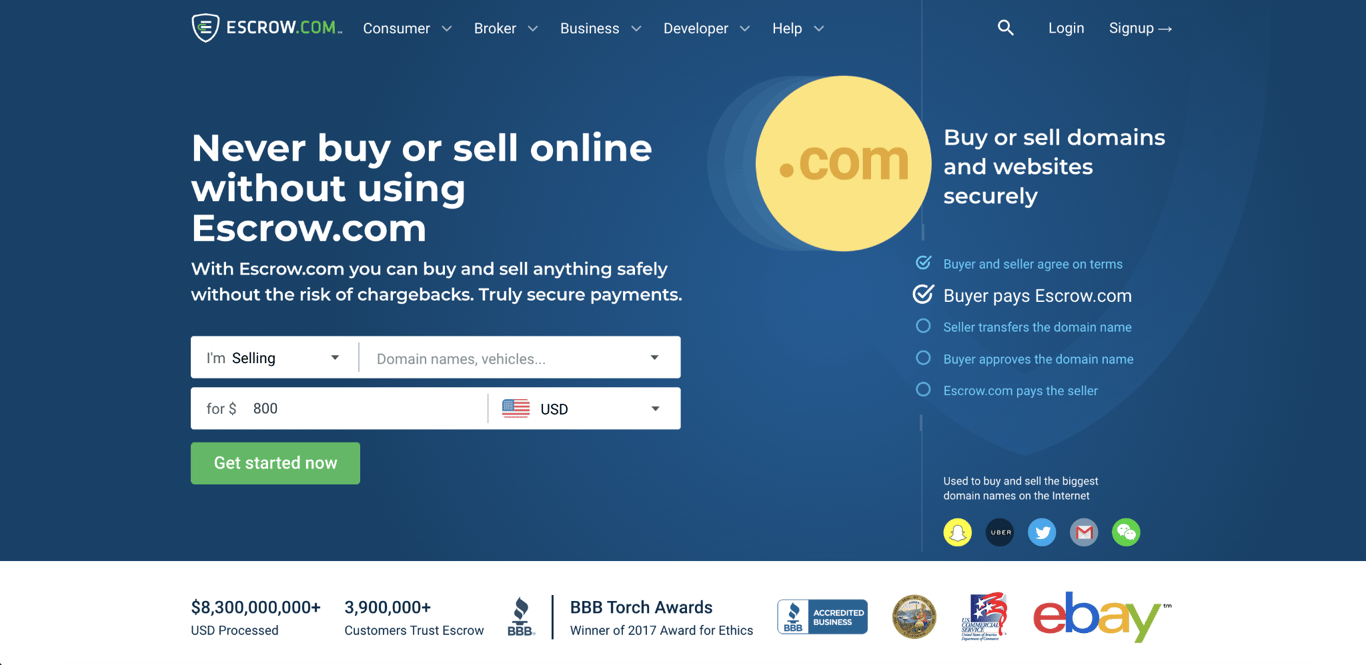
Use an escrow service to protect both sides of the transaction. Escrow is a service that holds the buyer’s payment until the domain transfer is confirmed, so the seller doesn’t have to transfer the domain before knowing the money is secured.
Here’s how the escrow process works:
- Buyer and seller agree on price and terms.
- Buyer sends money to the escrow provider.
- The provider confirms that funds are secured.
- Seller transfers the domain to the buyer.
- Buyer or the platform confirms the transfer is complete.
- Escrow releases the funds to the seller.
If you sell through a domain marketplace, payment protection is often built into the transaction. Afternic, Sedo, and Dan.com all handle escrow as part of their sales process, but fees vary by platform, so check the terms before listing.
For a direct sale, you need to arrange escrow separately. Escrow.com is an independent service that supports domain transactions. Check its current fees before using the service, and agree in advance who will pay them.
7. Transfer the domain to the buyer
Once escrow confirms the funds are secured, transfer the domain to the buyer’s registrar account. The exact steps depend on whether the buyer uses the same registrar as you or a different one.
Same registrar (internal transfer). If the buyer uses the same registrar, you can often move the domain between accounts without transferring it to a different registrar. This doesn’t require an EPP authorization code.
If both of you use Hostinger, go to Domains → select the domain → Move to another Hostinger account, and enter the buyer’s account email. The buyer then accepts the transfer from their own Domains section. The domain must have been registered for at least 96 hours and not moved between accounts in the past 10 days.
Different registrar (transfer between registrars). Before starting the transfer, check whether the domain is subject to a transfer lock. ICANN rules block transfers within 60 days of initial registration or a previous transfer, and a separate lock can apply after a registrant (owner) change. These restrictions cover generic TLDs like .com and .net; country-code TLDs have their own rules.
Once the domain is eligible, follow these steps:
- Unlock the domain at your current registrar.
- Disable DNSSEC if your current or receiving registrar requires it.
- Obtain the EPP/authorization code (sometimes called an auth code or transfer key).
- Share the EPP code with the buyer through the escrow or marketplace workflow.
- Confirm any transfer authorization emails from the registrar.
- Wait for the transfer to complete. Transfers often take several days, but the timeline depends on the TLD and registrar.
Have the EPP authorization code ready if your domain requires one. A missing or incorrect code can delay or prevent the transfer.
Tips for selling a domain name faster
Selling a domain name faster comes down to making it easy to find, easy to evaluate, and easy to buy.
- Review your price. If your domain isn’t attracting interest, compare your asking price with recent sales of similar domains and adjust it if needed.
- List where buyers actually look. Listing your domain on multiple established marketplaces puts it in front of more potential buyers. Keep the price consistent across all of them so buyers don’t see conflicting numbers.
- Use a professional landing page. A clean “for sale” landing page with your price and a contact form gives interested buyers a clear way to reach you. Many marketplaces also let you use a landing page for your listing.
- Respond to inquiries quickly. Serious buyers may contact several sellers at once. Responding the same day keeps the conversation moving and shows that you’re available to complete the sale.
- Reach out to likely buyers directly. If your domain matches a specific industry, identify businesses that might want it. A short, professional message puts the domain in front of a relevant buyer instead of waiting for someone to find the listing.
How long does it take to sell a domain name?
There is no fixed timeline for selling a domain. A desirable name priced appropriately can attract an offer within days or weeks, while a niche or overpriced domain can remain unsold for months or years.
The two factors you have the most control over are price and where you list the domain. A realistic price makes the domain more attractive to buyers, while a marketplace with an established buyer base gives more people a chance to see your listing.
If your domain hasn’t attracted interest after several months, revisit your pricing and compare it with recent NameBio sales for similar domains. You can also consider whether listing it on a different platform would put it in front of more relevant buyers.
How to keep your domain ready until it sells
Once the domain is listed, keep it active and make sure the listing stays accurate while you wait for a buyer.
Renew the domain and enable auto-renewal. Letting it expire while you’re negotiating a sale could interrupt the transfer or cause you to lose the domain.
Check your listing periodically to make sure the contact information, price, and domain status are still accurate. If you change your price, update it on every platform where the domain is listed.
Selling a domain takes patience, so keep it active, respond to serious inquiries, and review your price if the listing isn’t attracting interest. If you decide to make domain buying and reselling a business rather than simply selling a domain you already own, consider domain flipping instead.

This article is a localized version of How to sell a domain name in 7 steps, originally published in English.
All of the tutorial content on this website is subject to Hostinger's rigorous editorial standards and values.

Alma is an AI Content Editor with 9+ years of experience helping ideas take shape across SEO, marketing, and content. She loves working with words, structure, and strategy to make content both useful and enjoyable to read. Off the clock, she can be found gaming, drawing, or diving into her latest D&D adventure.